Why Does Twitch Error 2000 Happen? Here’s How to Fix It
Twitch Error 2000 is a network error that appears as "There was a network error. Please try again (Error #2000). Most cases are resolved with a hard refresh, a cache clear, or by disabling browser extensions. If not, follow the fixes below.

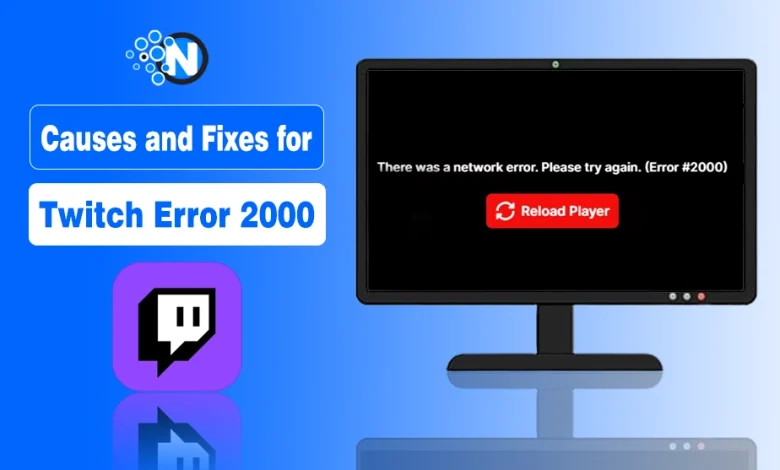
Seeing “There was a network error. Please try again (Error #2000)” on Twitch? Don’t worry, it’s usually a quick fix.
In most cases, Twitch Error 2000 is caused by browser cache, conflicting extensions, VPNs, or an unstable internet connection, not by Twitch itself.
The error is also often a cause of frustration for the streamers, as it ends the mood of entertainment. A person usually faces this issue on the occurrence of any technical glitch on its side, as it is rare to face it due to Twitch unavailability.
As there’s nothing special to do with Twitch. Here, I am describing the steps to get out of the Twitch 2000 network error and enjoy your streams smoothly.
You’ll also learn browser-specific solutions for Chrome, Firefox, and other browsers, along with advanced troubleshooting tips if the error keeps coming back.
What is Twitch Error 2000?
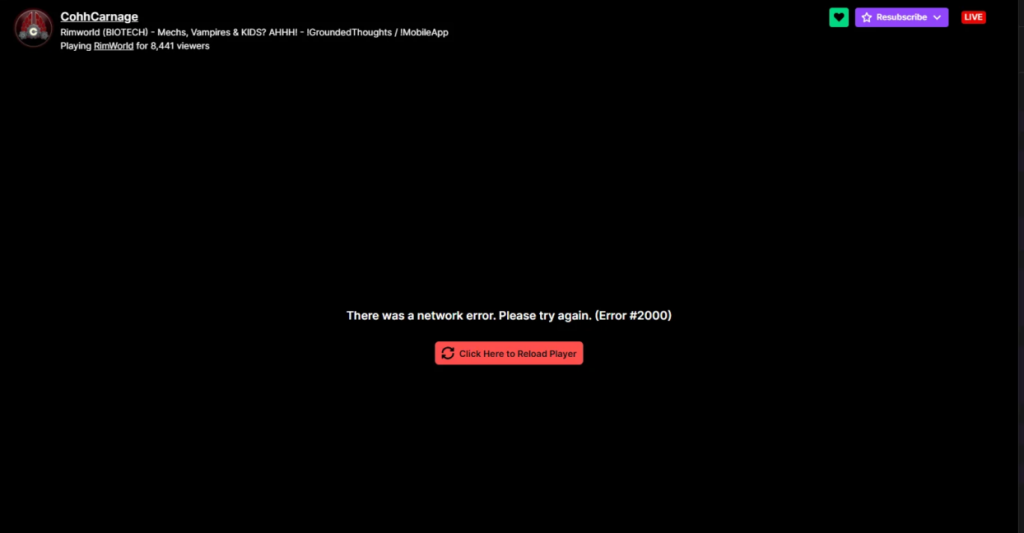
Twitch Error 2000 is a network connection error that occurs when your browser cannot establish or maintain a secure connection with Twitch’s servers, preventing live streams, VODs, or clips from loading properly.
When this happens, the Twitch player cannot retrieve or verify the video data required for playback. As a result, you may see a black screen, an endless buffering loop, or the message “There was a network error. (Error #2000).”
Why Does Twitch Error 2000 Happen?
Twitch Error 2000 happens when something interrupts the secure connection between your browser, internet connection, and Twitch’s servers.
Because multiple components are involved in loading a stream, there isn’t a single universal cause.
Some of the most common culprits are:
- Browser cache issues: Corrupted cache or cookies block Twitch’s player scripts.
- Ad blockers and extensions: Privacy or ad tools sometimes misidentify Twitch’s stream elements as ads.
- VPNs or proxies: Some IP addresses used by VPNs are blacklisted by Twitch’s servers.
- Antivirus or firewall interference: Overprotective settings prevent Twitch from loading data securely.
- Unstable or restricted Wi-Fi: A fluctuating internet connection interrupts secure streaming.
- Temporary server downtime: Rare, but Twitch itself may experience short maintenance or CDN issues.
How to Fix Twitch Error 2000 (Step-by-Step)
Work through the following solutions in order. Start with the simplest fixes first, as most Twitch Error 2000 cases are resolved without advanced troubleshooting.
Step 1: Hard Refresh the Twitch Page
A hard refresh reloads Twitch without using cached files and often fixes temporary Error 2000 issues. Temporary connection glitches are common and can usually be resolved with a hard refresh.
- Windows: Press Ctrl + F5 or Ctrl + Shift + R
- Mac: Press Command + Shift +R
- Wait for Twitch to reload completely.
- If the stream works, no further troubleshooting is needed.
Step 2: Lower the Stream Quality
Lowering the stream quality reduces bandwidth usage and can fix Twitch Error 2000 on slow or unstable internet connections.
If the error appears while watching in high resolution:
- Click the Settings icon in the Twitch player.
- Select Quality and choose 720p or 480p instead of Auto or 1080p.
- Refresh the stream if necessary.
If the stream loads at a lower resolution, your connection may not be stable enough for higher-quality playback.
Step 3: Disable Ad Blockers and Browser Extensions
Browser extensions are one of the most common causes of Twitch Error 2000 because they can block Twitch’s video player or streaming scripts. Temporarily disable all AdBlock extensions and reload Twitch.
Extensions commonly linked to Error 2000 include:
- uBlock Origin
- AdBlock
- AdBlock Plus
- AdGuard
- Ghostery
- Privacy Badger
To disable extensions:
- Google Chrome: Menu → Extensions → Manage Extensions
- Mozilla Firefox: Menu → Add-ons and Themes → Extensions
If you’re using ad blockers primarily to avoid Twitch ads, Twitch Turbo is another option that removes most ads while supporting the platform.
Step 4: Open Twitch in Incognito or Private Mode
Incognito Mode helps determine whether browser extensions or cached data are causing Twitch Error 2000.
Open Twitch in a private browsing window.
- Chrome & Edge: Ctrl + Shift + N
- Firefox: Ctrl + Shift + P
If Twitch works in Incognito Mode, the problem is likely caused by an extension, cached data, or your browser profile.
Step 5: Clear Browser Cache and Cookies
Clearing your browser cache removes corrupted files and cookies that may prevent Twitch from loading streams correctly.
Open your browser settings and clear:
- Cached images and files
- Cookies and site data
Restart your browser afterward and test Twitch again.
Step 6: Check Your Internet Connection
An unstable internet connection is one of the most common causes of Twitch Error 2000.
Before trying advanced fixes:
- Run an internet speed test.
- Restart your router.
- Switch from Wi-Fi to Ethernet if possible.
- Disconnect other devices using heavy bandwidth.
For smooth streaming, Twitch generally recommends:
- 3–6 Mbps for standard quality
- 8 Mbps or higher for Full HD streams
Step 7: Disable Your VPN or Proxy
VPNs and proxy servers can prevent Twitch from establishing a secure connection, triggering Error 2000.
If you’re using a VPN:
- Disconnect it.
- Close your browser.
- Reopen Twitch.
- Test the stream again.
If Twitch works normally, try another VPN server or browse without the VPN.
Step 8: Check Your Firewall or Antivirus
Some antivirus programs and firewalls block Twitch’s secure network requests, causing Error 2000.
Temporarily disable your antivirus web protection or firewall and reload Twitch. If the stream loads successfully, add Twitch to your software’s whitelist instead of leaving your protection disabled.
Step 9: Update Your Browser
Keeping your browser updated ensures compatibility with Twitch’s latest streaming technologies and security protocols.
Check for updates in your browser and install any available version before testing Twitch again.
Supported browsers include:
- Google Chrome
- Mozilla Firefox
- Microsoft Edge
- Brave Browser
Step 10: Use the Twitch Desktop App
If the browser version continues to display Error 2000, try the Twitch Desktop App to rule out browser-related issues.
Because the desktop app doesn’t rely on browser extensions or cached data, it can often bypass conflicts that prevent Twitch streams from loading.
How to Fix Twitch Error 2000 on Chrome?
If Twitch Error 2000 only occurs in Google Chrome, the problem is usually caused by Chrome-specific networking features, cached connections, or Hardware Acceleration. Try these fixes in order.
Fix 1: Disable the Experimental QUIC Protocol
Disabling the QUIC protocol can resolve connection handshake issues between Chrome and Twitch.
- Type
chrome://flagsin the address bar. - Search for Experimental QUIC Protocol.
- Set it to Disabled.
- Relaunch Chrome and test Twitch again.
Fix 2: Flush Chrome’s Socket Pools
Flushing Chrome’s socket pools resets active network connections without clearing your browsing data.
- Open
chrome://net-internals/#sockets. - Click Flush socket pools.
- Restart Chrome.
- Reload Twitch.
Fix 3: Clear Chrome’s DNS Cache
Clearing Chrome’s internal DNS cache removes outdated DNS records that may prevent Twitch from connecting properly.
- Open
chrome://net-internals/#dns. - Click Clear host cache.
- Restart Chrome.
- Test Twitch again.
How to Fix Twitch Error 2000 on Only One Stream
If Twitch Error 2000 only appears on one stream while other channels work normally, the problem is usually with that specific stream or Twitch’s regional servers, not your browser or internet connection.
If You’re a Viewer:
If the error affects only one channel:
- Refresh the stream and wait a few minutes.
- Disable your ad blocker for that channel and reload the page.
- Open the stream in Incognito/Private Mode to rule out extension conflicts.
- Lower the stream quality to 720p or 480p.
- Test the same stream in another browser.
If every other Twitch stream works normally, there’s usually nothing wrong with your device. The issue often resolves once the streamer or Twitch fixes the stream.
If You’re a Streamer:
If viewers report Error 2000 only on your channel, review your broadcast settings. While, If you’re just starting your streaming journey, understanding the Twitch Affiliate Program can help you optimize your channel while following Twitch’s broadcasting guidelines.
Keep Your Bitrate Within Twitch’s Recommended Limits
Using a bitrate that’s too high can make your stream unstable for some viewers.
- Non-Partner streamers: Keep your bitrate at or below 6,000 Kbps.
- Twitch Partners: Twitch recommends a maximum video bitrate of 8,000 Kbps, provided your channel supports higher-quality transcoding.
Use Constant Bitrate (CBR):
Configure your streaming software to use Constant Bitrate (CBR) instead of Variable Bitrate (VBR).
CBR delivers a more consistent stream, while VBR can cause sudden bitrate spikes that may result in buffering, dropped frames, or playback issues for viewers.
Check Your Network Connection:
A stable upload connection is just as important as your download speed.
Before going live:
- Test your upload speed.
- Restart your router if needed.
- Use a wired Ethernet connection instead of Wi-Fi whenever possible.
Update Your Network Drivers
Outdated network adapter drivers can cause intermittent upload interruptions during broadcasts.
On Windows:
- Open Device Manager.
- Expand Network adapters.
- Right-click your network device.
- Select Update driver.
How to Fix Twitch Error 2000 on Mobile?
On Android and iPhone, Twitch Error 2000 is usually caused by app cache, an unstable internet connection, or an outdated Twitch app.
Try these fixes in order:
- Switch between Wi-Fi and mobile data to identify whether the issue is network-related.
- Restart your device to refresh your network connection.
- Clear the Twitch app cache (Android): Settings → Apps → Twitch → Storage → Clear Cache.
- Update the Twitch app from the Google Play Store or Apple App Store.
- Disable any VPN if you’re using one.
- Reinstall the Twitch app if the error continues. On iPhone, reinstalling the app also clears its cached data.
Advanced Troubleshooting Options
- Switch browsers: Try Firefox, Edge, or Brave if Chrome causes persistent errors.
- Use Incognito Mode: Helps test whether extensions are the culprit.
- Check Twitch’s Server Status: Visit Downdetector or Twitch Status to confirm whether the platform is facing outages.
- Update your browser: Outdated versions sometimes break secure connections.
| Problem Type | Possible Cause | Recommended Fix |
|---|---|---|
| Network issue | Wi-Fi instability | Restart router or switch to Ethernet |
| Browser issue | Cache/cookies | Clear browser data |
| Security block | Antivirus/VPN | Whitelist Twitch or disable temporarily |
| Server error | Twitch outage | Wait and retry after 30 minutes |
What to Do If Twitch Error 2000 Still Isn't Fixed?
If Twitch Error 2000 persists after trying all the fixes above, the issue may be related to your internet service provider (ISP), your Twitch account, or a temporary Twitch server issue.
Before giving up, try these final steps:
- Contact Twitch Support if the error occurs across multiple browsers, devices, and networks.
- Test a different internet connection, such as a mobile hotspot, to determine whether your home network is causing the problem.
- Contact your ISP if Twitch only fails on your home internet, as network routing or traffic restrictions may be affecting the connection.
- Check the Twitch community to see whether other users are reporting the same issue or sharing recent solutions.
Once Twitch is working again, you’ll be able to enjoy live streams, interact in chat, and get the different Twitch badges while participating in the community.
People Also Ask About Twitch Error 2000
Is Twitch Error 2000 a server-side issue?
Not usually. Most cases come from local browser or network conflicts rather than Twitch’s infrastructure.
Does using a VPN cause Error 2000?
Yes, certain VPN IP ranges are blocked by Twitch, leading to connection drops.
Can mobile users experience Twitch Error 2000?
It’s rare, but unstable cellular data or a corrupted app cache can trigger similar errors. Clearing the app cache usually helps.
How to fix Twitch error code 2000 quickly?
You can fix Twitch error code 2000 by refreshing the page, clearing the cache, disabling extensions, and checking your internet connection.
What causes Twitch network error 2000?
Twitch network error 2000 is caused by browser cache issues, ad blockers, VPN usage, firewall restrictions, or unstable internet connections.
Is Twitch error 2000 common?
Yes, Twitch error 2000 is a common issue and usually occurs due to local browser or network problems rather than server-side errors.
Final Thoughts on Fixing Twitch Error 2000
Twitch Error 2000 is usually a temporary browser or network issue, and most users can fix it with a few simple troubleshooting steps.
Start with the basics, such as refreshing the page, clearing your browser cache, disabling conflicting extensions, and checking your internet connection. If the error persists, work through the advanced fixes one by one to identify the underlying cause.
I hope this guide helped you resolve Twitch Error 2000 and get back to watching your favorite Twitch streams without interruptions.
If none of the solutions work, your best next step is to contact Twitch Support or your internet service provider for further assistance.