Creating professional videos once required cameras, editing software, production skills, and significant time investment.
For many creators, marketers, and small businesses, those requirements made consistent video production expensive and difficult to scale.
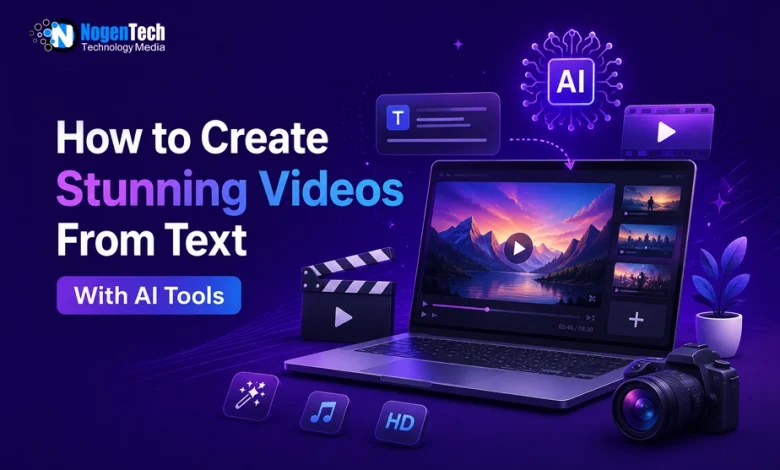
AI text-to-video tools are changing that. Instead of filming scenes and editing footage, users can describe what they want in a text prompt, and the AI generates a video clip complete with motion, lighting, camera movement, and visual style in minutes.
As video content continues to dominate social media, marketing, and online communication, these tools are making video creation faster, more accessible, and more cost-effective than traditional production methods.
In this video creating guide, I will show you how AI text-to-video technology works, the features that matter most, best practices for generating better results, and who can benefit from using these tools.
What Is an AI Video Creator From Text?
An AI video creator from text is a tool that transforms written prompts into video content using artificial intelligence. Users describe a scene, action, style, or camera movement, and the AI generates a corresponding video clip without the need for filming or traditional editing.
These systems are trained on large datasets of images, videos, and text, enabling them to understand visual concepts and create original footage from natural language descriptions.
Unlike older tools that modified existing media, modern text-to-video AI generates entirely new scenes frame by frame based on the user’s prompt.
Instead of relying on cameras, crews, and editing timelines, AI video generators analyze written descriptions and produce visual content automatically.
Modern AI text-to-video systems can generate:
- Custom scenes from written prompts
- Cinematic camera movements
- Realistic motion and lighting
- Style-specific visual output
- Product showcase footage
- Lifestyle and brand content
- Social media video clips
- Short-form and long-form video sequences
How to Create Your First Video From a Text Prompt
Creating a video with a text-to-video AI tool is a simple process. Follow these steps to generate better results from your prompts.
1. Describe a Specific Scene
Start with a clear and detailed description of the subject and environment. Specific prompts usually generate better results than abstract ideas.
2. Add Camera and Style Details
Include information about the shot type, camera movement, lighting, and visual style. This helps the AI understand how the scene should look and feel.
3. Generate the Video
Submit the prompt and allow the AI model to create the video based on your instructions.
4. Review the Output
Check the generated clip for motion quality, lighting consistency, and overall accuracy compared to your original prompt.
5. Refine and Regenerate
Adjust specific parts of the prompt and generate a new version if improvements are needed. Small prompt refinements often produce better results than rewriting the entire prompt.
Most users can create a usable AI-generated video after a few prompt iterations and minor adjustments.
Key Features That Make AI Video Generators Stand Out
AI video generators vary significantly in quality and capabilities. When comparing platforms, focus on the features that have the greatest impact on video quality, creative control, and workflow efficiency.
Motion Quality
Smooth and realistic motion is one of the most important factors in AI-generated video. Advanced tools use motion consistency and temporal stability technologies to reduce flickering, distortion, and unnatural object movement.
Clip Length
Longer video clips provide greater creative flexibility. Tools that support extended clip durations allow for storytelling, product demonstrations, and scene development without excessive editing.
Camera Controls
Camera movement options such as pan, tilt, zoom, dolly, and orbit help creators control how scenes are presented. These controls provide greater creative direction and improve the overall production quality.
Style Presets
Built-in styles such as cinematic, documentary, advertising, animation, or anime help users achieve a desired visual look without extensive prompt engineering.
Consistency Features
Consistency tools help maintain the same characters, objects, and visual style across multiple video generations. This is especially important for branded content, product videos, and multi-scene projects.
Ease of Use
User-friendly interfaces, prompt assistance, and simplified workflows make AI video generation more accessible to beginners and non-technical users.
Best Practices for Using AI Text-to-Video Tools
Following a few best practices can improve video quality, reduce revisions, and help creators generate more consistent results.
- Use detailed prompts – Include the subject, environment, lighting, camera movement, and visual style for better output accuracy.
- Align prompts with content goals – Customized prompt language to the purpose of the video, whether it is a product showcase, social media clip, or educational content.
- Refine prompts systematically – Adjust specific elements rather than rewriting the entire prompt after each generation.
- Maintain visual consistency – Use consistent style descriptions, color tones, and camera settings across related clips.
- Combine AI with post-production – Enhance AI-generated footage with editing, voiceovers, music, or text overlays when needed.
Applying these practices helps creators produce more professional, consistent, and effective video content.
Who Benefits Most From AI Text-to-Video Tools?
AI text-to-video tools provide value across many industries, but they are particularly useful for:
- Independent content creators – Generate custom video content for YouTube, TikTok, blogs, and social media without a production budget.
- Marketing teams and agencies – Create product videos for business, ad variations, client presentations, and localized campaigns faster and at lower cost.
- Small business owners – Produce promotional videos, social media content, and product demonstrations without hiring a professional video production team.
These tools help reduce production costs, speed up content creation, and make professional-quality video accessible to users with little or no editing experience.
The Future of AI Text-to-Video Technology
The future of artificial intelligence in video production is developing rapidly. AI will continue playing a larger role in how visual content is created, distributed, and personalized in the years ahead.
Emerging trends include:
- Real-time video generation from live text input
- Longer clip durations with full scene development
- AI-powered character and subject consistency across clips
- Integrated audio and voiceover generation
- Direct platform publishing from AI generation interfaces
- Automated video series production from single content briefs
- Smarter style transfer and brand kit integration
As AI video technology becomes more advanced, production will likely become even more personalized, accessible, and efficient for creators and businesses worldwide.