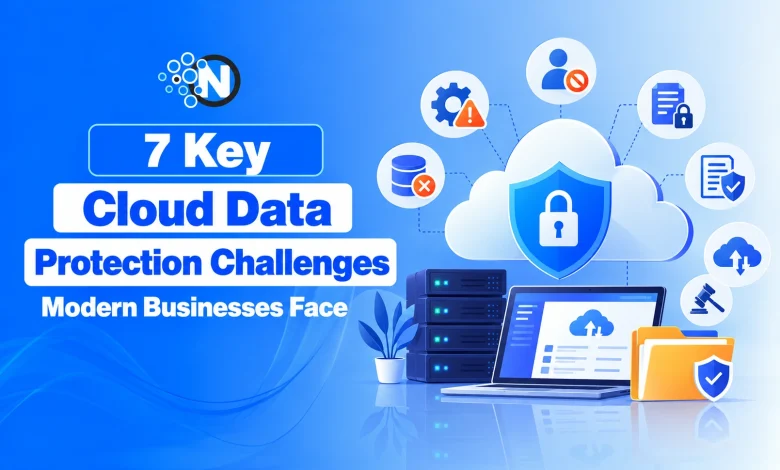
7 Key Cloud Data Protection Challenges Modern Businesses Face
Explore the seven major cloud data protection challenges businesses face and learn practical ways to secure sensitive information, prevent data loss, and reduce security risks.

Cloud storage makes it easier for businesses to access files, share information, and manage data across different locations. But storing information in the cloud does not automatically make it secure.
Customer records, financial documents, employee information, and intellectual property can be exposed through incorrect settings, compromised accounts, or inadequate security controls. The risks increase when data moves between multiple cloud platforms, applications, and users.
Here are seven major cloud data protection challenges and practical ways to reduce the risks.
1. Cloud Misconfiguration
Cloud misconfiguration happens when storage, databases, permissions, or other cloud services are set up incorrectly.
For example, a storage bucket intended for internal use could accidentally become publicly accessible. A database might also expose sensitive information if access permissions are broader than necessary.
For organizations evaluating cloud data protection for businesses, configuration management is an important consideration because even a small configuration error can affect the security of critical information.
Misconfigurations can occur during initial deployment or when existing cloud services are updated.
How businesses can reduce the risk:
- Review cloud storage and database permissions regularly.
- Restrict public access unless specifically required.
- Use automated tools to identify insecure configurations.
- Establish security checks before deploying new services.
- Monitor configuration changes and investigate unexpected updates.
2. Unauthorized Access to Cloud Data
Cloud environments often involve employees, contractors, administrators, applications, and third-party services accessing the same information.
The problem begins when an account receives more access than its responsibilities require.
For example, an employee responsible for reviewing sales reports may not need permission to download an entire customer database. Similarly, an application should not have unrestricted access to cloud storage when only one folder is necessary.
Compromised passwords and inactive accounts with existing permissions create additional risks.
According to CISA’s multifactor authentication guidance, businesses should enable MFA for sensitive accounts, including cloud storage and administrative access, to reduce the risk of unauthorized entry.
Key protection measures include:
- Apply the principle of least privilege.
- Enable multi-factor authentication (MFA).
- Review permissions when employees change roles.
- Remove access for former employees and unused accounts.
- Monitor unusual login attempts and data access.
3. Data Encryption and Key Management
Encryption protects information by converting it into a form that cannot be read without the appropriate decryption key. Businesses commonly use encryption for data stored in cloud systems and information transferred between applications or devices.
However, encryption also requires protecting the keys used to access that information.
If an encryption key is exposed, unauthorized parties may be able to decrypt protected data. If a critical key is lost without an appropriate recovery mechanism, the business may lose access to its own information.
Important encryption practices include:
- Encrypt sensitive data at rest and in transit.
- Store encryption keys separately from protected information where appropriate.
- Restrict access to key management systems.
- Establish key rotation and replacement procedures.
- Maintain recovery arrangements for critical keys.
Encryption reduces certain security risks but does not replace access controls, monitoring, or backups.
4. Data Loss and Recovery
Cloud providers maintain infrastructure designed to support availability and reliability. However, cloud storage does not eliminate the possibility of losing business information.
Accidental deletion, ransomware, software errors, malicious activity, and incorrect synchronization can all affect stored data.
One common mistake is assuming that cloud synchronization and backup serve the same purpose.
A synchronized file may reflect an accidental deletion or unwanted modification across connected devices. A properly managed backup provides a separate recovery point.
Different cloud data protection methods, including backups, encryption, and access controls, help businesses address different types of data security risks.
Businesses should focus on:
- Creating backups of important cloud data.
- Protecting backup copies from unauthorized modification or deletion.
- Establishing retention periods based on business needs.
- Testing restoration procedures regularly.
- Defining how quickly critical systems and data must be recovered.
A backup is useful only when the required information can be restored successfully.
5. Data Privacy and Compliance
Cloud platforms may store personal information, financial records, health-related data, and other sensitive business documents.
Depending on the industry, location, and type of information involved, different privacy and regulatory requirements may apply.
For example, an organization may need to know where personal information is stored, which employees can access it, and how long it must be retained.
Using a cloud provider does not automatically transfer every privacy or compliance responsibility to that provider.
Important considerations include:
- Identifying sensitive and regulated information.
- Classifying data according to its importance and confidentiality.
- Applying suitable access and retention policies.
- Understanding where cloud data is stored and processed.
- Reviewing third-party data handling arrangements.
- Conducting regular compliance assessments.
A clear data inventory makes it easier to identify information requiring additional protection.
6. Multi-Cloud and Hybrid Cloud Management
Some businesses rely on more than one cloud provider. Others combine cloud services with servers and systems located on their own premises.
These arrangements improve flexibility but also complicate security management. Different platforms may use different permission systems, monitoring tools, configuration settings, and security policies.
A protection rule applied in one environment may not automatically apply in another.
| Cloud Environment | Main Data Protection Challenge | Security Priority |
| Single cloud | Managing configurations and permissions within one platform | Consistent access and configuration controls |
| Multi-cloud | Different security tools, policies, and platforms | Standardized protection across providers |
| Hybrid cloud | Protecting information across cloud and on-premises systems | Unified monitoring and access management |
The difference between multi-cloud connectivity and networking becomes important when businesses need centralized security policies and visibility across cloud providers.
For example, a business might store customer records in one cloud platform while using another provider for analytics. Data transferred between these systems requires protection at both ends and during transmission.
The goal is to maintain consistent security requirements across different environments.
7. Limited Visibility Into Cloud Data
Businesses cannot adequately protect information without understanding where it is stored and how it is accessed. Cloud data may move between databases, storage services, employee accounts, applications, and external integrations.
As these connections increase, security teams can lose track of sensitive files and unusual activity. For example, a large download from a customer database may deserve investigation. Without appropriate monitoring, the activity could go unnoticed.
Improving visibility involves:
- Maintaining an inventory of cloud data and services.
- Identifying where sensitive information is stored.
- Monitoring access, downloads, and transfers.
- Collecting relevant activity logs.
- Investigating unusual behavior.
- Reviewing third-party applications connected to cloud systems.
Visibility provides the information needed to identify potential problems and respond effectively.
What Cloud Data Protection Cannot Prevent on Its Own?
Cloud data protection tools can reduce exposure, improve monitoring, and support recovery. However, no single technology can eliminate every security risk.
For example, encryption cannot prevent an authorized employee from misusing information already available through an approved account.
Similarly, monitoring software may detect suspicious activity, but someone still needs to investigate the alert and take appropriate action.
Cloud security also depends on employee awareness, incident response procedures, password management, and ongoing policy enforcement.
Frequently Asked Questions
How Can Businesses Protect Sensitive Cloud Data?
Businesses can use multi-factor authentication, least-privilege access, encryption, secure backups, data classification, configuration reviews, and continuous monitoring to reduce cloud security risks.
Does Cloud Storage Automatically Protect Business Data?
No. Cloud providers offer security features and infrastructure protections, but businesses still need to manage account access, service configurations, data policies, and backup requirements according to the service model.