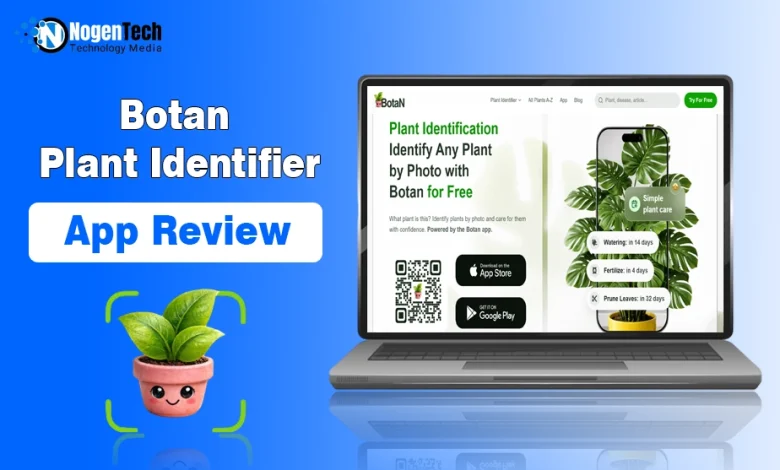
As an amateur gardener, I know how hard it is to manage many plants, especially when they have different watering and lighting needs. Botan is an app that promises to make plant care and identification effortless.
I tested it for 2 weeks, created dozens of care guides, and ran 10 IDs for common, rare, and exotic species. In this Botan review, I’m going to share my findings and impressions, along with a full breakdown of the app’s functionality.
What Is the Botan App and Who Is It For?
The Botan app is a universal plant ID and care assistant. It’s designed for beginners, hobby gardeners, and casual gardeners rather than a professional botanist community.
The app offers a full-cycle system of plant ID, care, environmental, and disease ID tools. They are all supposed to help a user organize an optimal gardening schedule, stick to it, and eliminate all the guesswork.
Botan also has a website that lets you test the plant identifier online without downloading the app. However, the number of on-site IDs is limited.
Setting Up and Using Botan: First Impressions
The Botan plant care app is available on both the App Store (around 180 Mb) and the Google Play Store (around 70 Mb). The download is free and takes up to 5 seconds.
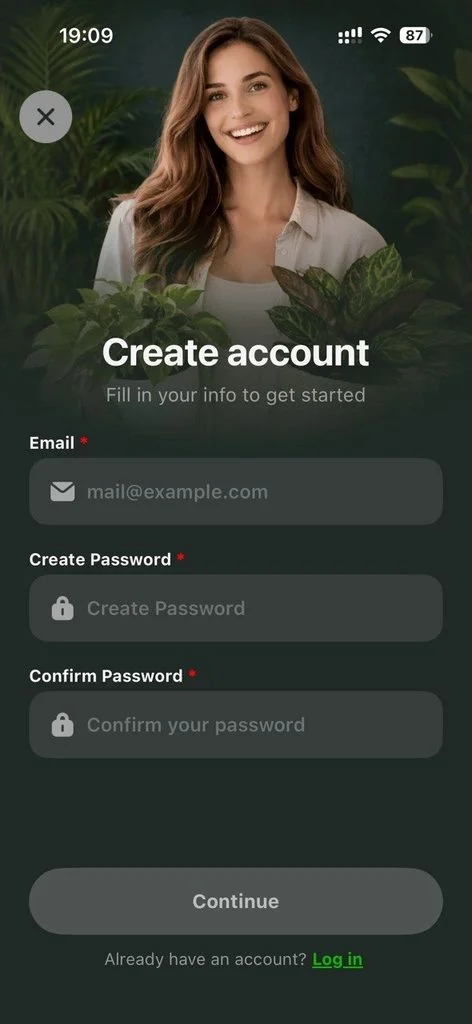
After I opened the app, I was introduced to its key features, answered a few basic questions, and selected my main goal.
The entire process, from downloading the app to getting through the initial setup, took less than 5 minutes and felt completely intuitive.
What Botan Can Do: A Feature Breakdown
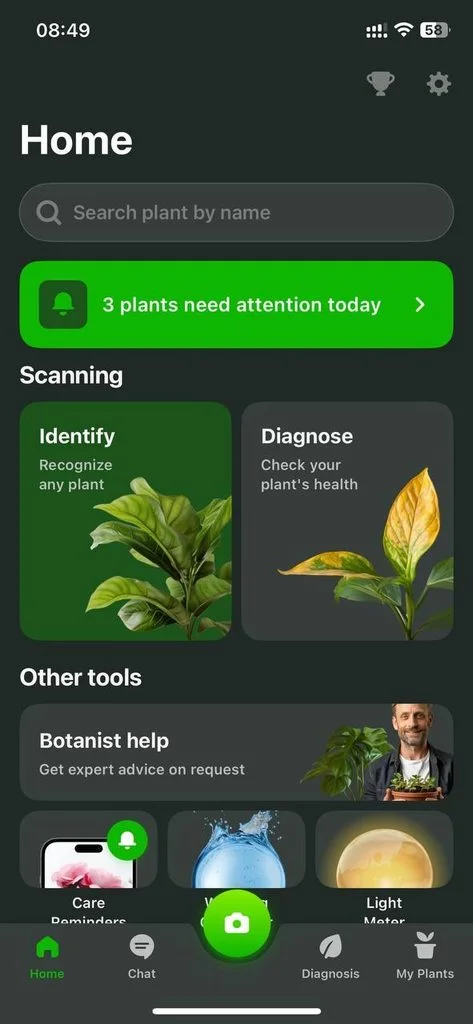
It was fairly easy to identify plants by photo, but that’s not the only function the app offers. I tested each of its care and environmental features, and here’s how they performed.
Identifying Plants by Photo
Even with a free trial, the number of IDs is unlimited. This plant identifier app has its own database of over 30,000+ species and connects to other botanical databases, allowing identification of all kinds of plants: houseplants, wild plants, common, rare, and exotic species.
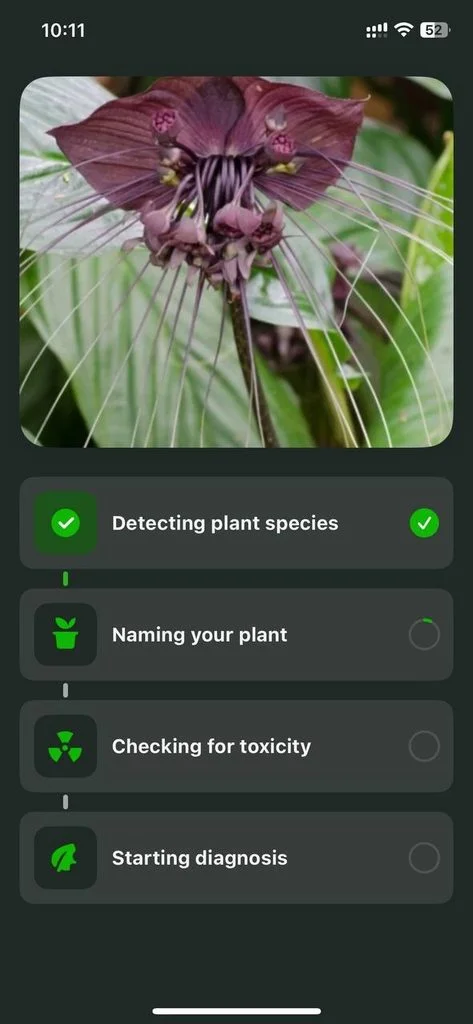
I ran 10 IDs, and 9 were accurate at the first attempt. The entire process was simple. I only needed to tap on the Camera icon, take a photo, and wait 1-5 seconds for the results. Speed depended on how rare the plant was.
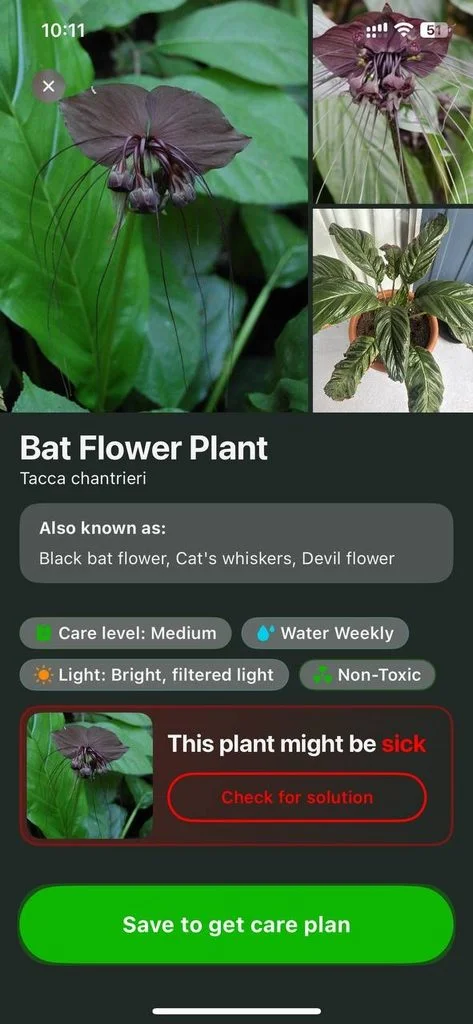
After the ID was processed, I received detailed information about the species: care level, toxicity status, care recommendations, and key environmental needs.
However, photos of fairly poor quality weren’t processed. Also, the IDs of rare and exotic species typically took longer and could be less accurate than those of common species.
The ID is actually a helpful starting point for a gardener. My results were accurate, but I’d recommend keeping the limitations in mind.
Care Plans and Reminders
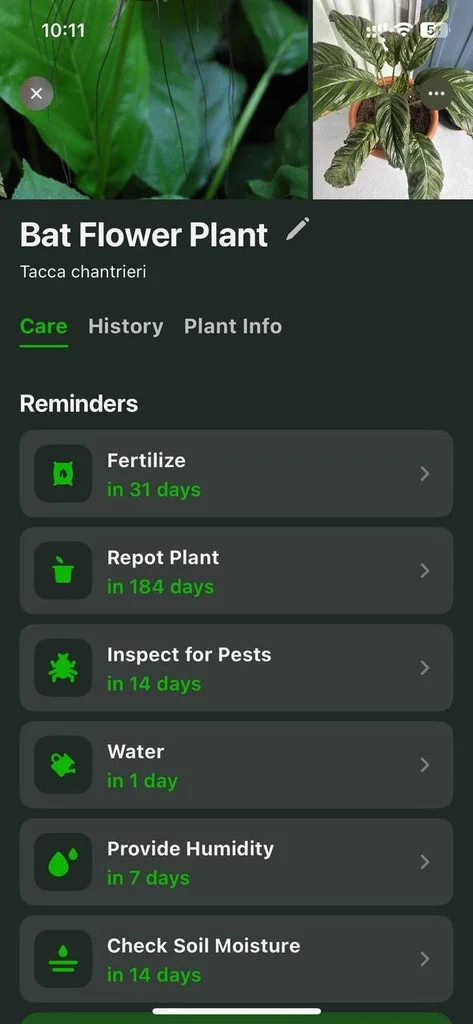
Once you identify the plant, the app lets you set up a care plan. I did that for all species, and here’s what I got:
- All the plant care details: watering, lighting, repotting, fertilization, and other environmental needs.
- A set of customizable reminders for all aspects of care.
- Well-organized Tasks (reminders synchronize with the Task tool and the Garden feature).
- DIY care solution recipes, blog articles about the plant, and bonus tips.
I appreciated that reminders were customizable. For example, I could remove a fertilization reminder or add something different like repotting.
Light Meter
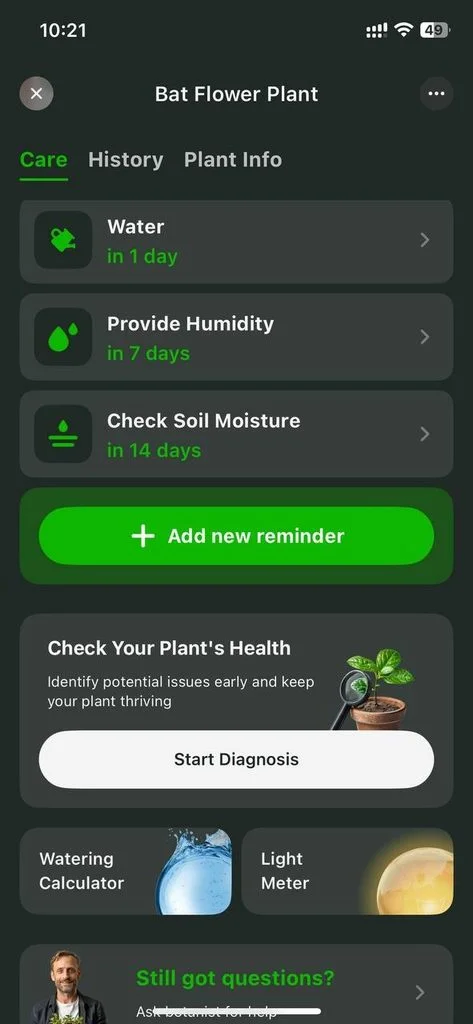
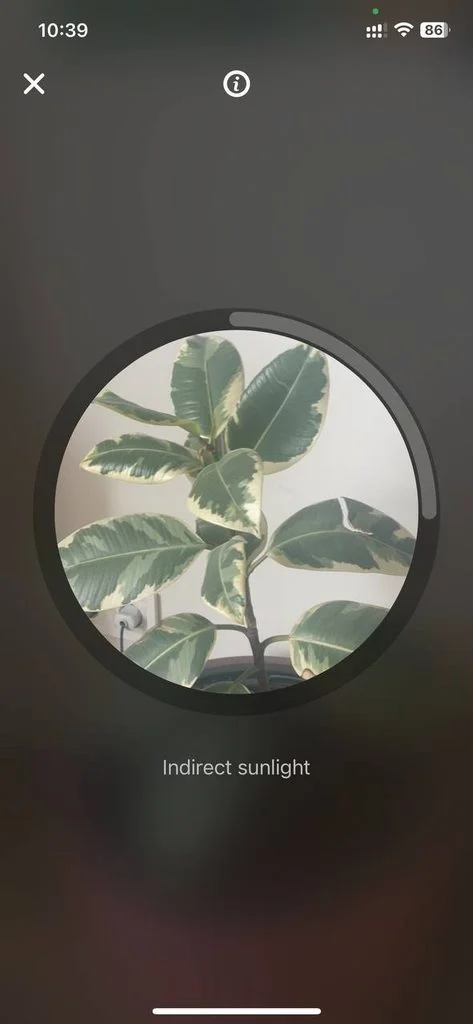
The Plant Info section shows you environmental requirements, including light levels. It might be partial sun, partial shade, full sun, or indirect sun. A light meter is a tool that lets you eliminate guesswork and accurately identify the level.
I only needed to stand next to a plant, point the camera at it, and open the Light Meter scanner, which evaluated the light level and gave its verdict.
Diagnosing Plant Diseases and Pests
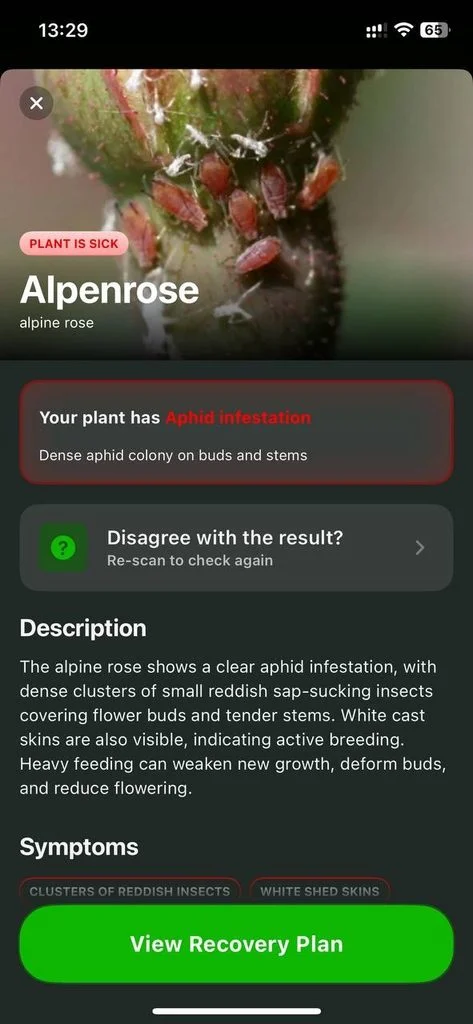
The app offers the Diagnosis feature, and here’s how it works for a user:
- Identify a plant using a standard ID feature (1 photo is enough).
- Click on the red Check for Solution button in the “Your Plant Might Be Sick” banner.
- Upload 3 photos of the plant’s damaged parts.
- Wait around 4 seconds for the diagnosis.
- Learn the main symptoms and causes.
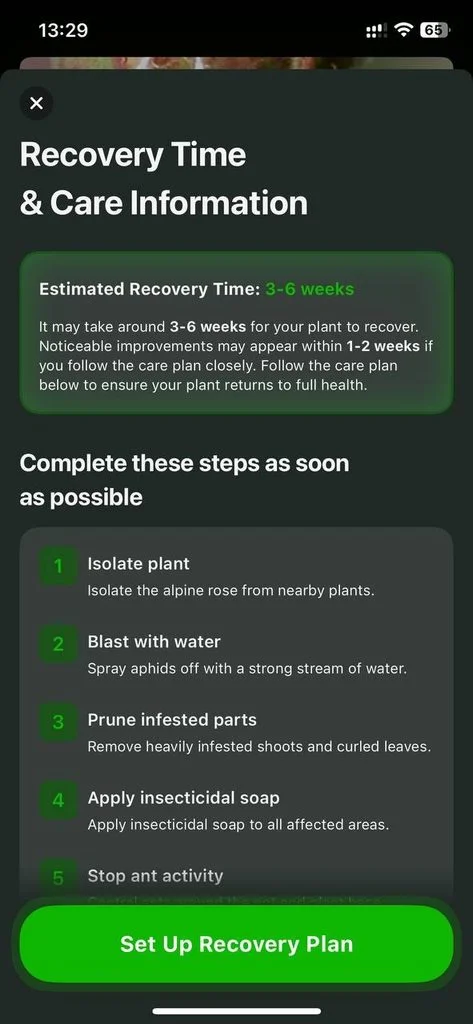
- Click on the Set Up Recovery Plan button.
- Get a step-by-step plan with estimated recovery time.
- Set up the Recovery Plan.
There’s an easier way, too. There’s a Disease button right on the home screen, so you can upload the photos of the damaged parts right away, skipping the ID stage.
Out of the disease IDs I ran, I’m completely sure 4 are correct. The 5th one was reasonable, but I had doubts (used that in chat later). So, I’d rather recommend the feature as a useful starting point.
Botanist Chat
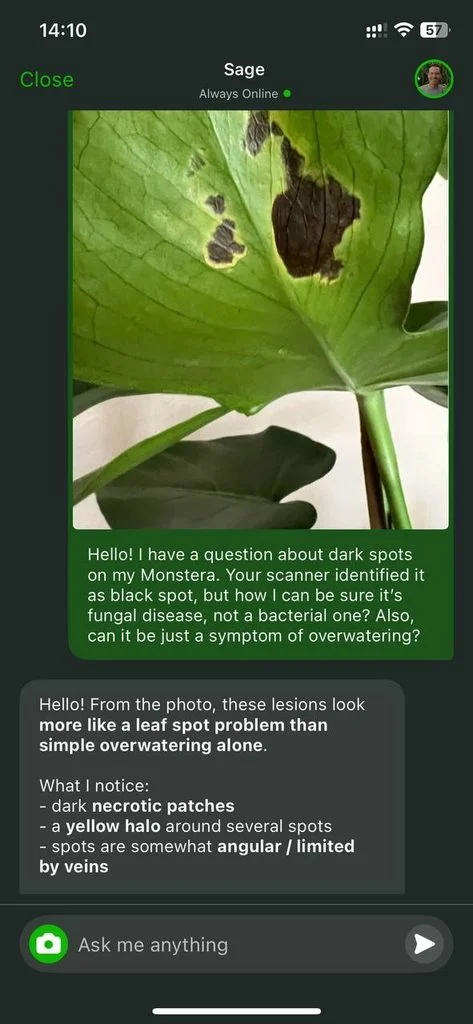
I used the Disease ID feature to identify dark spots on Monstera leaves, and the app identified black spot as the issue. However, it had been heavily overwatered per the care plan, so I decided to clarify that to get the most likely diagnosis.
I received a response within a few minutes, and it confirmed the first diagnosis. However, it came with clarifications this time, so I felt more confident regarding treatment. I believe that’s the most valuable feature in the app for now.
Step-by-Step: How to Identify a Plant With Botan
When you use Botan as an app to identify plants, the process goes as follows:
- Step 1. Open the mobile app.
- Step 2. Tap on the Camera icon in the middle of the screen.
- Step 3. Point your camera at the plant or choose a photo from the gallery.
- Step 4. Wait for the photo to be processed and analyzed (3 seconds on average).
- Step 5. Get the ID result and full information (facts & care) on the species.
- Step 6. Opt to build a care plan and add a plant to your Garden.
The process is fully intuitive and takes less than a minute in total.
How Accurate Is Botan at Identifying Plants?
I tested species across different categories: some common houseplants, rarer species, wild and endangered species, and exotic varieties. Here are the results:
| Species | Result |
| Monstera (Monstera deliciosa) | ✅ |
| ZZ Plant (Zamioculcas zamiifolia) | ✅ |
| Gray’s Sedge (Carex grayi) | ✅ |
| Alpenrose (Rhododendron ferrugineum) | ✅ |
| Alocasia ‘Black Velvet’ (Alocasia reginula) | ✅ |
| Black Bat Flower (Tacca chantrieri) | ✅ |
| Wollemi Pine (Wollemia nobilis) | ❌ (identified correctly on 3rd attempt) |
| Sichuan fritillary (Fritillaria delavayi) | ✅ |
| Florida yew (Taxus floridana) | ✅ |
| Total Score | 9/10 |
The app had problems only with Wollemi Pine, which is one of the rarest plants on Earth. I’d estimate the overall accuracy at 90-95%.
5 Tips for Better Plant Identification Results
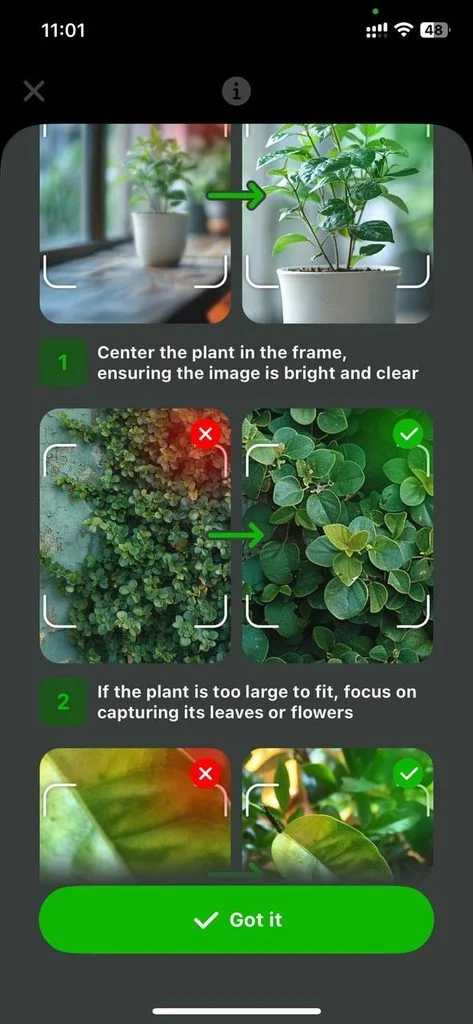
Photo quality directly affects the ID results. Botan gives its own tips. I also added a few based on my experience:
- Take a photo under natural diffuse light if possible. If not, avoid harsh midday sun, strong shadows, and flash.
- If the plant is too large to fit in the frame, focus on the most distinctive elements, such as flowers or leaves.
- Avoid any other objects in the background, especially other plants.
- Don’t get too close. The app must evaluate the shape of leaves, not only the vein pattern.
- Lock focus before shooting; blurred photos work much worse.
Also, a contrasting background helps a lot. When I had doubts, I used the Botanist Chat or cross-referenced the result via Google.
Is Botan Safe and Legit?
Yes, the app is officially available on both the App Store and the Google Play Store, where you can find all the information about the tool and its developer.
It requests only necessary permissions, such as access to the Camera and/or Gallery and notifications. The data it collects is clearly stated in the Terms — the app’s actual behavior matches what’s stated in the Privacy Policy.
Botan: Highs and Lows After Testing
Just like any other app, Botan has its pros and cons, and the question is whether the advantages outweigh the disadvantages for you.
| Key Strengths | Major Weaknesses |
| Nearly instant ID, 90-95% accuracy | Accuracy & speed depend on the rarity of species |
| Fully practical care & disease treatment tips | Not a free app |
| System of tasks and reminders for easy garden management | No community features |
| Helpful responses on Botanist Chat | |
| Light Meter and other environmental tools |
Final Thoughts: Is Botan Worth It in 2026?
Yes, it’s worth it if you have at least a few plants at home, want to build more gardening and botanical knowledge, or keep wondering what that unknown plant is.
It’s more than just an app to identify plants — it works great as a care, disease ID, and plant management tool, but it’s not free. Getting a subscription is reasonable if you plan to use it frequently and want to manage a home garden easily.
Frequently Asked Questions
Does Botan work for indoor and outdoor plants?
Yes, it covers indoor and outdoor plants, common houseplants, wild, rare, and exotic species.
Does Botan work without an internet connection?
No, the app requires at least a 3G connection to function.
What happens if Botan cannot identify a plant?
Botan may not suggest any plant if the photo is of poor quality. In this case, you’ll see a window with tips on how to take a better picture of the plant, so you can resubmit one and get your ID results.