Moving email data between applications can be complicated when the mailbox is stored in MBOX format. MBOX is used by email clients and services such as Thunderbird, Apple Mail, and Google Takeout, while Microsoft Outlook primarily uses PST.
Since Outlook does not directly support MBOX files, the mailbox generally needs to be converted to PST before it can be imported.
Stellar Converter for MBOX is available as desktop software, while Stellar also offers an online MBOX to PST converter for browser-based conversion. The two options differ in workflow, file-size limits, and export capabilities.
This review covers both versions, including the conversion process, mailbox preview, export options, pricing, and their practical differences.
Starting With the MBOX File
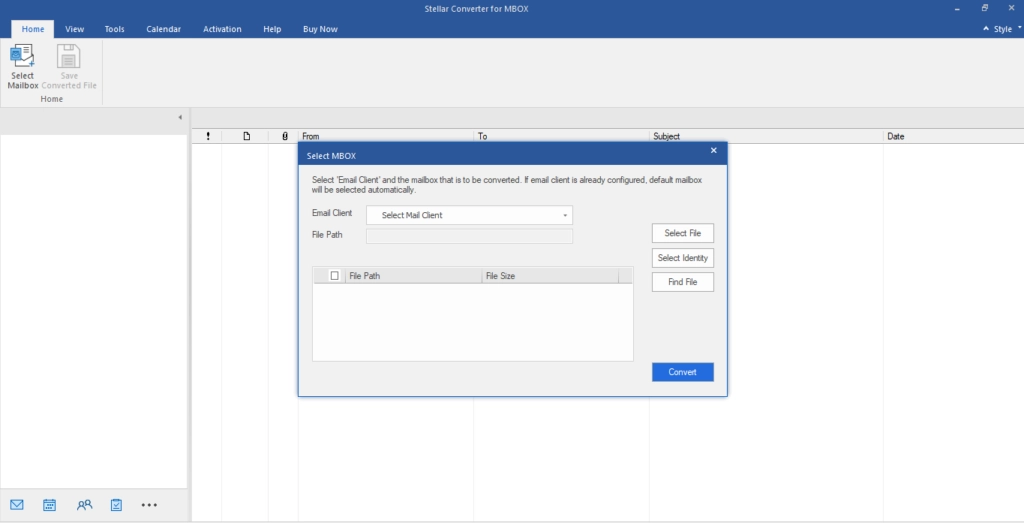
The desktop version starts by selecting the source email client and locating the MBOX file. Users can choose an individual MBOX file or, where supported, an identity folder containing multiple mailbox files.
The software supports MBOX files from clients and services including Thunderbird, Apple Mail, Google Takeout, Eudora, and Entourage, along with additional mailbox formats such as MBS, MBX, and RGE.
Scanning the MBOX File
After the source file or folder is selected, the software scans the mailbox and identifies its structure and available items. Once the scan is complete, the mailbox data can be previewed before saving.
Checking the Mailbox Before Conversion
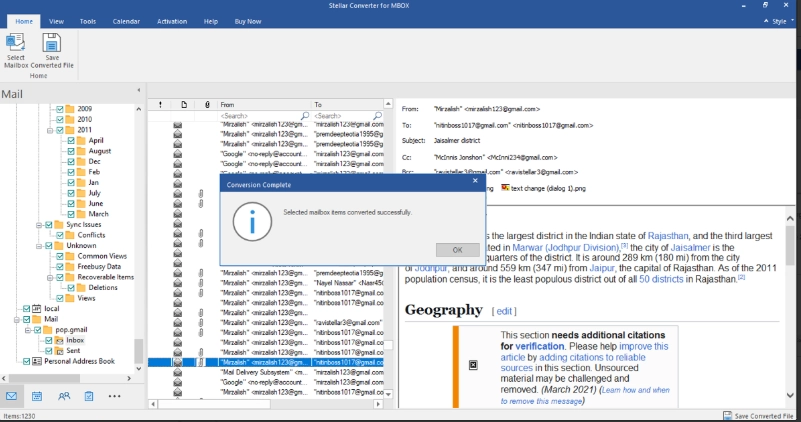
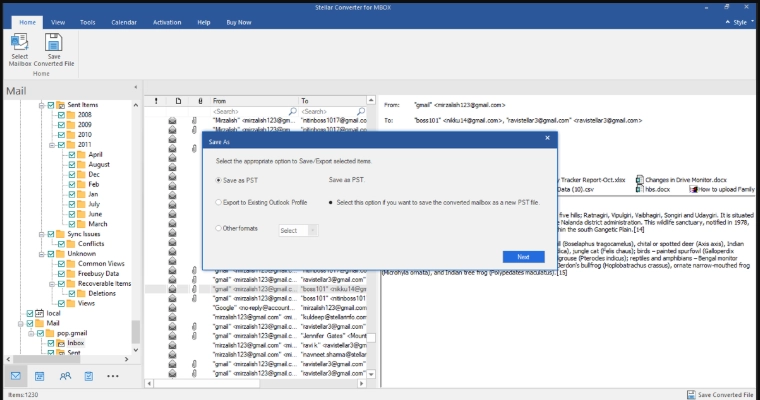
The desktop version provides a three-pane mailbox preview. The folder and subfolder structure appears on the left, mailbox items in the middle, and the selected email in the preview pane.
Users can review details such as From, To, Cc, Bcc, subject, message body, and attachments before saving the converted data.
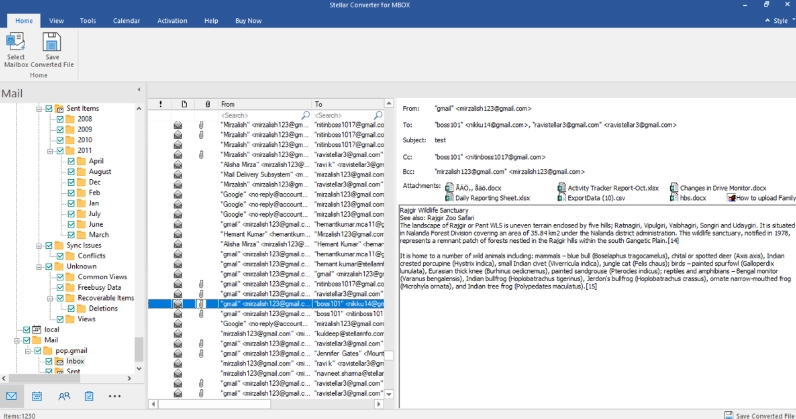
Checking Attachments and Email Content
Messages with attachments can be opened during the preview stage to check how the email content and attachments are displayed.
After export, the folder structure and important mailbox items can be compared with the converted PST for verification.
Selecting Mailbox Data for Export
After scanning and previewing the mailbox, users can save the converted data to a new PST or append it to an existing PST.
The software also provides filters based on date range and email addresses to exclude unwanted messages. For larger output files, the Auto Split option can divide the PST into smaller files.
Converting MBOX to PST
Once the mailbox has been reviewed, the converted data can be saved to PST. The desktop software can save MBOX data to a new PST or an existing PST.
Depending on the edition, additional export options are available, including MSG, EML, Office 365, RTF, PDF, and HTML. The actual conversion time depends on factors such as the size of the MBOX file and the amount of mailbox data being processed.
Opening the Converted PST in Outlook
Creating the PST file is only part of the conversion process. The resulting PST should also be opened in Microsoft Outlook to check the converted mailbox and identify any PST file issues before relying on it.
The verification can include the folder structure, email messages, sender and recipient information, dates, message content, and attachments.
This additional check helps confirm that the converted mailbox is accessible in Outlook rather than simply confirming that a PST file was created.
Testing the Online MBOX Converter
For users who prefer online mailbox conversion without installing desktop software, Stellar provides an online MBOX to PST converter.
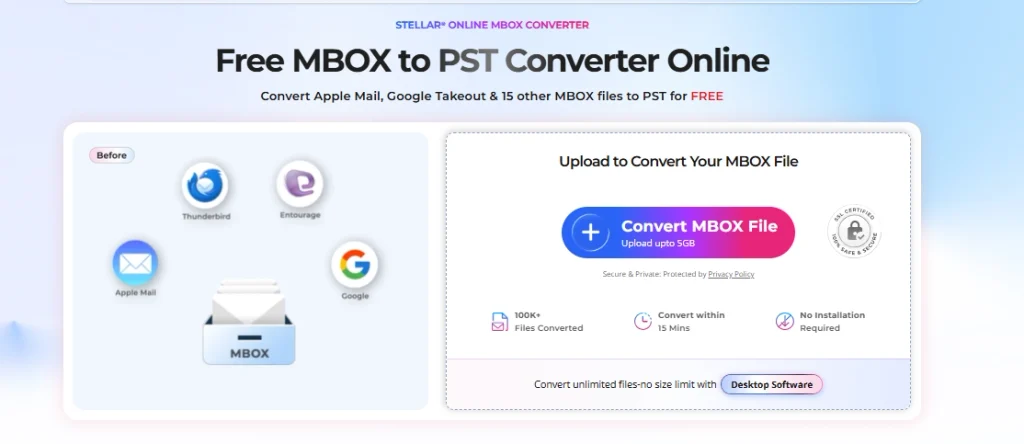
The online service works through a web browser and does not require Microsoft Outlook or the original email client to be installed.
The basic process consists of uploading the MBOX file, converting it, previewing the converted mailbox, and downloading the PST. The online converter currently supports MBOX files up to 5 GB, depending on the selected plan.
Uploading an MBOX File Online
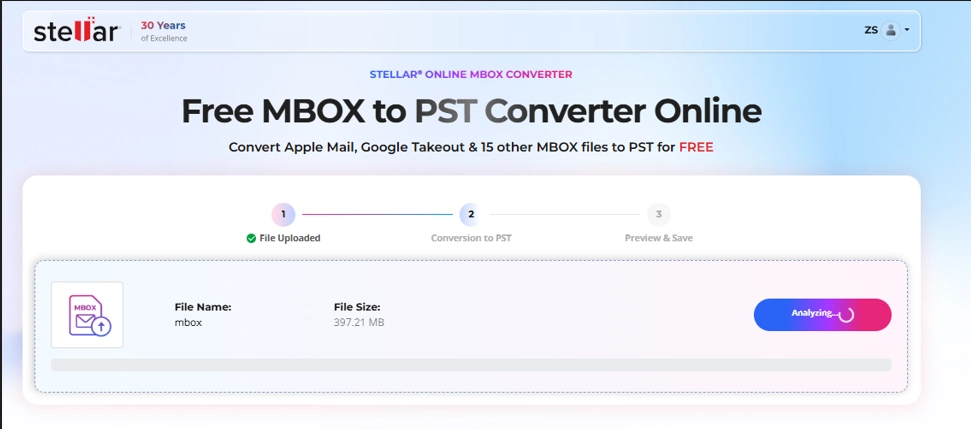
The online conversion begins by selecting and uploading the MBOX file through the browser.
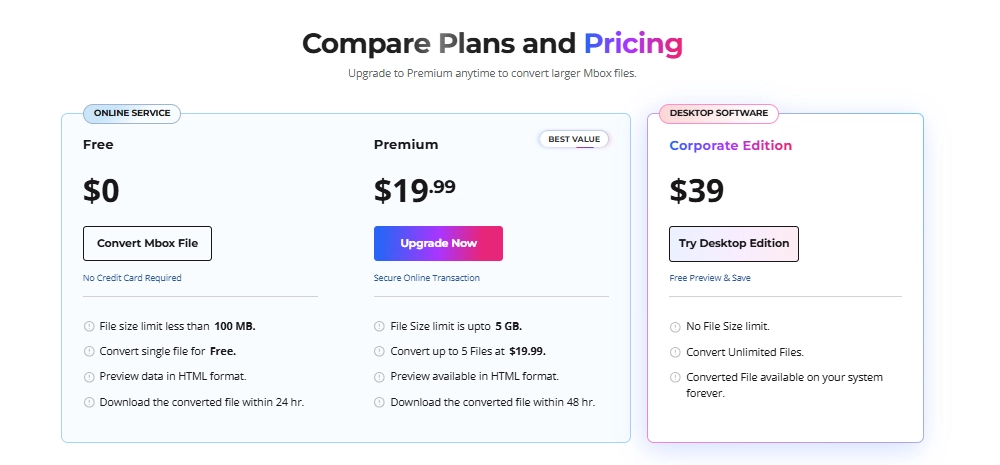
The Free plan supports one MBOX file smaller than 100 MB. The Premium plan supports files up to 5 GB and allows conversion of up to five files for $19.99.
Previewing MBOX Data Online
After conversion, the online service provides an HTML preview that can be used to review the converted mailbox before downloading the PST.
The preview allows users to check folders, emails, attachments, and mailbox structure before saving the converted file.
Downloading the Converted PST
Once the conversion and preview process is complete, the converted PST can be downloaded. The downloaded PST can then be opened or imported into Microsoft Outlook for further verification.
The online service currently keeps files available for download for a limited period. The Free plan provides 24 hours, while the Premium plan provides 48 hours before the converted files are automatically deleted.

Online MBOX Converter: File Limits and Pricing
The online converter currently offers two plans.
| Plan | File Size | File Limit | Price |
| Free | Less than 100 MB | 1 MBOX file | $0 |
| Premium | Up to 5 GB | Up to 5 MBOX files | $19.99 |
The Free plan includes HTML preview and allows the converted file to be downloaded within 24 hours. Premium provides a larger file limit, conversion of up to five files, HTML preview, and a 48-hour download period.
Desktop MBOX Converter: Editions and Pricing
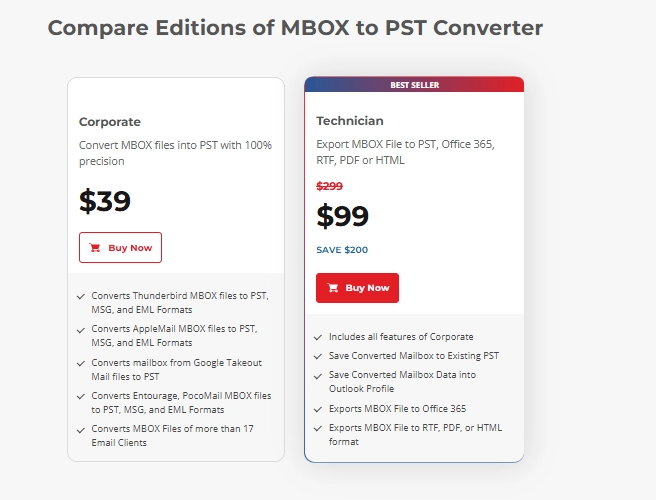
The desktop product currently has Corporate and Technician editions.
The Corporate edition is listed at $39 and supports MBOX conversion to PST, MSG, and EML for supported source clients. The Technician edition is listed at $99 and adds options such as saving to an existing PST, saving to an Outlook profile, exporting to Office 365, and saving mailbox data to RTF, PDF, and HTML.
| Edition | Price | Main Export Options |
| Corporate | $39 | PST, MSG, EML |
| Technician | $99 | PST, Office 365, RTF, PDF, HTML, MSG, EML |
Desktop vs. Online: What Changes?
The desktop and online versions serve different conversion requirements.
| Feature | Desktop Converter | Online Converter |
| Installation | Required | Not required |
| Processing | Desktop application | Web browser |
| Microsoft Outlook required for online conversion | Not applicable | No |
| MBOX file limit | No file-size limit stated | Up to 5 GB online |
| Free conversion | Trial/preview available | One file under 100 MB |
| HTML preview | Available in supported workflow | Available |
| PST conversion | Yes | Yes |
| Existing PST export | Available | No |
| Office 365 export | Technician edition | No |
| Other export formats | Depends on edition | PST |
| Best suited for | Larger or more involved migrations | Smaller browser-based conversions |
The desktop version provides more export and mailbox-management options, while the online version focuses on a simpler browser-based MBOX to PST workflow.
What Stands Out During the Conversion
The desktop workflow provides several checkpoints before export, allowing the mailbox to be scanned, previewed, filtered, and saved in the required format.
The three-pane preview helps with checking messages and attachments, while the option to save to a new or existing PST provides flexibility when working with Outlook archives.
The online version follows a shorter browser-based workflow: upload the MBOX file, convert it, preview the result, and download the PST without installing software.
Things to Keep in Mind
The online and desktop versions have different limitations. The online Free plan supports files below 100 MB, while Premium supports files up to 5 GB. Converted files are also available for download for a limited period.
The desktop version has no stated file-size limit and provides additional export options with the Technician edition.
Regardless of the version used, opening the resulting PST in Outlook and checking important folders, messages, and attachments provides a final verification step.
Who Is Stellar Converter for MBOX Suitable For?
Stellar Converter for MBOX is suitable for users moving mailbox data from MBOX-based email clients and services to Microsoft Outlook. Common scenarios include:
- Moving Thunderbird or Apple Mail data to Outlook
- Converting Google Takeout MBOX files to PST
- Moving MBOX archives to Outlook on Windows
- Converting MBOX files from other supported email clients
- Preparing mailbox data for Outlook or Office 365 migration
The desktop product supports MBOX files from more than 17 email clients, while the online service supports major sources such as Thunderbird, Apple Mail, and Google Takeout.
Final Thoughts
Stellar Converter for MBOX provides desktop and online options for converting MBOX data to Outlook-compatible PST files.
The desktop version offers mailbox preview, filtering, new or existing PST export, and additional export options depending on the edition. The online version provides browser-based conversion, with free conversion for one MBOX file below 100 MB and Premium support for files up to 5 GB and up to five files.
With either option, opening the converted PST in Outlook helps verify that the required mailbox data is accessible.