Building anything with AI used to mean picking one provider and living with that decision. You signed up with OpenAI, or Anthropic, or Google, wired their SDK into your stack, and that was your model for the foreseeable future.
Switching later meant rewriting integration code, juggling a second set of API keys, and reconciling two invoices at the end of the month.
That single-provider habit has quietly stopped making sense. New models now ship every few weeks, and the “best” one for summarizing a document is rarely the best one for generating an image or transcribing a call.
Teams want to mix and match without re-plumbing their backend every time a stronger model appears. This is the gap that aggregator platforms try to fill, and it’s the lens I’ll use to look at AI/ML API in this review.
I’ll walk through what the platform actually offers, how it performs in practice, what the pricing looks like, where it fits, and where it falls short. No product earns a clean sweep, and I’ll point out the trade-offs as honestly as the strengths.
🔑 Key Takeaways
📌An AI/ML API lets you reach many AI models through one endpoint, one key, and one bill.
📌 An AI/ML API advertises access to 600+ models across chat, code, image, video, audio, embeddings, and more.
📌It’s OpenAI- and Anthropic-compatible, so existing code usually works after a base URL swap.
📌Pricing is pay-as-you-go, starting from a small prepaid balance, with per-model rates.
📌The main trade-off is that you’re trusting a gateway in the middle, not the model provider directly.
What Is an AI/ML API?
An AI/ML API is a service that gives your application programmatic access to machine learning models, usually over standard HTTP requests.
You send input (a prompt, an image, an audio file), the model processes it on the provider’s infrastructure, and you get a structured response back. You never host the model or manage a GPU yourself.
There are two broad flavors. A single-provider API connects you to one company’s models, like talking directly to OpenAI or Google. A multi-model AI API, sometimes called a gateway or aggregator, sits in front of dozens of providers and exposes them through one consistent interface.
AI/ML API belongs to the second category. Instead of integrating each provider separately, you authenticate once and route requests to whichever model you need. For developers, that means less glue code. For businesses, it means fewer contracts to manage and a simpler path to comparing models side by side.
Why Businesses Use AI APIs?
Businesses utilize AI APIs to scale machine learning models rapidly, eliminating heavy GPU infrastructure costs while accelerating market deployment.
The appeal comes down to speed and flexibility. Training a model from scratch or managing the real-world costs of in-house RAG development is expensive and slow, and most companies don’t need to. They need capable models available on demand, billed by usage, that they can plug into a product this quarter rather than next year.
A few practical reasons teams reach for AI APIs:
- No infrastructure to babysit. No GPUs to provision, no model weights to update, no scaling headaches during traffic spikes.
- Faster shipping. A working prototype can go from idea to demo in an afternoon.
- Predictable, usage-based cost. You pay for what you call rather than committing to fixed hardware.
- Room to experiment. Swapping models is a config change, not a rebuild.
Aggregators add one more reason: you avoid locking your product to a single vendor’s roadmap, pricing, or outages. If one provider raises prices or a better model lands elsewhere, you can move with minimal friction.
Key Features of AI/ML API
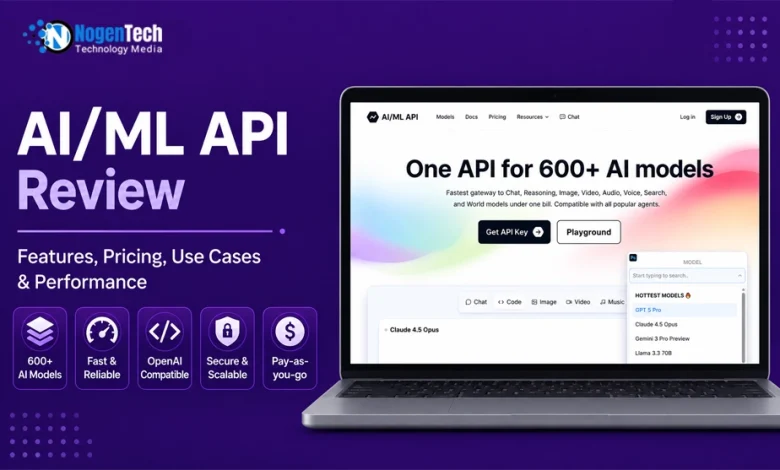
AI/ML API positions itself as a single gateway to a very large catalog of models. The headline figure on its site is 600+ models, spanning a wide range of tasks rather than just text generation.
The catalog covers chat and reasoning models, coding models, image generation, video generation, text-to-speech and transcription, music, embeddings, OCR, 3D generation, and moderation.
On the provider side, you’ll find names like OpenAI, Anthropic, Google, xAI, DeepSeek, Alibaba’s Qwen family, Mistral, Meta, Perplexity, ElevenLabs, and Deepgram, among others.
That breadth is the platform’s main selling point: reasoning models, vision models, embeddings, reranking, speech, and image generation all sit behind the same key.
Developer Experience
The feature most developers will care about is compatibility. AI/ML API is built to be OpenAI- and Anthropic-compatible, which in practice means you can point an existing OpenAI client at the platform’s base URL, swap in your key, and keep most of your code intact. Here’s roughly what that swap looks like in Python:
| pythonfrom openai import OpenAI client = OpenAI( base_url=”https://api.aimlapi.com/v1″, api_key=”<YOUR_API_KEY>”,) response = client.chat.completions.create( model=”deepseek/deepseek-r1″, messages=[{“role”: “user”, “content”: “Why is the sky blue?”}],) |
That’s the whole migration for a basic call; change the base URL and change the model string. For teams already standardized on the OpenAI SDK, this lowers the cost of trying the platform considerably.
There’s also a browser-based playground for testing models before you write any integration code, which is a sensible way to compare outputs without burning developer hours.
If you want to dig into the full catalog and current model list, the AI/ML API site keeps a searchable directory with per-model details.
Performance (Speed and Reliability)
Performance on an aggregator is a slightly different conversation than on a direct provider, because two things are stacked: the underlying model’s speed and the gateway’s own routing overhead.
The company markets “fastest inference,” a 99.9% uptime SLA, and 24/7 IT support for data security. I’d treat the speed claim the way I treat any vendor benchmark, as a marketing figure rather than an independent measurement, since response times depend heavily on which model you call, how long your prompt is, and where your traffic originates.
A lightweight chat model will feel snappy; a large reasoning model or a video generation job will not, and that’s true everywhere, not just here.
What’s more useful to judge is consistency. In a gateway model, the platform routes your request to the right provider and returns the result through its own infrastructure.
When that routing is stable, the developer experience is smooth, and you barely notice the middle layer.
The risk is that you’re now depending on two systems staying healthy instead of one: the model provider and the gateway. That’s the inherent trade-off of any aggregator, and it’s worth factoring into mission-critical deployments.
Real-World Performance
For most workloads, the practical takeaway is this: the API behaves consistently for standard chat and embedding calls, and heavier multimodal jobs carry the same latency you’d expect from the source model.
If you have strict latency requirements, benchmark with your own prompts before committing, which is good advice for any provider.
Pay-as-You-Go Pricing
The pricing philosophy is pay-as-you-go. You top up a prepaid balance and draw it down as you make calls, with each model carrying its own per-token or per-generation rate.
The platform lists a starting prepaid amount (around $20 at the time of writing) for its standard plan, with access to all models, no fixed usage limits on that plan, the playground, and the option to pay with crypto.
Rates vary widely by model, which is expected when one bill covers everything from a tiny open-source model to a frontier reasoning model.
Text models are priced per million input and output tokens; image, audio, and video models are priced per generation, per second, or per character depending on the medium. The pricing page exposes these per-model figures, which is the transparency you want; you can estimate costs before you build rather than after.
Enterprise Pricing
For larger operations, there’s a custom-priced enterprise tier that adds dedicated infrastructure, higher rate limits, private model options, and extended support. As with most enterprise plans, the real numbers come out of a sales conversation rather than a public table.
Is AI/ML API Cost-Effective?
One honest caveat on cost: a gateway doesn’t automatically make any given model cheaper than going to the source. The platform advertises savings, but whether you actually save depends on the model and your volume.
The genuine value is consolidation: one bill, one integration, easy switching, not a guaranteed discount on every call. Run the math on the specific models you’ll use heavily.
Real Use Cases of AI/ML API
The breadth of the catalog makes the platform a fit for a long list of applications. A few that map naturally to a multi-model setup:
- Chatbots and customer support. Route simple queries to a cheap, fast model and escalate complex ones to a stronger model, all through one integration.
- Content generation. Draft copy, summaries, and product descriptions, then call an image model for accompanying visuals without a second vendor.
- Coding assistants. Tap code-specialized models for completion, review, or refactoring.
- Search and RAG. Use embedding and reranking models to build retrieval-augmented systems that answer from your own data.
- Agents and automation. Chain model calls into workflows that take actions, with the freedom to pick the best model per step. Organizations looking to scale these architectures often partner with the best agentic AI development companies to build production-grade workflows.
- AI SaaS products. Ship features built on top models without locking your roadmap to one provider.
- Education, healthcare, and marketing. Transcription, document OCR, multilingual speech, and personalized content all sit in the same catalog.
The pattern across all of these is the same: when a project needs more than one kind of model, or when you expect to swap models as the field moves, a single gateway saves real integration effort.
Pros and Cons of AI/ML API
Now, I will give you some of the pros and cons of AI/ML API that you necessarily have to be aware of before considering it:
Pros
- Genuinely broad catalog, language, vision, audio, video, embeddings, and more in one place.
- OpenAI/Anthropic compatibility makes adoption low-friction for existing codebases.
- One key, one bill, less account sprawl, and simpler procurement.
- A playground for testing models before integration.
- Pay-as-you-go entry with a low starting balance and visible per-model pricing.
- Easy model switching, useful in a market where the leading model changes often.
Possible Limitations
- You’re trusting a middleman. Your uptime now depends on the gateway plus the provider. For some teams, going direct to a critical provider is the safer call.
- Savings aren’t guaranteed. Consolidation is the real benefit; a per-call discount on every model is not promised in practice.
- Newest models may lag slightly. Aggregators sometimes add brand-new releases a little after the source provider does.
- Less granular control. Some provider-specific parameters or features may not be fully exposed through a unified interface.
- Data flow considerations. Routing requests through a third party is something regulated industries should review against their compliance requirements before deploying.
Features to Evaluate in Any AI API You Use
Here are some of the key features that you necessarily have to evaluate before going ahead with an AI API:
- Before zooming in on one platform, it helps to know what separates a solid AI API from a frustrating one. These are the things I look at first.
- Model variety. Does it cover the model types you actually need language, vision, audio, embeddings, and beyond or just one slice?
- Latency. How quickly does the first token arrive, and how steady is that speed under load? A gateway adds a network hop, so this matters more for aggregators than for direct providers.
- Reliability. Uptime guarantees are nice on paper, but consistency during real traffic is what counts.
- Documentation and SDKs. Clear docs and ready-made libraries for Python, JavaScript, and others shorten the distance between signup and a working call.
- Pricing transparency. Can you see per-model rates before you commit, or are costs buried until the invoice?
- Scalability. Will the platform handle a jump from a hundred requests a day to a hundred thousand without rate-limit walls?
- Security and enterprise readiness. Data handling policies, access controls, and compliance options separate hobby tools from production-grade ones. Understanding how to choose the right API security solutions is necessary when routing proprietary data through a third-party gateway.
No platform aces every category. The right question is which of these matters most for your use case.
Who Should Use AI/ML API?
This platform makes the most sense for developers, startups, and product teams who want flexibility without managing a pile of separate integrations.
If you’re building an AI feature and you’re not sure which model will win, or you already know you’ll want several, a gateway like this removes a lot of busywork.
It also suits indie developers and students who want to experiment across many models cheaply, without signing up for half a dozen accounts. And it can work for businesses that value a single invoice and simple procurement over squeezing the last cent out of each provider.
Who might skip it? Teams with a single, stable model dependency and strict latency or compliance demands may prefer going straight to the source provider, where there’s no extra layer between their app and the model.
What People Also Want to Know About AI/ML API
/
1. Does AI/ML API impose rate limits on API requests?
Yes, like most AI API platforms, AI/ML API applies rate limits to help maintain platform stability and fair resource allocation. The exact limits vary depending on your plan and usage level, with higher limits typically available for enterprise customers.
2. Can I test AI/ML API before integrating it into my application?
Yes. AI/ML API provides a browser-based playground that lets you experiment with different models, compare outputs, and evaluate performance before writing any code or integrating the API into your application.
3. Does AI/ML API require separate accounts for different AI providers?
No. One of AI/ML API’s main advantages is that it consolidates multiple AI providers under a single account and API key, eliminating the need to manage separate credentials and billing for each provider.
4. Can AI/ML API be used to compare AI models before choosing one?
Yes. Since the platform provides access to hundreds of models through one interface, developers can test multiple models for the same task and identify the best balance of quality, speed, and cost before committing to one.
5. What should you consider before choosing an AI API gateway?
Besides model availability, evaluate factors such as pricing transparency, latency, uptime, documentation, enterprise support, security, compliance requirements, and how easily you can switch between models as your application evolves.
My Final Verdict on AI/ML API
/
AI/ML API does the core job of an aggregator well: it turns a fragmented landscape of providers into one endpoint you can actually build on.
The OpenAI-compatible setup is the standout, because it means trying the platform costs almost nothing in engineering time, and the catalog is wide enough to cover most real projects without a second vendor.
The honest counterweight is that you’re adding a layer, and a layer is a dependency.
The speed and security claims deserve your own testing rather than blind trust, and the cost advantage is about consolidation more than guaranteed per-call savings. None of that is a dealbreaker; it’s just the normal trade-off of choosing convenience and flexibility over a direct line to one provider.
If your work touches more than one type of model, or you expect to keep swapping as better models arrive, it’s a practical, low-commitment option worth a test run through the free playground before you wire it into production. Start small, benchmark the models you’ll lean on, and let your own results settle the decision.