Building a website has never been easier or cheaper. A founder can go from idea to live site in an afternoon. The part nobody quotes is what happens next. Websites are not finished products, and they drift out of shape quietly.
Links break, plugins age, content goes stale, and search rankings slide. None of it announces itself. This guide covers what website maintenance really involves. It also explains why the cost creeps up and how to reduce it.
What Website Maintenance Actually Involves
Maintenance is not one job. It is a set of small, recurring tasks spread across security, content, and performance. Most owners underestimate it because none of these tasks feel urgent. They only become urgent when something visibly fails.
Technical upkeep
This is the work that keeps your site online and safe. It rarely produces anything visible, which is why it gets skipped first.
- Applying security patches to your platform and plugins.
- Renewing SSL certificates and domain registrations.
- Fixing broken internal and outbound links.
- Running and testing backups you can actually restore.
Content and SEO drift
Your content ages even when you do not touch it. Prices change, services change, and competitors publish fresher pages.
- Updating outdated pricing, offers, and contact details.
- Refreshing pages that have slipped down the search results.
- Fixing missing titles, descriptions, and alt text.
- Removing or redirecting pages you no longer need.
Speed and mobile performance
Performance degrades as you add images, scripts, and tracking tools. Each addition is small, but they accumulate.
Slow pages cost you visitors before they read a word. Mobile issues are worse because most visitors arrive on a phone. Regular checks catch these problems while they are still cheap to fix.
Why These Costs Creep Up on Small Businesses
Small businesses rarely budget for maintenance because it never appears as a single invoice. It arrives instead as scattered hours and occasional emergencies. That makes it easy to ignore until it becomes expensive.
The time tax of doing it yourself
Most owners handle upkeep themselves to save money. The saving is real, but it is paid in hours.
An hour here and an afternoon there add up across a year. Those hours come out of selling, delivering work, and serving customers. For a solo founder, that trade is often the most expensive part of running a site.
The trap of fixing it later
Deferred maintenance does not stay the same size. A missed update becomes a security problem, and a broken page becomes lost traffic.
This is adding newer tools that change the maths. Sometimes a site has drifted too far to patch. An AI website redesign can rebuild it from your existing content in minutes.
You get a modern, responsive version to refine rather than a blank page. Its AI agents then keep the new site maintained, watching for problems like SEO’s technical drift and broken links. For owners without a technical team, that resets the upkeep burden instead of shifting it around.
How to Cut Maintenance Without Hiring Anyone
You do not need an agency retainer to keep a site healthy. Most of the burden comes from fragmented tools and manual checks. Fixing both removes the bulk of the work.
Consolidate your stack
Every extra plugin, theme, and third-party script is another thing to update. It is also another thing that can break.
- Remove plugins you no longer actively use.
- Choose platforms with hosting and security built in.
- Avoid stacking tools that duplicate the same feature.
- Keep a short written list of everything your site depends on.
Automate the routine checks
Automation handles the tasks people forget. Turn updates on wherever your platform allows it.
CISA guidance for small and medium businesses calls outdated software a significant security risk. Automatic updates reduce that risk and cut the manual workload at the same time. Uptime monitors and broken-link checkers cover much of what remains.
Keep the routine light
A short routine you follow beats a thorough one you abandon. Aim for thirty minutes each month rather than an annual overhaul.
Small, regular checks prevent the pile-up that makes maintenance feel overwhelming. They also surface problems while they are still small.
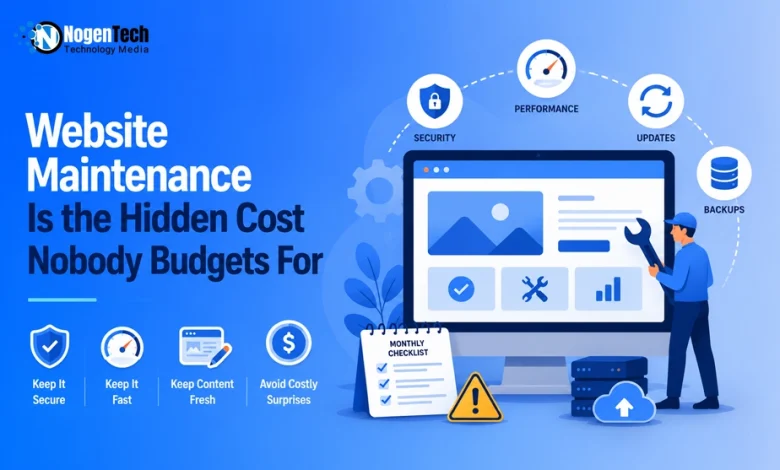
A Simple Monthly Website Maintenance Checklist
Use this as a starting point and adapt it to your site. It should take under an hour for a small business site.
- Confirm updates and backups ran successfully.
- Scan for broken links and fix or redirect them.
- Check load speed on both desktop and mobile.
- Review your top pages for outdated details.
- Test your contact and inquiry forms end-to-end.
- Look at search traffic for pages that are slipping.
Run this monthly, and most emergencies never happen. The work stays predictable, and so does the cost.
What People Frequently Ask About This
How often should I update my website?
Check monthly and apply security updates as soon as they are released. Content can be reviewed quarterly unless prices or services change sooner.
Is it cheaper to maintain a site myself or hire someone?
Doing it yourself is cheaper in money and more expensive in time. Calculate your hourly value before deciding. Many owners find that outsourcing the technical work pays for itself.
Do AI-built websites still need maintenance?
Yes, though the workload is smaller. Platforms with built-in hosting, updates, and automated checks handle much of the routine work. Content still needs a human review.
What breaks most often on small business websites?
Broken links, expired certificates, and outdated plugins cause most issues. Forms that silently stop sending inquiries cost the most, because the failure goes unnoticed.
Final Thoughts on Website Maintenance
Website maintenance is not glamorous, and it never feels urgent until it does. The cost is real whether or not you budget for it. You pay it in hourly increments, on a month-to-month basis, as a small recurring routine keeps it manageable.
Consolidate your tools, automate what you can, and follow a short monthly checklist. That approach protects your traffic, your security, and your time. A website that quietly keeps working is worth far more than one that quietly falls apart.