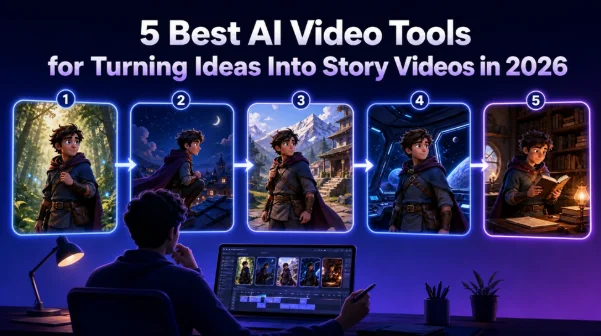
Scroll through TikTok or Reels for five minutes in 2026, and it’s not just clips anymore; it’s characters you recognize, storylines that continue from one post to the next, entire mini-series built by one person with no crew.
You’ve got a story idea and no animation team to make it happen. That used to mean the idea stayed an idea. Now, a handful of AI video tools can take a script, a photo, or even just a sentence and turn it into a fully animated sequence.
We looked at five of the most talked-about tools in this space right now. The real question is which one actually fits the story you’re trying to tell.
Here is a table that helps you have a quick look at all of the tools and their capabilities that we will discuss below:
| Tool | Best For | Story Creation Workflow | Character Handling | Learning Curve |
| Anijam | End-to-end AI animation storytelling | AI agent handles story, characters, scenes, voice, and lip sync | Strong character consistency across multi-scene stories | Beginner-friendly |
| Kling AI 3.0 | Cinematic AI video creation and multi-shot control | More manual, creator-directed workflow with advanced generation controls | Element/Subject Binding for maintaining character identity | Moderate |
| MagicLight AI | Long-form story video creation | Script-to-video workflow with structured scenes and longer narratives | Focuses on consistency across longer videos | Beginner-friendly |
| AIStory.video | Fast short-form story video production | Automated workflow from idea/script to video with voice and captions | Suitable for simple story characters and short videos | Beginner-friendly |
| ImagineArt AI | Flexible AI story video creation with multiple models | Combines story ideas, visual generation, styles, and AI models | Uses reference images to guide characters and scenes | Beginner-friendly |
What Makes a Good AI Video Tool for Storytelling?
Not every AI video generator is built for storytelling. Plenty are designed for single, standalone clips, a product shot, a short meme, a one-off visual. Story videos ask for something different. Before comparing tools, it helps to know what to actually look for.
Character Consistency Across Scenes
A story falls apart the moment your main character’s face, outfit, or proportions shift between shots. This “character drift” has historically been one of the hardest problems in AI video generation, and it’s the single biggest differentiator between tools built for single clips and tools built for actual narratives.
AI Lip Sync and Voice Support
If your story has dialogue, the mouth movements need to match the audio convincingly. Weak lip sync is one of the fastest ways to break immersion, especially in close-up shots.
Ease of Use for Beginners
Some tools expect you to think like a director composing shots, writing precise prompts, and iterating manually. Others are built as guided agents that handle the technical decisions for you. Neither approach is wrong, but they suit very different skill levels and time budgets.
With these criteria in mind, let’s take a closer look at five leading AI video tools for storytelling and see how they help creators transform ideas into engaging visual narratives.
5 Considerable AI Video Tools To Prefer for Storytelling Purposes in 2026
1. Anijam – AI Agent-Powered Story Creation with Ready-Made Video Templates
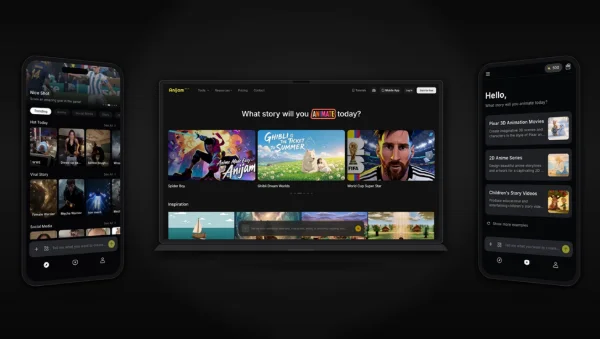
Anijam AI is an all-in-one AI Animation Video Generator, which is designed for creators without traditional animation experience. Rather than handing you a blank canvas and a prompt box, its AI agent manages the entire production process from writing the story outline to designing characters, generating scenes, adding voiceovers, and syncing lip movement to dialogue. You can start from a text description, an uploaded photo, or a full script, and the agent takes it from there.
Key Features
- AI Video Agent: Manages the full pipeline story outline, character design, scene generation, voiceover, and lip sync in one flow
- Character Consistency: Keeps the same character recognizable across every scene
- Multiple Input Modes: Start from text, an image, or a full script
- Style Library: Choose from popular styles like Pixar-inspired 3D, Ghibli-inspired animation, claymation, cinematic 3D, and more.
- Trending AI Video Templates Ready-Made: Skip the blank prompt with templates built for common social formats
- Episode Creation and Management: Continue a story or generate a new episode instead of starting from scratch each time, so you can create and manage episodes in one place
- Popular AI Video Models: Access leading AI models like MiniMax H3, Seedance 2.0, Seedance 2.5, and Kling 3.0 to create different styles of story videos.
Pros and Cons
Pros:
- No editing or animation background is needed to get a finished result.
- Strong character consistency across multi-scene stories
- Fast turnaround from idea to finished clip
- Built-in lip sync removes a separate production step
Cons:
- Generation speed may vary during peak hours when demand is high.
Who It’s Best For
- Social Media Creators: Create engaging character-driven videos, serialized stories, and trend-based content for TikTok, Instagram, and YouTube.
- Educators: Turn lessons, concepts, and educational scripts into animated videos that are easier to understand and more engaging.
- Content Creators: Turn ideas and scripts into complete animated stories without needing professional animation skills.
- Marketers & Brands: Create mascot-led stories, branded animations, product narratives, and promotional videos.
- Indie Animators & Filmmakers: Develop multi-scene stories with consistent characters and visuals without a full animation team.
- Writers & Storytellers: Bring original characters, scripts, and long-form stories to life through AI animation.
How to Use
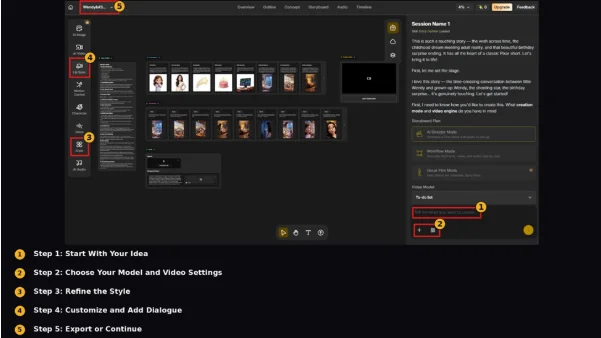
Step 1: Start With Your Idea
Describe your story idea in a sentence or two, or upload a photo or script.
Step 2: Choose Your Model and Video Settings
Select the AI model and video settings you want to use for your story.
Step 3: Refine the Style
Pick a visual style and refine the result through simple chat-based feedback.
Step 4: Customize and Add Dialogue
Customize characters, motion & voice expressions, and movement with the built-in editor, then add dialogue through AI-generated voice or your own uploaded audio for lip sync.
Step 5: Export or Continue
Export the finished video, or continue the story into a new episode.
2. Kling AI (Kling 3.0) – Build Multi-Shot Sequences with Locked Character Identity
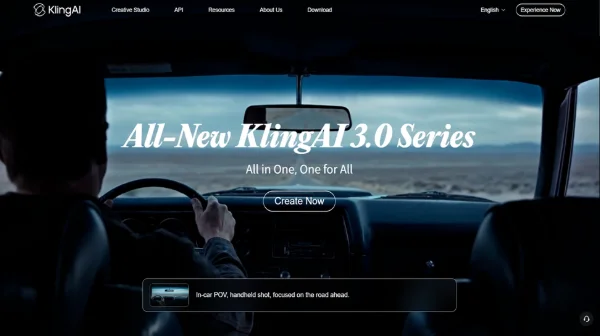
Kling 3.0 was built to let creators direct multi-shot sequences the way a film editor would, cutting between camera angles, close-ups, and wider shots.
Its “Element Binding” and “Subject Binding” systems lock a character’s facial structure, clothing, and other visual traits so they don’t shift as the camera moves or the scene changes.
Key Features
- Multi-Shot Mode: Generates several camera angles and cuts from a single set of instructions
- Element/Subject Binding: Locks character identity across shots and camera movement
- Extended Clip Length: Up to 15 seconds per clip with native, multi-language audio generation
- Reference Image Support: Anchors a character’s appearance using multiple reference images from different angles
Pros and Cons
Pros:
- Strong, well-documented reputation for holding character identity together through complex camera movement and multi-shot sequences.
Cons:
- Getting consistently reliable results generally requires more manual setup, reference images, locked prompt wording, and some trial and error compared to a fully guided, agent-driven workflow.
Who It’s Best For
- AI Video Creators: Create high-quality AI videos with more control over visual details, camera movements, and shot composition.
- Filmmakers & Visual Storytellers: Experiment with cinematic scenes and creative concepts that require more precise direction.
- Content Creators: Generate visually impressive videos for social media, marketing, and creative projects.
- Advanced Users: Get more flexibility and customization options when fine-tuning AI-generated video results.
How to Use
Step 1: Upload Your Reference
Upload one or more reference images of your character.
Step 2: Set Up Multi-Shot
Turn on Multi-Shot and describe each camera angle or cut you want.
Step 3: Generate and Review
Generate the sequence and review it for consistency across shots.
Step 4: Refine as Needed
Regenerate or extend individual shots as needed.
3. MagicLight AI – Create Long-Form AI Story Videos with Consistent Characters
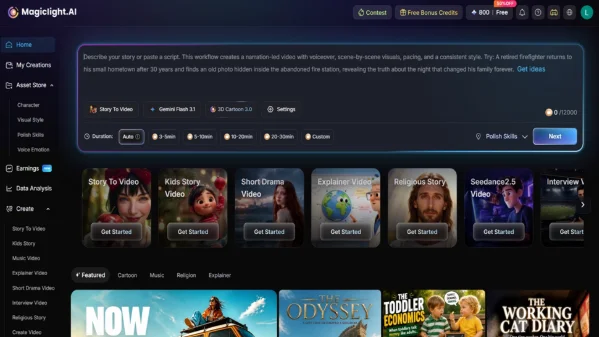
MagicLight AI is an AI video creation platform designed for producing long-form videos from scripts, ideas, or written content. Instead of focusing only on generating short video clips, it helps creators build complete videos with multiple scenes, structured storytelling, and consistent visual flow.
Key Features
- Story-to-Video Generation: Turn ideas, scripts, or story outlines into complete AI-generated videos with structured scenes.
- Long-Form Video Creation: Generate longer videos while maintaining narrative flow and visual consistency across scenes.
- Character Consistency: Keep characters recognizable throughout a story by maintaining their appearance, voices, and personalities across scenes.
- Scene-by-Scene Storytelling: Automatically break stories into individual scenes while preserving pacing, transitions, and overall narrative structure.
Pros and Cons
Pros:
- Designed specifically for complete story video production.
- Strong character consistency and scene continuity.
- Supports longer storytelling formats compared with many short-clip AI video tools.
- Provides an end-to-end workflow from idea to finished video.
Cons:
- Longer video generation workflows may require more time compared with creating short AI video clips.
Who It’s Best For
- Storytellers: Turn written stories and creative ideas into complete AI-generated videos.
- Content Creators: Create long-form videos, social content, and narrative-driven content without traditional production workflows.
- Educators: Transform lessons and explanations into structured visual stories.
- Brands & Marketers: Create branded storytelling videos and promotional content.
How to Use
Step 1: Enter Your Story Idea or Upload a Script
Start with a simple idea, story concept, or existing script. MagicLight can transform your input into a structured narrative.
Step 2: Generate Characters and Scenes
Let AI create consistent characters and organize your story into connected scenes.
Step 3: Customize Your Story Style
Choose visual styles, video length, aspect ratio, voiceover tone, and music options to match your creative direction.
Step 4: Refine and Export Your Video
Review the generated scenes, adjust details if needed, and export the completed AI story video.
4. AIStory.video – Create Short Story Videos from Ideas with AI
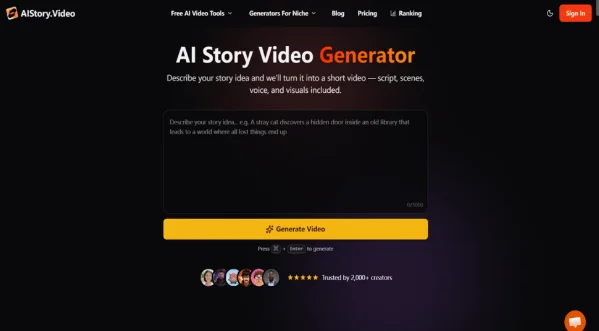
AIStory.video is an all-in-one AI story video generator that turns simple ideas into short videos by combining script generation, scene creation, visuals, voiceovers, captions, and video generation. It is designed to simplify the process of creating ready-to-share story videos for social platforms.
Key Features
- AI Script Generation: Generate structured story scripts from a topic or simple idea.
- Automatic Scene Creation: Convert generated scripts into scenes with AI-generated visuals.
- AI Voice Generation: Add AI narration to bring stories to life with generated voiceovers.
- Auto Captions: Generate animated captions to improve engagement for short-form content.
- Multiple Visual Styles: Create story videos in different visual styles for various content niches.
Pros and Cons
Pros:
- Complete workflow from script to final video.
- Beginner-friendly and requires minimal editing skills.
- Suitable for fast production of social media story content.
Cons:
- More focused on short-form story videos rather than complex animated worlds or long-form productions.
Who It’s Best For
- Social Media Creators: Quickly create TikTok, YouTube Shorts, and Instagram Story videos.
- Faceless Content Creators: Produce narrated videos without recording themselves.
- Marketers: Create promotional storytelling videos efficiently.
- Beginner Creators: Generate complete videos without learning complex editing tools.
How to Use
Step 1: Generate Your Story Script
Enter a topic or story idea and let AI create a structured script.
Step 2: Choose Your Style and Voice
Select a visual style, voiceover, captions, and other video elements.
Step 3: Review Scenes and Characters
Check the generated scenes and character visuals, then refine details if needed.
Step 4: Generate and Export Your Video
Preview the final result, render the video, and export it for sharing.
5. ImagineArt AI – Transform Stories and Ideas into AI-Generated Videos
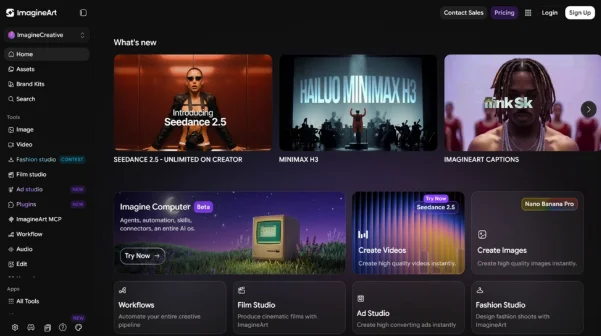
ImagineArt AI Story Video Generator is an AI-powered storytelling tool that transforms written stories, personal memories, creative ideas, and other text-based concepts into engaging AI-generated videos. It helps creators turn scripts and descriptions into visual narratives by generating scenes, adding cinematic effects, and combining elements such as music and visual styles.
Key Features
- Reference Image Support: Upload reference images and describe characters or scenes to guide the AI generation process.
- Multiple AI Video Models: Choose from different AI models, including Imagine, Seedance, and Google Veo 3.1, to create different visual results.
- Cinematic Styles & Effects: Apply different visual styles, lighting effects, and camera movements to enhance storytelling quality.
- Background Music Integration: Add background music to match the mood and atmosphere of the generated story video.
Pros and Cons
Pros:
- Built specifically for AI story video creation.
- Supports multiple AI video models on one platform.
- Combines story generation, visual creation, and cinematic effects in one workflow.
- Beginner-friendly for creators without professional video production skills.
Cons:
- Better suited for short-form storytelling content rather than highly customized, long-form video productions.
- Users may need additional editing tools for more advanced storytelling control.
Who It’s Best For
- Social Media Creators: Create short animated stories and engaging videos for TikTok, YouTube Shorts, and other platforms.
- Writers & Storytellers: Turn written ideas, fictional stories, and creative concepts into visual content.
- Educators: Transform educational stories and explanations into more engaging animated videos.
- Content Marketers: Create branded storytelling videos and social media content quickly.
How to Use
Step 1: Provide Your Story Idea
Enter a story concept, describe characters and scenes, or upload a reference image to guide the generation.
Step 2: Choose Your AI Model and Style
Select an AI video model and customize the visual direction, cinematic style, and other generation settings.
Step 3: Generate Your AI Story Video
Let AI create animated scenes, visual elements, and storytelling sequences based on your input.
Step 4: Customize and Download
Make final adjustments, add finishing touches, and download the completed AI-generated story video.
How to Choose the Right AI Video Tool for Your Story
With five capable options on the table, the right choice comes down to what your story actually needs, not which tool has the most features on paper.
That decision carries more weight than it used to. Creators today are increasingly running one-person operations that look a lot like small studios, expected to turn out consistent, broadcast-quality content on their own, which makes picking a tool that actually fits your workflow less of a nice-to-have and more of a bottleneck if you get it wrong.
Define Your Platform and Format Needs
A 15-second vertical clip for social media has very different requirements than a longer, dialogue-heavy episode. Decide on your target format first, since it will shape everything else — clip length, aspect ratio, and how much manual editing you’re willing to do. If your plan includes scaling into a full YouTube automation workflow, this decision matters even more, since consistent formatting makes repeatable production much easier.
Match the Tool to Your Story’s Complexity
A single-character short story has different needs than a multi-character episodic series. If your story lives or dies on one consistent lead character, an agent-driven tool that manages the pipeline for you will likely get you to a finished result faster. If your scenes involve several characters interacting together, a tool built specifically for multi-entity consistency becomes far more valuable.
Test with a Small Project Before Scaling Up
Before committing to a single tool for a longer series, run a small test: one scene, one character, one piece of dialogue. This is the fastest way to see how well a tool actually handles consistency and lip sync in practice, rather than relying on demo reels.
What People Also Ask More
Can AI video tools sync lip movement to dialogue automatically?
Yes. Anijam, for example, offers built-in AI lip sync, letting you add dialogue through AI-generated voice or your own uploaded audio to match a character’s mouth movement automatically.
Do I need editing or animation experience to make an AI story video?
No. Tools like Anijam are designed specifically to be user-friendly. Its AI video agent handles the entire workflow, from story outline and character design to scene generation and lip sync, and it also provides ready-made trending video templates, so you don’t need any prior editing or animation background to get a finished result.
Can I turn a single photo into an animated story character?
Yes. Tools like Anijam and ImagineArt AI both support uploading a reference photo to help guide and shape the animated character in your story.
Final Thoughts: Telling Stories Without a Production Team
The gap between “I have a story idea” and “I have a finished video” has become smaller than ever. You no longer need an animation studio, a full production team, or advanced editing skills to bring your ideas to life; you need the right AI video tool for the type of story you want to create.
Whether you choose an all-in-one storytelling agent like Anijam to handle characters, scenes, and the full animation workflow, a powerful video generation platform like Kling AI for high-quality visual creation, or specialized story video tools like MagicLight AI, AIStory.video, and ImagineArt AI for turning ideas into engaging videos, there are now more ways than ever to transform imagination into content. The story you’ve been putting off might be a lot closer to finished than you think.