
Why Use Immutable Data Structures? What a Tiny Bug Taught Me
Immutable data structures prevent unexpected data changes, reduce bugs, simplify debugging, and make code safer and more predictable.


Why does a variable sometimes change when nobody touches it? If you have ever lost an hour to that kind of bug, immutable data structures are worth knowing about, and the benefits go well beyond fixing one error.
Some of the most confusing bugs come from two parts of your code quietly sharing the same list. It happened to me recently. I edited a list in one function, and a completely unrelated screen began showing wrong data. I had not touched that part at all.

That moment finally explained why developers keep pushing immutable data. So I wrote a few small tests, broke them on purpose, and watched what happened. This experience also helped me understand the value of functional programming some more, where avoiding unnecessary changes to shared data makes code more predictable. Here is what I found.
What Makes Immutable Data Structures Different?
An immutable data structure is one that cannot be changed after you create it. If you want a different version, you build a new one instead of editing the old one.
In Python, tuples, strings, and frozensets work this way. Lists, dictionaries, and sets do not. They can be edited in place, and that is exactly where trouble starts.
Here is how the two approaches differ:
| Mutable data structures | Immutable data structures |
| Allow existing data to be modified. | Do not allow in-place modification. |
| Updates can change the original object. | Updates produce new values or versions. |
| Shared data can be modified unexpectedly. | Original shared values remain unchanged. |
| Previous states may be lost. Lists and dictionaries | Previous versions can be preserved, such as strings, integers, and tuples in Python. |
Understanding this distinction helps explain why immutable data structures are useful in applications that require reliable data handling.
Reason 1: Stopping Accidental Changes Before They Spread
This was the one that bit me. In large applications, multiple functions or components may access the same data. If one function modifies a shared object, another function may receive an unexpected value. This can introduce bugs that are difficult to trace.
 cart = ["pen", "book"]

backup = cart

cart.append("laptop")

print(backup)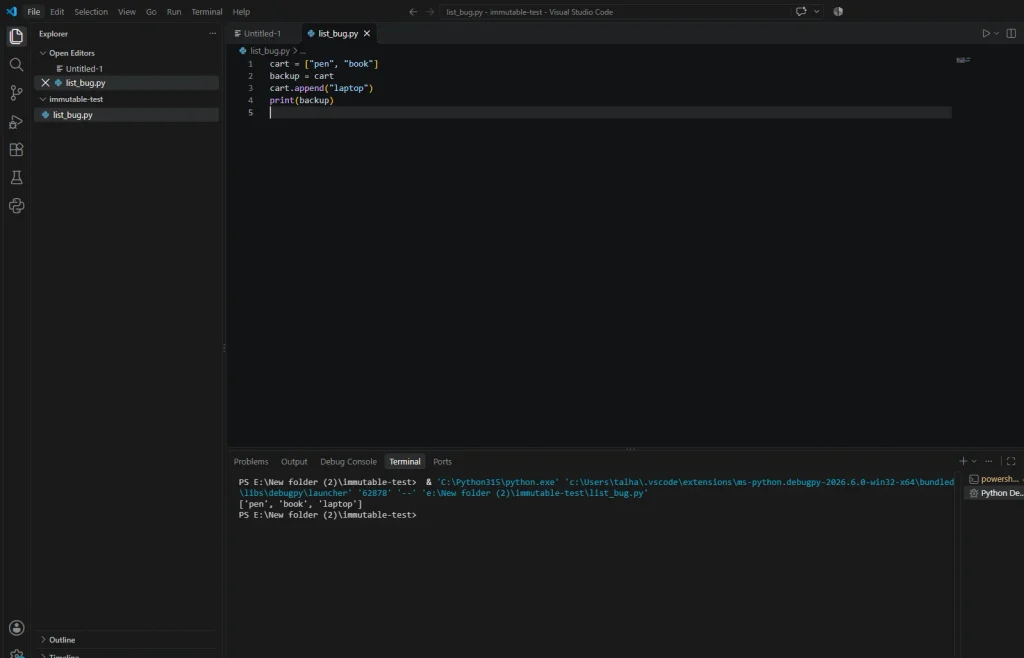
I expected the backup to stay as it was. It printed [‘pen’, ‘book’, ‘laptop’]. Now the same idea with a tuple:
 cart = ("pen", "book")

backup = cart

cart = cart + ("laptop",)

print(backup, cart)
This time the backup stayed (‘pen’, ‘book’) and the cart became the new version. The old data was never touched, so nothing else could break.
Python even has a classic trap that comes from this. If you use an empty list as a default function argument, the same list gets reused on every call. Calling add(1) returns [1], and calling add(2) next returns [1, 2], and if you saved both results, both variables now hold [1, 2]. Using an immutable default such as None or a tuple avoids it.
Reason 2: Fewer Headaches When Threads Share Data
If several threads read the same immutable data, they can access it without worrying that another thread will modify it. This can reduce the need for locks and synchronization, making concurrent code easier to manage.
I learned this the hard way while reading about deadlocks in multithreaded code. A big share of locking problems exist only because the data can change. When shared data cannot be modified, many synchronization problems become easier to avoid. However, operations involving shared mutable state can still require proper synchronization.
It will not fix everything, though. If your program still has to update something shared, you need a plan for that. But the more of your data is immutable, the smaller that problem becomes.
Reason 3: Easier Debugging and Testing
When data cannot change, you can trust what you see. A value you print at line 10 is the same value at line 100.
If you are familiar with object-oriented programming, Python’s frozen dataclasses offer a simple way to prevent accidental changes to object attributes.
 from data classes import data class, replace

@dataclass(frozen=True)

class User:

    name: str

    plan: str

u = User("Ali", "free")

u.plan = "pro"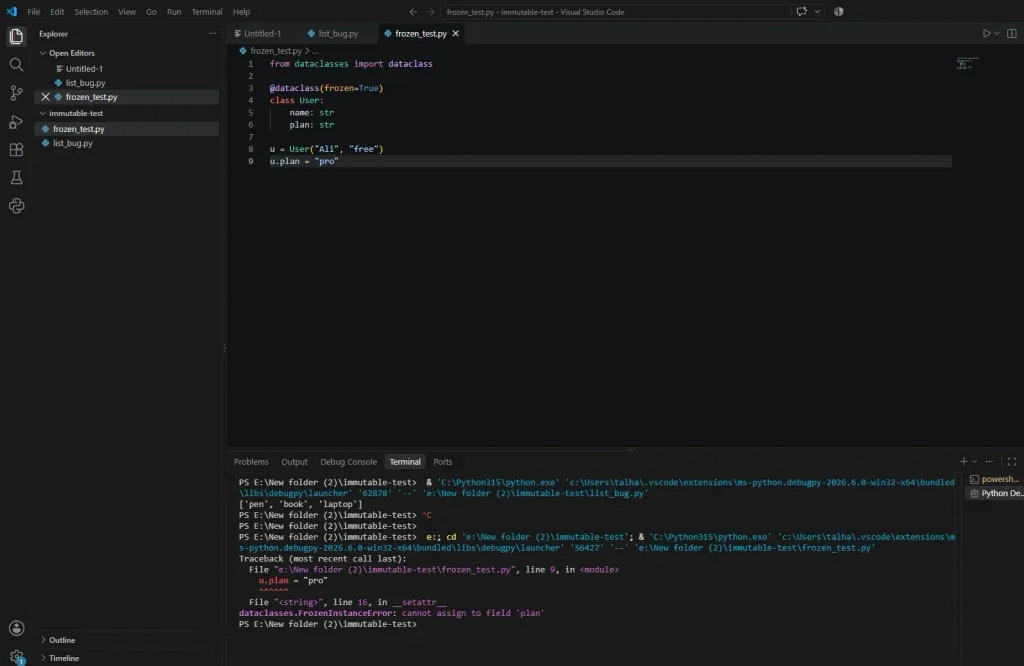
That last line raises a FrozenInstanceError. Python refuses the edit instead of silently allowing it. To get an updated user, you create a new one:
u2 = replace(u, plan="pro")Now u is still free, and u2 is pro. Tests become simpler too, especially when you understand the difference between unit testing and integration testing. You check the result, and you are done.
Python’s dataclasses documentation covers frozen instances in more detail. These techniques can also help developers make legacy code easier to maintain by reducing unexpected changes and making existing behavior easier to test.
Reason 4: Safe Dictionary Keys and Easy Caching
This one surprised me. Try using a list as a dictionary key:
d = {["a"]: 1}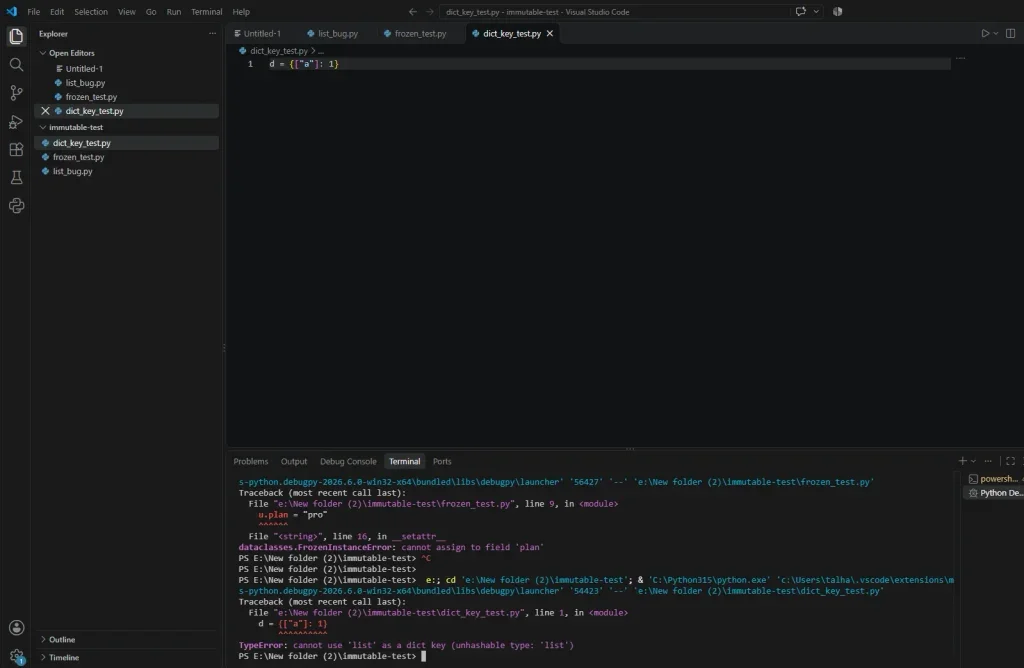
Python throws a TypeError saying a list cannot be used as a dict key (unhashable type: ‘list’). A tuple works fine:
d = {("a", "b"): 1}The reason is that a key must never change after it is stored, or the dictionary could not find it again. Many immutable values in Python are hashable, meaning they can be used as dictionary keys and inputs to cached functions. However, not every immutable object is hashable.
For example, a tuple containing a mutable list cannot be used as a dictionary key because the list is unhashable. Python’s LRU cache documentation explains how caching works with hashable function arguments.
 valid_key = ("pen", "book")

invalid_key = ("pen", ["book"])

my_dict = {valid key: 1}  # Works

my_dict = {invalid key: 2}  # Raises TypeError
Reason 5: Saving Memory With Structural Sharing
A common worry is that every change to immutable data means copying the whole collection. In practice, many immutable collections use **structural sharing**: the new version reuses the parts that did not change and builds only what is new.
Here is a small way to see it, using nested tuples as a simple linked list of `10, 20, 30, 40`:
 ``python

base = (40, (30, (20, (10, None))))

new = (50, base)

print(new[1] is base)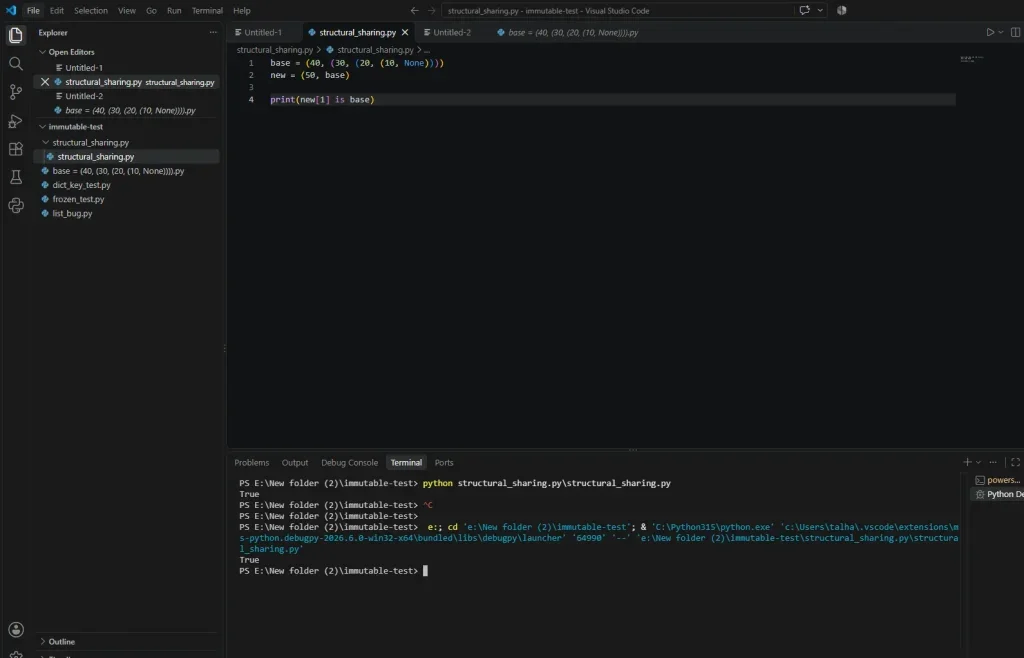
It printed True, confirming that the new tuple references the original structure instead of copying it. This is a simple demonstration of structural sharing. However, I created this structure manually; ordinary Python tuples do not automatically provide a complete persistent data structure. Specialized immutable collections use this technique to reuse unchanged portions efficiently.
How Do Immutable Data Structures Work?
Immutable data structures preserve existing values and produce new versions whenever an update is required. Two important concepts help make this approach practical.
Persistent Data Structures
Persistent data structures preserve previous versions when an update occurs. For example, suppose you have a collection containing three items and add a fourth item. The updated collection does not need to destroy the original version.
Both versions can remain available:
 Original: [Apple, Banana, Orange]

Updated:  [Apple, Banana, Orange, Mango]
This is useful when applications need to compare previous states, track changes, or implement undo functionality.
Structural Sharing
Structural sharing makes persistent data structures more efficient by reusing unchanged portions of existing data.
Instead of copying an entire collection whenever an update occurs, an implementation can create new nodes for the changed portions while sharing the remaining structure.
Together, persistence and structural sharing allow applications to retain previous versions without necessarily duplicating an entire data structure for every update.
When I Would Not Use Them
Immutability is not always the right answer. Updating immutable collections can require extra memory and processing, especially when large portions are copied. For frequent updates, such as appending a million items, mutable Python lists are often more practical. However, structural sharing can reduce these costs. If you are appending a million items in a loop, a mutable list is the better tool.
My rule of thumb now: Use immutable data by default, and switch to mutable only when I have a clear reason, like performance or a very large collection.
Where Immutable Data Structures Fall Short
Although immutable data structures provide several advantages, they also introduce certain challenges.
- Additional memory usage: Creating new versions can require additional memory, particularly when an implementation does not use structural sharing.
- More complex implementation: Working with deeply nested immutable collections may require additional techniques or specialized libraries.
- Not suitable for every operation: Applications that frequently modify individual elements may find mutable data structures more convenient and efficient.
If a bug in your code ever feels like a ghost, check whether two parts of your program are sharing the same mutable object; mine was, and a single tuple fixed it. If you still have a few edge cases or quick questions on your mind, the FAQs below cover the common ones.
Frequently Asked Questions
1. Does immutable mean a variable can never be reassigned?
No. Immutability describes an object, not the variable name referring to it. You can assign a new value to a variable, but you cannot modify the original immutable object.
x = (1, 2)x = (3, 4)This works because the original tuple (1, 2) remains unchanged. The variable x simply refers to a new tuple.
2. Can a tuple contain a mutable object?
Yes. A tuple cannot have its elements replaced, but it can contain mutable objects such as lists. Those objects can still be modified.
t = ("a", ["x"])t[1].append("y")print(t)Output:
('a', ['x', 'y'])If you need the entire structure to remain unchanged, use immutable objects inside the tuple as well.
3. Are strings immutable in Python?
Yes. Python strings are immutable, meaning you cannot change individual characters after creating a string. If you need a different value, you must create a new string.
For example, “j” + s[1:] creates a new string with its first character replaced by j. This immutability also makes strings suitable for use as dictionary keys.