
Unit Testing vs. Integration Testing: What’s the Difference and When Should You Use Each?
Unit tests verify that a single function works on its own, while integration tests prove that multiple parts like your code and database work together without breaking.

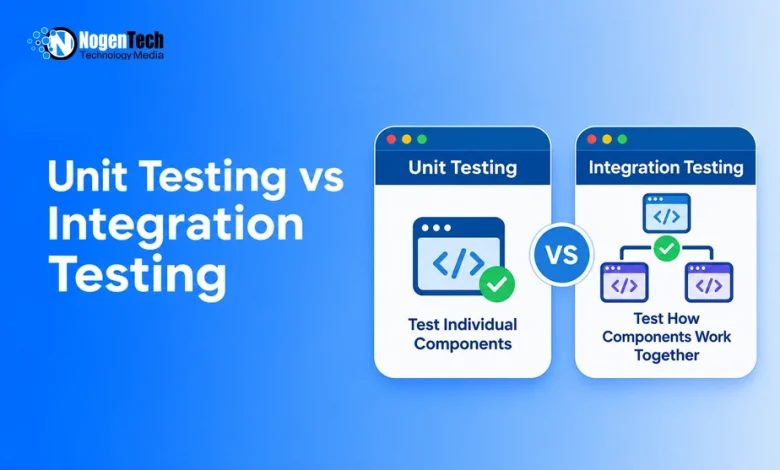
All your unit tests are green, yet the app still breaks in production. This happens because individual pieces of code can work perfectly on their own but fail when connected. That’s why modern software testing focuses on both individual code behavior and how components interact.
Unit tests check one small piece of code on its own. Integration tests check that several pieces work correctly together. That one-line answer is the heart of unit testing vs. integration testing, but the real value is in knowing when each one saves you.
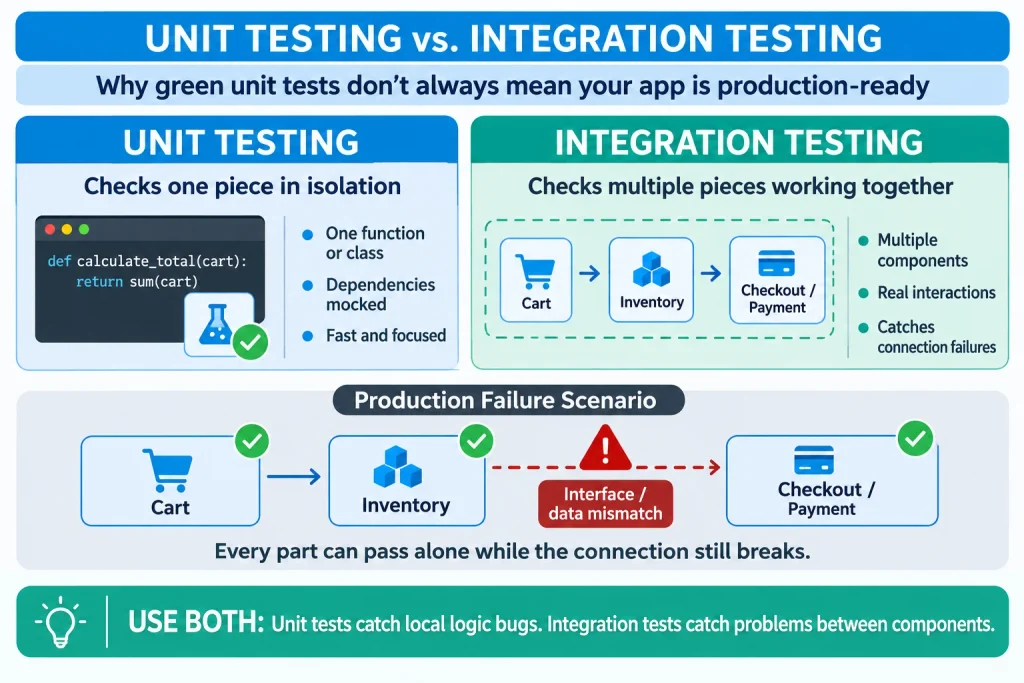
I have seen developers treat them as rivals, and I have seen others skip one because the other “already covers it.” Neither works well. So I wrote a tiny Python shop script, tested it both ways, and then broke it on purpose to see what each type of test actually catches.
| Aspect | Unit Testing | Integration Testing |
| What it checks | One function or class | Several components together |
| Dependencies | Faked or mocked | Real or close to real |
| Speed | Very fast | Slower |
| A failure points to | One specific piece of code | A problem between parts |
| Typical bugs found | Logic errors | Data mismatches, wrong connections |
| Runs | On every save or commit | On commits or before a release |
How Unit Testing Works (With a Python Example)
A unit test checks the smallest testable part of a program, usually one function, without relying on a database, network, or other outside piece. To compare the two types fairly, I used one small shop script for both and tested it each way.
Here is the function. It adds up prices and applies a discount:
 # shop.py

def calculate_total(prices, discount_percent=0):

    subtotal = sum(prices)

    return round(subtotal * (1 - discount_percent / 100), 2)
And here are three unit tests, using Python’s built-in unittest module. The official Python unittest documentation explains how to organize test cases, run assertions, and execute test suites.
 # test_unit.py
import unittest
from shop import calculate_total

class TestCalculateTotal(unittest.TestCase):
    def test_no_discount(self):
        self.assertEqual(calculate_total([10, 20, 30]), 60)

    def test_with_discount(self):
        self.assertEqual(calculate_total([100, 50], 10), 135)

    def test_empty_cart(self):
        self.assertEqual(calculate_total([]), 0)

if __name__ == "__main__":
    unittest.main()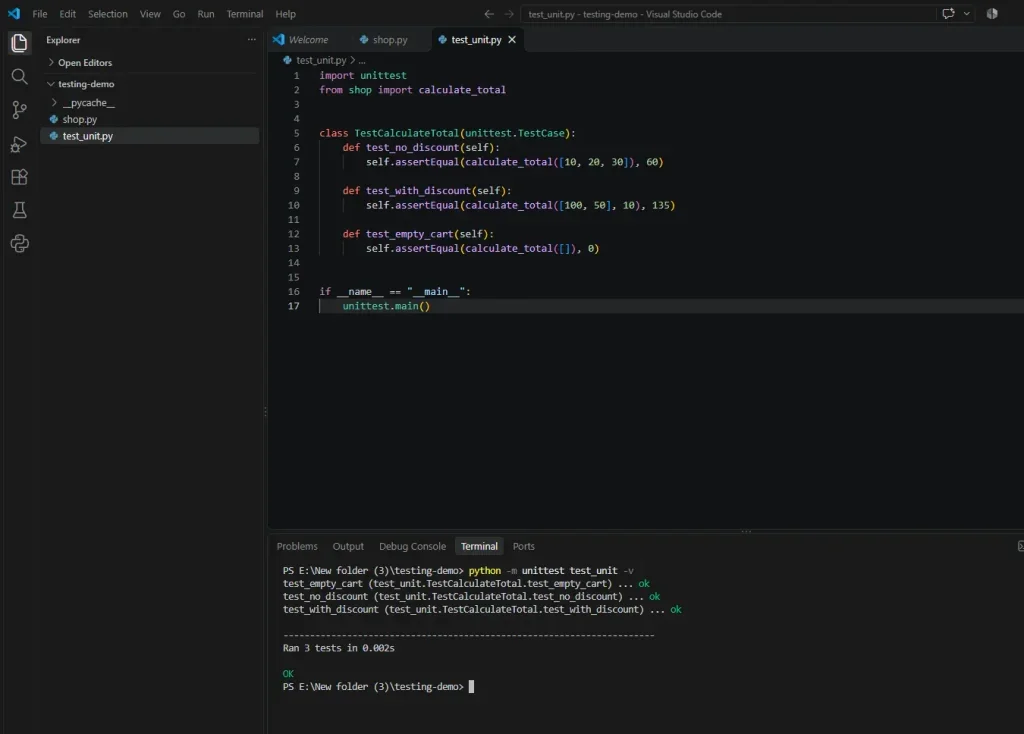
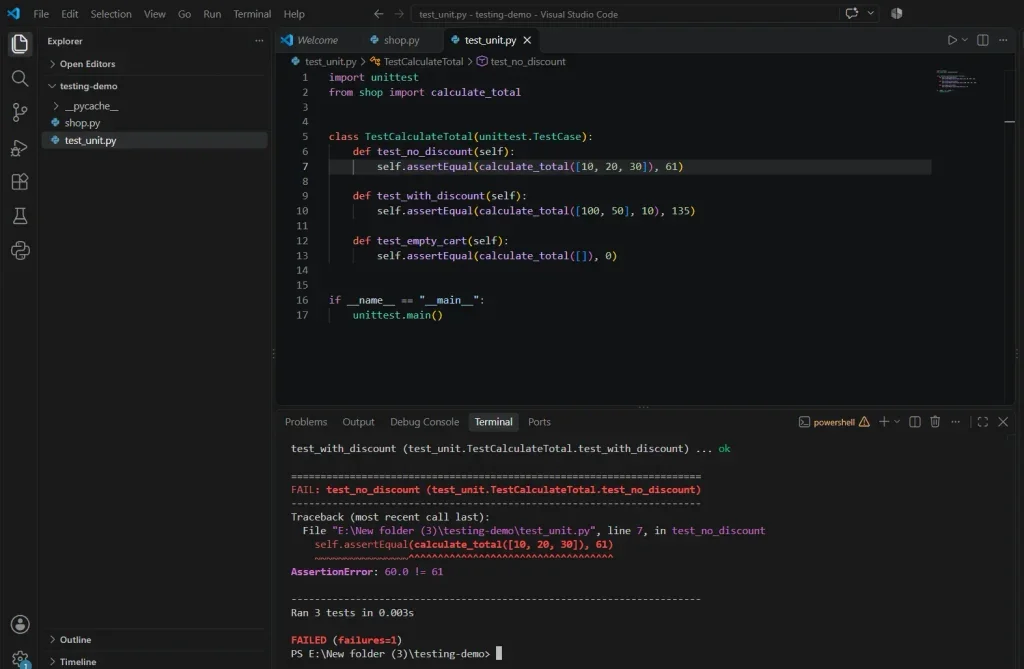
These tests need no setup, finish almost instantly, and tell you exactly which function is wrong if one fails.
How Integration Testing Works (With Python + SQLite)
An integration test checks that two or more parts work correctly when connected. Instead of faking the database, you use a real, lightweight one and see whether the data flows through properly.
I added a function that calculates the total and saves the order to a SQLite database:
 # shop.py (continued)

def save_order(conn, customer, prices, discount_percent=0):

    total = calculate_total(prices, discount_percent)

    conn. execute(

        "INSERT INTO orders (customer, total) VALUES (?, ?)",

        (customer, total),

    )

    conn.commit()

    return total
The integration test saves an order into an in-memory database and then reads the row back to see what was actually stored:
 # test_integration.py

import sqlite3

import unittest

from shop import save_order

class TestSaveOrder(unittest.TestCase):

    def setUp(self):

        self.conn = sqlite3.connect(":memory:")

        self.conn.execute(

            "CREATE TABLE orders (id INTEGER PRIMARY KEY, customer TEXT, total REAL)"

        )

    def test_order_is_saved_correctly(self):

        save_order(self.conn, "Jack", [100, 50], 10)

        row = self.conn.execute("SELECT customer, total FROM orders").fetchone()

        self.assertEqual(row, ("Jack", 135.0))

if __name__ == "__main__":

    unittest.main()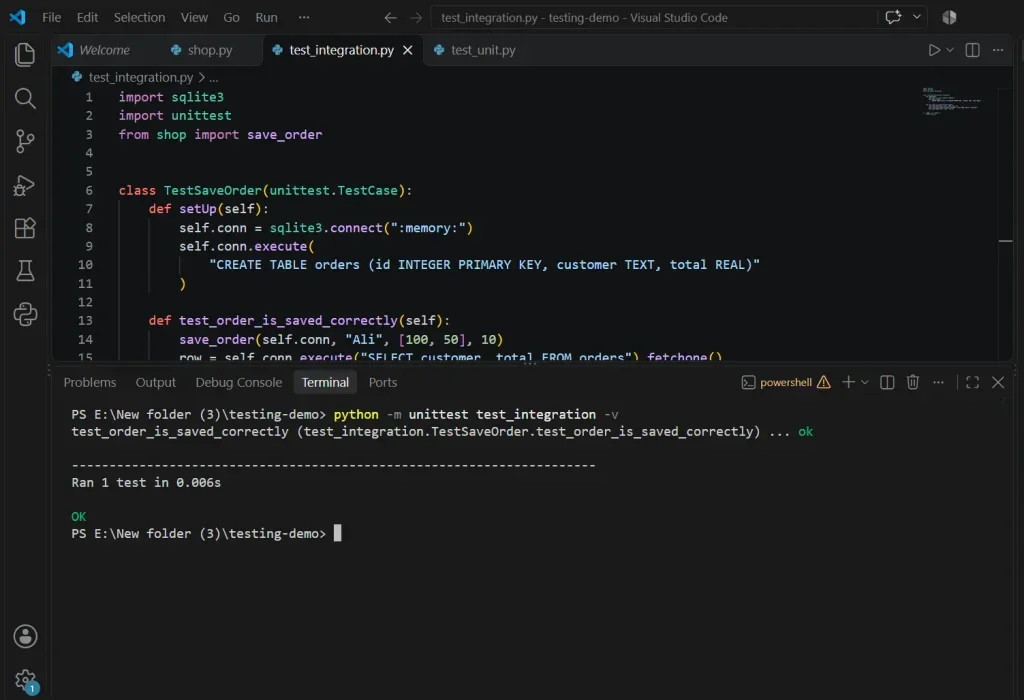
This single test touches the calculation, the SQL statement, and the database together, which is what makes it an integration test.
Where Unit and Integration Tests Actually Split
| Factor | Unit Testing | Integration Testing |
| Purpose | Confirms each piece of logic is correct | Confirms the pieces work together |
| Scope | A single function, method, or class | A group of modules, or a service plus its database or API |
| Isolation | Isolated with mocks or stubs | Uses real components |
| Approach | Usually white-box | Often closer to black-box |
| Speed | Milliseconds per test | Seconds, sometimes longer |
| Setup | Minimal | Needs a database, files, or services |
| Debugging | Easy; the failure names the function | Harder; the cause could be in any connected part |
| Maintenance | Low | Higher as the system grows |
| Written by | Developers | Developers or QA engineers |
| Common tools | unittest, pytest, JUnit | unittest, pytest, Testcontainers, Postman for APIs |
| Runs | Constantly while coding | In the CI pipeline or before a release |
The short version: unit tests tell you the parts are right, and integration tests tell you the parts fit.
What Each Test Catches and What It Misses
| Bug | Unit Test | Integration Test |
| Wrong math inside a function | Catches it and names the function | May catch it, but is harder to trace |
| Values saved in the wrong order or column | Misses it | Catches it |
| Table or column renamed in the database | Misses it if the database is mocked | Catches it |
| Two modules disagree on a data format | Misses it | Catches it |
I tested the second row myself. In save_order, I swapped the two inserted values so the line read (total, customer) instead of (customer, total).
The three unit tests still passed with OK, because calculate_total was perfectly fine. The integration test failed with FAILED (failures=1), and the row it read back was (‘135.0’, ‘Jack’) instead of (‘Jack’, 135.0). The calculation was right, but the saving was wrong, and only a test that touched the database could see it.
Do You Need Both?
Yes. An integration test can tell you something is broken, but when it covers five components, it often cannot tell you which one. A failing unit test usually points to one function.
Unit tests give you fast, precise answers, and integration tests give you confidence that the whole flow works. Testing is also essential when maintaining legacy code, where unit and integration tests help developers identify problems before making changes.
When to Pick Unit Tests vs. Integration Tests
| Situation | Better Choice |
| Writing calculations, validation, or formatting | Unit tests |
| Connecting to a database, API, or file system | Integration tests |
| A bug that only appears when two parts interact | An integration test that reproduces it |
| Short on time | Unit tests for core logic first, then integration tests for critical flows like checkout or login |
| Preparing a release | Both |
How You Can Try Both Tests Yourself in Python
You do not need to install anything. Python’s unittest and sqlite3 modules are built in.
- Create a folder with three files: shop.py, test_unit.py, and test_integration.py, using the code above.
- Open a terminal in that folder.
- Run the unit tests: python -m unittest test_unit -v
- Run the integration test: python -m unittest test_integration -v
- Both should end with OK. To see the difference yourself, swap the inserted values in save_order and run them again.
If you prefer pytest, a plain pytest command runs the same files. The unittest documentation and sqlite3 documentation cover more options.
Common Mistakes to Avoid and Their Fixes
| Mistake | Why It Hurts | Fix |
| Calling an integration test a unit test | It needs a real database and runs slower than expected | Label and run the two types separately |
| Mocking everything | Tests pass even when the real parts do not fit | Add integration tests for your key flows |
| Writing only integration tests | The suite gets slow and failures are hard to trace | Cover your logic with unit tests first |
| Skipping cleanup | Leftover data from one test breaks the next | Create fresh data per test, like the in-memory database in setUp |
| Testing too much in one test | A failure has no clear cause | Check one behavior per test |
A software testing checklist can also help developers avoid common testing mistakes and ensure important cases are not overlooked.
Unit tests verify individual functions fast, while integration tests prove connected components work together in practice. Using both catches logic bugs early and stops integration issues from reaching production.
Related Questions About Unit and Integration Testing
What is the testing pyramid?
It is a guideline that suggests many fast unit tests at the bottom, fewer integration tests in the middle, and very few slow end-to-end tests at the top.
Are unit tests white-box or black-box testing?
Unit tests are usually white-box, since the person writing them knows the code inside. Integration tests often lean more black-box, because they judge combined behavior rather than internals.
What are mocks and stubs?
Both are fake stand-ins for real dependencies. A stub returns fixed answers, while a mock also lets you check how it was called. They keep unit tests isolated.
What are the types of integration testing?
Common approaches are big bang (connect everything at once), top-down, bottom-up, and a mix of the last two, sometimes called sandwich or hybrid testing.
Should I use unittest or pytest?
Unittest comes with Python and needs no installation. pytest is a third-party tool with shorter syntax that can also run unittest tests, so many developers start with one and move to the other.