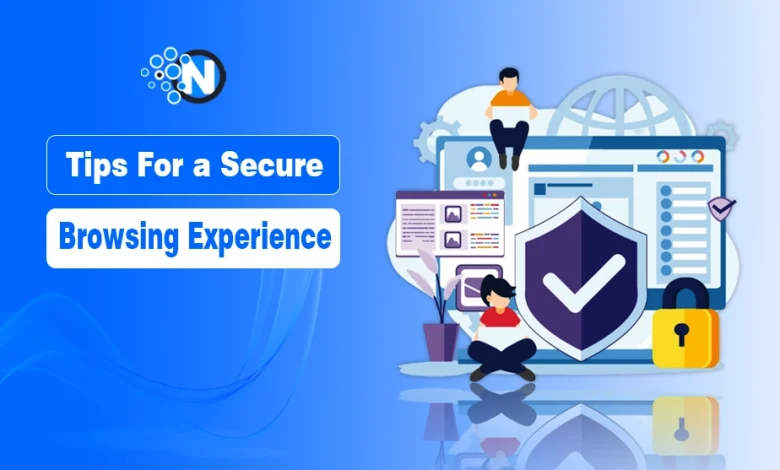
Secure browsing is not just a “tech person” problem anymore. In 2026, every click can expose you to fake websites, tracking scripts, data leaks, and scams that look completely real. The good news is that you do not need to be a cybersecurity expert to stay protected.
With a few smart habits and the right settings, you can browse safely without slowing down your daily routine. In this guide, I will tell you 15 simple and practical tips to protect your privacy, secure your accounts, and avoid online traps while browsing on any device.
Why Is a Secure Browsing Experience Important?
A secure browsing experience is quite mandatory, as it allows you to perform your activities more safely and securely.
Technological evolutions and improvements in machine learning algorithms have given rise to many powerful tools that can track the vulnerabilities in the online infrastructure and steal your personal information, like account details, passwords, and other critical credentials.
Therefore, it is necessary to follow the right strategies to overcome such harm.
Benefits of Secure Browsing Experience
A secure browsing experience comes with several incredible advantages, like protection against identity theft, financial fraud, and unauthorized access to personal information.
When you simply enable two-factor authentication, you can get your hands on the ways to overcome cyber threats. Some other significant benefits of secure browsing are the following.
- Enhances the overall privacy, which ensures the protection of sensitive data.
- You can interact with others through online platforms more safely.
- A secure browsing experience promotes a safer digital environment.
- Above all, you can engage in various online activities without compromising your digital well-being.
15 Essential Tips For a Secure Browsing Experience
In the under-section, I have listed some of the most effective tactics you can implement for having a secure browsing experience.
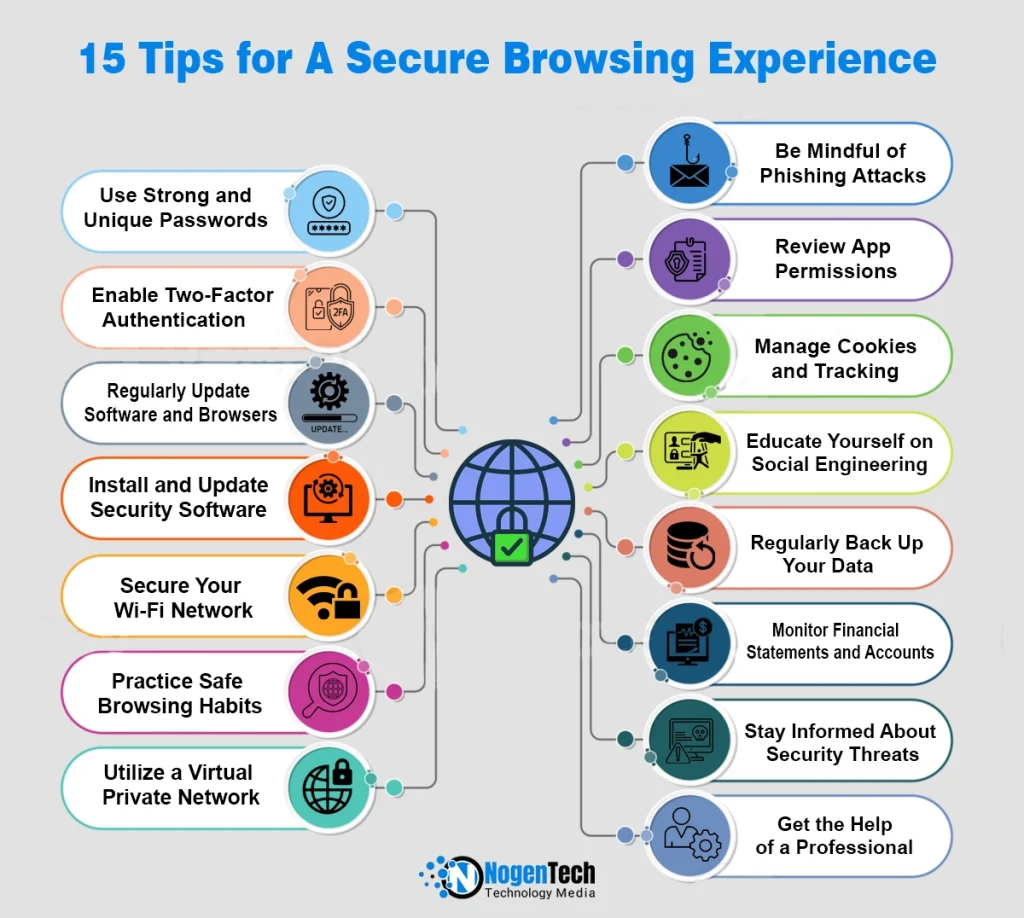
1 – Use Strong and Unique Passwords
Firstly, you must focus on creating strong and unique passwords for your account, as they act as a primary player to protect your online experience. A strong password cannot be guessed easily because it includes letters, symbols, and numerals.
2 – Enable Two-Factor Authentication (2FA)
With time, many platforms, including social sites like Instagram, Facebook, and X, have provided the option of two-factor authentication. When you enable this option, you can add your phone number and email to get a security code, delivering enhanced protection.
3 – Regularly Update Software and Browsers
While most users use browsers like Chrome, Opera, and Safari to reach the search engines for browsing purposes, it is crucial to keep them updated. It will install the latest security patches and eliminate potential vulnerabilities, resulting in a more secure web experience.
4 – Install and Update Security Software
Many developers have launched their security software for smartphones, gaming laptops, and computers. If you regularly download or explore new titles, staying safe is just as important as how visual game design improves game discovery across online platforms.
You must attain the most efficient one and make sure to have the latest version. It not only boosts protection but also web experience.
5 – Secure Your Wi-Fi Network
Wi-Fi network is the primary target of hackers and data stealers to carry out phishing activities. Therefore, you must secure your WiFi. Install the latest firewalls and customize their security settings to avoid accessibility to potentially damaging sites.
6 – Practice Safe Browsing Habits
Next, you must adopt safe browsing habits to make sure you can have consistent advantages in a secure environment. Instead of the primary mode, try to utilize the perks of the incognito tab on your computer, as it does not store history or other things. And to have a more control on search experience when you browse health topics, you should consider turning off Google SafeSearch.
7 – Utilize a Virtual Private Network
A Virtual Private Network is one of the most effective tools to hide your real IP address and bypass geo-location. Using a VPN prevents online platforms from tracking your location as it reroutes the connection.
8 – Be Mindful of Phishing Attacks
In this highly fast-paced world, understanding the nature of phishing attacks is quite necessary because it helps you to avoid potential threats. You must know about spam emails, messages, and pop-ups experienced while browsing different websites and channels.
9 – Review App Permissions
In today’s modern landscape, mobile applications demand direct access to your storage, media, and gallery for smooth functioning. Granting access is compulsory. However, you must monitor and review these permissions to ensure data safety and transparency.
10 – Manage Cookies and Tracking
Browsers more often store cookies to ensure that you have a seamless and fast browsing experience. Although they are highly beneficial, they can be the cause of phishing activities if captured by unauthorized sources. To avoid this, you must manage them periodically.
11 – Educate Yourself on Social Engineering
Social engineering is now not limited only to professionals. Every Internet user should understand the social engineering techniques, such as pretexting or impersonation. When you learn them, you can prepare yourself to recognize the potential threats proactively to avoid them.
12 – Regularly Back Up Your Data
Data loss can occur due to several reasons, such as cyberattacks or hardware failures. Consequently, you are vulnerable to losing your data. To avoid the potential drawbacks, it is important to back up your data to an external device or a secure cloud service.
13 – Monitor Financial Statements and Accounts
Monitoring financial statements and accounts regularly is vital to learn about unauthorized transactions and associated suspicious activities. You must regularly review your credit report to detect and address any sign of identity theft.
14 – Stay Informed About Security Threats
With time, new tools are available in the market, making it more accessible for hackers to leverage them and carry out unauthorized activities. To stay informed about them, you must make it a habit to follow popular cybersecurity blogs, news sources, and advisories to enhance overall online security.
15 – Get the Help of a Professional
Lastly, you must look for professional support and grab the essential insights to protect your online assets and enjoy a smooth and secure browsing experience. Furthermore, make it a continuous routine to practice all the security tips for better outcomes.
Final Thoughts
These are the tips and tactics you can work on to find a more secure browsing experience. It is crucial to know that not all of them can provide you with enhanced protection individually. Therefore, you should create a comprehensive strategy to integrate them all and implement them correctly.
It will not only help you to mask your online activities by securing the Internet connection but also protect your personal information from being stolen. In this way, you can enjoy online streaming, browsing, shopping, and scrolling without any threat from hackers.