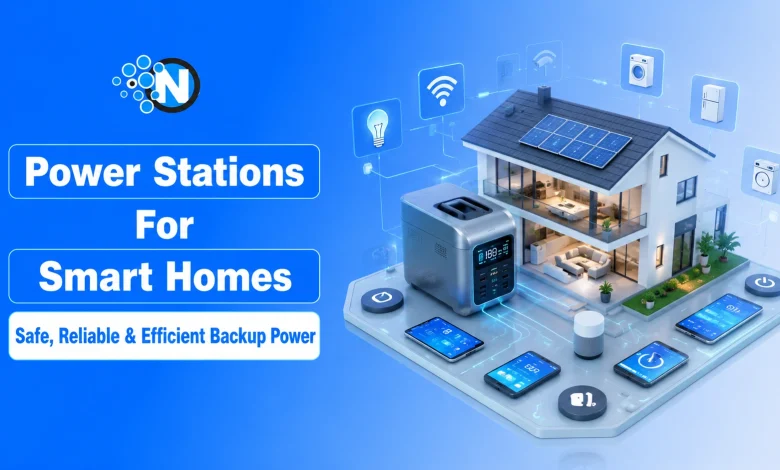
Power outages can happen without warning, whether caused by storms, grid failures, or scheduled maintenance. A portable power station provides a safe and convenient way to keep essential devices running indoors, but only when it’s used correctly.
Unlike gasoline generators, battery-powered power stations produce no carbon monoxide emissions, making them suitable for indoor environments. However, they still contain high-capacity lithium batteries and electrical components that require proper handling.
As you read next, you’ll learn important power station safety tips for indoor use, including safe placement, charging practices, load management, storage recommendations, and emergency precautions to protect your home and family.
Why Indoor Power Station Safety Matters
Indoor power station safety matters because it protects homes from fire risks, prevents lithium battery overheating, avoids inverter overloads, and maximizes device lifespan.
Portable power stations have become increasingly popular for apartments, homes, RVs, and emergency preparedness because they provide quiet, rechargeable backup power without fuel.

However, safe indoor operation depends on following manufacturer recommendations and general electrical safety practices. Common indoor safety risks include:
- Blocking cooling vents
- Using damaged charging cables
- Overloading the inverter
- Exposing the unit to moisture
- Charging near flammable materials
- Ignoring overheating or battery warning signs
Following proper safety guidelines helps maximize battery lifespan while reducing the risk of equipment damage.
Fuel Generators vs Portable Power Stations: Which is Better for Indoor Use?
While fuel generators pose deadly carbon monoxide risks indoors, portable power stations use clean LiFePO₄ battery chemistry, ensuring safe indoor backup power without emissions.
One of the biggest misconceptions during power outages is assuming all backup power devices follow the same safety rules.
| Feature | Fuel Generator | Portable Power Station |
| Indoor Use | Never | Yes (manufacturer-approved) |
| Carbon Monoxide | Yes | None |
| Fuel Required | Gasoline/Diesel | No |
| Noise | Loud | Quiet |
| Maintenance | High | Low |
According to the U.S. Consumer Product Safety Commission (CPSC) and the Centers for Disease Control and Prevention (CDC), portable generators should never be operated indoors because they produce deadly carbon monoxide gas.
Portable power stations eliminate this specific hazard but still require proper ventilation and safe charging practices.
How to Choose the Right Location for Your Portable Power Station Indoors?
You should always position your portable power station on a stable, flat surface away from moisture, ensuring at least several inches of open clearance around the cooling vents to prevent internal battery overheating.
The location of your power station plays a significant role in safe operation.
Place It on a Stable Surface
Always position the unit on:
- A flat surface
- A dry area
- A non-slip floor or table
- Away from children’s play areas
Avoid placing the power station on carpets that trap heat or on unstable furniture that could tip over. As you plan your layout around current smart homes and interior trends, prioritize dedicated, well-ventilated shelving or sleek, flat surfaces that keep your safety gear both functional and aesthetically integrated.
Keep Cooling Vents Clear
Most modern power stations use internal cooling fans to regulate battery temperature.
Leave at least several inches of clearance around the air vents and avoid placing the unit inside:
- Cabinets
- Closets
- Storage boxes
- Under blankets
- Behind furniture
Proper airflow helps prevent overheating during charging or heavy use.
Keep Away From Water
Never operate or charge a power station near:
- Sinks
- Bathtubs
- Wet basements
- Swimming pools
- Rain-exposed windows
Even weather-resistant models should remain dry during indoor operation
How to Charge Your Portable Power Station Safely Indoors?
Always charge your power station using the original manufacturer-approved cords in a well-ventilated area, keeping the unit completely clear of combustible materials like curtains or bedding to prevent overheating hazards.
Charging is one of the most common times when battery temperatures increase. Follow these best practices:
- Use only the original charger or manufacturer-approved accessories.
- Avoid damaged extension cords.
- Do not cover the unit while charging.
- Disconnect immediately if the cable becomes excessively hot.
- Keep charging away from curtains, paper, bedding, or other combustible materials.
Manufacturers such as EcoFlow, Jackery, Anker, Bluetti, and Goal Zero all recommend using approved charging accessories to protect battery performance.
Why You Must Understand Power Limits Before Plugging In Devices Indoors
Every portable power station has strict battery capacity (Wh) and continuous AC output (W) thresholds; exceeding these limits overloads the internal inverter and triggers immediate safety shutdowns.
Every portable power station has two important limits:
- Battery capacity (Wh)
- Maximum AC output (W)
Exceeding either limit can shut down the inverter or trigger overload protection.
Check Device Wattage
Before connecting appliances, verify their power consumption.
Examples include:
| Device | Typical Power |
| LED Light | 10W |
| Wi-Fi Router | 15W |
| Laptop | 60W |
| CPAP Machine | 40–90W |
| Mini Refrigerator | 80–150W |
| Microwave | 900–1500W |
| Hair Dryer | 1200–1800W |
Always compare appliance wattage with the rated output of your power station
Consider Startup Surge
Some appliances require much more power when they first start.
Examples include:
- Refrigerators
- Freezers
- Air compressors
- Water pumps
Their startup surge can temporarily exceed normal running wattage.
Check both:
- Continuous output
- Surge output
Before connecting these appliances.
How Do You Monitor Temperature and Warning Signs Indoors?
You must actively monitor temperature and warning signs such as battery swelling, leaking fluids, or burning odors to detect internal lithium failures early and avoid serious indoor fire hazards.
Stop using the power station immediately if you notice:
- Swelling
- Burning smell
- Smoke
- Fluid leakage
- Unusual noises
- Extreme heat
Do not attempt to repair lithium battery packs yourself. Instead, contact the manufacturer for inspection or replacement.
How Do You Store Your Power Station Properly Indoors?
To Store Your Power Station Properly, always keep it in a cool, dry indoor location away from direct sunlight, maintaining a steady temperature environment to preserve optimal long-term lithium battery health.
Long-term storage also affects safety and battery health. Store the unit:
- Indoors
- In a cool, dry place
- Away from direct sunlight
- Away from heaters
- Within the temperature range recommended by the manufacturer
Recharge the battery every few months if the manufacturer recommends doing so.
How to Keep Your Power Station Clean
Routine cleaning helps maintain proper airflow and reliable operation. To clean your power station safely:
- Turn the unit off and disconnect all cables before cleaning.
- Wipe the exterior with a soft, dry cloth.
- Remove dust from cooling vents using a soft brush or compressed air if recommended by the manufacturer.
- Never use water, solvents, or abrasive cleaning products on the unit.
Keeping the power station clean helps maintain cooling efficiency and extends its service life.
How to Choose the Right Portable Power Station
To choose the Right Portable Power Station, evaluate your appliance wattage needs and prioritize units featuring stable LiFePO₄ battery chemistry, built-in Battery Management Systems (BMS), and pure sine wave inverters for safe indoor operation.
When purchasing a backup battery, consider more than just battery capacity. Look for features such as:
- Pure sine wave inverter
- Battery Management System (BMS)
- Fast UPS switching
- Multiple charging options
- LiFePO₄ battery chemistry
- Smart app monitoring
- Safety certifications (UL, CE, FCC where applicable)
Integrating these advanced features allows your backup system to blend perfectly with modern smart home technology ecosystems, giving you essential control during an outage.
For example, the EcoFlow DELTA 3 Plus offers a 1024Wh battery, 1800W AC output, UPS functionality, and app-based monitoring, making it suitable for home backup during outages.
Best Practices During a Power Outage
Using a portable power station correctly during a power outage helps maximize runtime while keeping essential devices powered safely.
Follow these best practices:
- Power only essential devices such as refrigerators, Wi-Fi routers, medical equipment, smartphones, and LED lights.
- Avoid plugging in multiple high-wattage appliances at the same time, as this can overload the inverter.
- Monitor the remaining battery level and reduce power consumption when the charge becomes low.
- Disconnect devices that are no longer needed to extend battery runtime.
- If available, recharge the power station using solar panels or grid power as soon as it is safe to do so.
- Never attempt to connect the power station directly to your home’s electrical panel unless it is installed with an approved transfer switch by a qualified electrician.
Planning your energy usage during an outage helps extend battery life, prevents unnecessary overloads, and ensures your most important appliances continue running until power is restored.
What People Also Ask About Portable Power Station Indoors
Can a portable power station be used indoors?
Yes. Unlike gasoline generators, portable power stations produce no exhaust gases and are designed for indoor use when operated according to the manufacturer’s instructions.
Can I leave my power station charging overnight?
Many modern units include battery management systems that stop charging automatically. However, manufacturers generally recommend charging in a well-ventilated area and following the product manual.
Is it safe to power a refrigerator?
Yes, provided the refrigerator’s startup surge and running wattage remain within the power station’s rated output.
How long does a portable power station last?
Battery lifespan varies by chemistry and usage. Many LiFePO₄ models are rated for 3,000–4,000+ charge cycles before noticeable capacity reduction.
Can a portable power station overheat indoors?
Yes. It can overheat if the cooling vents are blocked, the unit is overloaded, or it is operated in a hot or poorly ventilated area.
What appliances should not be connected to a portable power station?
Any appliance that exceeds the power station’s continuous or surge wattage rating should not be connected. Always check the appliance’s power requirements before use.
Should I keep my power station fully charged?
For emergency preparedness, many manufacturers recommend storing the battery partially charged (often around 40–80%) if it will remain unused for an extended period. Always follow the specific storage recommendations in your owner’s manual.
Final Thoughts: What is Your Safety Game Plan for Indoor Power Stations?
Ultimately, a proactive Monitor Temperature and Warning Signs strategy is your best line of defense. Combining regular inspections with proper storage, strategic placement, and strict overload avoidance ensures your indoor power station remains a safe, highly efficient emergency backup solution.
In my opinion, while advanced features like a Battery Management System (BMS) offer incredible peace of mind, user habits dictate true safety.
Staying vigilant for physical warning signs like battery swelling or unusual odors transforms a potentially hazardous lithium device into a completely reliable, worry-free household asset.