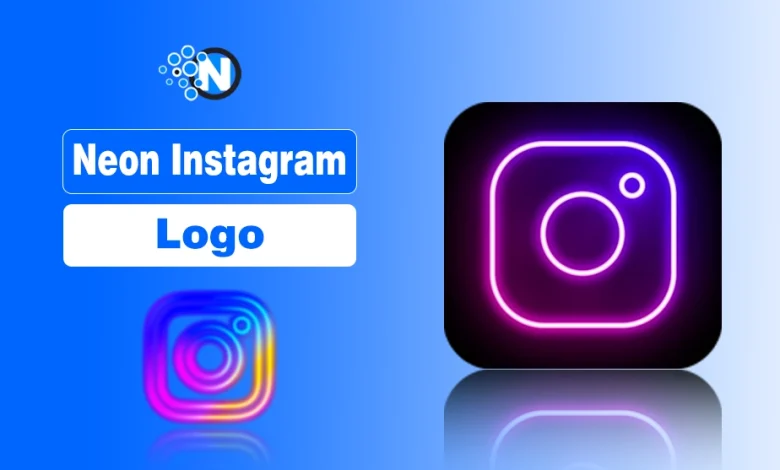
I’ve searched for a neon Instagram logo vector more times than I can count, especially when I needed that glowing aesthetic with a clean transparent background.
If you’re trying to create eye-catching thumbnails, stylish mockups, wallpapers, or branded social media graphics, you probably know how important the right format is, whether that’s PNG, SVG, AI, or EPS.
Now I’m going to make your search for the perfect neon Instagram logo much easier. I’ll guide you through the best platforms to download high-quality neon Instagram logo vector images.
Also explain which file formats truly fit your project, clarify important licensing considerations, and share practical tips so you don’t waste time downloading the wrong file.
Let’s break it down properly.
What Is a Neon Instagram Logo?
A neon Instagram logo is a stylized version of the official Instagram camera icon with a glowing light effect. Designers often recreate it in:
- Purple neon glow
- Pink and blue gradients
- Green or electric blue outlines
- Dark-mode neon themes
These variations are not official brand releases. Instead, independent designers create them for artistic or decorative purposes.
Comparison of Neon Social Media Logo Ideas
Neon logo ideas across Snapchat, TikTok, YouTube, and Facebook differ in how they use glowing effects and branding shapes.
Instagram neon designs often emphasize gradient camera icons with subtle glow, while Snapchat neon ideas usually focus on the ghost icon with bright outlines.
TikTok neon styles highlight the musical note symbol using contrasting colors, and YouTube neon variations frequently apply glowing effects to the play button inside a dark background.
Facebook neon concepts typically keep the recognizable “F” icon but enhance it with luminous edges.
5 Best Platforms For Neon Instagram Logo Vectors
Below are reliable platforms where you can find neon Instagram logo PNG and vector files. Each platform serves a slightly different purpose, so choosing the right one depends on your needs.
1. Pinterest – Best for Instagram Aesthetic Logo Inspiration
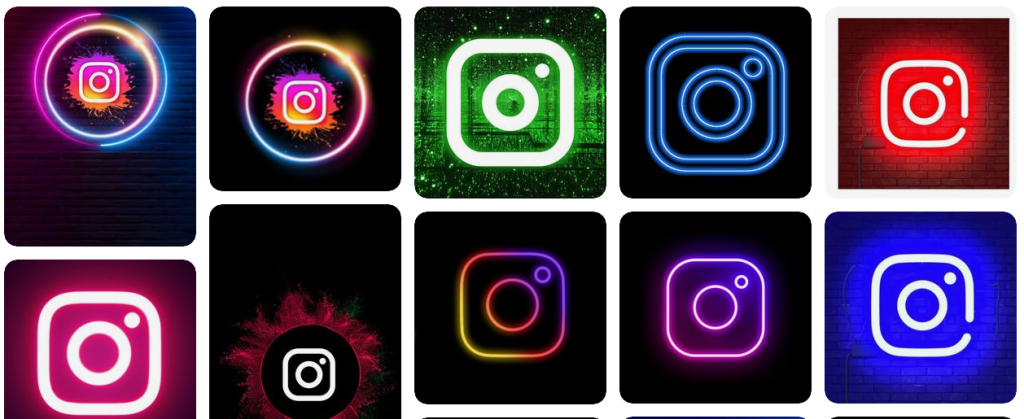
Pinterest works well for discovering creative neon Instagram logo ideas. Many designers upload glowing edits with unique color palettes and backgrounds.
What you’ll find:
- Neon Instagram logo PNG files
- Aesthetic wallpaper versions
- Creative mockups
- Purple and green glow variations
Limitations:
- Most files are JPG or PNG (not vector)
- Images often redirect to third-party sites
- Licensing may not be clear
Use Pinterest for inspiration first. Then try to locate the original source for better quality or proper licensing.
2. VectorStock – Best for Professional Vector Files
VectorStock specializes in scalable graphics. If you need a true neon Instagram logo vector, this platform provides professionally designed SVG and EPS files.
Available formats:
- SVG
- EPS
- AI-compatible files
Advantages:
- Clean vector paths
- Commercial licensing options
- High scalability
Important note: Most files require payment. Free downloads are limited.
Choose this platform if you need a scalable neon logo for client projects or print materials and Instagram visuals designed to boost engagement.
3. CityPNG – Best for Transparent PNG Downloads
CityPNG focuses on PNG images with transparent backgrounds. If you want a neon Instagram logo transparent PNG, this is a convenient option.
What makes it useful:
- High-resolution PNG files
- No background included
- Simple direct downloads
Limitations:
- Not a true vector format
- Scaling too much may reduce quality
For social media posts, presentations, or simple overlays, PNG works perfectly. For large-scale design, vectors remain better.
4. Peakpx – Best for Neon Backgrounds
Peakpx offers HD wallpaper-style neon Instagram logos. If your goal is a glowing background for a desktop or phone, this platform helps.
Best for:
- Neon Instagram wallpapers
- Dark-mode glowing designs
- 4K resolution backgrounds
However, Peakpx mainly provides JPG images. You won’t find editable vector files here.
5. Freepik – Best for Editable AI & EPS Files
Freepik combines free and premium vector resources. Many designers upload neon-style Instagram logo graphics in fully editable formats.
Available formats:
- AI
- EPS
- SVG
- PNG
Benefits:
- Editable layers
- Customizable glow effects
- Color adjustments possible
Some files require attribution under the free license. Premium access removes that requirement.
If you plan to customize the neon glow color or thickness, Freepik provides flexibility.
Comparison Table – Which Platform Should You Choose?
| Platform | Vector | PNG | Free | Best For |
|---|---|---|---|---|
| No | Yes | Yes | Inspiration | |
| VectorStock | Yes | Limited | Mostly Paid | Professional use |
| CityPNG | No | Yes | Yes | Quick transparent PNG |
| Peakpx | No | No | Yes | Wallpapers |
| Freepik | Yes | Yes | Yes* | Editable designs |
Is It Legal to Use a Neon Instagram Logo?
The official Instagram logo is a registered trademark of Instagram. That means you cannot freely modify or use it for commercial or automated branding without following their brand guidelines.
Here’s what you should consider:
- Personal aesthetic use is generally low risk.
- Commercial use requires caution.
- Modifying the logo may violate trademark rules.
- Always check platform licensing terms.
If you plan to use the neon Instagram logo in business materials, review Instagram’s brand usage policies carefully.
Things to Consider While Downloading Neon Instagram Logo
Before you click download, evaluate these factors:
1. Transparent Background
A transparent PNG saves editing time and blends better with designs.
2. Resolution
For raster images, choose HD or 4K resolution to prevent pixelation.
3. Vector Scalability
If you need resizing flexibility, choose SVG, AI, or EPS.
4. Color Accuracy
Instagram’s original gradient remains recognizable. Even in neon versions, maintaining proportional shape and structure improves visual credibility.
5. Licensing Terms
Check whether attribution is required. Many free platforms include usage restrictions.
How to Customize a Neon Instagram Logo?
If you download a vector file, customization becomes simple.
You can:
- Change glow color (purple, blue, green)
- Increase outer glow thickness
- Add neon tube effects
- Place it over a dark textured background
- Adjust brightness for night-mode aesthetics
Tools you can use:
- Adobe Illustrator
- Photoshop
- Canva (for PNG editing)
Always preserve the logo proportions to avoid distortion.