Have you ever opened Instagram and noticed someone missing from your feed? Their profile is gone, posts don’t appear, and your chats have vanished.
You are not alone. I’ve experienced this—it’s confusing at first. While it could mean you’ve been blocked, there are simple signs to check before jumping to any conclusions.
Knowing these clues is useful, especially if you’re focused on privacy-focused secure browsing or managing your social media.
In this 2026 guide, I’ll show you how to know if someone blocked you on Instagram, step by step, with reliable checks—no third-party apps needed.
Key Takeaways
1. Search username. If missing, Possible block.
2. DMs gone? Another sign.
3. Check via web browser or other account.
4. A mutual friend can confirm.
5. If nobody can see the account. It’s deactivated, not blocked.
How to Tell If Someone Blocked You on Instagram: 5 Verified Clues
I’ve prepared this step-by-step guide to checking if you’re really blocked by someone:
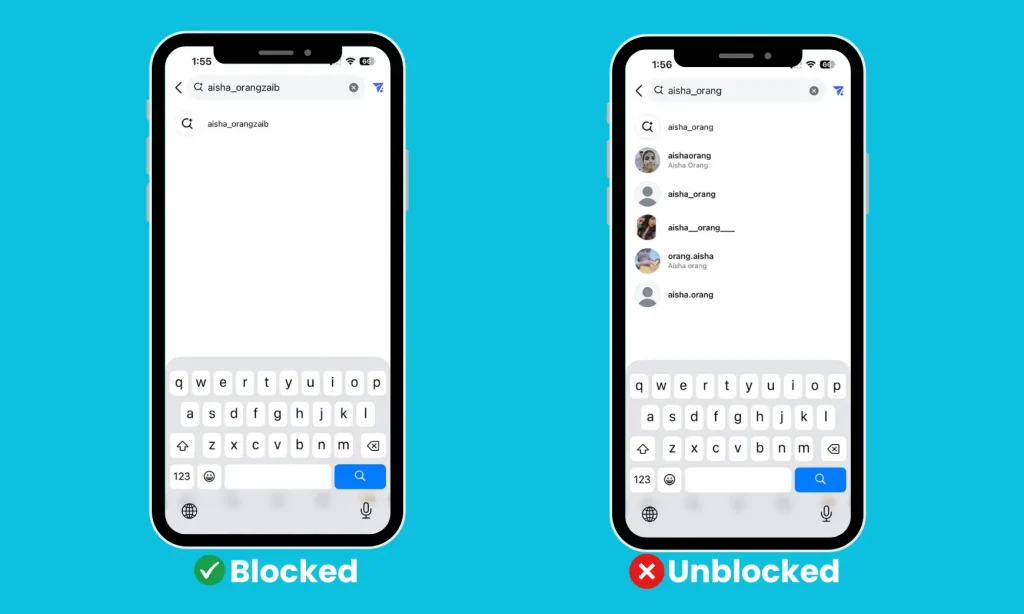
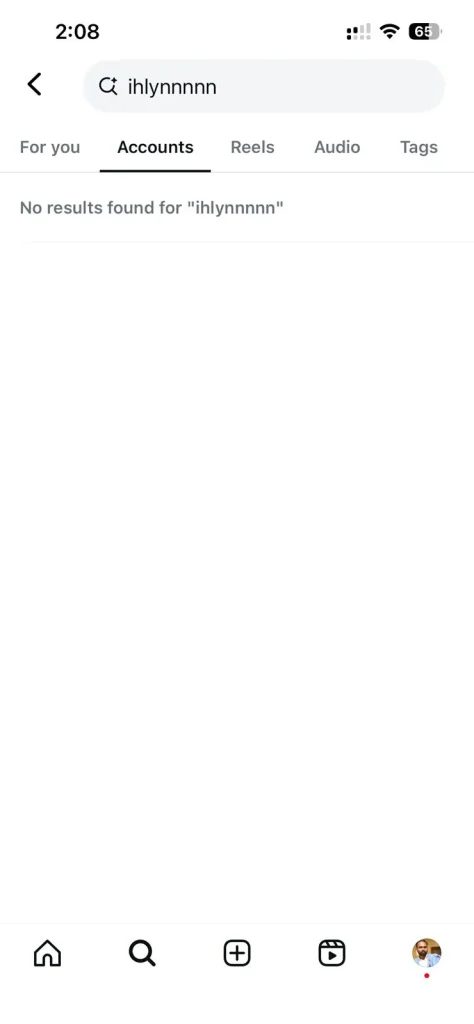
1. Search Their Username
Start with a simple search. Type their username in the Instagram search bar.
- If their profile doesn’t appear, try using a browser or another account.
- If it appears on another account but not yours, yep, you’re probably blocked.
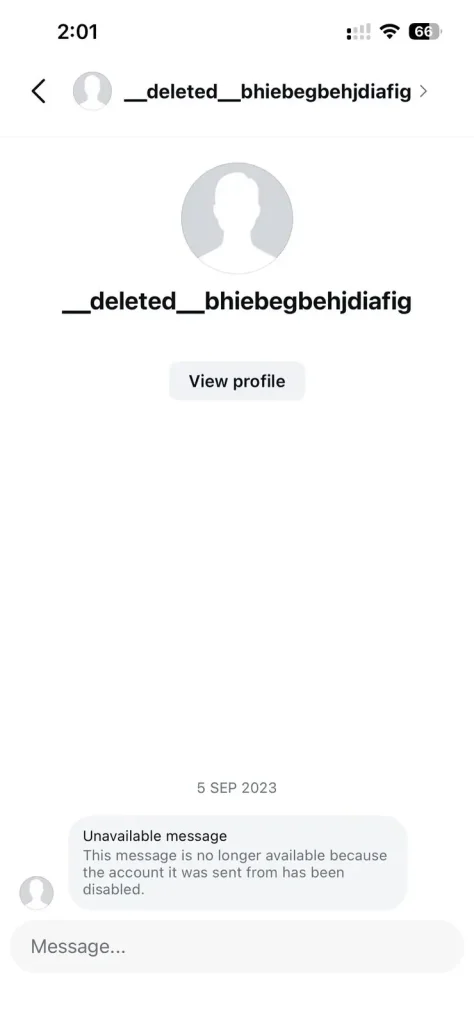
2. Check Old Messages
Go to your Direct Messages (DMs) and look for your past chat.
- If the conversation is gone completely, that’s one sign.
- If you can still see the old messages, but their profile picture and name have vanished, it’s another strong clue.
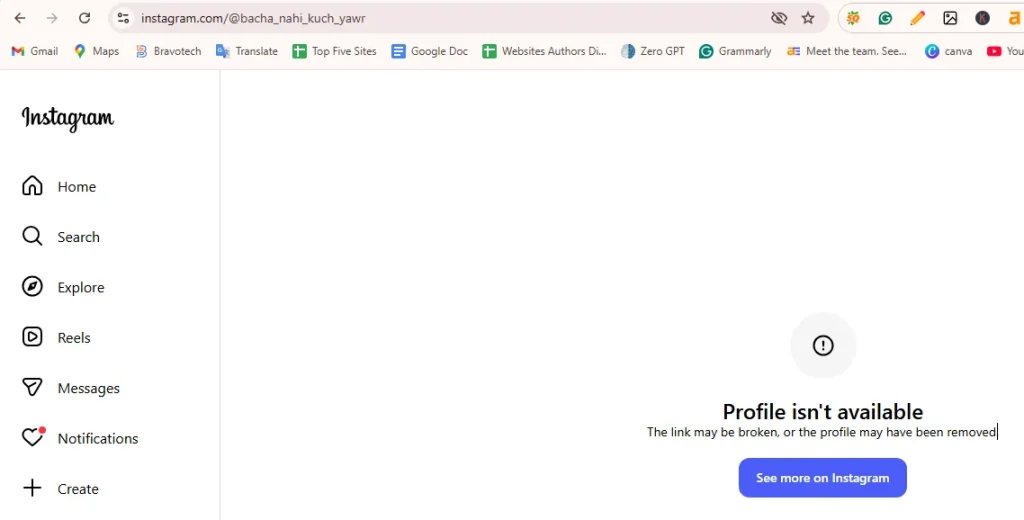
3. Try Visiting Their Profile from a Web Browser
Copy their profile URL like this: instagram.com/@username
If you get an error message like “Profile isn’t available”, but the profile loads fine on another ig account or browser, that’s confirmation that the person has blocked you!
4. See If You Can Tag or Mention Them
Try tagging them in a story, comment, or post. If their handle doesn’t show up in the suggestions list, there’s a good chance you’re blocked.
5. Check From Another Account
This is the most direct test. Use a friend’s account or create a temporary one.
- If their profile appears normally there, but not on yours, case closed.
Tip: While checking, you might also want to explore ways to grow your social media profiles if you’re managing your network strategically.
Don’t Confuse Blocking with Deactivation
Before taking it personally, remember: Sometimes the account isn’t active anymore.
If someone deletes or deactivates their Instagram, no one can see their profile, not even mutual friends.
To check:
- Search their username from a browser without logging in.
- If it says “Sorry, this page isn’t available” for everyone, they likely deactivated their account instead of blocking you.
What You Can Do If You’re Blocked
Unfortunately, Instagram doesn’t let you bypass a block, and trying to do so through third-party apps can violate privacy policies.
Here’s what you can do instead:
- Reflect and respect their space.
- If it’s a misunderstanding, reach out through another platform calmly.
- Avoid using fake accounts to stalk; it’s unhealthy and can worsen the situation.
Blocking is Instagram’s feature of letting users take control of their experience, and that’s okay.
What People Also Ask About Blocking
Can I still message someone who blocked me on Instagram?
No. Once you’re blocked, your previous chat disappears, and you can’t send new messages or view their profile from your account.
Will I be notified if someone blocks me on Instagram?
Instagram doesn’t send notifications for blocks. You’ll only notice signs like missing profiles, vanished DMs, or the inability to tag the person.
Can I unblock myself from someone’s Instagram account?
No, there’s no official way to remove a block yourself. You’ll have to wait until the other person decides to unblock you, or contact them outside of Instagram if necessary.
Can someone who blocked me still see my comments or likes?
No. Once you’re blocked, you become invisible to that user; your comments, likes, and messages are all hidden from them.
Can blocking be temporary on Instagram?
Yes. Users can unblock anytime. If you suddenly regain access to someone’s profile, it means they’ve removed the block.