I want you to start treating every third-party streaming app or streaming platform like a potential security breach until it proves otherwise. To understand why that mindset matters, it helps to first explore what streaming is and how it works behind the scenes. Once you see how content is delivered in real time, the potential security gaps become much easier to spot.
We are no longer living in a world where risk exists only inside downloaded APK files. Today, browser-based streaming platforms, IPTV portals, mirror websites, smart TV apps, and sideloaded media players can all become entry points for privacy invasion, malware, data harvesting, and identity profiling.
Free streaming is rarely “free.” If you are not paying with money, you are often paying with your:
- Personal data
- Device access
- Viewing behavior
- Network footprint
- Or even your digital identity
My goal in this guide is to equip you with a technical evaluation framework. By the time you finish reading, you will have a systematic process to assess:
- Streaming apps
- Browser-based streaming websites
- IPTV services
- Smart TV streaming platforms
- Desktop media players
- And unofficial streaming mirrors
Movie night should never turn into a digital security nightmare.
Key Risks Associated With Third-Party Streaming Apps & Platforms
Let’s break down the real risks — not just theoretical ones.
- Malware Injection: Many streaming apps and mirror platforms contain hidden Trojans or viruses that can infect your computer and steal sensitive files.
- Data Harvesting: Developers often scrape your personal data, including email addresses, phone numbers, and device IDs, to sell to third-party brokers.
- Invasive Permissions: On Android devices, these apps frequently request unnecessary access to your camera, microphone, and contact lists for non-functional reasons.
- Credential Stuffing: If you use the same password for the app or platform as you do for other accounts, hackers can use those credentials to break into your banking or social media.
- Cryptojacking: Some streaming platforms run background scripts that use your device’s CPU to mine cryptocurrency, causing overheating and hardware degradation.
- Aggressive Adware: Malicious ads can redirect your browser to phishing sites or force-install “cleaner” apps that are actually harmful.
- Network Vulnerability: These apps can act as a gateway for hackers to access other devices connected to your home WiFi network.
- Identity Profiling: By tracking your viewing habits and IP address, developers build a detailed profile of your physical location and daily routines.
- Legal Consequences: You can expose yourself to different legal risks for using streaming mirrors or unofficial streaming platforms. DMCA notices and legal actions from internet service providers are the common consequences.
- System Stability Issues: Poorly coded third-party platforms often cause system crashes, significant battery drain, and permanent slowing of your device.
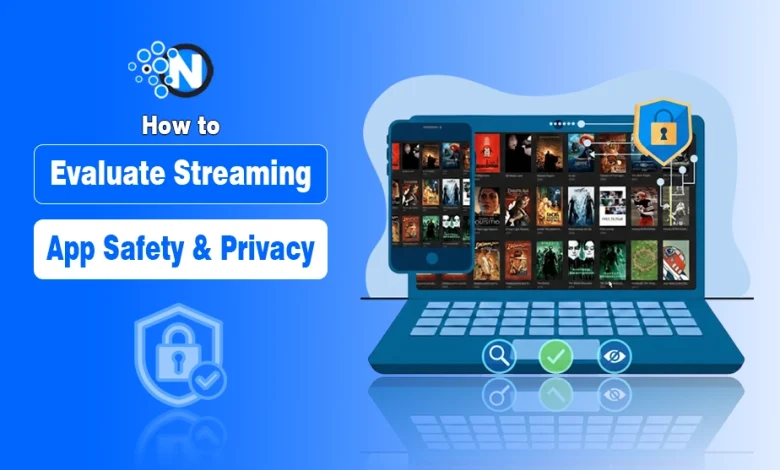
How to Evaluate Streaming App Safety & Privacy?
Below, I have explained a step-by-step guide that will help you evaluate the safety and privacy of third-party streaming platforms.
1. Initial Platform Research
Before installing or visiting:
- Search for independent reviews (not affiliate blogs)
- Look for Reddit or forum discussions
- Check how long the platform has existed
- Verify whether it frequently changes domains
If a platform constantly rebrands or shifts URLs, that’s a stability and legality warning sign.
2. Check Developer or Company Transparency
For apps:
- Is the developer identifiable?
- Do they have a real website?
- Is there a verifiable company behind the app?
For platforms:
- Is there an About page?
- Is ownership disclosed?
- Is there a legitimate business model?
If ownership is hidden behind vague names like “MediaStream Global 2026,” proceeding ahead is not recommended.
3. Verify the Source of Installation
Only download apps from:
- Official app stores
- Recognized alternative stores with vetting processes
Avoid:
- Random APK websites
- Telegram download links
- MediaFire / file hosting mirrors
4. Analyze Permission Requests
Ask yourself:
Does this platform truly need this permission?
Red flag permissions for streaming apps:
- Contacts access
- SMS read access
- Call logs
- All files access
- Device admin rights
Deny non-essential permissions and test if the app still works. If not abandon it.
5. Review Privacy Policy Critically
Scan for keywords like:
- “Third-party partners”
- “Advertising ID”
- “Data monetization”
- “Cross-device tracking”
- “Device fingerprinting”
If no privacy policy exists, that is an automatic failure.
6. Monitor Network Activity (Advanced Users)
Use:
- Router traffic monitoring
- Network firewall logs
- Mobile network monitoring apps
If one streaming session connects to dozens of unknown tracking servers, that platform is harvesting data aggressively.
The safest move is sticking to licensed platforms. To boost your digital privacy overall, using a VPN that is also legitimate and audited keeps your connection secure by encrypting your data and masking your IP address.
7. Watch for Hostile Ad Behavior
Legitimate platforms:
- Clearly label ads
- Don’t auto-download files
- Don’t block navigation
Malicious platforms:
- Disable back button
- Force notification permissions
- Show fake system alerts
- Trigger download loops
Never install “required players” or “security updates” from streaming websites.
8. Monitor Background Resource Usage
After using a streaming app, check:
- Battery usage
- Background activity
- CPU consumption
- Data usage
If the app consumes significant resources while inactive, it likely deserves an uninstall.
9. Evaluate Smart TV & IPTV Risks
Smart TVs are often neglected security devices.
If using IPTV apps:
- Avoid giving full network permissions
- Disable automatic updates from unknown sources
- Consider isolating the device on a guest network
Treat your TV like a computer, because it is one.
Safety & Privacy is a Mindset, Not a One-Time Check
Streaming platform safety is not a one-time checklist. It is a mindset!
Every time you:
- Install an app
- Create an account
- Grant a permission
You should pause and ask:
“What is this platform getting in exchange for my access?”
Free content is never worth:
- Identity theft
- Banking compromise
- Network infiltration
- Long-term device damage
According to our vision at Nogentech, an informed user is a protected user.
Stay skeptical, stay vigilant, and always protect your data before watching your favorite movie or TV show on an online platform.