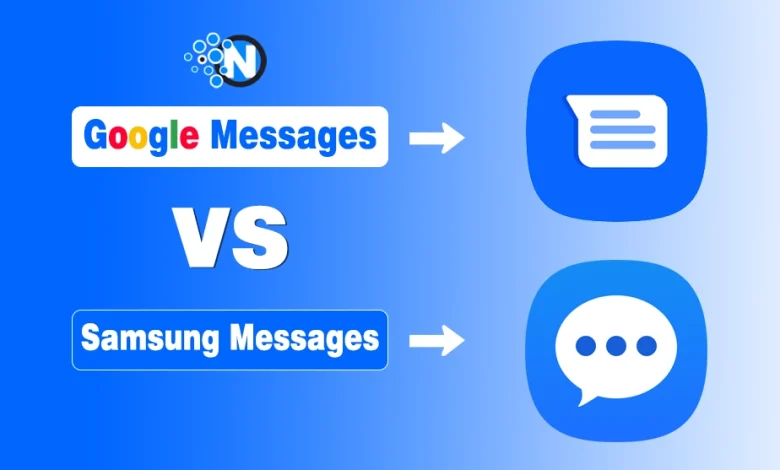
Choosing the right messaging app on Android can be confusing, especially when the two biggest options, Google Messages and Samsung Messages, come pre-installed on many devices. Both apps support SMS, MMS, and the more advanced RCS (Rich Communication Services), but they differ drastically in performance, compatibility, UI, and security.
If you’re trying to decide which app is better for private, modern communication, then I’ve prepared this guide to break down everything you need to know about Google Messages vs Samsung Messages, with a special focus on RCS features and security.
Google Messages vs Samsung Messages: RCS Comparison
Start creating Verdict in seconds, and convert more of your visitors into leads.
After extensively researching and understanding various aspects of both messaging systems, I have compiled a comprehensive comparison of Samsung Messages vs Google Messages. You must learn about them to make more informed decisions.
1. RCS Availability
a) Google Messages
- Works on all Android devices
- Default RCS app on most modern phones
- Uses Google’s Jibe platform for smooth connectivity
- Works across carriers internationally
b) Samsung Messages
- Supports RCS
- Limited to specific carriers and Samsung devices
- Inconsistent RCS availability outside major regions
Winner: Google Messages
It delivers universal, reliable RCS support, even when switching devices or carriers.
What is RCS and Why Does It Matter?
RCS (Rich Communication Services) is a modern messaging protocol meant to replace traditional SMS. It supports:
1. Typing indicators
2. Read receipts
3. High-resolution image sharing
4. Group chats
5. Larger files
6. Wi-Fi messaging
7. End-to-end encryption (when supported)
Today, RCS is the closest alternative to iMessage for Android users, and the app you choose determines how well RCS works for you.
2. RCS Features
| Feature | Google Messages | Samsung Messages |
|---|---|---|
| Typing Indicators | Yes | Yes |
| Read Receipts | Yes | Yes |
| High-Quality Media | Yes | Yes |
| Cross-Device Sync | Yes (Web + Chromebook + Tablets) | No |
| RCS Group Chats | Smooth | Supported, but depends on the carrier |
| End-to-End Encryption | Full E2EE (1:1 & group) | Yes, but only when supported by network |
| RCS Stability | Very stable | Moderate |
Winner: Google Messages
Google provides full-featured RCS, including encrypted group chats, something Samsung still lags behind in globally.
3. Security Comparison: Google vs Samsung Messages
Security is one of the top concerns for Android users. Here’s how both apps stack up.
a) Google Messages Security
Google Messages uses:
- End-to-end encryption (E2EE) for 1:1 and group RCS chats
- Google-backed spam protection
- Machine learning detection to block spam and phishing
- Secure syncing through your Google Account
- Protected cloud backups
For any RCS conversation, only you and the other person can read the messages, not Google, not your carrier.
Best for: Messaging privacy, encryption, Google ecosystem users
b) Samsung Messages Security
Samsung Messages uses:
- Samsung Knox, an industry-leading mobile security framework
- Device-level encryption
- Secure folder integration
- Built-in spam detection
- Protected multimedia file handling
However:
- End-to-end encryption depends on carrier support, not Samsung.
- Limited cross-device syncing reduces flexibility.
Best for: Users who prefer Samsung’s ecosystem and device-level protection
4. User Interface
Google Messages is brilliant as it has dominated its counterparts in terms of having a clear and simple user-friendly interface. The layout is quite intuitive and displays all the conversations in a list format to make it easy to navigate.
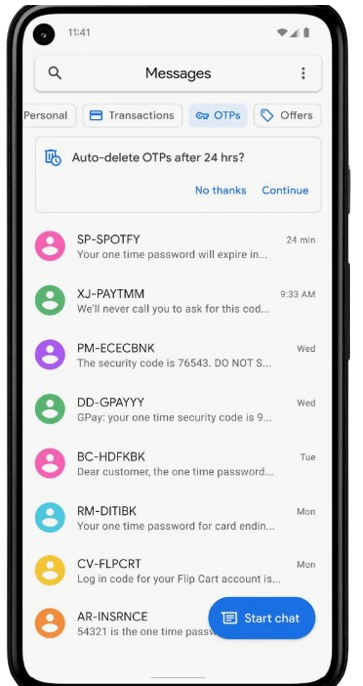
Conversely, Samsung Messages has a more elaborate interface with more vibrant colors and themes. Although its interface is slightly more cluttered than Google Messages because of elaborate icons, you can enjoy more features on the home screen.
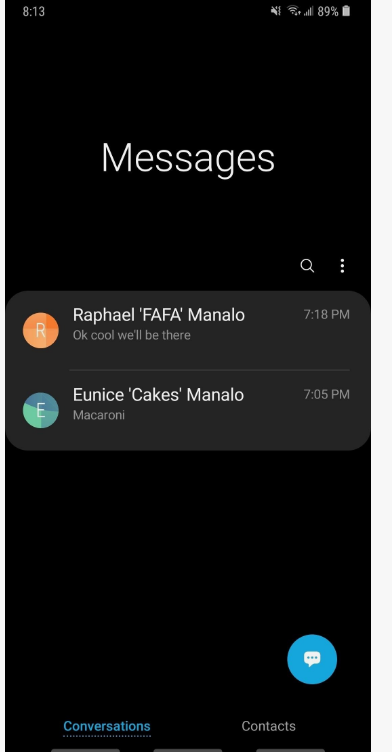
- Google Messages: Clean, simple, Material You design
- Samsung Messages: More colorful, customizable UI
5. Features and Functionality
Both Google Messages and Samsung Messages offer several exciting features alongside simple SMS and RCS options. Some of the primary ones are elaborated on below.
| Google Messages | Samsung Messages |
|---|---|
| You can also schedule messages so that you can send them later. | The RCS features are almost similar to those of Google Messages |
| Extensive search functionality to enable you to find contacts and messages easily | You can get options to customize the look and feel of the app, including themes, backgrounds, and message bubble styles. |
| Web messaging is also available with the help of the official website | Enhanced multimedia sharing with Samsung’s gallery and file manager integration. |
| Google Messages suggests replies for faster communication | Samsung Messages also has built-in filtering and spam-detection features |
| Also, this app can provide seamless integration with Photos, Assistant, and Duo | You can also schedule messages so that you will be able to send them later. |
6. Customization and Personalization
Google Messages focuses mainly on integrating more and more functional aspects while maintaining simplicity. Consequently, it offers very limited customization options. You can only adjust the notification settings and theme settings between light and dark.
However, if you like changing the themes and font sizes of your messaging app, you should pick Samsung Messages. In addition to the default icons and themes, you can add custom backgrounds for more personalized entertainment.
- Google Messages: Minimal customization
- Samsung Messages: Themes, bubble styles, backgrounds
7. Compatibility
Talking about the compatibility of both messaging apps, Google Messages has an upper hand over Samsung Messages as it can be integrated into a wide range of Android devices. Furthermore, it works well with other Google services.
Samsung has launched its messaging app only for Samsung devices and offers a sturdy integration with Samsung’s ecosystem. Although it offers incredible functionality, you cannot use it on other Android devices.
- Google Messages: Works on all Android phones
- Samsung Messages: Samsung devices only
8. Performance and Reliability
Google Messages has proved its reliability and smooth performance. The app is lightweight and does not consume excessive system resources. Updates from Google ensure that it remains secure and bug-free.
Samsung Messages is also reliable, but can be slightly heavier on system resources due to its rich feature set and customization options. It performs well on Samsung devices, but users may occasionally encounter performance issues, especially on older models.
- Google Messages: Lightweight, fast, updated frequently
- Samsung Messages: Slightly heavier but optimized for Samsung phones
Comparison Table: Google Messages vs Samsung Messages
Start creating Verdict in seconds, and convert more of your visitors into leads.
| Aspects | Google Messages | Samsung Messages |
|---|---|---|
| User Interface | Clean, simple, follows Material Design | Vibrant, customizable, follows One UI |
| RCS Support | Yes | Yes |
| Smart Replies | Yes | No |
| Search Functionality | Robust search options | Basic search options |
| Web Messaging | Yes (via messages.google.com) | No |
| Integration with Services | Google Photos, Google Assistant, Google Duo | Samsung Cloud, Bixby, Samsung File Manager |
| Customization | Limited (theme, notifications) | Extensive (themes, backgrounds, bubble styles) |
| Multimedia Sharing | High-quality media sharing | Enhanced multimedia sharing with Samsung Gallery |
| Scheduled Messages | No | Yes |
| Spam Protection | Basic spam protection | Built-in spam detection and filtering |
| Compatibility | A wide range of Android devices | Exclusive to Samsung devices |
| Performance | Lightweight, smooth performance | Reliable but slightly heavier on resources |
| Security | End-to-end encryption for RCS chats | End-to-end encryption for RCS, Knox security |
| Updates | Google offers regular updates | Regular updates from Samsung |
Final Thoughts on Google Messages vs Samsung Messages
Start creating Verdict in seconds, and convert more of your visitors into leads.
These are the details about Google Messages vs Samsung Messages. Both applications have their own set of comprehensive features and functional capabilities. Therefore, choosing one between them relies on your personal preferences and requirements.
Google Messages features a clean and user-friendly interface to allow everyone to have a seamless messaging experience. Samsung offers more advanced and customizable options to make it a good choice for people.
People Also Ask
Start creating Verdict in seconds, and convert more of your visitors into leads.
Is Google messaging better than Samsung messaging?
Considering the overall factors and performance, Google Messaging has dominated Samsung Messaging.
Can I replace Samsung Messages with Google Messages?
While Samsung Messaging can’t be deleted permanently from Samsung devices, you can remove this app from your mobile’s homepage and then bring Google Messages there.
Which SMS app should I use?
Google Messages is now the default messaging app on Android mobiles as it can provide modern features like RCS chats and cross-device access.
Does Samsung use Google Messages now?
Samsung has integrated two messaging apps in the new Galaxy smartphones so that users can use the benefits of both Google and Samsung Messaging.
Is the Google messaging app safe?
Google Messaging app offers end-to-end encryption to make sure that you can have your hands on a safer platform for conversation with your friends and family.