BisMan-Online is a local classified ads platform that allows users to buy, sell, and promote products or services within North Dakota and nearby regions. To use BisMan-Online effectively, you need to create an account, choose the correct category, write a clear listing, upload photos, set a price, and submit your ad for review.
In this guide, you’ll learn how to use BisMan-Online step by step, including how to register an account, post free classified ads, select the right categories, write effective titles and descriptions, add photos, and manage your listings safely. This article is designed for beginners who want a clear, practical walkthrough of the platform without confusion.
What is BisMan Online?
BisMan-Online is a regional classified ads platform in North Dakota. Users can create accounts and post free ads. The platform supports categories like vehicles, real estate, services, electronics, pets, and farm equipment. Users can search by category, location, or price and message other users. BisMan-Online provides a local service ads marketplace for buying and selling.
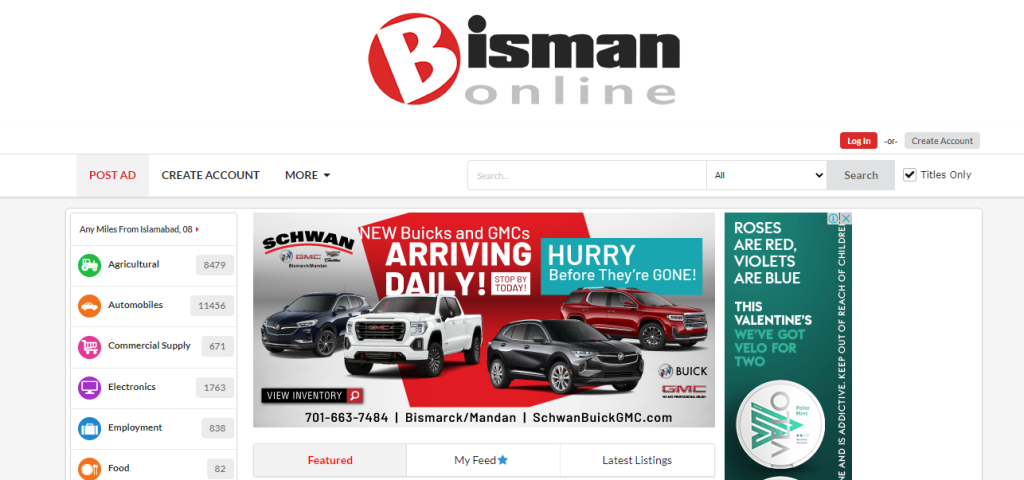
Apart from type and size, online businesses and brands choose BisMan Online to get the most out of their online marketing campaigns. If you are running a business in North Dakota or around, you should create an account on this website to promote your products or services for free.
Is BisMan Online Safe to Use?
BisMan Online allows you to create a free account to create classified ads for your business free of any charge. BisManOnline is safe to use as it has a valid SSL certificate installed and the domain does not look fraudulent. However, there are no sufficient reviews for this classified ads website over the web. This may mean that the website is not properly promoted or popular among people. But still safe and promising to create classified ads.
How to create an account on BisMan Online?
If you want to get your business, products, or services in front of people living in North Dakota, you must create classified ads on the BisManOnline website.
Creating an account on the website is very easy and as simple as having an email address and phone number. Below is a step by step guide to create an account on bisman online website:
- Just go to website home page and then hit ‘Create Account’ button to get started.
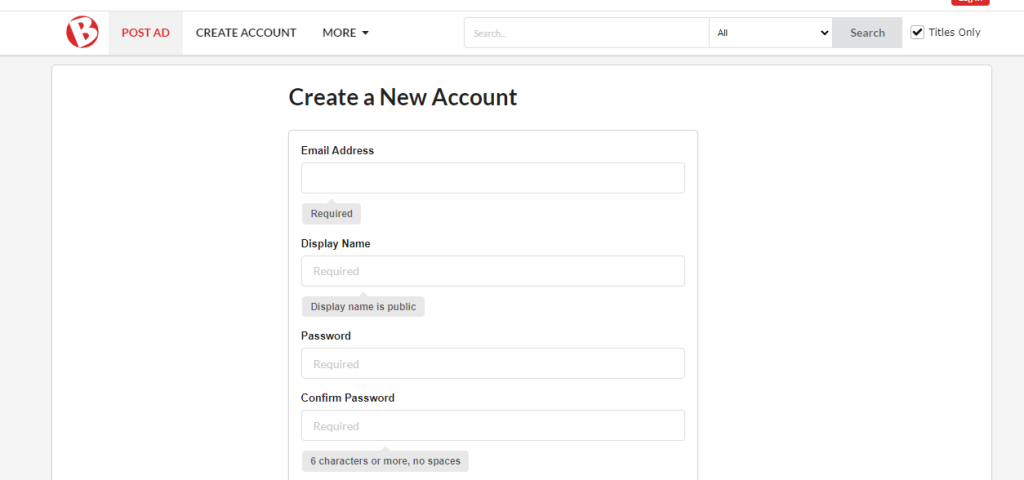
- First of all, type your email address in the given box and click ‘enter’ to check if the email is valid to create an account on the website. After seeing the green line, hit the tab button to get there in the other box to choose a ‘Display Name’ for your account.
- ‘Display Name’ is a name the users of the website will see when you create an ad or send a message to other users. So choose a valid name and click the enter button. If you see ‘Display Name OK’, then move on to the next box ‘Password’.
- Make sure to choose a strong password for the BisMan Online account and keep it safe in a reliable password manager to keep your profile protected from any third party.
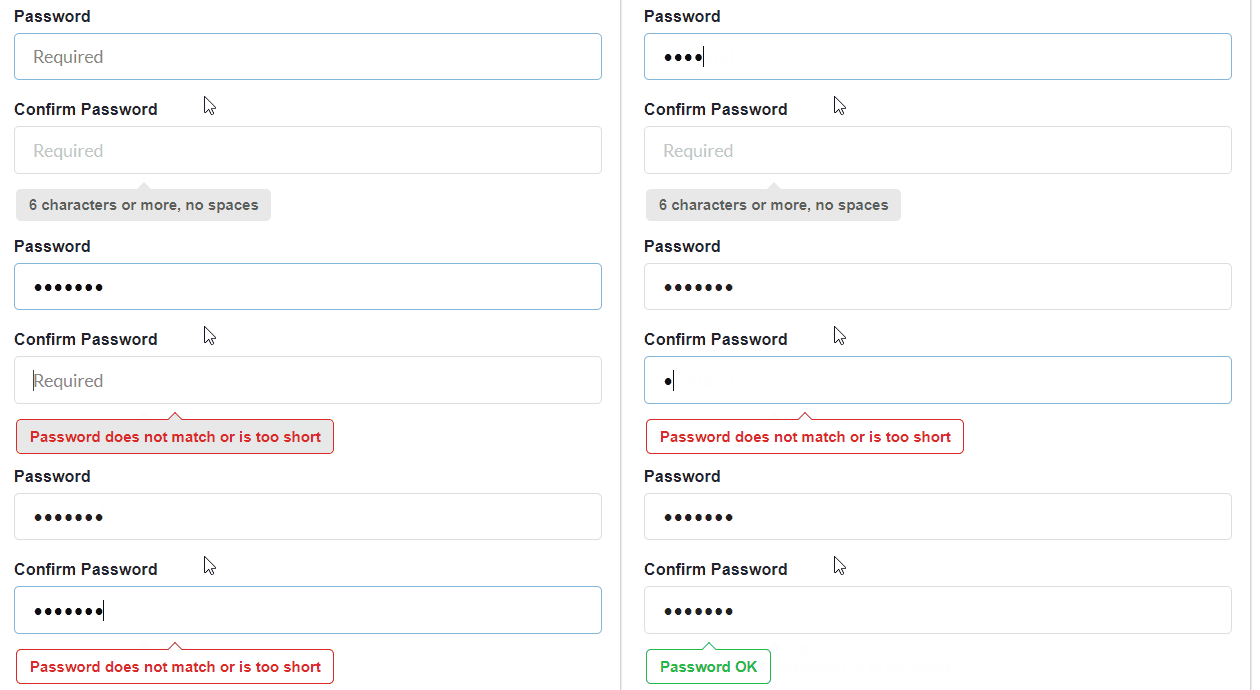
- In the ‘Password’ box, create a password with a mix of upper & lower case and numbers. Confirm the password again and move on if the password is strong and confirmed after seeing the ‘Password OK,’ notification.
- Below you will need to enter your name (first and last) in the given boxes.
- Then select your gender and enter your date of birth to move on further.
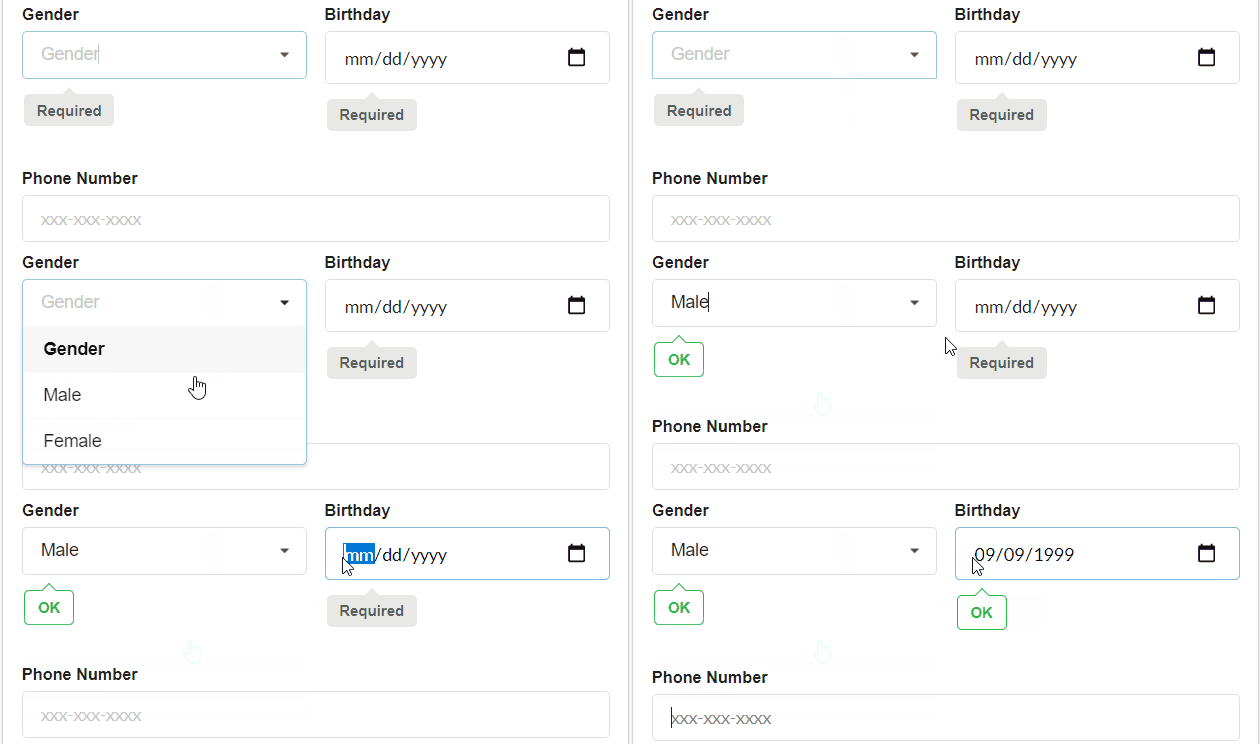
- After seeing ‘OK’ under ‘Gender’ and ‘Birthday’ section, move on to enter your phone number.
- Enter a valid phone number with a mobile carrier name. If it is not a mobile number please uncheck the box ‘This is a Mobile Number’ and then enter other required details.
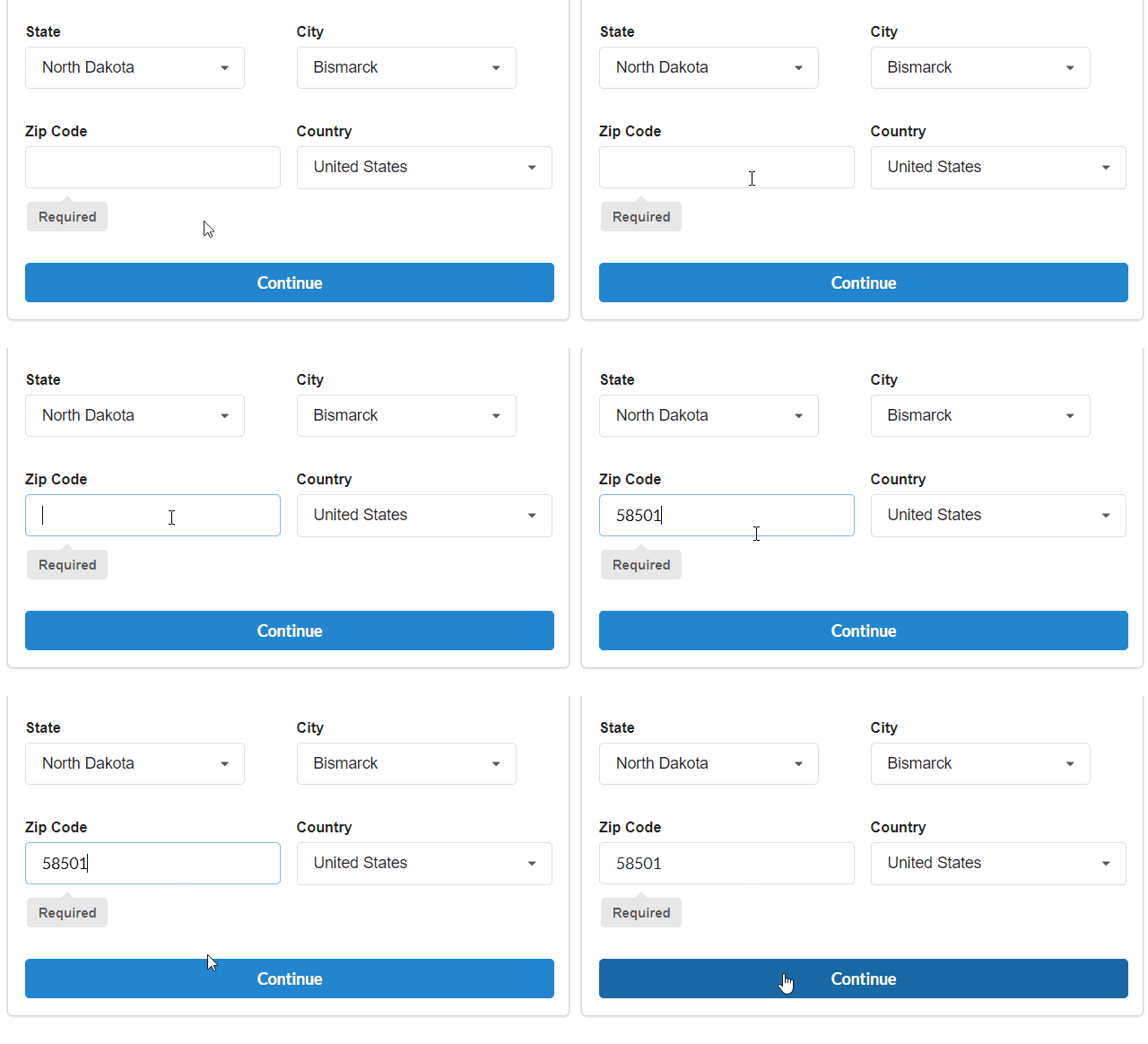
- Below you will see boxes to enter details like state. City, zip code and country etc. Currently, the BisMan Online website is for users from the United States and Canada only. After entering the details, hit the continue button. You will be restricted to proceed further if something is missing or incorrect on the form.
- After clicking the continue button, you will be redirected to a page where you can customize your account and preferences. You will be able to see categories and other options to choose from. Once you have selected the preferences, click the continue button shown below.
- Note: you can also choose to do this later and continue creating your account.
- After setting preferences and reading the user agreement, check the ‘Yes – I have read and accept the user agreement, and I certify that I am over the age of 13.’ box and click ‘create my account’. You must be 13 years older to create an account on the BisMan Online website.
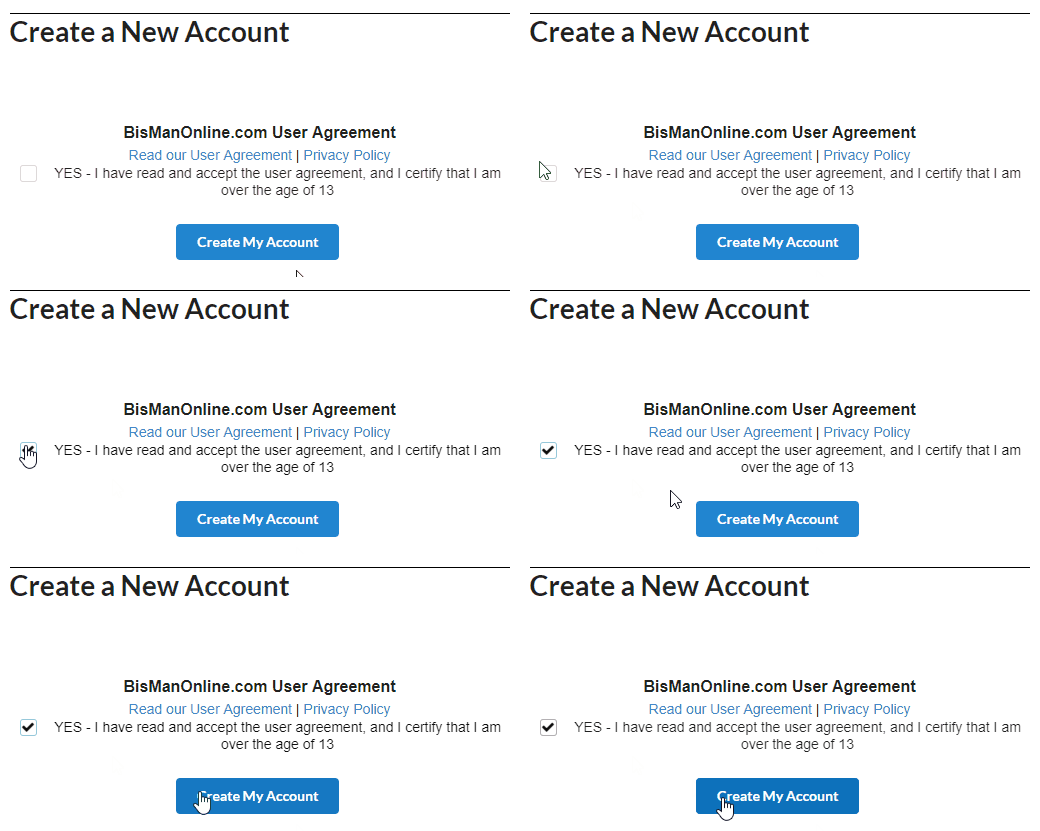
- After clicking ‘Create My Account’ button, you will be directed to a page where you can validate your email and phone number. The user will be directed to the mobile phone validation page if the phone number was a mobile number. The user will be sent with a code to validate the mobile number. Enter the code into given box and click activate button to proceed.
How to Post a Free Classified Ad on BisManOnline
Follow these steps carefully, they’re exactly how to create a proper listing.
Step 1: Click “Post an Ad”
From the main navigation, choose:
Post an Ad or Place Ad
This opens the main ad creation form.
Step 2: Choose the Correct Category
Category selection matters more than most people think.
Pick the exact category that matches your listing:
- Cars & Trucks
- Farm & Agriculture
- Real Estate
- Pets
- Electronics
- Jobs
- Services
- Household Items
- Sports & Outdoors
Wrong category = lower visibility or rejection.
Always choose the most accurate, specific category possible.
Step 3: Write a Strong Title
Your title is what draws buyers in. Avoid generic titles like:
Car for sale
Great service available
Nice house
Instead, be clear and specific:
“2016 Ford F-150 XLT – Clean, Low Miles”
“Affordable Lawn Care Services – Weekly & Monthly Plans”
“3-Bed / 2-Bath Home for Rent – South Bismarck”
Good titles include:
- item type
- brand/model (if applicable)
- condition or key benefit
- sometimes location
Step 4: Write a Detailed Description
Describe honestly and clearly:
- what the item/service is
- condition
- important specs
- features
- pickup/shipping details
- payment expectations
- any defects
Example structure:
What it is
Condition
Why you’re selling / key value
What’s included
Pickup or delivery instructions
Avoid exaggeration, trust is everything.
Step 5: Set the Price
Be realistic.
Research similar listings and price competitively.
Options you might see:
- fixed price
- negotiable
- best offer
If you intentionally inflate pricing “just to negotiate,” buyers may skip your listing.
Step 6: Add High-Quality Photos
Listings with photos receive dramatically more responses.
Use clear, natural-light images:
- multiple angles
- close-ups
- include defects honestly
- avoid cluttered backgrounds
- don’t use filtered images
For services, upload:
- before/after examples
- portfolio samples
- equipment photos
- proof of work
Step 7: Choose Location and Contact Preferences
Local relevance is key.
Include:
- city
- general area
- preferred message/contact method
Avoid posting misleading locations to appear more “local.” It reduces trust and can cause removal.
Step 8: Review Upgrade Options (Optional)
BisManOnline often offers:
- featured listing placement
- homepage spots
- boosted visibility options
Step 9: Submit for Review
Once submitted:
- Your ad may go through moderation
- Some categories approve faster than others
- You’ll be notified if it’s approved or rejected
And that’s it, your ad is now live or pending!
Once your account is validated successfully, you are good to create and display ads for your business on this website.
Final Thoughts on BisMan
BisMan-Online provides a free and local platform for classified advertising in North Dakota. Users can create an account, post ads, and connect with buyers or sellers. Successful listings depend on choosing the correct category, writing clear titles and descriptions, adding photos, and setting a fair price. By following the steps explained in this guide, users can use BisMan-Online effectively to promote products or services and reach local audiences.
FAQs
Yes, optional paid upgrades are available to increase listing visibility.
No, ads should be posted in one accurate category to avoid rejection.
The platform primarily serves North Dakota and nearby regions.
Yes, BisMan-Online offers mobile apps for easier browsing and posting.
Ads that violate platform rules, local laws, or community guidelines are not permitted.