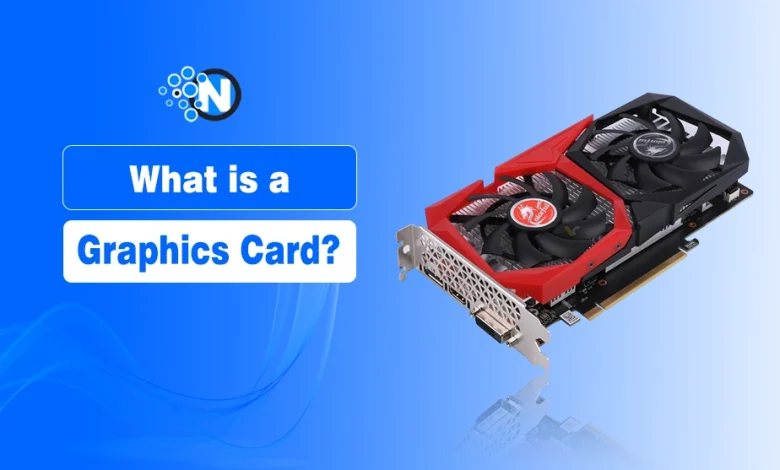
A graphics card processes and renders the images, videos, animations, and visual effects displayed on your screen. At its core is the GPU (Graphics Processing Unit), which handles graphics-related calculations more efficiently than a general-purpose CPU.
This device alone can be the difference between a PC built for basic browsing and one capable of smooth gaming, video editing, or 3D rendering. But not every computer needs the same type of graphics card or a separate card at all.
Graphics solutions mainly include integrated, dedicated, workstation, and external (eGPU) graphics. Next, be sure that by the end, you’ll clearly understand every type of graphics card available in the market, along with what separates each.
What Are the Different Types of Graphics Cards?
As I mentioned above, the four main types of graphics cards are integrated, dedicated, workstation, and external (eGPU), each designed for different performance needs and workloads.
Not every graphics card is built for the same purpose. The right option depends on your workload, budget, and whether you need portability or maximum performance.
1. Integrated Graphics
Integrated graphics are built into the CPU and share the system’s memory instead of having dedicated VRAM.
Best for:
- Web browsing
- Office applications
- Video streaming
- Everyday computing
2. Dedicated Graphics Cards
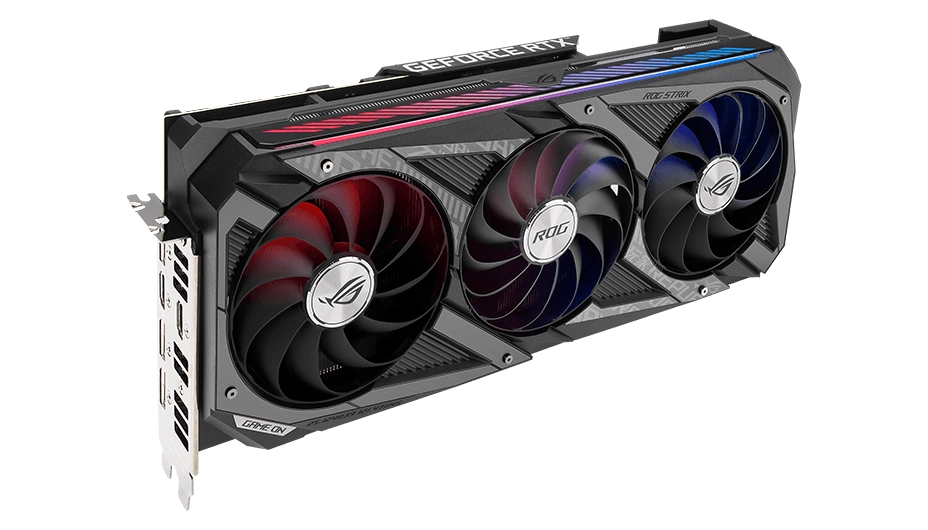
A dedicated graphics card is a separate hardware component with its own GPU, VRAM, and cooling system, delivering significantly higher graphical performance. If you are shopping around for an upgrade, taking a look at the best graphics cards for gaming can help you find the right balance of price and performance.
Best for:
- Gaming
- Video editing
- 3D rendering
- AI and machine learning
- Professional creative workloads
3. Workstation Graphics Cards
Workstation graphics cards are optimized for professional software used in engineering, architecture, animation, scientific computing, and CAD applications, prioritizing stability and certified drivers.
Best for:
- CAD
- 3D modeling
- Scientific simulations
- Professional visualization
4. External Graphics Cards (eGPU)
An external graphics card (eGPU) connects to a compatible laptop through Thunderbolt or USB4, providing desktop-level graphics performance without replacing the laptop’s internal hardware.
Best for:
- Laptop users
- Portable workstations
- Occasional gaming
- Creative professionals
How Does a Graphics Card Work? Whether Any Type You Use
A graphics card processes data from the CPU, renders visuals using the GPU, stores them in VRAM, and sends the final output to your display.
It converts digital data into the images, videos, and animations displayed on your monitor. While the CPU (Central Processing Unit) handles general instructions, the GPU (Graphics Processing Unit) performs thousands of graphical calculations simultaneously to deliver smooth visuals.
The rendering process typically follows these steps:
- CPU sends graphics-related instructions to the GPU.
- The GPU processes textures, lighting, shadows, and visual effects.
- VRAM (Video Random Access Memory) temporarily stores graphical data for quick access.
- The rendered frames are transmitted through HDMI, DisplayPort, or other video outputs to your monitor.
This parallel processing enables a graphics card to handle demanding tasks such as gaming, 4K video editing, 3D rendering, and AI workloads more efficiently than a CPU alone.
What Features Should You Consider in a Graphics Card?
Whether you use a dedicated graphics card or an integrated one, you must first evaluate which features you should opt for. The main ones include VRAM, GPU performance, cooling, power requirements, display ports, and compatibility.
- VRAM: Stores graphics data such as textures and frame buffers. Higher-resolution gaming, video editing, and 3D workloads generally require more VRAM.
- GPU performance: Architecture and processing capability affect frame rates, rendering speed, and overall graphics performance.
- Cooling and power: A suitable cooling system keeps the GPU within operating temperatures, while the PSU must provide enough power for the card.
- Display ports: Check for connections your monitor supports, commonly HDMI and DisplayPort.
- Graphics technologies: Features such as ray tracing improve supported lighting and reflections, while DLSS, FSR, and XeSS can improve performance through upscaling.
- Compatibility: Make sure the card fits your PC case and is compatible with your motherboard, power supply, and display setup.
These specifications matter most when comparing graphics cards for a particular workload rather than judging a card by one feature alone.
How Much Does a Graphics Card Cost Based on Its Type?
The cost of a graphics card largely depends on the type and performance level you choose. Integrated graphics are built into the processor, while dedicated and workstation graphics cards add a separate hardware cost that increases with GPU performance, VRAM, and features.
| Price Range | Typically Suitable For |
|---|---|
| Under $200 | Entry-level dedicated graphics and light gaming |
| $200–$500 | Mainstream 1080p/1440p gaming and content creation |
| $500–$1,000 | High-performance gaming, 4K editing, and demanding creative work |
| Over $1,000 | Enthusiast, professional, workstation, and advanced GPU workloads |
Price alone doesn’t define the right graphics card; the type and performance level should match what you actually plan to use it for.
Who Are the Major Graphics Card Manufacturers?
The graphics card market includes GPU designers and board partners, which play different roles in producing a graphics card.
NVIDIA, AMD, and Intel design the GPUs and their underlying technologies such as:
- NVIDIA – Known for GeForce GPUs, CUDA, DLSS, and Ray Tracing.
- Over the years, GPUs have evolved significantly: Older cards like the NVIDIA GTX 970 powered classic 1080p gaming rigs, while portable devices like the ASUS ROG FX503 with NVIDIA GTX 1060 brought mid-range performance to mobile setups. Today, high-end options like the NVIDIA GeForce RTX 5070 Ti handle demanding 4K rendering and advanced AI workloads.
- AMD – Produces Radeon GPUs with technologies like FSR and RDNA architecture.
- Intel – Develops Intel Arc GPUs for gaming and content creation.
Companies such as ASUS, MSI, Gigabyte, ZOTAC, Sapphire, and PNY are board partners. They use GPUs from these designers to produce graphics cards with their own cooling systems, designs, clock configurations, and other features.
So, two graphics cards can use the same GPU while differing in cooling, size, performance tuning, and overall design depending on the manufacturer.
What People Also Want to Know About Graphics Cards
Is a GPU the Same as a Graphics Card?
No. A GPU is the processor that handles graphics, while a graphics card is the complete hardware containing the GPU, VRAM, cooling, and ports.
A GPU (Graphics Processing Unit) is the main chip responsible for processing graphics. A graphics card includes the GPU, VRAM, cooling system, power components, and display outputs.
Can a Computer Run Without a Dedicated Graphics Card?
Yes. Computers with integrated graphics can run everyday applications without a dedicated graphics card.
Many modern CPUs include integrated graphics, making them suitable for web browsing, office work, video streaming, and other everyday tasks. A dedicated graphics card is only required for graphics-intensive workloads.
How Much VRAM Do You Need?
The amount of VRAM you need depends on your workload, display resolution, and the applications you use.
As a general guideline:
- 4–6 GB: Everyday use and light gaming
- 8–12 GB: Modern gaming and content creation
- 16 GB or more: Professional editing, 3D rendering, and AI workloads
How Long Does a Graphics Card Last?
A graphics card typically lasts between 5 and 8 years, depending on usage, workload, and maintenance.
Proper cooling, updated drivers, and regular cleaning can help extend the lifespan of a graphics card while maintaining consistent performance.
Can You Upgrade a Graphics Card?
Yes. Most desktop PCs allow you to replace or upgrade a graphics card if your motherboard, power supply, and case are compatible.
Before upgrading, verify your PCIe slot, PSU capacity, available case space, and monitor connections to ensure compatibility.