
How Modern EMR Software Improves Healthcare Efficiency and Digital Workflows
Modern EMR software improves healthcare efficiency by centralizing patient records, automating routine tasks, supporting specialty-specific workflows, improving system integration, and protecting sensitive patient data.

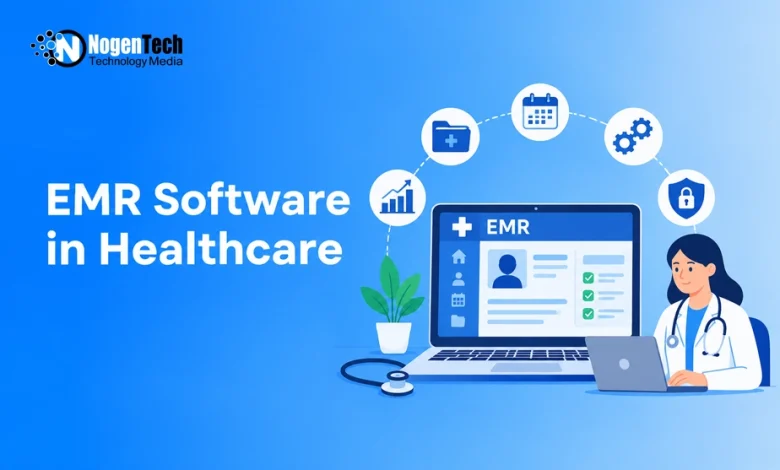
Managing patient records, appointments, and follow-ups becomes difficult when healthcare teams rely on disconnected systems. Staff often spend extra time finding information, updating records, and tracking routine tasks.
Electronic Medical Record (EMR) software brings these activities into a centralized digital system. However, its effectiveness depends on how well it supports a practice’s clinical needs and daily workflows. Poorly designed software can create more work instead of reducing it.
Modern EMRs help address these challenges through organized patient records, workflow automation, customizable features, and data security. Here’s how these capabilities improve healthcare efficiency and what to consider when choosing an EMR platform.
Centralized Digital Records Improve Information Management
Healthcare professionals need quick access to patient histories, medications, diagnoses, and treatment plans. When records are scattered across different systems, finding relevant information takes longer and increases the risk of missing important details.
According to the U.S. Office of the National Coordinator for Health Information Technology, electronic health records (EHRs) support better access to patient information and care coordination.
Modern EMR software organizes clinical information in a centralized digital record, allowing authorized staff to:
- Review medications and previous diagnoses.
- Access clinical notes and treatment plans.
- Separate current medical concerns from older records.
- Maintain consistent documentation across care teams.
For patients with multiple conditions, this structure makes relevant details easier to find. Beyond individual patient charts, healthcare data warehousing can support broader data analysis and reporting across healthcare systems.
Workflow Automation Reduces Administrative Work
Healthcare practices handle scheduling, documentation, medical orders, billing, and follow-ups. Managing these tasks manually can lead to duplicate work, delays, and missed responsibilities.
Workflow automation simplifies these processes through digital task assignments, status tracking, and configurable workflows. Depending on the EMR’s capabilities, staff can:
- Track referrals and lab results to identify pending actions.
- Monitor documentation and flag incomplete records.
- Assign follow-up tasks to the appropriate team members.
- Manage patient communications and check response status.
By keeping tasks and responsibilities visible in one system, EMRs reduce reliance on separate reminders and help healthcare teams manage daily operations more efficiently.
Customizable EMR Software Supports Different Medical Specialties
Healthcare specialties have different documentation and workflow requirements. Generic EMR templates may include unnecessary fields while making essential patient information harder to access.
Custom healthcare software development can address these needs through specialty-specific templates and configurable workflows, such as:
- Behavioral health: Mental health assessments, therapy notes, and treatment progress.
- Sleep medicine: Sleep evaluations, diagnostic findings, and follow-ups.
- Weight management: Lifestyle changes, patient progress, and treatment adjustments.
- Chronic care: Ongoing conditions, medications, and long-term care plans.
Solutions such as Canvas Medical EMRs are presented for these care settings, along with primary care.
Before choosing an EMR, practices should evaluate whether its documentation features, workflow options, and payment model compatibility match their operational needs.
Software Integration Improves Healthcare Coordination
Software integration and interoperability allow compatible healthcare systems to exchange information, reducing duplicate entry and improving coordination. For example, connected EMR and laboratory systems can support the exchange of medical orders and test results.
Before selecting an EMR, IT teams should evaluate:
- API availability: Support for connecting external applications.
- Data standards: Compatibility with healthcare data exchange formats.
- Existing integrations: Connections with scheduling, billing, and laboratory systems.
- Data migration: Options for transferring existing patient records.
Checking these capabilities helps practices identify compatibility issues before implementation and avoid disconnected workflows.
Data Security Protects Sensitive Patient Information
Healthcare records contain confidential patient information, making data security an essential part of EMR software. Modern platforms need safeguards that prevent unauthorized access without disrupting daily operations.
Key security measures include:
- Role-based access control (RBAC): Limits data access based on staff responsibilities.
- Encryption: Protects patient information during storage and transmission.
- User authentication: Verifies identities before granting access.
- Audit logs: Track record access and changes.
- Data backups: Support recovery after data loss or system failures.
- Software updates: Address known security vulnerabilities.
For example, clinicians may need access to complete medical histories, while scheduling staff only require appointment details.
Before implementation, healthcare organizations should also review the EMR provider’s data storage policies, access management options, and applicable privacy requirements.
Performance Monitoring Improves EMR Usability
Implementing EMR software doesn’t automatically improve efficiency. Performance monitoring helps healthcare organizations identify workflow delays, documentation issues, and usability problems.
Key performance indicators include:
- Documentation time: How long clinicians take to complete notes.
- Pending tasks: Number of incomplete or overdue activities.
- Duplicate data entry: How often staff enter the same information.
- Follow-up completion: Percentage of patient follow-ups completed.
- Staff feedback: Navigation difficulties and other usability concerns.
For example, frequent delays in completing clinical notes may indicate inefficient templates, while difficulty accessing patient information could suggest navigation problems. These findings help practices identify where software adjustments or staff training may be needed.
How to Choose the Right EMR Software
The right EMR should match a practice’s clinical workflows, technical needs, and staff responsibilities. Consider these factors before choosing a platform:
| Key Factor | What to Look For | Why It Matters |
| Usability | Clear navigation and practical templates | Reduces unnecessary steps |
| Customization | Specialty-specific documentation | Supports different care models |
| Integration | Compatibility with existing systems | Reduces duplicate data entry |
| Security | Access controls, encryption, and audit logs | Protects sensitive patient data |
| Task Management | Follow-up tracking and task ownership | Improves team coordination |
| Training and Support | Implementation assistance and staff training | Supports software adoption |
The U.S. Office of the National Coordinator for Health Information Technology also highlights the importance of accessible patient information and better care coordination. Practices should consider these benefits when evaluating whether an EMR system meets their clinical and operational needs.
Before selecting an EMR, test common clinical workflows, such as documenting visits, reviewing lab results, creating referrals, and assigning follow-up tasks. This helps identify usability or compatibility issues before implementation.