You Can Now Create GIFs in ChatGPT and Edit Them Frame by Frame
Images 2.6 turns a prompt or photo into a GIF you can speed up and edit frame by frame, while OpenAI gives no speed figure, GIF length or plan details.

OpenAI launched Images 2.6 on November 4, adding a built-in GIF maker. It is rolling out to its ChatGPT and Codex users on web, desktop and mobile.
The model also comes to developers as GPT-Image-2.6 Flare, tuned for speed, and Sunburst, tuned for quality.
It follows the Images 2.5 update, which made generation faster and improved sketch-to-image results. For anyone planning to use it, the unstated limits are something to know about.
GIFs From a Prompt or Photo and Fix Single Frames
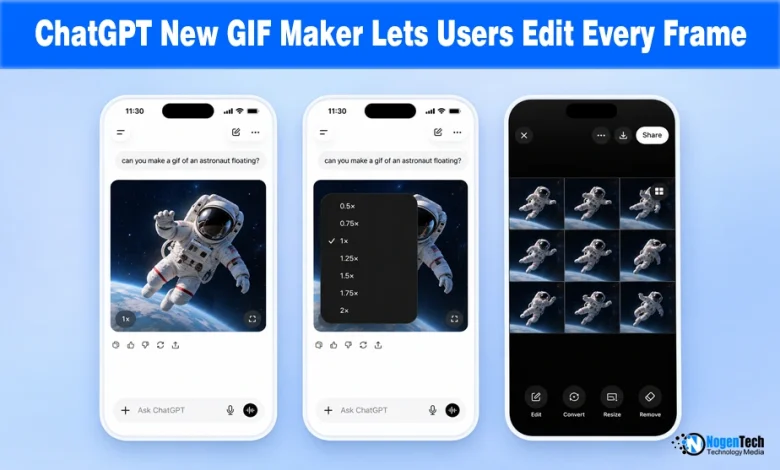
Users start with a text description or an uploaded photo, then change the playback speed, edit individual frames, and share the result.
NogenTech tested this firsthand using the prompt “Create a GIF of a robot typing on a PC”, noting that OpenAI generates these loops using a unified sprite sheet approach to keep character design consistent.

Once generated, users can download the GIF via a simple right-click.
If any adjustments are needed, clicking the GIF opens a video-editor-style timeline in the same chat window.
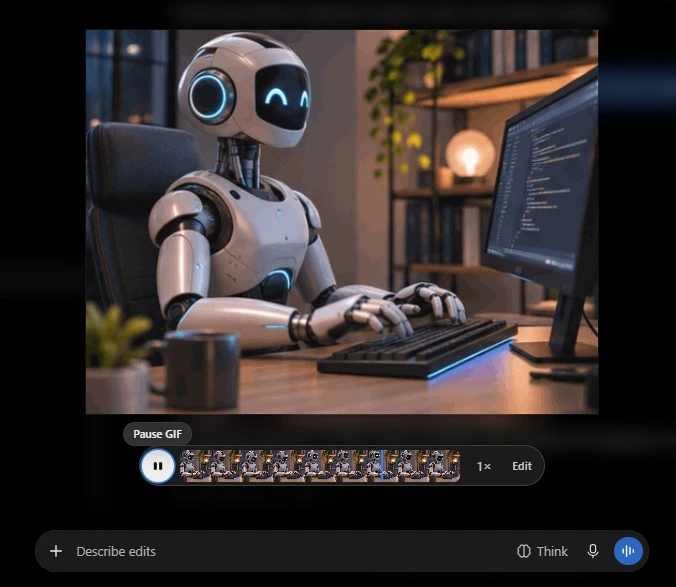
Users can then leave comments detailing changes for one or multiple frames, hit send, and let ChatGPT handle the edits.
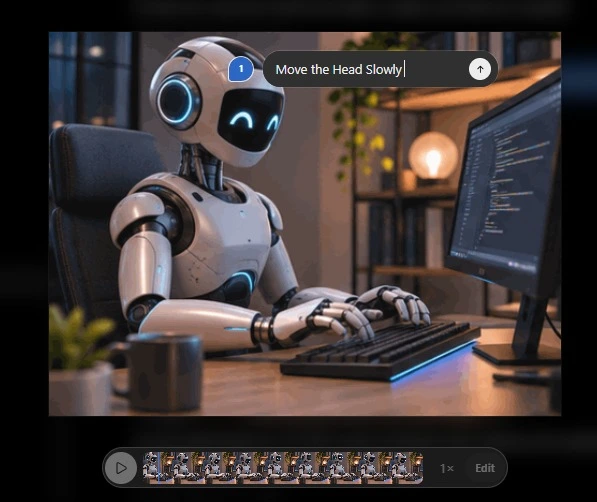
OpenAI creates these GIFs using a single animation sprite sheet, a grid of all the frames together.
This keeps the character looking identical in every frame, unlike older AI tools that often changed the character’s appearance from one frame to the next.
Silence About Images 2.6 GIF Creation Limits
The faster-generation claim has no number attached. OpenAI says Images 2.6 speeds up image generation in ChatGPT, and notes that the figure of up to 50% lower latency belongs to Images 2.5 against Images 2.0, for still images.
The coverage is just as silent on the details a user would ask about first.
For instance, how long a GIF can run, how many frames it can hold, its resolution and file size, whether free and paid plans get the same access, and whether GIF creation reaches the API through Flare or Sunburst.
How Images 2.6 Brings Motion Back After Sora’s Exit
OpenAI shut down its Sora video app in March and later launched Images 2.0 in April as its first image model that reasons before drawing.
The AI lab notes users make over “4 billion images every single week,” a total that covers all image use and not GIFs alone.
Our reading is that a GIF is a small, shareable form of motion built on the image model, with none of the cost of a full video product.
What is confirmed is a new one-step tool, a faster model with no benchmark, and several open questions about limits.
Source: Introducing Images 2.6