9 Best Blogging Apps for Bloggers – Make Blogging Easier
Android Apps Every Blogger Should Have

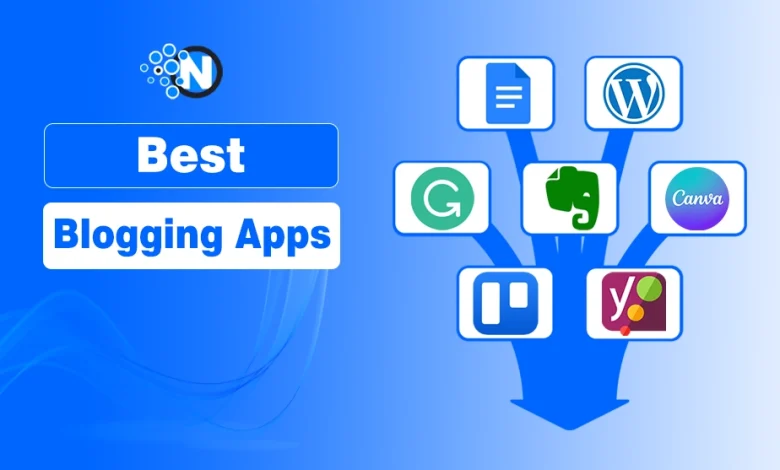
Blogging today is more than just writing. It’s planning, researching, editing, designing, publishing, and promoting, all while trying to stay consistent. Without the right tools, the process can feel overwhelming and time‑consuming.
The days are no long away when smartphones would be used in place of personal computers or laptops to perform a variety of personal and business-related tasks, even without leaving the bedroom or while on the go.
When it comes to blogging, there are dozens of powerful apps designed to simplify your workflow, boost productivity, and help you stay consistent. Whether you’re a beginner or a professional blogger, these apps can make your life significantly easier to handle your blogging tasks on the go.
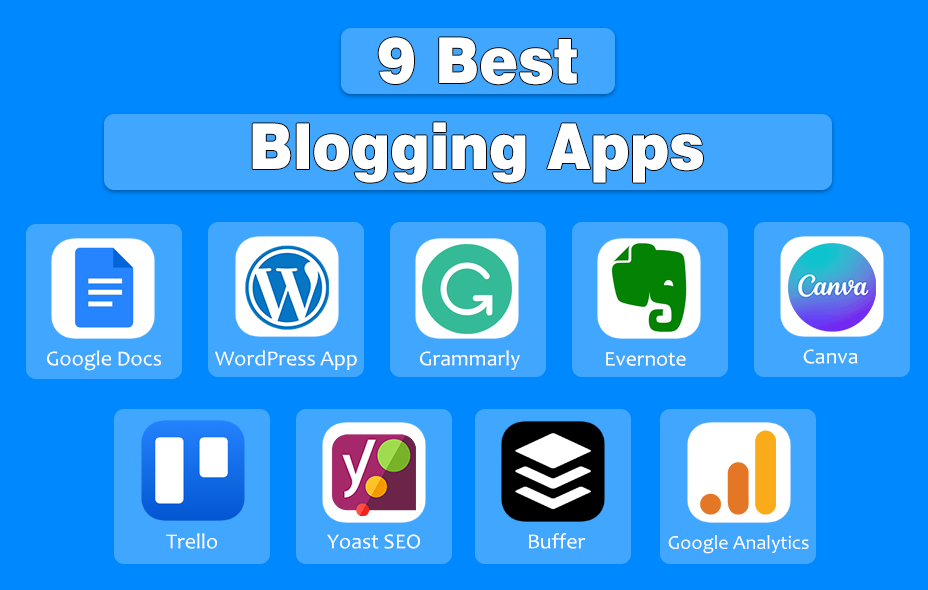
This blog post contains a list of the best blogging apps for bloggers that truly make blogging easier in 2026.
9 Best Blogging Apps
1. Google Docs – The Ultimate Writing Companion
Google Docs is a cloud‑based word processor that allows you to write, edit, and collaborate from any device. It is one of the most reliable writing tools for bloggers.
Why Bloggers Love It:
- Cloud‑based — write anywhere, anytime
- Real‑time collaboration with editors or clients
- Auto‑save (no more losing drafts)
- Easy formatting and sharing
Perfect for drafting blog posts, outlines, and content calendars.
2. WordPress App – Publish on the Go
The WordPress mobile app lets you manage your blog, write posts, upload images, and track stats directly from your phone.

If your blog runs on WordPress, this app is a lifesaver. You can publish posts, respond to comments, and monitor traffic even when you’re away from your laptop. It’s perfect for travel bloggers, lifestyle creators, or anyone who prefers mobile content management.
Key Features:
- Create, edit, and publish posts
- Moderate comments
- Track analytics
- Upload images directly from your phone
It’s ideal for bloggers who travel or prefer mobile content creation.
3. Grammarly – Your Personal Writing Editor
Even the best writers make mistakes. Grammarly helps you polish your content before publishing. It is an AI‑powered writing assistant that checks grammar, spelling, tone, and clarity. It’s especially helpful for bloggers who want professional‑quality writing without hiring an editor.

What It Does:
- Fixes grammar and spelling
- Suggests tone improvements
- Enhances clarity and readability
- Offers plagiarism detection (premium)
A lifesaver for bloggers who want clean, professional content.
4. Evernote – Capture Ideas Instantly
Evernote is a note‑taking and organization app that stores ideas, research, images, and voice notes in one place.
Blog post ideas can strike at the most random times. Evernote helps you capture them instantly and organize them into notebooks. You can save web clippings, create checklists, and sync everything across devices, making it a powerful research companion.
Why It’s Useful:
- Save notes, voice memos, and web clippings
- Organize ideas into notebooks
- Sync across all devices
- Great for research-heavy bloggers
Think of it as your digital brain.
5. Canva – Graphic Designing Made Easy
Canva is a drag‑and‑drop design tool with thousands of templates for graphics, banners, and social media posts.

Canva makes it incredibly easy to create professional‑looking graphics without design skills. From blog banners to Pinterest pins, you can design everything in minutes.
You can design:
- Blog banners
- Pinterest pins
- Infographics
- Social media graphics
- Thumbnails
With thousands of templates, even non-designers can create stunning visuals in minutes.
6. Trello – Organize Your Blogging Workflow
Trello is a visual project management tool that uses boards, lists, and cards to organize tasks.

Trello makes planning easy to map out your editorial calendar, track progress, and collaborate with team members. Its drag‑and‑drop interface is simple and intuitive.
Best For:
- Content planning
- Editorial calendars
- Collaboration with teams
- Tracking progress
Drag-and-drop boards make planning fun and intuitive.
7. Yoast SEO (WordPress Plugin)
Yoast SEO is a WordPress plugin that helps you optimize your content for search engines.
Yoast guides you through keyword optimization, readability improvements, meta descriptions, and more. It’s like having an SEO coach built into your WordPress dashboard.
What It Helps With:
- Keyword optimization
- Readability checks
- Meta titles and descriptions
- XML sitemaps
- On-page SEO improvements
A must-have for bloggers serious about organic traffic.
8. Buffer – Simplify Social Media Scheduling
Buffer is a social media scheduling and management tool that helps you plan, publish, and analyze posts across multiple platforms. Buffer makes social media promotion effortless by letting you schedule posts for Facebook, Twitter, Instagram, LinkedIn, and Pinterest, all from one dashboard.

Buffer Is Best For:
- Scheduling social media posts across multiple platforms
- Planning weekly or monthly content calendars
- Automating blog post promotion
9. Google Analytics App – Track Your Blog’s Growth
The Google Analytics mobile app gives you real‑time insights into your blog’s traffic and performance. With this app, you can track page views, user behavior, top‑performing posts, and traffic sources — all from your phone.
With the GA App, You Can:
- Monitor traffic
- Track top-performing posts
- Analyze user behavior
- Measure conversions
Data-driven blogging = smarter blogging.
Final Thoughts – Blogging On the Go
Blogging doesn’t have to be overwhelming. With the right apps, you can simplify your workflow, stay organized, and create better content in less time. Whether you’re writing, editing, designing, or planning, these tools help you work smarter, not harder. Choose those that fit your style, integrate them into your routine, and watch your productivity soar.