Search engine optimization has evolved far beyond keywords and backlinks. In 2026, SEO is about content quality, structured data, AI visibility, and user experience, and that’s exactly where Yoast SEO continues to dominate as one of the most powerful WordPress plugins.
With over 13 million users worldwide, it has evolved from a simple on-page optimization tool into a complete SEO ecosystem that helps websites rank in both traditional search engines and AI-driven discovery platforms.
In this guide, you will learn what is Yoast SEO, how it works, its key features, and the latest updates that make it more relevant than ever in the AI-first search era.
What is Yoast SEO?
Yoast SEO is a WordPress plugin designed to help you optimize your website for search engines like Google, Bing, and AI-driven platforms like ChatGPT, Claude or Perplexity.
It simplifies SEO by providing:
- Real-time content optimization
- Technical SEO automation
- Built-in schema markup
- Readability analysis
- AI-powered suggestions
Instead of guessing what works, Yoast gives you actionable recommendations directly inside your editor.
Yoast SEO Features Overview
1. Real-Time SEO Analysis
Yoast analyzes your content as you write and provides instant feedback on:
- Keyword usage and placement
- Meta titles and descriptions
- Internal and external links
- Content length and structure
This ensures your on-page SEO is done right and every page is optimized before publishing, not after.
2. Readability Optimization
Great SEO isn’t just about search engines, it’s about users.
Yoast evaluates:
- Sentence length
- Passive voice usage
- Paragraph structure
- Transition words
It assigns a readability score to help you create engaging, easy-to-read content.
3. Built-in Schema Markup
Yoast automatically adds structured data (JSON-LD) to your pages, including:
- Article schema
- FAQ schema
- Breadcrumbs
- Organization details
This helps search engines better understand your content and enables rich results in SERPs.
4. Technical SEO Automation
Yoast handles many technical SEO tasks behind the scenes:
- XML sitemap generation
- Canonical URLs
- Meta robots tags
- Indexing controls
This reduces the need for manual configuration while ensuring your site is search-engine friendly by default.
5. Internal Linking & Content Structure
Yoast Premium provides:
- Internal linking suggestions
- Cornerstone content optimization
- Content insights
These features help improve site structure and boost topical authority.
Pros and Cons of Yoast SEO Plugin WordPress
| Pros | Cons |
|---|---|
| Beginner-friendly interface with traffic-light scoring system | Advanced features require Premium version |
| Real-time SEO and readability analysis while writing | Can encourage over-optimization if “green scores” are followed blindly |
| Technical SEO (XML sitemaps, canonical URLs, meta tags) | Premium pricing can be costly for multiple sites |
| Built-in schema markup with structured data graph | |
| Content structure and on-page SEO consistency | |
| Updates aligned with modern SEO and AI search trends |
How to Access Yoast SEO?
Downloading the Yoast SEO:
There are two possible ways you can download Yoast SEO:
- Access the official Yoast SEO website from your browser. Open the search engine and type Yoast SEO. This exceptional tool’s official site will then open.
- Install the Yoast plugin through your site’s WordPress plugins directory. You can install and activate it easily there.
Basic Configuration:
Once you have finished downloading, go to Yoast SEO from your site’s WordPress dashboard.
Go to Settings and perform all the basic checks that Yoast is asking for.
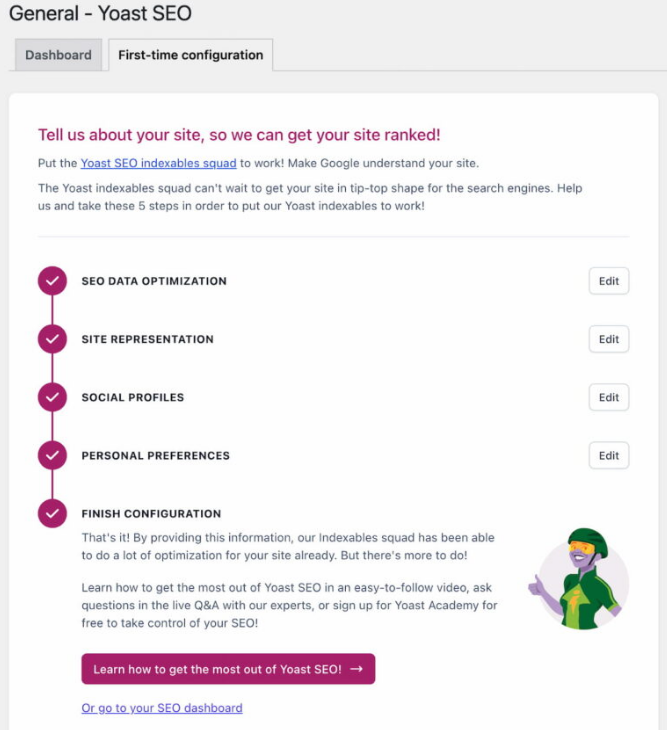
You should also adjust other site settings using this tool.
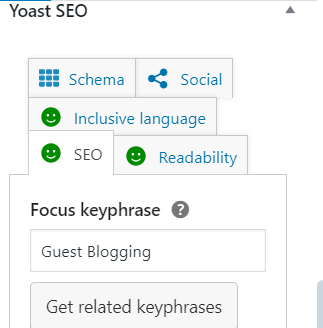
Now, the most vital thing—Yoast provides accessibility to enriching your blog post in compliance with the basic SEO strategies.
Three colors — red, orange, and green—describe the site’s SEO credibility. I have mentioned these in detail in the section below this blog.
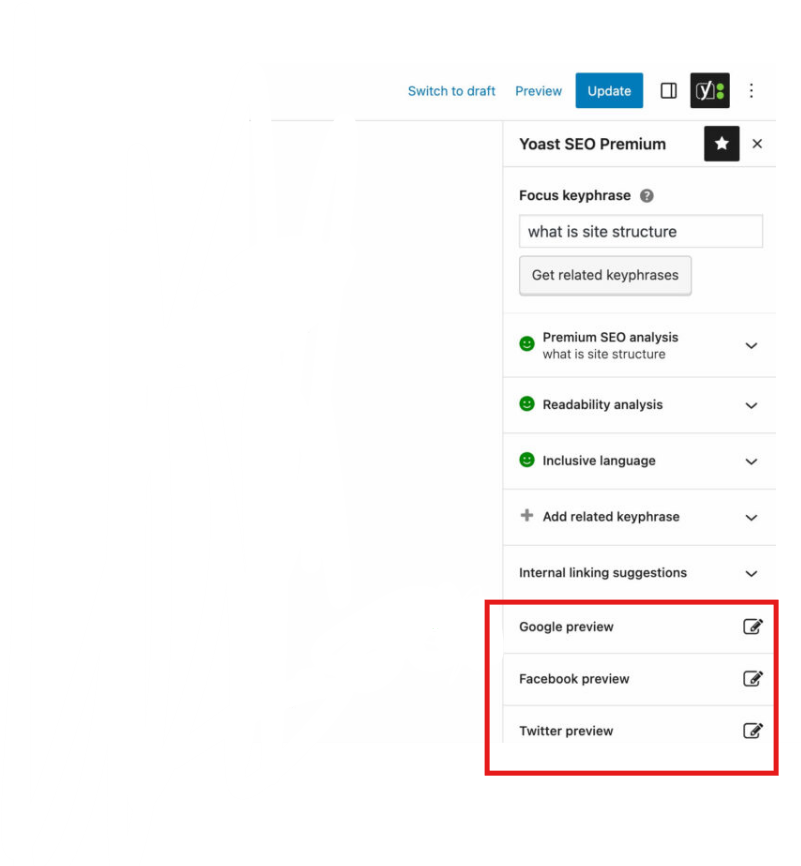
Users can also choose different previews of their blog posts on different social and digital media platforms.
Latest Yoast SEO Updates
A
Yoast has made significant updates to adapt to AI-driven search and evolving SEO requirements.
1. Schema Aggregation (Major 2026 Update)
One of the biggest changes is Schema Aggregation, which creates a unified structured data system across your website.
- Connects all content entities into a single schema graph
- Improves AI understanding of your site
- Enhances visibility in AI-driven search and assistants
This helps search engines and AI tools interpret your content more accurately.
2. AI-Powered SEO Features
Yoast now integrates AI capabilities to:
- Generate meta titles and descriptions
- Provide content suggestions
- Improve workflow efficiency
These tools reduce manual effort while improving optimization quality.
3. Abilities API (AI Integration Upgrade)
A newer addition is the Yoast Abilities API, which allows:
- AI tools and dashboards to connect directly with Yoast
- Automated workflows for SEO optimization
- Smarter integrations with WordPress and external tools
This marks a shift toward automated and AI-assisted SEO workflows.
4. Improved Content Analysis & Multilingual SEO
Recent updates have improved:
- Keyword context understanding
- Multilingual readability analysis
- Feedback accuracy
This makes Yoast more effective for global and multilingual websites.
5. Enhanced Image SEO Signals
Yoast now evaluates:
- Keyphrase usage in image alt attributes
- Image optimization even without full content
This highlights the growing importance of visual SEO and accessibility.
Best Practices for Using Yoast SEO
While using Yoast, implement the following practices for longer and more sustainable SEO results.
- Keyword Research: Before writing the content, you must perform complete keyword research to find the focus keyphrases and then optimize your writing with Yoast.
- Focus on Search Intent: Don’t just optimize for keywords—optimize for what users actually want.
- Regular Content Audits: Make it routine to check the content daily from Yoast SEO. This regular audit will help you to sustain your position in the search engine results pages.
- Monitor XML Sitemaps: Monitor your XML sitemaps to ensure that all the content is crawled by Google index. Also, it provides you with insights to identify potential indexing issues.
- Utilize Readability Analysis: Must pay attention to the readability analysis provided by Yoast SEO. It will help you to improve the overall quality of your content.
- Don’t Chase Green Lights Blindly: Yoast’s indicators are helpful, but they’re guidelines, not absolute rules.
Pricing of Yoast SEO Premium
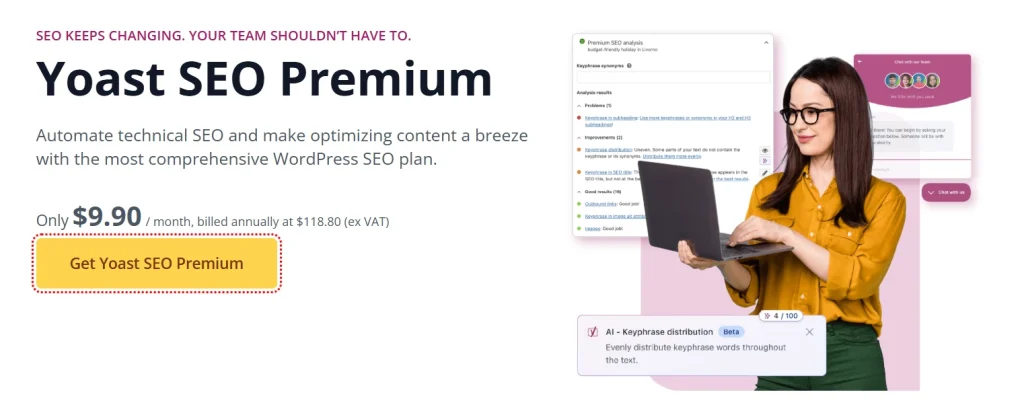
The Yoast SEO plugin is free to install and use for on-page SEO optimization with basic features.
However, the Yoast SEO premium plan is also available for $9.90 per month (billed annually at $118.80).
Final Verdict
Yoast SEO WordPress plugin is one of the most powerful and beginner-friendly SEO tools in 2026, but it has evolved significantly. It’s not just about optimizing blog posts, it’s about preparing your website for:
- AI-powered search
- Structured data ecosystems
- Multi-platform discovery
With features like Schema Aggregation, AI integration, and real-time optimization, Yoast helps you stay competitive in a fast-changing SEO landscape.
Yoast SEO FAQs
Yes, Yoast SEO is more relevant than ever due to its AI integration, schema features, and real-time optimization tools.
Schema Aggregation is one of the biggest updates, helping AI systems better understand your website.
Yes, Yoast now includes AI-powered features for generating meta content and improving SEO workflows.
Both are strong plugins. Yoast is more beginner-friendly and widely trusted, while Rank Math offers more advanced customization.
No, Yoast helps optimize your content, but results depend on content quality, competition, and backlinks.