Turbo VPN is a familiar option for mobile users who want a quick VPN connection, but it may not suit everyone. Limited free features, privacy preferences, device compatibility, or connection issues can all be reasons to look for an alternative.
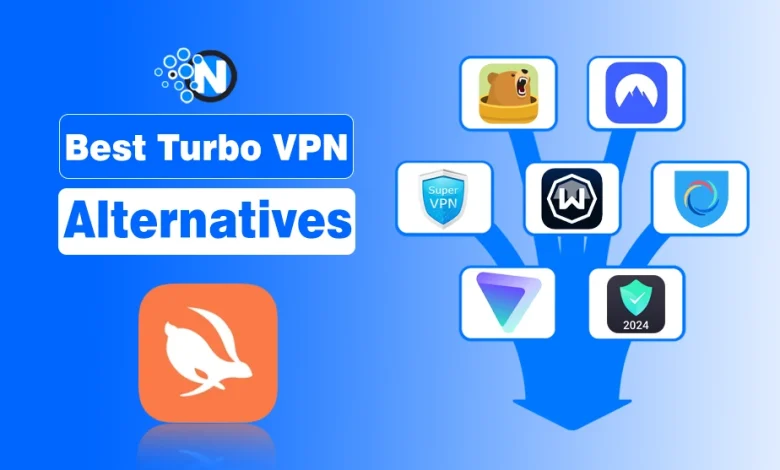
Fortunately, several Turbo VPN alternatives are available for Android and iOS, with different free plans, security features, and subscription options. The NogenTech team has selected seven VPN apps to help you compare their features and limitations before choosing one for your phone.
| VPN App | Best Suited For | Free Plan | Main Limitation |
|---|---|---|---|
| TunnelBear | Occasional mobile browsing | 2GB per month | Limited free data |
| NordVPN | Users seeking a paid mobile VPN | No permanent free plan | Subscription required after any eligible trial |
| Hotspot Shield | Basic mobile VPN access | Basic free version | Free features and availability vary by platform |
| Windscribe | Mobile users who want a free monthly allowance | 2GB, or 10GB with a confirmed email and applicable email preferences | Limited free server locations |
| SuperVPN | Users seeking a simple free Android VPN | Free, with ads and in-app purchases | Privacy claims need independent verification |
| Proton VPN | Users who want a VPN without monthly data limits | Unlimited free data | Restricted free-server selection |
| Touch VPN | Basic mobile VPN access | Free version available | Free-plan restrictions require platform-specific verification |
What Team Looked for in a Turbo VPN Alternative
Before choosing a VPN for your Android phone or iPhone, these six factors are considered:
- Privacy: A clear privacy policy, transparent data handling, and independent security audits where available.
- Free Plan: Monthly data limits, advertisements, server restrictions, and paid-only features.
- Mobile Compatibility: Dedicated Android and iOS apps, including any differences between their features.
- Connection Performance: Available VPN protocols, server locations, and connection stability.
- Security Features: Encryption, DNS leak protection, and kill-switch availability.
- Price and Value: Free-plan usability and whether a paid subscription offers features you actually need.
These factors provide a basis for comparing the seven Turbo VPN alternatives below, including their features and limitations.
Top 7 Turbo VPN Alternatives Explained Below
These seven VPN apps offer different options for mobile users, from limited free plans to paid subscriptions with additional features. Their main differences are data allowances, server selection, privacy practices, and Android or iOS functionality.
1. TunnelBear VPN
TunnelBear offers a simple VPN app for Android and iOS, with a free plan that includes 2GB of data per month. Its paid subscription removes the data limit and adds country selection and split tunneling. The free version is more suitable for occasional browsing than regular, data-heavy use.
Best For: Occasional mobile browsing with a limited free-data allowance.
Key Features
- Free plan with 2GB of data per month.
- VigilantBear kill switch and GhostBear connection-obfuscation features.
- Paid plans with unlimited data.
- Country selection and split tunneling available to paid subscribers.
Limitation: Free users cannot manually select their VPN country under the standard plan.
2. NordVPN
NordVPN is a paid Turbo VPN alternative for Android and iOS users who want more control over their connections. Its mobile apps include a kill switch, although its operation differs between Android and iOS. NordVPN does not offer a permanent free plan, but eligible new users can access a limited trial.
Best For: Mobile users who prefer a paid VPN with additional connection controls.
Key Features
- Kill-switch protection, with platform-specific functionality.
- Access to VPN server locations included in the selected subscription.
- Seven-day trial for eligible new users in supported countries.
- Separate three-day Google Play trial for eligible first-time Android users.
Limitation: A subscription is required after the trial. Eligibility and cancellation conditions should be checked before signing up.
3. Hotspot Shield
Hotspot Shield provides a Basic plan for users who want free VPN access on their phones. Its Android version is ad-supported, while Premium offers additional locations, higher connection speeds, and fewer restrictions. Free-plan features differ between platforms, so Android and iPhone users should check the version available to them.
Best For: Basic mobile VPN access without an immediate paid subscription.
Key Features
- Basic and Premium subscription options.
- Five virtual-location options listed for Android Basic.
- Ad-supported Android Basic version.
- Additional locations and higher speeds with Premium.
Limitation: Free-plan restrictions differ by platform. Hotspot Shield’s iOS support documentation lists US-only virtual-location access for Basic users.
4. Windscribe VPN

Windscribe offers a free mobile VPN plan with 2GB of monthly data. Users who confirm their email address and remain subscribed to promotional emails can receive 10GB per month. It also provides paid options for users who need additional locations or unlimited data.
Best For: Android and iOS users who want a free monthly data allowance.
Key Features
- Free plan with 2GB of monthly data.
- Up to 10GB per month with a confirmed email and applicable email preferences.
- Free server access in a limited selection of countries.
- Paid Build-A-Plan and Pro subscription options.
Limitation: The free plan has a monthly data cap and fewer server locations than the paid plans.
5. SuperVPN
SuperVPN Fast VPN Client by SuperSoftTech is a free Android VPN app with an optional VIP upgrade. Its Google Play listing advertises one-tap connections, while VIP removes advertisements and unlocks premium servers. However, its data-handling disclosures deserve attention before users give the app access to their internet traffic.
Best For: Android users looking for a simple VPN interface who are willing to review the app’s privacy disclosures.
Key Features
- Free Android app with optional VIP subscription.
- One-tap VPN connection.
- Ad-free experience with VIP.
- Additional servers and performance features advertised for VIP.
- Google Play data-safety disclosures.
Limitation: Its Google Play listing declares collection of personal information and device identifiers. The Federal Trade Commission’s guidance on VPN apps explains why users should examine app permissions and data-sharing practices before installing a VPN.
6. Proton VPN
Proton VPN offers a free plan for Android and iOS without monthly data limits or advertisements. Free users can connect one device at a time, and the app automatically selects an available free server. Although users can change servers, they cannot freely choose a specific country, and a cooldown applies between changes.
Best For: Mobile users who want unlimited free VPN data.
Key Features
- Free plan with unlimited data and no advertisements.
- One simultaneous VPN connection on the free plan.
- Kill switch and DNS leak protection.
- Open-source mobile apps with third-party security audits.
Limitation: Free users have restricted server selection. Advanced features and unrestricted location choices require a paid plan.
7. Touch VPN
Touch VPN offers Android and iOS apps with straightforward connection controls. Its iOS app allows users to proceed with a Basic plan or choose a subscription. However, its App Store privacy disclosures identify advertising-related data collection and possible tracking, making it important to review your iPhone privacy settings before installing it.
Best For: Mobile users who want basic VPN access and are comfortable reviewing the app’s privacy terms.
Key Features
- Basic and paid subscription options.
- One-tap connection interface.
- No account registration required for the basic Android setup, according to Touch VPN’s support documentation.
- Seven-day trial advertised for eligible new iOS users.
Limitation: Touch VPN’s iOS privacy disclosures identify data that may be used for tracking and advertising. The Electronic Frontier Foundation’s guide to choosing a VPN explains why a provider’s privacy claims should be assessed alongside its data-collection practices.
Frequently Asked Questions About Turbo VPN Alternatives
Are free VPN apps safe to use on Android and iOS?
Safety depends on the provider’s privacy practices, security features and data handling. Before installing a free VPN, review its privacy policy, app permissions and any available independent security audits.
Can I use the same VPN on Android and iPhone?
TunnelBear, NordVPN, Hotspot Shield, Windscribe and Proton VPN offer apps for both platforms. However, some features and free-plan restrictions differ between Android and iOS.
What should I consider before replacing Turbo VPN?
Compare free-data limits, privacy policies, server availability, mobile compatibility and subscription costs. Also check whether important features, such as a kill switch, are available on your phone.