On-page SEO helps Google understand, trust, and position your content for increased visibility. After recent core updates, success depends on content quality, intent alignment, UX, and credibility rather than shortcuts or outdated SEO tactics.
What is On-Page SEO?
It is the process of optimizing individual web pages so they rank higher in search engines and attract more relevant traffic.
On-page SEO analysis ensures that your content is in line with search engine algorithms to enhance visibility and interaction. However, performing on-page SEO alone is not enough to improve your site’s ranking.
<strong>Subject</strong>: ………………………………
📌 Fact: According to a study by Backlinko, pages that rank #1 on Google have an average click-through rate (CTR) of 27.6%.
What are the Key On-Page SEO Elements?
1. Website Speed – The Need for Speed
Does the loading speed of your website affect your SEO ranking? Loading speed doesn’t affect the SEO ranking of your website. However, it may do so indirectly when it comes to other on-page SEO factors, such as bounce and dwell time rates, which indicate you should improve your load speed.
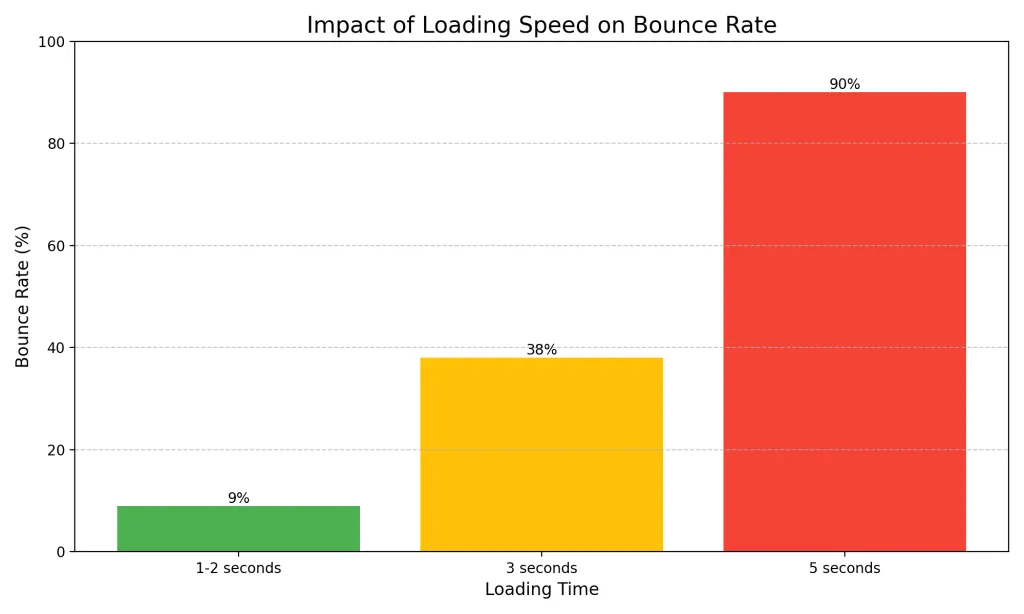
If your website often requires more than three seconds to load completely, visitors may jump from one site to another. They’ll most likely look for other, less annoying websites than yours, increasing your site’s bounce rates and decreasing your dwell time.
How to Improve Website Speed?
- Web Hosting For SEO: Choosing the right web hosting for SEO is essential for success, as it directly impacts site speed and uptime. For better speed and everything, go for VPS hosting.
- Use A Content Delivery Network (CDN): CDN will cache your content through multiple channels across the world to improve the loading speed of your website.
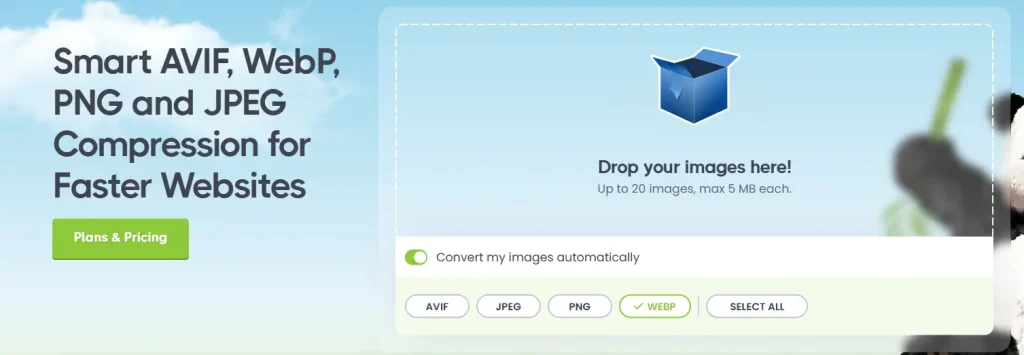
- Optimize Your Images: This is a simple yet effective trick to boost your website’s speed. You may compress your images to reduce their size or crop large images and remove any unnecessary elements. Also, use the WebP format for the best results.
- Minify Your CSS and JavaScript: This will help you remove anything the system doesn’t need to process, different code efficiently. As a result, CSS and JavaScript will be smaller and may load even faster.
2. Keyword Optimization – The Foundation of SEO
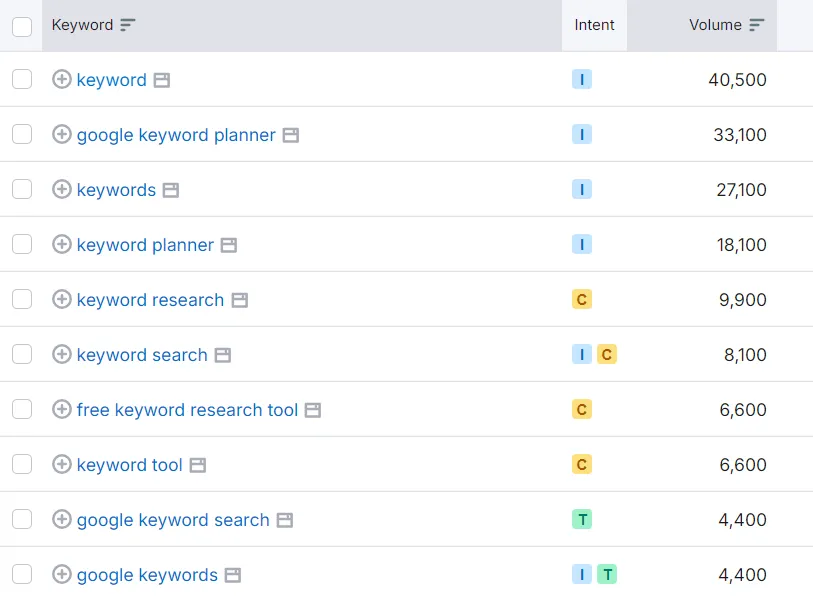
Keywords are extremely important in SEO-friendly blog posts. They can be a simple blend of words or complex phrases that improve organic search traffic. In fact, your visitors make use of them when they search for something connected and relevant to your business.
Tips for Effective Keyword Usage:
Many times, on-page SEO services include keyword research to make sure the content fits search intent. If they’re not, you may follow some tips below:
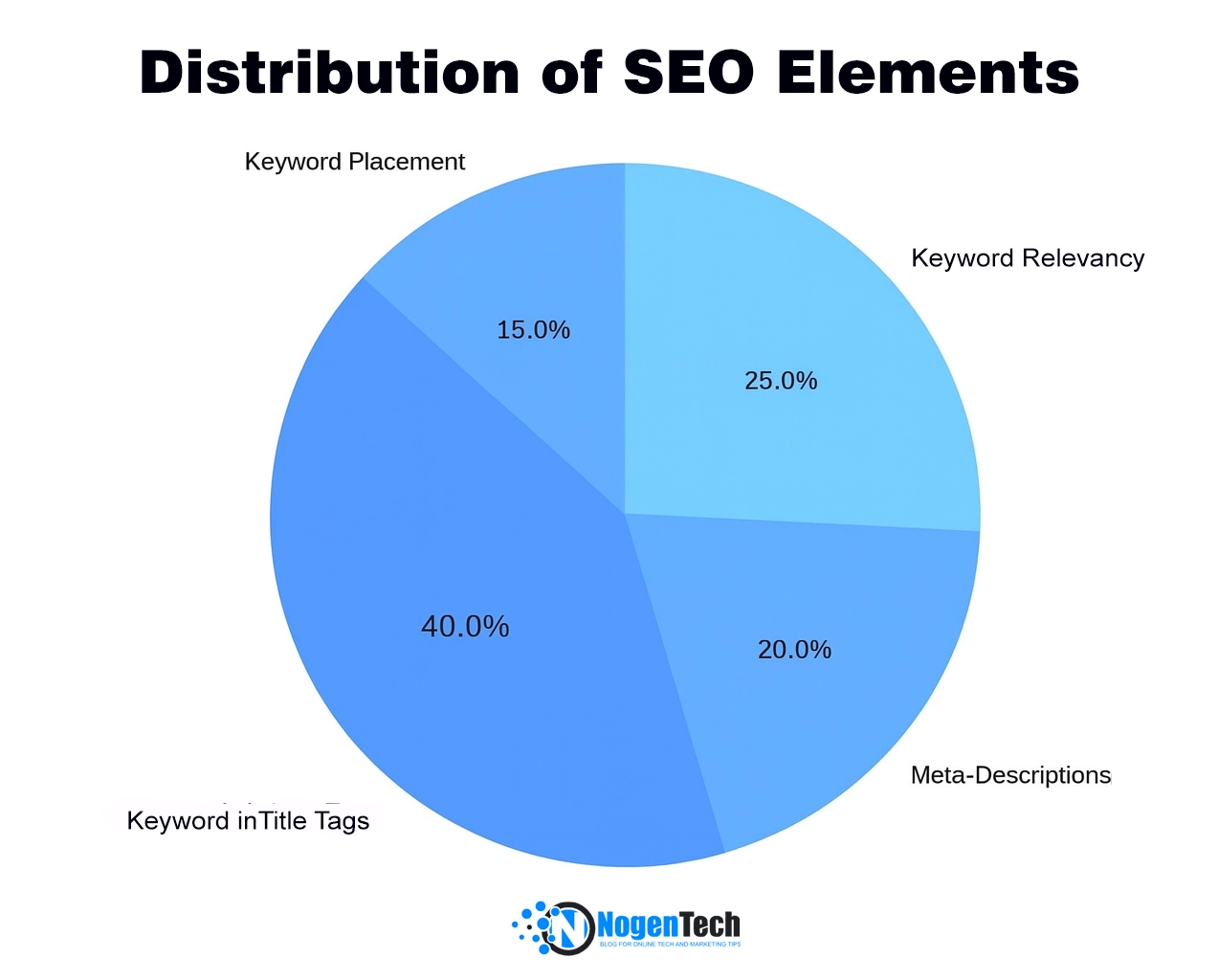
- Optimize Your Title Tags And Meta-Description: Make sure they’re unique and contain the right number of characters. Search engines prefer 50 to 60 characters for title tags and 100 to 155 for meta-descriptions.
- Find The Right Keywords: Create a list of keywords you’ll probably use for every content you post. You may also use keyword search tools to achieve better results and identify if you’re using the right keywords.
- Use Long-Tail Keywords: These are keywords that search engines love. They’re specific and help users find the information they need. You can also use these keywords in the People Also Ask section of your article as per the intent of the user.
- Avoid Keyword Stuffing: Keyword stuffing is the process of using the same keywords multiple times across the content. It was once an ideal way to improve SEO ranking, but now, search engines hate it.
3. Internal Linking Strategy – Strengthening Your Website Structure
Internal linking is the process of incorporating a relevant link from your domain into other content from your website. Its main goal is to make your visitors spend more time on your website, further increasing your dwell time rate and improving your overall SEO ranking.
But why is it important to search engines?
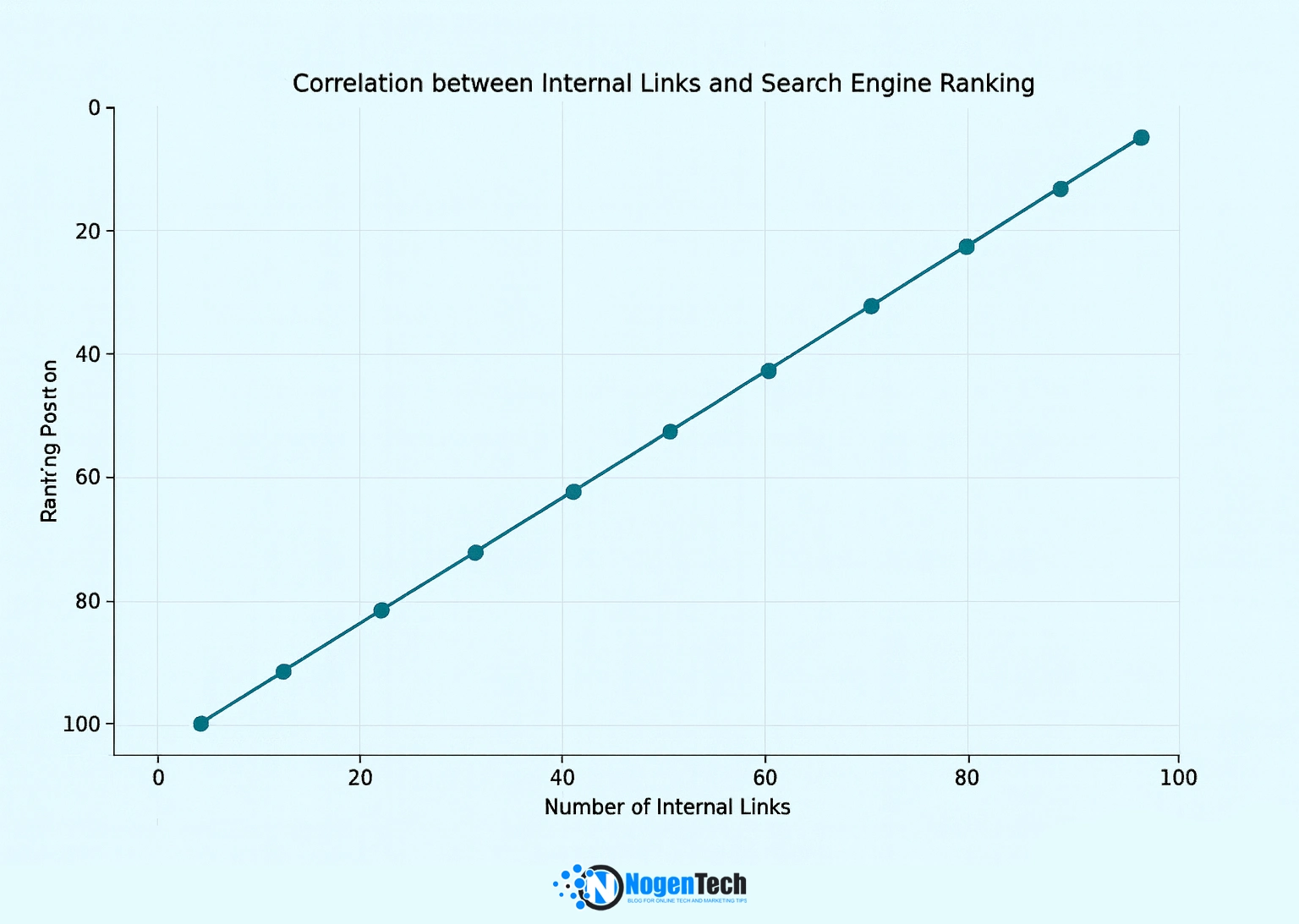
If a web page has a reasonable number of internal links, search engines will recognize the page as high-quality, valuable, and relevant. As a result, they’ll give that specific page a higher rank to commend its value.
Tips for Effective Internal Linking
Internal linking is a crucial element of your website, you can fully control. Using on-page SEO tools can help analyze and optimize your internal linking structure for better navigation and rankings. Here are some internal link-building tips you may consider:
- Publish Content Consistently: Since the main goal is to improve your dwell time, you must publish relevant content consistently. This will encourage your readers to check out your other resources and stay longer in your domain.
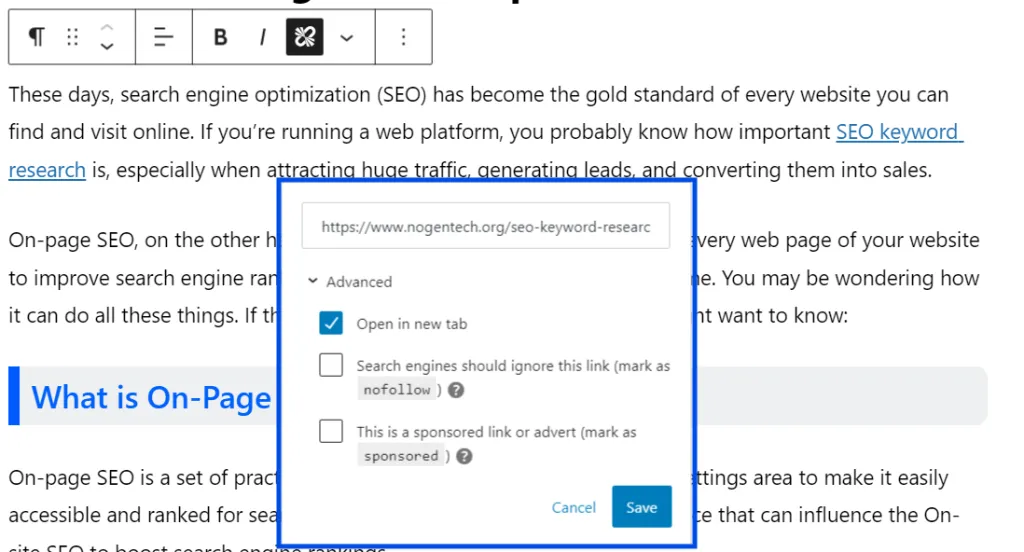
- Use Anchor Text: Experts suggest that it’d be better to use anchor text than images for links. Images may do fine as long as they’re correctly alt-tagged. Otherwise, it’d be best to stick around with anchor text.
- Use Relevant Links: Never incorporate any links not related to the content. Instead, make sure they’re connected to the topic discussed to learn more about it. Use Link Whisper for relevant internal link suggestions.
- Show Your Most Recommended Content: You want to ensure that what you recommend is related to the topic you’re presenting. This way, visitors will be encouraged to learn more and dive deeper through your website.
4. Mobile-Friendliness – Optimizing for Mobile Users
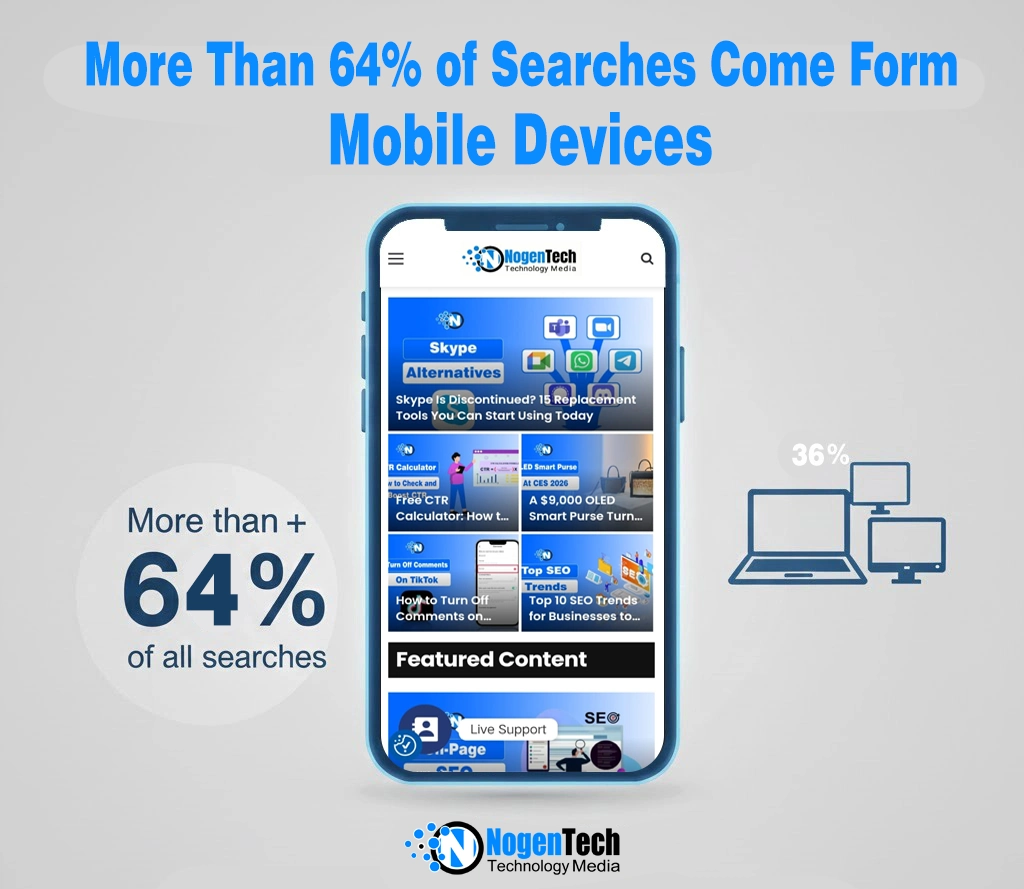
Google ranks mobile-friendly websites higher using a mobile-first indexing method. More than 64% of searches come from mobile devices. Technical SEO improvements, such as responsive design and mobile performance optimization, on the on-page, can significantly impact your site’s ranking.
Pro Tips for Mobile Optimization:
- Use a Responsive Design: Your website should have the adaptability to different screen sizes. It will make for any user easier browse from any device.
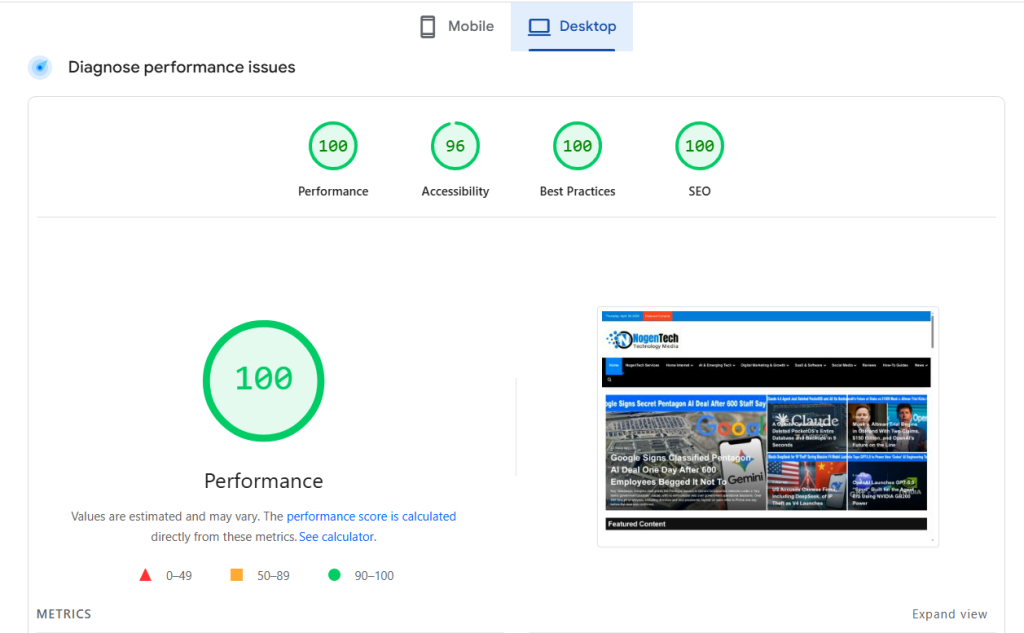
- Improve Mobile Page Speed: Use tools like Google PageSpeed Insights to optimize loading times.
- Simplify Navigation: Mobile users prefer easy-to-access menus and clear call-to-action buttons.
- Optimize Font Size & Spacing: You should optimize the readability by using appropriate font sizes and adequate spacing.
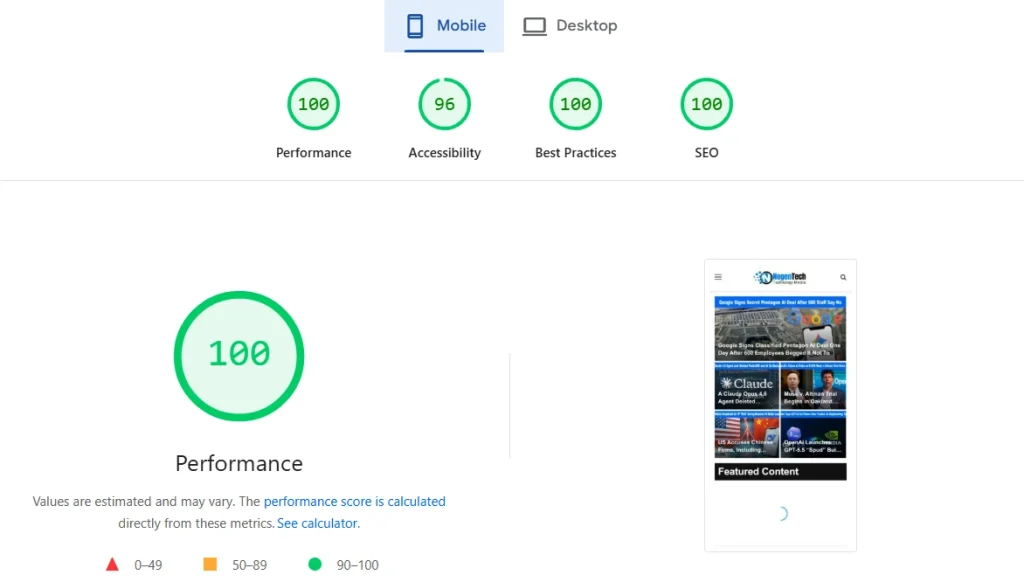
Looking to boost your search rankings, drive more traffic, and improve user experience? NogenTech’s experts specialize in complete on-page SEO audits and optimization tailored to your website’s needs.
5. Image Optimization – Boosting SEO with Visual Content
User experience and website involvement depend much on images. If not optimized, though, they may slow down your website and compromise SEO. Optimized images assist search engines in properly indexing your content, speeding loads, and increasing visual attractiveness.
Pro Tips for Image SEO:
- Use Descriptive File Names: Rename images to include keywords related to the content (e.g., “best-running-shoes.jpg” instead of “IMG123.jpg”).
- Write SEO-Friendly Alt Text: Use concise, keyword-rich alt text for search engines to understand the image and improve accessibility.
- Compress Images for Faster Loading: Reduce file size without losing quality using tools like TinyPNG or ImageOptim.
- Use the Right Image Format: Prefer WebP for better compression and quality over JPEG and PNG.
- Enable Lazy Loading: Load images only when they appear on the screen to improve site performance.
<strong>Subject</strong>: ………………………………
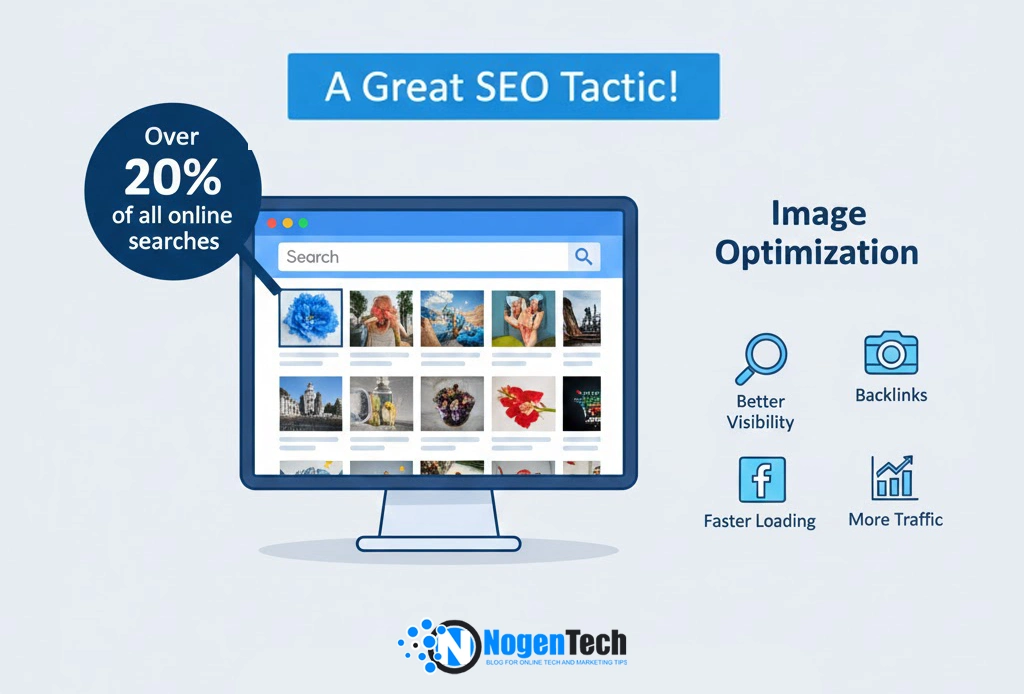
📌 Fact: Over 20% of all online searches come from Google Images, hence image optimization is a great SEO tactic.
6. Content Quality & Relevance – Meeting User Intent
Relevant and high-quality content is perhaps the most critical on-page SEO factor. Search engines prioritize content that thoroughly answers user queries and provides value. Good content that adheres to the Google E-E-A-T and latest content writing trends has more chances of positioning on SERPs.
Pro Tips for Content Optimization:
- Create Comprehensive Content: Cover topics thoroughly with proper depth and breadth.
- Focus on User Intent: Understand what users are actually searching for when they use specific keywords.
- Update Content Regularly: Fresh, updated content signals relevance to search engines.
- Implement Proper Formatting: Use headings, bullet points, and short paragraphs to improve readability.
- Add Multimedia Elements: Include videos, infographics, and images to enhance user engagement.
<strong>Subject</strong>: ………………………………
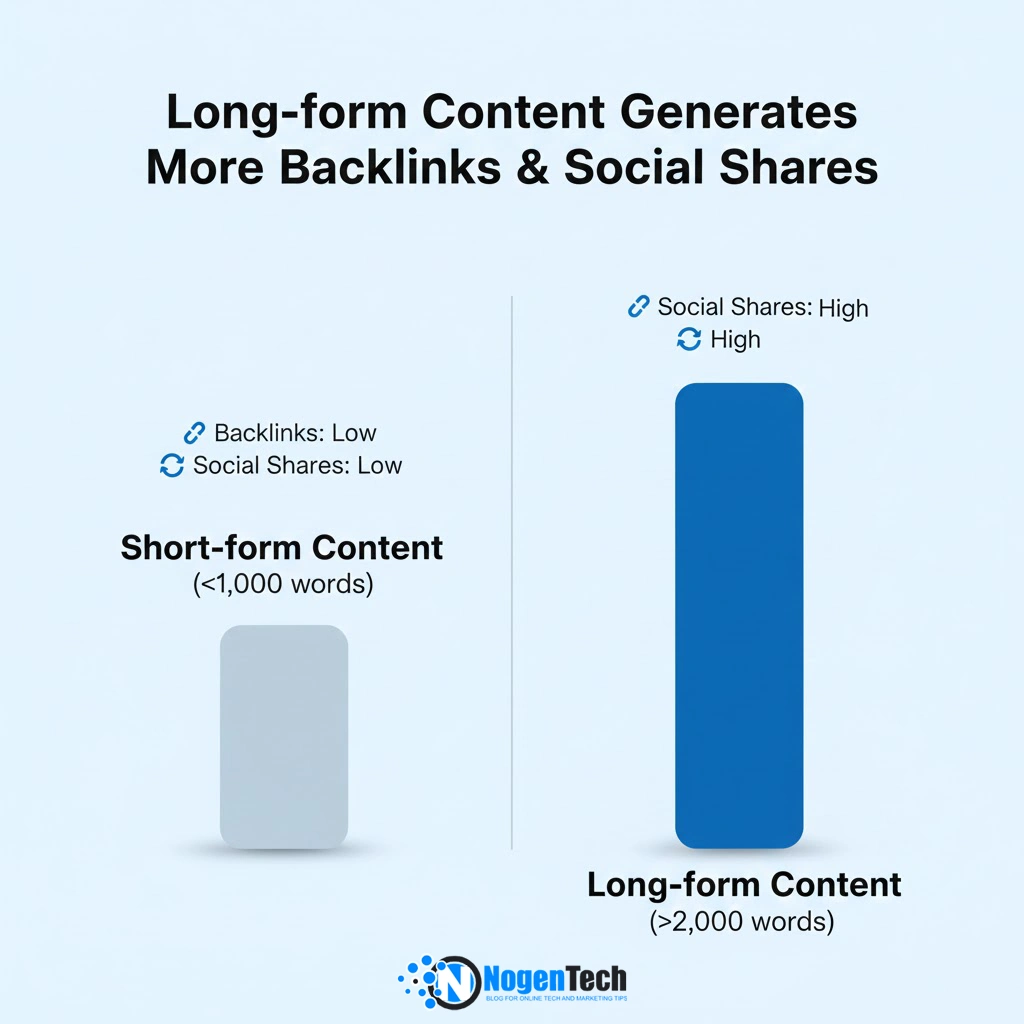
📌 Fact: According to Content Marketing Institute, long-form content (over 2,000 words) typically generates more backlinks and social shares than shorter content.
7. Header Tags & Content Structure – Organizing Information Effectively
Proper use of header tags (H1, H2, H3, etc.) helps search engines understand your content’s structure and hierarchy. Well-structured content improves both user experience and search engine indexing.
Pro Tips for Header Optimization:
- Use Only One H1 Tag: Each page should have exactly one H1 tag, typically containing your primary keyword.
- Structure Content Logically: Use H2s for main sections and H3s for subsections.
- Include Keywords in Headers: Incorporate relevant keywords naturally in your heading structure.
- Keep Headers Descriptive: Headers should clearly indicate what the following section is about.
8. Meta Tags Optimization – Improving SERP Appearance
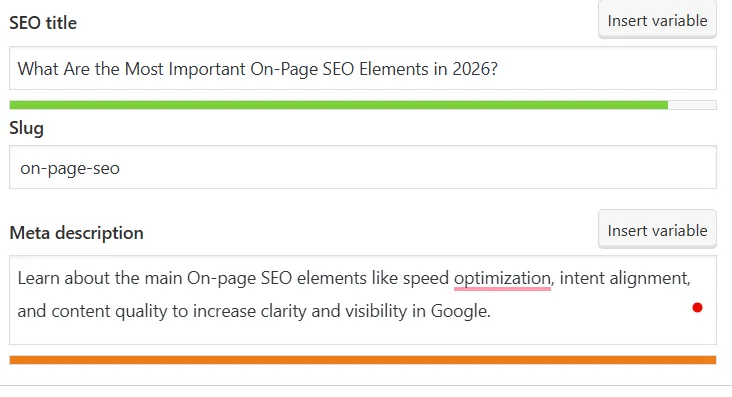
Meta tags don’t directly impact rankings, but significantly affect click-through rates from search results. Well-optimized meta titles and descriptions act as “advertisements” for your content in search results.
Pro Tips for Meta Tags:
- Create Unique Meta Titles: Each page should have a distinct title that includes primary keywords.
- Write Compelling Meta Descriptions: Include a clear value proposition and call-to-action within the 155-character limit.
- Use Schema Markup: Implement structured data to enhance how your page appears in SERPs with rich snippets.
- Optimize for Featured Snippets: Structure content to increase chances of appearing in position zero.
9. URL Structure – Creating Clean, Descriptive URLs
Search engines and users both prefer clean, descriptive URLs that clearly indicate what the page is about. A well-structured URL improves crawlability and can boost click-through rates from search results.
Pro Tips for URL Optimization:
- Keep URLs Short and Descriptive: Include relevant keywords but avoid unnecessary words. A good URL ranges between 3-5 words.
- Use Hyphens to Separate Words: Hyphens are more search-engine friendly than underscores or spaces.
- Avoid Special Characters: Stick to alphanumeric characters for better compatibility.
10. Structured Data Markup – Enhancing SERP Features
Structured data or Schema Markup helps search engines understand the content of your page better and can result in rich snippets in search results, which can significantly improve click-through rates.
Pro Tips for Structured Data:
- Use Schema.org Vocabulary: Implement the most widely recognized structured data format.
- Focus on Relevant Schema Types: Choose schema types that match your content (Product, Article, FAQ, etc.).
- Test Implementation: Use Google’s Structured Data Testing Tool to verify correct implementation.
- Keep Data Accurate and Updated: Ensure all structured data reflects the current content of your page.
On-Page SEO vs Off-Page SEO: What is the Difference?
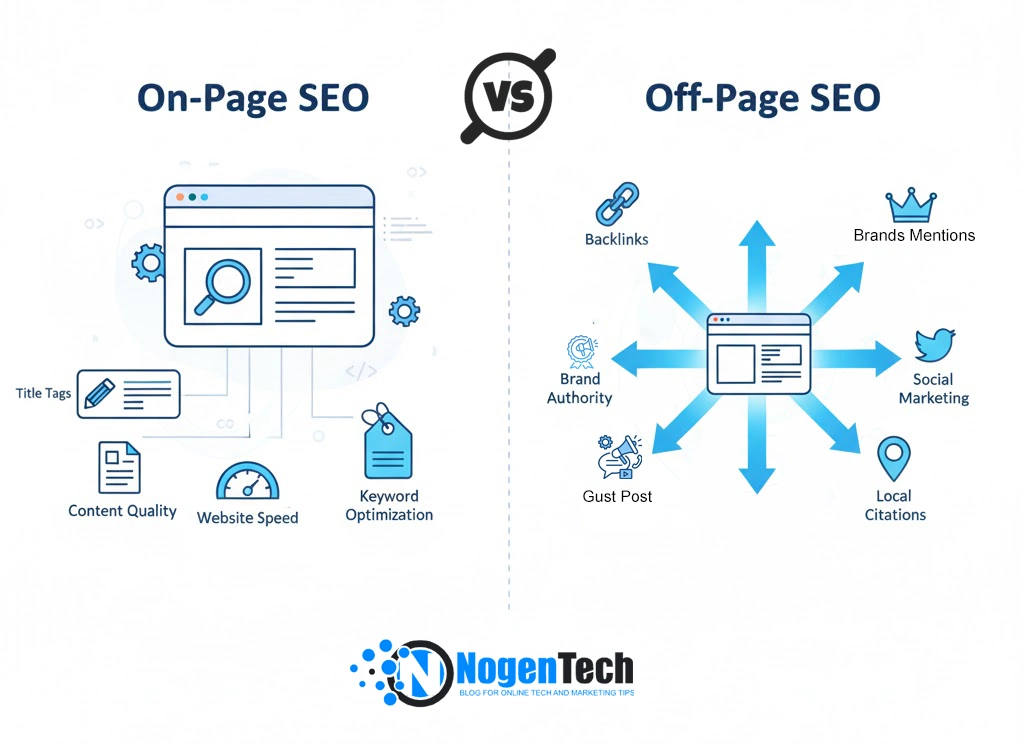
When it comes to improving your website’s visibility on search engines, SEO generally falls into two main categories: On-Page SEO and Off-Page SEO. Both are essential, but they focus on different aspects of your website’s optimization.
1. On-Page SEO
On-Page SEO refers to the strategies and techniques you apply directly on your website to improve its search rankings. Key elements include:
- Content Optimization: Using relevant keywords, structuring content with headings (H1, H2, H3), and ensuring readability.
- Meta Tags: Crafting compelling title tags and meta descriptions to improve CTR.
- URL Structure: Making URLs clean, descriptive, and keyword-rich.
- Internal Linking: Connecting pages within your site to enhance navigation and distribute link equity.
- Page Speed & Mobile-Friendliness: Ensuring fast loading times and a responsive design for better UX.
2. Off-Page SEO
Off-Page SEO focuses on improving your website’s authority, trust, and reputation across the web. Common techniques include:
- Backlink Building: Acquiring links from reputable websites to boost domain authority.
- Social Media Marketing: Sharing content and engaging with audiences to increase brand exposure.
- Guest Posting: Writing for other sites to earn links and reach new audiences.
- Online Mentions & Reviews: Getting your brand mentioned or reviewed on forums, blogs, and directories.
Key Difference in a Nutshell:
- On-Page SEO = Everything you control on your website.
- Off-Page SEO = Everything others do or signal about your site online.
Both strategies work together: On-Page SEO ensures your website is optimized for users and search engines, while Off-Page SEO boosts your website’s credibility and visibility in the wider digital ecosystem. To rank higher in 2026 and beyond, a balanced approach combining both is essential.
What are the Common On-Page SEO Mistakes?
The following on-page SEO mistakes are the ranking killers:
- Thin or outdated content
- Keyword stuffing
- Duplicate meta tags
- Poor internal linking
- Ignoring mobile users
- Slow page speed
- Writing for algorithms instead of users
On-Page SEO Is About Value, Not Tricks
On-page SEO in 2026 is about creating genuinely helpful pages that users trust.
If your content:
- Solves real problems
- Demonstrates expertise
- Offers great UX
- Stays updated
Google will reward it, even after core updates because strong on-page SEO is the foundation of long-term organic growth
People Also Ask
On-page SEO is the process of optimizing individual web pages to improve search rankings by enhancing content, structure, and HTML elements.
On-page SEO helps search engines and AI systems understand, rank, and reference your content, making it essential for visibility in modern search.
Key elements include content quality, search intent, title tags, headings, internal links, page speed, mobile optimization, and structured data.
It improves relevance, user experience, and content clarity, which directly influence how search engines rank your pages.
On-page SEO focuses on optimizing content and structure within your website, while off-page SEO focuses on building authority through external signals like backlinks.
Use clear headings, short answers, structured formatting, and semantic keywords to help AI systems understand and extract your content.