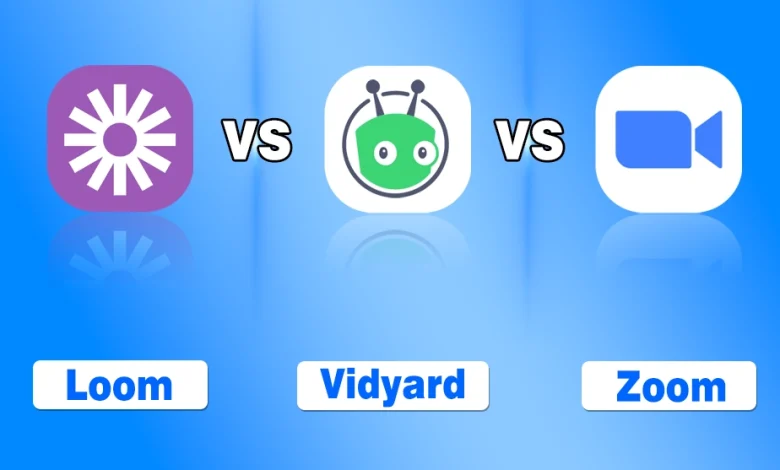
The Loom vs Vidyard vs Zoom comparison is currently a hot topic because all these platforms are the part and parcel of modern businesses.
I remember the first time I tried to explain a complex spreadsheet to my team over a long, rambling email. It was a disaster. Half the team didn’t read it, and the other half was more confused than when we started.
That was the moment I realized that text just doesn’t cut it anymore. We live in a world where video is king, but choosing the right tool feels like picking a favorite child. Today, I want to go deep into the three giants of the industry: Loom, Vidyard, and Zoom.
Whether you are looking to kill unnecessary meetings or close more sales deals, I have got you covered with this honest, hands-on comparison.
collaboration, brainstorming, or a sensitive conversation that requires live emotional cues.
| Features | Loom | Vidyard | Zoom |
|---|---|---|---|
| Primary Focus | Internal Async Comms | External Sales & Marketing | Live Meetings & Webinars |
| Best For | Speed and team collaboration | Lead tracking and CRM sync | Real-time interaction |
| Starting Price | Free (Paid from $15/mo) | Free (Paid from $59/mo) | Free (Paid from $15.99/mo) |
| Key AI Feature | Transcript-based editing | AI Avatars and Sales Scripts | AI Meeting Summaries |
| Storage | Team Library / Folders | Branded Video Hubs | Cloud Recording List |
Loom vs Vidyard vs Zoom: Complete Comparison
When we talk about video communication, it is easy to lump everything into one bucket. However, these three platforms actually solve very different problems in your workday.
I have spent years jumping between them, and the biggest lesson I have learned is that they aren’t always direct competitors. Sometimes, they are teammates.
- Loom is the undisputed champion of quick asynchronous messages.
- Vidyard is the powerhouse built for sales teams who need deep data.
- Zoom is the global standard for the right here, right now live interaction.
In the following sections, I will break down exactly how they stack up against each other across ten critical factors so you can finally decide where to put your budget.
1. Primary Use Case and Philosophy
I find that the biggest difference lies in why these tools exist.
- Loom was built to replace meetings. Its philosophy is all about speed and getting a point across without needing everyone to be on a call at the same time. You can use it for “async” work, like giving feedback on a design or explaining a bug to a developer.
- Vidyard, on the other hand, is a sales and marketing tool unlike that of TikTok which is for entertainment. Its heart beats for lead generation. When you send a Vidyard video, you are usually trying to grab a prospect’s attention or track exactly how much of your pitch they actually watched.
- Zoom is the digital conference room. It is designed for real-time, synchronous connections. While Loom and Vidyard want you to record now and watch later, Zoom wants everyone in the same “room” at the exact same moment. It is the tool for workshops, webinars, and those “we need to talk this out” sessions.
2. Recording Capabilities and Ease of Use
- When I need to record something fast, I almost always reach for Loom. The interface is incredibly clean. You click a button, choose your screen or camera, and you are off. There is almost zero friction. It feels like a natural extension of my browser.
- Vidyard is one of the best Kaltura alternatives, offering similar recording features, including 4K support, even on their free tier in 2026. However, it feels a bit more corporate. It has some fancy features like teleprompters and AI scripts built right into the recorder, which is great for polished sales outreach but might feel like overkill for a quick internal update.
- Zoom has recording features, but they are a byproduct of the meeting. You have to start a meeting (even if it is just with yourself) to record. While it works, it is clunky for quick messages. Zoom is better suited for recording long-form content like interviews or presentations, where the live interaction is the main event.
If you are interested in learning about more platforms, you can check my guide on the best AI tools for businesses to survive in this highly competitive world.
3. Video Editing Features
I am not a professional video editor, so I need tools that make me look better than I actually am. So, I have analyzed them against the best AI tools to improve video quality of Instagram and TikTok videos.
- Loom excels here with its “Edit by Transcript” feature. You can literally delete a sentence from the text transcript, and the video cuts that section out automatically. It also uses AI to remove “umms” and awkward silences, which saves me a ton of time, and cloud integration makes it one of the top cloud collaboration tools.
- Vidyard takes a different approach. It focuses on “interactive” editing. You can add Call to Action buttons, lead capture forms, and even mid-video quizzes. It is less about “fixing” the video and more about making the video “work” for your business goals.
- Zoom is the weakest in this category. Its editing is very basic, usually limited to trimming the beginning and end of a cloud recording. If I want to do anything fancy with a Zoom recording, I usually have to download it and move it into a different program.
4. Analytics and Viewer Insights
If you are a data nerd like me, this is where the competition gets spicy.
- Loom provides what I call “social analytics.” You can see how many views you got and who from your team watched it. It is great for seeing if your boss actually saw that report you sent, but it lacks the deep, individual-level tracking that Vidyard offers for external prospects.
- Vidyard is the heavyweight champion of data analytics. It doesn’t just tell you how many people watched; it tells you who watched and exactly which parts they skipped or re-watched. This is a goldmine for sales teams.
- Zoom analytics are focused on the meeting itself. You can see attendance reports, poll results, and Q&A logs. It is perfect for measuring engagement in a live setting, but it doesn’t give me much insight into how people interact with the recording once the meeting is over.
5. Integration Ecosystem
- Loom is the darling of productivity stacks. It integrates perfectly with Slack, Notion, Jira, and Google Docs. It is designed to live where your team already works.
- Vidyard is the king of the CRM world. It lives and breathes inside Salesforce, HubSpot, and Marketo. The goal here is to make sure your video data is tied directly to your customer records. If a lead watches a video, Vidyard can automatically update their lead score in your CRM.
- Zoom has the widest range of integrations because it has been around the longest. From content collaboration tools to productivity apps, and calendar apps like Outlook to project management tools like Asana, Zoom is integrated into almost everything.
6. AI Features and Automation
In 2026, Artificial Intelligence is everywhere, and these tools are no exception.
- Loom has gone all-in on “Loom AI.” It automatically generates titles, summaries, and even chapters for my videos. It can even turn a video into a written Jira ticket or a Slack message.
- Vidyard uses AI for “personalization at scale.” I have seen their AI avatars and voice cloning features that allow a salesperson to send “personalized” videos to hundreds of people without recording hundreds of takes. It is a bit futuristic and, honestly, a little scary, but very effective for high-volume outreach.
- Zoom has introduced “Zoom AI Companion.” It summarizes meetings, drafts follow-up emails, and even lets you ask questions about what happened in a meeting you joined late. It is a massive productivity booster for people who spend all day in back-to-back calls.
7. Pricing and Value for Money
Budget is always a factor, and the pricing structures here are vastly different.
- Loom is generally the most affordable for small to mid-sized teams. Their Business plan is usually around $15 per user per month, which feels like a steal for the amount of time it saves.
- Vidyard is the premium option. While they have a free plan, their “Pro” and “Business” tiers can get very expensive, often starting at $59 per user and going much higher for CRM integrations. I usually tell people that you only pay for Vidyard if you plan to use it for revenue generation.
- Zoom is a bit of a mixed bag. It can be one of the best free AI tools for small businesses. Still, most companies pay for a Zoom subscription for their meetings. Using it for recordings feels “free” in that sense, but if you want advanced hosting and webinar features, the costs add up quickly.
8. Storage and Content Management
I have a bad habit of losing files, so I appreciate good organization.
- Loom creates a “Video Library” for your whole team. It feels like a private YouTube. You can create folders, tag people, and search through transcripts to find specific moments in old videos.
- Vidyard storage is more about “Hubs.” You can create branded video galleries for your customers. It is less about internal organization and more about how you present your video library to the outside world.
- Zoom cloud storage can be a nightmare if you aren’t careful. Recordings are often listed in a long, chronological list that is hard to search. Most teams I know end up downloading their Zoom recordings and moving them to a platform like Loom or Google Drive for better management.
9. External vs Internal Communication
- I always ask myself: “Who is watching this?” If the answer is my coworkers, I use Loom. It is built for the internal culture of “show, don’t tell.” The emoji reactions and comments make it feel like a social conversation.
- If the answer is a potential customer or a high-value client, I use Vidyard. The ability to remove all branding and create a custom landing page makes the experience feel much more professional and tailored to the buyer’s journey.
- Zoom is the bridge. It is used for both. You use it for internal 1-on-1s and external sales demos. It is the “neutral ground” of the internet where everyone knows how to join a link and turn on their camera.
10. Security and Enterprise Control
For larger organizations, security is non-negotiable.
- Zoom had some growing pains years ago, but is now a leader in enterprise security with end-to-end encryption and robust admin controls, similar to Google Messages.
- Vidyard is also built for the enterprise. It offers “Single Sign-On” (SSO), domain restrictions, and sophisticated permission levels. It is very much at home in regulated industries like finance or healthcare.
- Loom has caught up significantly in this area. Their Enterprise plan offers the same SSO and data governance features you would expect. However, because Loom encourages “easy sharing,” it can sometimes feel a bit less locked down than a strictly controlled Vidyard environment.
My Recommendations: Which Tool You Should Pick
- If you want to stop having so many meetings and give your team back their focus time, Loom is your best friend.
- If you are a sales leader who wants to see exactly how video is impacting your bottom line, Vidyard is the investment you need to make.
- And for those times when nothing beats a face-to-face conversation in real-time, Zoom remains the king.
I personally find that using a combination of Loom and Zoom is the sweet spot for most modern teams. But in the end, the “best” tool depends entirely on the problem you are trying to solve today.
People Also Ask
Which platform is the best choice for a sales professional looking to track lead engagement?
Vidyard is the superior choice for sales because it offers deep analytics that track exactly who watched your video and for how long. These insights integrate directly with your CRM to help you prioritize follow-ups and close deals more effectively.
Can I use Loom to host a live webinar for a large audience?
Loom is not designed for live broadcasting or webinars as its primary focus is on asynchronous, recorded video messages for later viewing. For a live interactive event with a large audience, you should use Zoom since it is built specifically for real-time meetings.
Is there a way to automatically remove filler words from my recordings in these tools?
Loom features an advanced AI tool that automatically detects and removes filler words like “um” and “uh” from your video transcripts. This saves you significant time during the editing process and ensures your final message sounds professional and polished.
Do these platforms offer a free version for casual or individual users?
All three platforms offer free tiers, though Zoom limits the duration of group meetings while Loom and Vidyard restrict the number of videos you can store. These free versions are excellent for testing the basic interface before committing to a paid monthly subscription.
How do I decide between sending a Loom video or scheduling a Zoom meeting?
You should send a Loom if the information is a one-way update or a tutorial that doesn’t require immediate back-and-forth discussion. Schedule a Zoom meeting only when you need real-time collaboration, brainstorming, or a sensitive conversation that requires live emotional cues.