iOS 27 Beta 2 Lands With “Write With Siri,” Wallet Insights, and Apple TV in the Home App
Apple released iOS 27 Beta 2 to registered developers, build number 24A5370h, expanding the Siri AI writing tool across all text fields, updating the Wallet app with a new Insights feature, adding Apple TV management to the Home app, and refining the Liquid Glass interface language.

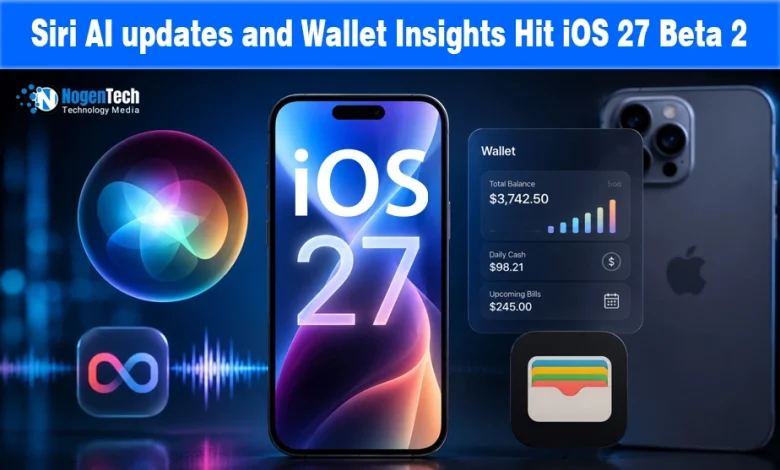
Two weeks after iOS 27 debuted at WWDC 2026, Apple released the second developer beta on June 22, carrying build number 24A5370h.
It does what second betas should: complete features that felt unfinished in the first build. iOS 27 is a major iPhone update focused on Siri AI, Apple Intelligence, Liquid Glass refinements, and quality of life improvements.
Beta 2 continues to feel much further along than most iOS developer betas at this point, likely because stability is a key feature of iOS 27.
Write With Siri: From Hidden to Everywhere
The most visible change in beta 2 is the elevation of the Write with Siri tool. In the first beta, users could only access it by selecting text and choosing the option from a context menu, a flow many would never discover on their own.
In beta 2, Apple adds a persistent “Write with Siri” button above the keyboard in Notes, Mail, Messages, and other text input fields, even before typing begins. This is the right way to ship a writing tool: place it where writing happens, not two taps deep in a menu.
The feature lets users describe what they want to write, and Siri AI drafts content using system-wide context, including calendar events, recent conversations, and app data, producing something more useful than a blank prompt response.
As 9to5Mac confirmed, the prompt shrinks to a Siri icon once users start typing, keeping the interface clean while preserving access.
Wallet Insights, Apple TV in Home, and Liquid Glass Refinements
Three changes in beta 2 target different parts of the iOS 27 experience. The Wallet app now surfaces an Insights feature through the three-dot menu, providing spending analysis and financial summaries beyond the transaction list.
The feature is reaching more regions than in the first beta, though Apple has not published a full country list. The expansion aligns with OpenAI’s ChatGPT personal finance launch in May, reflecting how AI-assisted financial visibility has quickly become an expected feature.
The Apple TV management addition to the Home app is a practical improvement for Apple’s home ecosystem.
Users can now check Apple TV status and trigger software updates directly from the Home app on iPhone, eliminating the need to navigate the Apple TV interface for routine maintenance.
Liquid Glass, the design language criticized after its iOS 26 debut for readability issues, receives further refinements in beta 2.
The blur effect now adapts better to background colors instead of defaulting to a darker tint, while button styling has been scaled back from the heavier blur seen in beta 1.
As Mac Rumors noted, RCS messaging gains inline replies and proper tapback reactions, closing a feature gap iPhone users noticed when messaging Android contacts after RCS arrived on iOS.
When to Install and What Comes Next
iOS 27 beta 2 is available now for registered developers via Settings > General > Software Update with the iOS 27 Developer Beta channel selected.
Apple will continue seeding developer betas through July, with the first public beta expected later in July.
This will allow non-developers to participate in testing before the full public release in September, alongside the iPhone 18 lineup and the new Apple TV and HomePod mini hardware, which are reported to be already confirmed as ready to ship.


![Top Tech Stories of 20th Week [2026]](https://www.nogentech.org/wp-content/uploads/2026/06/Top-Tech-Stories-of-20th-Week-2026-390x220.webp)