
Family photos often become more valuable with time. They capture birthdays, vacations, weddings, graduations, and everyday moments that can never be recreated. Yet many people unknowingly keep these memories stored in a single location, usually a smartphone, laptop, or cloud account.
I’ve reviewed countless data-loss stories over the years, and the pattern is remarkably consistent. Most people don’t lose photos because of sophisticated cyberattacks or catastrophic failures. They lose them because they assume their device, cloud account, or storage drive will always be available.
Unfortunately, phones get damaged, hard drives fail, accounts become inaccessible, and accidental deletions happen every day.
The good news is that protecting your family photos doesn’t require expensive equipment or technical expertise. A simple backup strategy can dramatically reduce the risk of permanent loss and help ensure your memories remain accessible for years to come.
In this guide, you’ll learn the most common reasons family photos disappear, how to create a reliable backup system, and the practical steps you can take today to safeguard your photo collection.
- Family photos are among the most difficult digital assets to replace.
- The 3-2-1 backup strategy remains the most reliable protection method.
- Cloud storage should complement, not replace, local backups.
- Regular backup testing ensures your photos can be restored when needed.
- Organizing and labeling photos improves long-term preservation.
Quick Answer
If you want to prevent data loss before your family photos disappear, follow the proven 3-2-1 backup strategy:
- Keep 3 copies of your photos.
- Store them on 2 different storage types.
- Keep 1 copy off-site or in secure cloud storage.
- Enable automatic backups whenever possible.
- Download photos from shared galleries before they expire.
- Protect photo accounts with strong passwords and two-factor authentication.
- Test your backups regularly to confirm files can be restored.
Following these steps significantly reduces the risk of losing photos due to hardware failure, accidental deletion, theft, malware, or account-related issues.
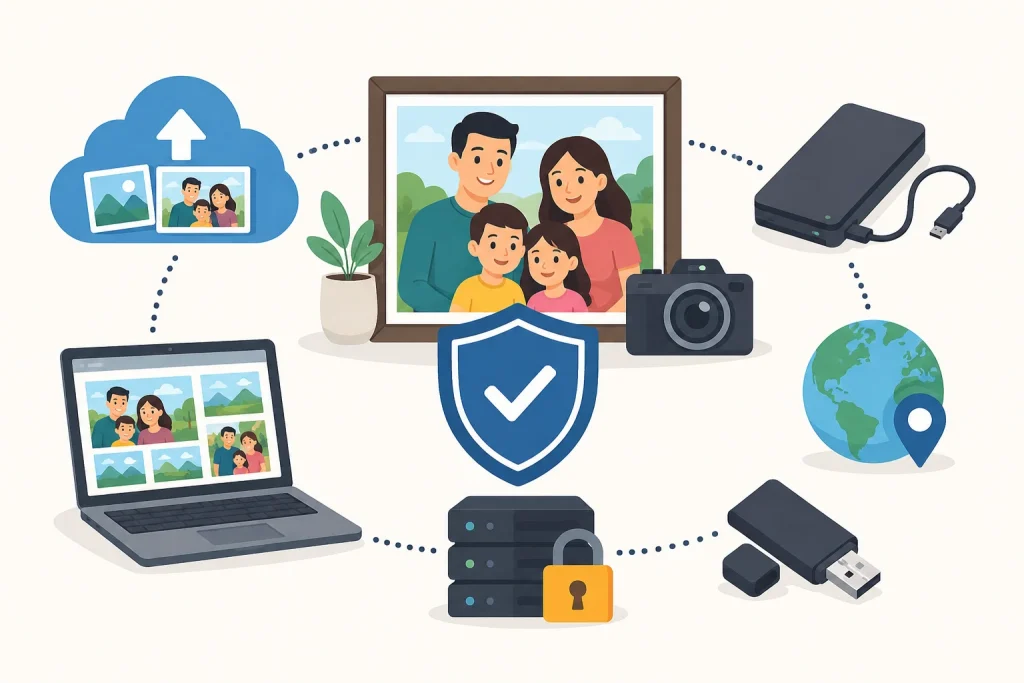
Why Family Photos Are More Vulnerable Than Most People Realize?
Many people assume digital photos are safe because they exist in the cloud or on a modern device. In reality, digital memories are only as secure as the backup strategy behind them.
Unlike printed photographs stored in albums, digital images depend on hardware, software, online services, and account access. A single point of failure can instantly affect thousands of photos.
Common reasons include:
- Device failure
- Accidental deletion
- Lost or stolen phones
- Malware and ransomware attacks
- Cloud account lockouts
- Syncing errors
- Natural disasters
- Aging storage devices
The biggest mistake most families make is believing one storage location is enough.
Whether your photos are stored on a phone, computer, external drive, or cloud account, any single storage method can fail. The safest approach is to maintain multiple copies across different locations.
The Modern 3-2-1 Backup Strategy for Family Photos
The 3-2-1 backup rule remains the gold standard for protecting important files in 2026 because it eliminates single points of failure.
1. Keep Three Copies of Every Important Photo
You should always have:
- Your primary photo library
- One local backup
- One remote or cloud backup
If one copy becomes unavailable, the others remain protected.
2. Use Two Different Storage Types
Avoid storing all copies on similar devices.
Examples include:
- Smartphone + external SSD
- Computer + NAS device
- Cloud storage + external hard drive
Using different storage technologies reduces the risk of simultaneous failure.
3. Keep One Backup in a Separate Location
An off-site backup protects against events that affect your home or office.
Options include:
- Secure cloud storage
- A trusted family member’s home
- A secondary physical location
- Encrypted remote backup services
Even if local devices are damaged, your photos remain accessible.
However, privacy should also be considered when choosing a storage provider. Some services prioritize convenience, while others focus more heavily on encryption and data protection.
Users interested in encrypted backups and safer online storage can read more to learn how secure cloud protection options help keep personal photos private and protected.
New Family Photo Backup Best Practices for 2026
Technology continues to evolve, and photo protection strategies should evolve with it.
Enable Automatic Photo Backups
Manual backups are often forgotten.
Most major platforms now support automatic photo synchronization, ensuring new images are protected shortly after they’re taken.
Review Cloud Storage Permissions
Many people focus on storage capacity while overlooking privacy settings.
Regularly review:
- Shared album permissions
- Third-party app access
- Recovery options
- Security notifications
Limiting unnecessary access helps reduce security risks.
Replace Aging Storage Devices
Storage devices do not last forever.
Consider replacing:
- External hard drives every 3–5 years
- Frequently used USB drives every few years
- Older memory cards showing signs of wear
Migrating data before hardware failure is far easier than recovering lost files afterwards.
Organize Photos Before Backing Them Up
A well-organized photo library makes backups easier to manage.
Consider organizing photos by:
- Year
- Family member
- Event
- Vacation
- Milestone
Adding descriptions and dates can also help preserve family history for future generations.
Don't Depend Exclusively on Cloud Storage
Cloud storage is an important part of a backup strategy, but it should not be your only backup.
Cloud providers can experience:
- Account lockouts
- Syncing mistakes
- Subscription issues
- Security breaches
- Accidental deletions that sync across devices
The strongest protection comes from combining cloud backups with local storage.
Think of cloud storage as one layer of protection—not the entire backup plan.
How to Verify That Your Backups Actually Work
One of the most overlooked aspects of photo protection is backup testing.
A backup only has value if it can successfully restore your files.
Every few months:
- Open backup folders.
- Confirm recent photos appear.
- Restore a few sample images.
- Verify cloud synchronization is active.
- Check available storage capacity.
Testing takes only a few minutes and can prevent major problems later.
A Simple Family Photo Protection Checklist
Sometimes the easiest way to stay organized is with a checklist. Following a consistent process helps reduce the risk of overlooking important backup tasks.
Use this checklist to strengthen your photo protection strategy:
- Organize photos into folders.
- Keep at least three copies.
- Use two different storage methods.
- Maintain one off-site backup.
- Enable automatic cloud backups.
- Update backups regularly.
- Test backup recovery.
- Replace aging storage devices.
- Protect accounts with strong passwords.
- Enable two-factor authentication.
- Review backups every few months.
Even a few of these steps can dramatically improve the safety of your digital memories.
What to Do If Family Photos Have Already Been Lost
Losing family photos can feel overwhelming, but recovery may still be possible. Acting quickly often improves the chances of restoring missing files.
The most important step is to stop using the affected device immediately. Continued use can overwrite deleted files and make recovery more difficult.
Check the following locations first:
- Recently Deleted folders
- Recycle Bin or Trash
- Cloud storage recovery areas
- External backup drives
- Shared albums
- Synced devices
Example:
A family accidentally deleted several years of vacation photos from a tablet. Before attempting recovery software, they checked their cloud storage account and discovered the images were still available in the Recently Deleted folder.
Within an hour, the entire collection was restored. This highlights why checking recovery options should always be the first step.
If backups do not exist, you can still recover files after a Windows 11 reset using software or professional data recovery services, which may still be able to help in some situations.
Keep your Family Memories Safe & Protected
Family photos are often irreplaceable. While technology makes capturing memories easier than ever, it also creates new risks when those memories are stored in only one place.
The most effective way to prevent data loss is to create multiple backups, use different storage methods, secure your accounts, and regularly verify that your backups are working properly.
A few minutes spent protecting your photos today can save years of memories tomorrow. The goal isn’t just preserving files, it’s preserving the moments, people, and stories that matter most.
People Also Ask
What is the best way to prevent family photo data loss?
The most effective method is the 3-2-1 backup strategy: keep three copies of your photos, store them on two different types of storage, and maintain one backup in a separate location, such as secure cloud storage.
Are cloud backups enough to protect family photos?
No. While cloud storage provides an important layer of protection, it should not be your only backup. Account issues, syncing errors, accidental deletions, or service disruptions can still put your photos at risk. Combining cloud and local backups offers better protection.
How often should I back up my family photos?
If you regularly take photos, weekly backups are ideal. For most families, automatic cloud backups combined with a monthly local backup provide a reliable balance between convenience and security.
What causes family photos to disappear?
Common causes include hardware failure, accidental deletion, lost or stolen devices, ransomware attacks, cloud account problems, syncing mistakes, and natural disasters. Most photo losses occur when there is only one copy of the files.
Can deleted family photos be recovered?
Sometimes. Check the Recently Deleted folder, Recycle Bin, cloud storage recovery area, or existing backups first. The sooner you attempt recovery, the better the chances of restoring lost photos.
What is the safest place to store family photos?
The safest approach is to store photos in multiple locations. A combination of cloud storage, an external SSD or hard drive, and an additional off-site backup provides the highest level of protection.
How long do external hard drives last for photo storage?
Most external hard drives last between 3 and 5 years under normal use, although some may last longer. It’s a good practice to replace aging drives and migrate important photos before signs of failure appear.