I still remember the first time I posted a story on TikTok and immediately noticed something was wrong—maybe the wrong clip, or the wrong audience, while testing content for my brand. That split-second panic hits fast when people are already watching.
I tapped around the app looking for a fix, but the delete option isn’t obvious—especially when you’re also trying to optimize your posting time on TikTok for more views.
That’s when I realized the problem wasn’t the story—it was just knowing where to tap.
The good news: TikTok lets you delete stories easily, just like removing a repost. If you want to remove one TikTok story from your profile, this step-by-step TikTok guide will show you exactly how.
What are TikTok Stories?
TikTok Stories are temporary posts that disappear after 24 hours, similar to Instagram and Snapchat Stories. This TikTok feature was introduced in 2022, they let users share short videos or photos that don’t stay permanently on their profile.
Stories appear on a user’s profile picture and can be viewed by followers or a wider audience, depending on privacy settings. You can control who sees your stories—friends, followers, or everyone.

How to Delete TikTok Story on Android & iOS
Here are the essential steps to remove a TikTok story:
Verdict Title.
1. Open the TikTok App
2. Go to Your Profile
3. Find Your Story
4. Open the Story Menu
5. Select Delete
6. Story Removal Confirmation
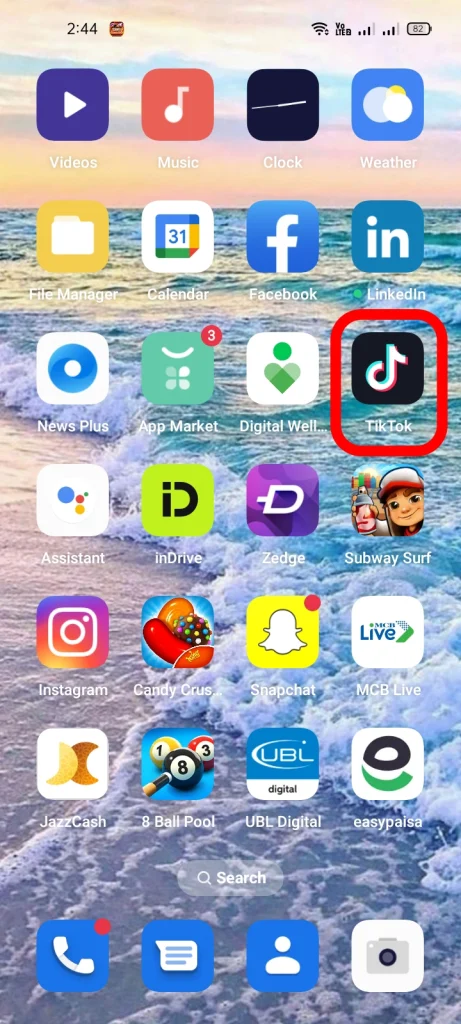
1. Open the TikTok App
Tap the TikTok logo on your mobile device and log in.
2. Go to Your Profile
Tap your profile icon at the bottom-right corner.

3. Find Your Story
Tap your profile picture at the top of your profile to view your active story.

4. Open the Story Menu
Once your story is open, tap the three-dot menu (or the curved arrow) in the bottom-right corner.

5. Select Delete
Tap Delete and confirm when prompted.

6. Story Removal Confirmation
Your story is permanently deleted and no longer viewable.

Bonus Tips for Managing TikTok Stories
Here are some bonus tips to help you manage TikTok stories for increased engagement:
- Automatic Expiry: Stories disappear after 24 hours, so manual deletion isn’t always necessary.
- Restrict Viewers: To control who sees your story before deleting it, consider blocking someone on TikTok.
- Privacy Settings: Adjust who can view or interact with your stories before posting.
- Content Review: Double-check your story to avoid accidental uploads.
- Save Clips: Before deleting, save important clips to a TikTok playlist for future use.
And That’s How You Take Down a TikTok Story Without Stress
Deleting a TikTok story doesn’t have to be stressful. From my experience, knowing exactly where to tap makes all the difference.
Whether it’s correcting a mistake or managing your content, these steps give you full control. Personally, I find it much easier to plan my stories knowing I can remove them anytime without hassle.
People Also Ask
Can I delete a TikTok Story after posting it?
Yes! Just open your story, tap the three-dot menu (or curved arrow), select “Delete,” and confirm your choice.
How do you delete a TikTok story?
Deleting your TikTok Story is simple! Just follow these steps:
Open TikTok > Go to Your Profile > Access Your Story> Open the Story Menu > Select Delete
How long do TikTok Stories last?
TikTok Stories automatically disappear after 24 hours, unless you delete them manually before they expire.
Are TikTok Stories visible to everyone?
It depends on your privacy settings. You can choose whether your stories are visible to only friends, followers, or the public.