How to Change Amazon Language Preference on the Website and App?

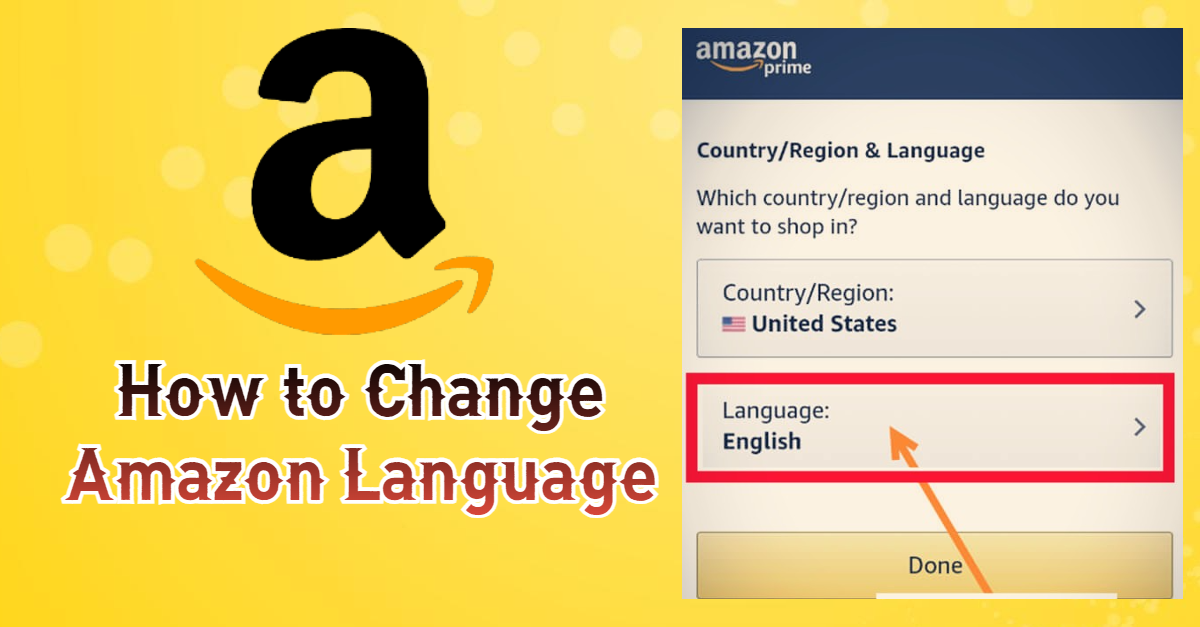
Do you want to know how to change Amazon Language on a website or app? It’s easy to do, and we’ll show you how! On both the Amazon website and mobile app, you can change your preferred language in just a few simple steps. Amazon is used throughout the world, and different people with different languages use it. As the official language of the site in English, others who don’t understand English perfectly want to change their language to a native one, this guide is purposed for their convenience. We’ll walk you through each step so that you can easily make the switch. Whether you want to use Spanish, French, German, or another language, it’s easy to do with Amazon.
Amazon
Amazon is a global company with a presence in countries around the world. In addition to its online store, Amazon also operates a number of other businesses, including cloud computing, streaming media, and artificial intelligence. Amazon has been highly innovative throughout its history, and its success is due in part to its willingness to take risks. For example, Amazon was one of the first companies to embrace cloud computing, and it has also been a leader in developing new delivery methods, such as drone delivery. Amazon is a company that is constantly evolving, and it shows no signs of slowing down.
How to Change Amazon Language Preference on the Website
If you’re using the Amazon website:
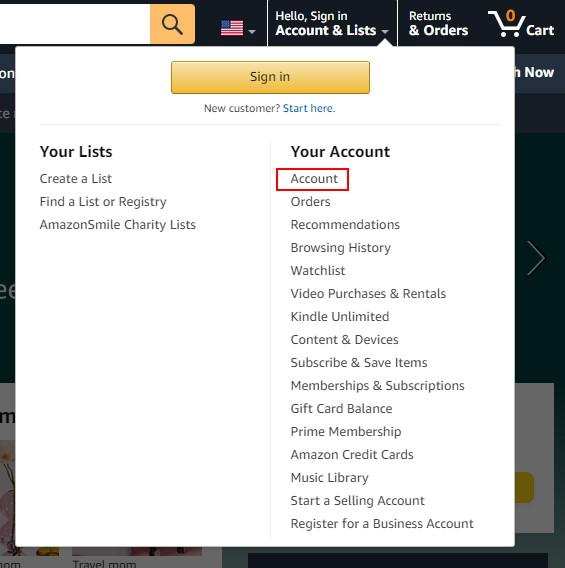
- Go to Amazon.com and sign in to your account, or without signing in to your account you can change your setting by holding the arrow on the Accounts & Lists option
- Tap over the “Accounts & Lists” drop-down menu in the top right corner of the page and then select “Account” from the drop-down menu
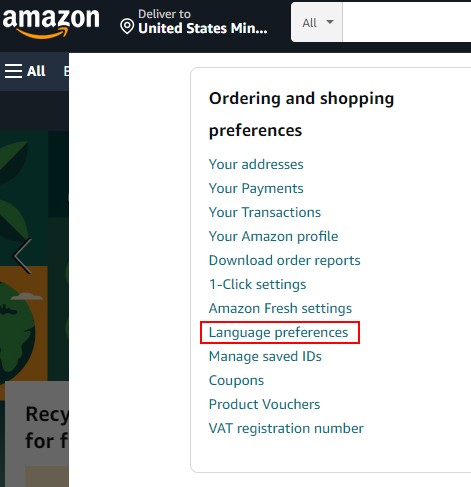
- Scroll down to the “Language Preferences” section and click on “Edit”
- Select your preferred language from the drop-down menu
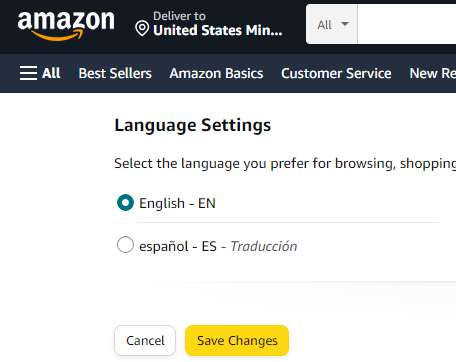
- Click on the “Save Changes” button
That’s it! Now all of the Amazon website content will be displayed in your chosen language. If you ever want to switch back to English or choose a different language, you can follow the same steps. These steps are valid for any desktop site from which you’re using the website.
How to Change Amazon Language Preference on the Mobile
If you’re using the Amazon app, you can change the language by going through these methods:
- Open the Amazon app on your mobile device
- Tap on the “Menu” icon in the top left corner of the screen (three lines)
- Scroll down and tap on “Settings”
- Now Tap on the Country and Language Option
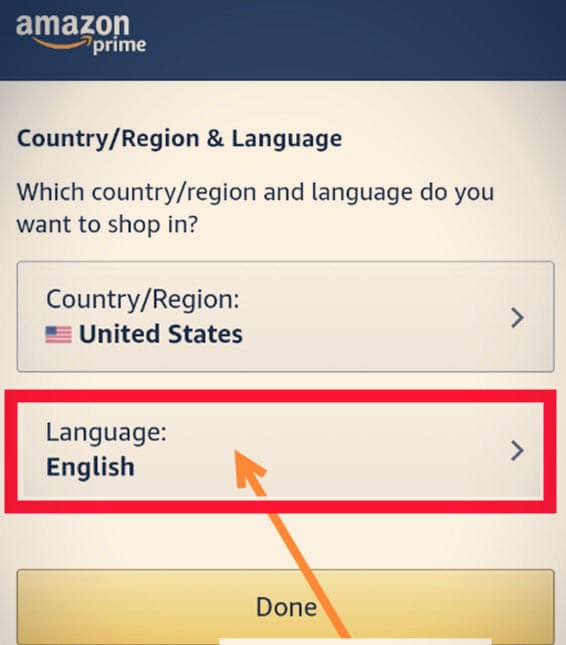
- Tap on “Language” under the Personalization section and also select your region
- Select your preferred language from the list
- Tap on “OK” to save your changes
Now you know how to change Amazon language mobile app, it only takes a few steps. Just follow the instructions above and you’ll be able to easily switch between languages. With Amazon, it’s easy to shop in your preferred language. Changing language into your native language will lessen the burden of understanding any other language.
Conclusion
Following the above procedure, you will easily know how to change the Amazon language without facing any difficulty. Changing language preference on Amazon is not a herculean task. It takes a short time to be changed from one language to another. Hope this guide will be helpful for you to know how to language of your Amazon app or site.