Today, buying cryptocurrency from your phone is easier than buying it in 2014, but choosing the right app isn’t very straightforward.
Some platforms make quick card purchases simple, while others focus on advanced trading, portfolio tracking, and wallet control. The real challenge is finding which crypto app suits the way you want to buy, sell, and manage your assets.
According to a 2026 Pew Research Center survey, 19% of U.S. adults have invested in or used cryptocurrency. But an app that’s convenient for occasional Bitcoin purchases may not offer the tools or pricing needed for regular trading.
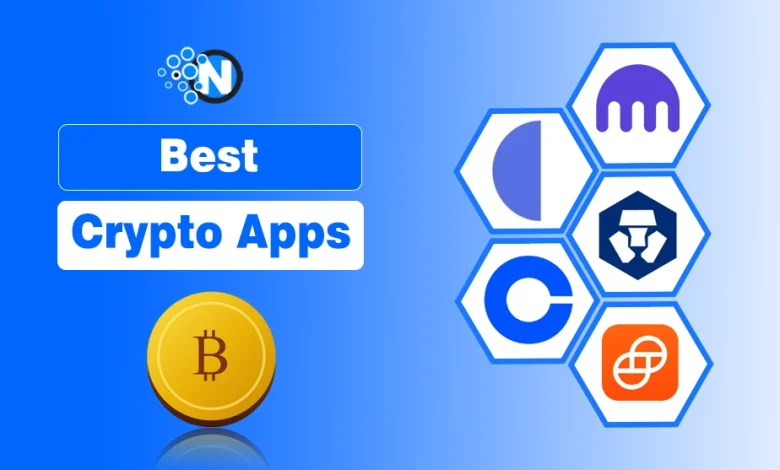
Below are five options compared by their best uses, payment methods, wallet options, fees, and verification requirements to help you choose the right one.
| Crypto App | Choose It If You Want… | What to Consider Before Giving a Go |
| Paybis | A simple way to buy crypto using cards or bank transfers | Card purchases can be expensive |
| Coinbase | An easy app for buying, selling, and managing crypto | Simple trades may cost more than advanced trades |
| Kraken | Advanced trading tools and greater control over orders | Kraken Pro has a learning curve |
| Crypto.com | Multiple crypto services in one mobile ecosystem | Fees and features vary by service and region |
| Gemini | Simple crypto purchases with advanced trading options | Trading costs depend on which interface you use |
5 Best Crypto Apps in 2026 Explained
These five apps serve different types of crypto users. Some make buying digital assets straightforward, while others provide more detailed trading controls.
1. Paybis – Best for Simple Crypto Purchases
If you want to buy cryptocurrency without navigating complicated trading charts, Paybis helps you do that. Its checkout-style interface lets you select a cryptocurrency, choose a payment method, and review the transaction before paying.
Paybis supports purchases through cards, bank transfers, and selected digital payment services. You can also send purchased cryptocurrency to a compatible external wallet instead of keeping everything on the platform.
- Best for: Beginners who want a straightforward way to purchase cryptocurrency and send it to a wallet.
- Key Features:
- Credit and debit card purchases
- Bank transfers and selected digital payment options
- In-app wallet access
- Delivery to compatible external wallets
- Transaction cost breakdown before confirmation
- Wallet and Security: Paybis offers an in-app wallet and supports transfers to external wallets. Identity verification may be required before transactions can proceed.
2. Coinbase – Best for Everyday Crypto Management
Coinbase combines basic cryptocurrency purchases with portfolio management tools. You can buy and sell supported assets, check market prices, and set up recurring purchases without using an advanced trading screen.
If you need more control, Coinbase also offers advanced trading features. This makes it useful when you want to start with simple purchases and explore additional tools later.
- Best for: Users who want to manage cryptocurrency purchases, holdings, and selected additional services through a familiar interface.
- Key Features:
- Cryptocurrency buying and selling
- Recurring purchases
- Portfolio tracking
- Advanced trading tools
- Staking for eligible assets and users
- Wallet and Security: Coinbase provides custodial account storage, while its separate self-custody wallet allows users to manage their own private keys. These are different storage arrangements, so check which one suits your needs.
3. Kraken – Best for Active Crypto Trading
Kraken is a stronger fit when you want more than a basic buy-and-sell app. Alongside straightforward purchases, it provides trading tools for monitoring prices, placing orders, and managing a larger portfolio.
Its Kraken Pro experience is particularly relevant if you want detailed charts and greater control over how trades are executed.
- Best for: Active users who want detailed trading tools and more control over their orders.
- Key Features:
- Spot cryptocurrency trading
- Advanced order types
- Real-time price charts
- Price alerts
- Portfolio monitoring
- Kraken Pro trading tools
- Wallet and Security: Kraken uses custodial storage for assets held on its platform and supports withdrawals to compatible external wallets. It also provides account security controls and information about its proof-of-reserves process.
4. Crypto.com – Best for Mobile-First Crypto Management
Crypto.com brings several cryptocurrency services into a mobile-focused experience. You can buy supported digital assets, follow your portfolio, and access additional features depending on your location.
Its main appeal is having different crypto activities available through a connected ecosystem rather than relying on separate platforms for every task.
- Best for: Mobile users who want to manage several crypto activities through one ecosystem.
- Key Features:
- Cryptocurrency purchases and sales
- Portfolio tracking
- Asset conversions
- Access to supported trading services
- Additional crypto-related features in eligible regions
- Wallet and Security: Assets held in the main app are managed through custodial services. Users looking for self-custody can explore the platform’s separate wallet offering, where they are responsible for managing wallet access.
5. Gemini – Best for Simple Buying and Advanced Trading Options
Gemini offers an approachable way to buy cryptocurrency while also providing tools for users who want more detailed trading controls.
You can use basic purchase features for straightforward transactions or explore ActiveTrader for order management and market analysis.
- Best for: Users who want simple purchases with the option to move into more advanced trading.
- Key Features:
- Instant cryptocurrency purchases
- Recurring buy options
- Price alerts
- Advanced trading interface
- Portfolio monitoring
- Wallet and Security: Gemini provides custodial storage and emphasizes account protection and security controls. Its security certifications are useful to review, but they do not eliminate the risks associated with holding cryptocurrency on an exchange.
How to Choose the Right Crypto App
The number of supported cryptocurrencies isn’t the only thing worth comparing. Before choosing an app, consider how you plan to use it and what each transaction will actually cost.
- Payment methods: Check whether your preferred bank transfer, card, or digital payment option is supported in your country.
- Wallet control: Decide whether you want the platform to hold your cryptocurrency or prefer transferring it to a self-custody wallet.
- Trading fees: Compare transaction fees, spreads, payment processing charges, and withdrawal costs rather than relying on one advertised percentage. Also, keep the basic rules of investing in crypto in mind before putting money into any platform.
- Verification: Most major platforms require identity checks for regulated services. Requirements and approval times can vary.
- Regional availability: An app may operate internationally without offering every feature, asset, or payment method in your location.
A simple way to compare costs is to check how much cryptocurrency you would actually receive for the same purchase amount on each platform.
Frequently Asked Questions
Which crypto app is best for beginners?
Paybis and Coinbase are two options to consider if you’re new to cryptocurrency. Both offer relatively straightforward purchase experiences, although their payment methods, fees, and wallet arrangements differ.
Do crypto apps require identity verification?
Most regulated cryptocurrency platforms require identity verification for buying, selling, or withdrawing through certain services. You may need to provide personal details, identification documents, or additional information depending on your location.
How can you make money with crypto in 2026?
People may seek returns through long-term investing, trading, or staking where available. However, cryptocurrency prices can change sharply, trading can result in substantial losses, and staking has its own risks. No app or strategy guarantees a profit.