
iPhone Duo Face Unlock Gets You Past the Lock Screen and Not Much Further
Apple says the camera-based unlock is about as accurate as Touch ID, yet also that it lacks the same protections, and no source names an independent spoofing test.

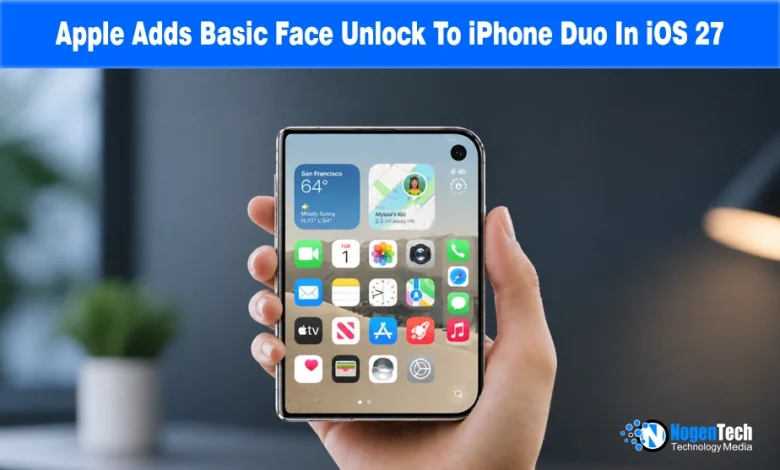
The iPhone Duo can now unlock with your face, though Apple is careful not to call it Face ID. The option, Unlock with Front Camera, arrived in the second iOS 27.3 developer beta on November 16.
It uses the camera on the outer display, so a folded Duo can open without a thumb on the side button.
More telling is the list of things the face still can’t approve, and an Apple statement calling it as accurate as a fingerprint but less protected. For anyone who carries a Duo into work, the fine print is the feature.
What the Camera Unlocks, and What Still Needs a Fingertip
It opens the lock screen, and you still swipe up afterward. Apple Pay and filling in saved passwords still need Touch ID, and the phone must have been recently unlocked with Touch ID or a passcode, TechCrunch reports.
After 45 minutes of inactivity, you’re back to a fingerprint or code.
A second setting arrived in the same beta. Close to Lock, under Display & Brightness, locks the phone when you fold it shut instead of moving the screen to the outer display, a welcome addition for owners cautious about reported inner screen cracks.
It’s off by default, per Cult of Mac. So it means fold to lock, glance to unlock.
Accurate, But Less Protected
Face ID relies on TrueDepth hardware that casts over 30,000 infrared dots to map a face, TechCrunch notes, plus attention checks that resist photos. It doesn’t say Face Unlock has these.
Apple’s emailed statement to Gizmodo says it “does not have the same protections as Face ID or Touch ID.” The same statement puts its accuracy near Touch ID’s and calls it “one of the most secure RGB camera face unlock features.”
Those claims don’t contradict each other. After all, accuracy is about whether a stranger’s face matches yours, while protections are about whether a photo or mask can fool the camera.
Apple has addressed the first more than the second. Face ID’s own 2017 figure was 1 in 1,000,000, Gizmodo notes.
Why the Duo gets a workaround, and what’s still unknown
The Duo shipped without Face ID because its thin foldable body leaves no room for TrueDepth, TechCrunch says.
Apple is also reportedly working on Face ID for a future Duo, and reports note a second-generation target of fall 2027 with chassis thickness unresolved.
TechCrunch also reports more than 200,000 optimized Duo apps, up from over 100,000 in early November. That’s doubled in ten days, though the piece doesn’t say if the new figure uses the same SDK definition we flagged earlier.
For a company issuing Duos to staff, nothing here changes payments or password autofill. No source says whether third-party apps can use face unlock, or whether device-management policies can treat it differently.
Source: Apple adds ‘face unlock’ to the iPhone Duo, but it’s not Face ID