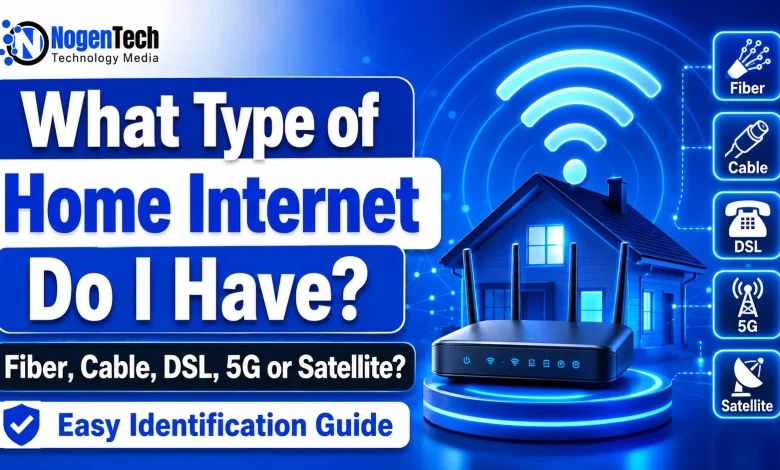
If you want to know what type of home internet do I have, check 3 things first: your internet bill, the modem or gateway, and the cable coming into your home.
Most homes in the USA use one of these internet types: fiber, cable, DSL, fixed wireless, 5G home internet, or satellite. The FCC also lists fiber, cable, DSL, satellite, and fixed wireless as fixed broadband service types shown on its Broadband Map. (help.bdc.fcc.gov)
Your internet type matters because it affects speed, upload quality, gaming delay, video calls, outages, and pricing.
At a Glance
You can usually identify your home internet type with these signs:
| Internet type | Common sign | Typical home setup |
|---|---|---|
| Fiber internet | Thin fiber line or ONT box | Fiber line enters an ONT, then connects to your router |
| Cable internet | Coax cable | Round screw-on cable connects to modem or gateway |
| DSL internet | Phone jack | Telephone line connects to modem |
| Fixed wireless | Outdoor antenna or receiver | Antenna receives internet from a nearby tower |
| 5G home internet | Gateway near a window | Wireless gateway uses mobile network signal |
| Satellite internet | Dish outside the home | Dish connects to a modem inside |
The fastest way is to log in to your provider account and check the plan name. If it says Fiber, Fios, Gig, Cable, DSL, 5G Home, Fixed Wireless, or Satellite, you have your answer.
Check your internet bill or provider account
Your bill is the cleanest place to start.
Open your provider app, online account, or monthly bill. Look for words in the plan name.
Common examples:
- Fiber
- Fios
- Cable internet
- Internet over coax
- DSL
- High-speed internet
- 5G Home Internet
- LTE Home Internet
- Fixed wireless
- Satellite internet
Fiber plans often mention “fiber” clearly. Cable companies may use words like “cable,” “coax,” or just show the brand name and speed. DSL plans may be harder to spot because some providers call them “high-speed internet.”
If the bill only shows speed, check the equipment name. The modem model can often tell you the connection type. If you are confused between a modem and router, read NogenTech’s Modem vs Router guide.
Check the cable connected to your modem
The cable plugged into your modem or gateway gives a strong clue.
A coax cable means you probably have cable internet. It is a round cable with a metal screw-on end. It looks similar to an old cable TV wire.
A phone cable means you may have DSL. It is smaller than Ethernet and usually plugs into a wall phone jack.
An Ethernet cable from a small wall box can mean fiber. Many fiber homes have an ONT, which is a small box that changes the fiber signal into a connection your router can use.
No cable from the wall may mean 5G home internet or another wireless service. Many 5G gateways only need power and a good signal near a window.
A cable coming from a dish outside usually means satellite internet.
How to tell if you have fiber internet
You likely have fiber internet if your provider plan says fiber, your home has an ONT box, or your download and upload speeds are close to each other.
Fiber uses fiber-optic lines. It is known for fast download speeds and strong upload speeds. BroadbandNow lists fiber as one of the main internet connection types and notes that it can provide symmetrical download and upload speeds. (BroadbandNow)
Common signs of fiber internet:
- Your plan name says fiber or Fios.
- You have an ONT box inside a closet, garage, basement, or outside wall.
- Your speed test shows upload speed close to download speed.
- Your router connects to an Ethernet cable from the wall or ONT.
- Your provider advertises 1 Gig, 2 Gig, 5 Gig, or similar fiber plans.
Fiber is usually the best choice for heavy streaming, gaming, remote work, video uploads, and homes with many connected devices.
How to tell if you have cable internet
You likely have cable internet if your modem uses a coax cable. This is one of the most common home internet setups in the USA.
Cable internet runs through the same type of coaxial wiring used for cable TV. BroadbandNow lists cable as a major internet type and says cable can support fast speeds with wider coverage than fiber in many areas. (BroadbandNow)
Common signs of cable internet:
- A round coax cable screws into the back of your modem.
- Your provider is a cable company.
- Your download speed is much faster than upload speed.
- Your plan may be 300 Mbps, 500 Mbps, 1 Gig, or 2 Gig.
- Internet may slow down during busy evening hours in some areas.
Cable is a strong option for streaming, browsing, gaming, and home offices. Upload speed is often lower than fiber, so large file uploads and live streaming may feel slower.
How to tell if you have DSL internet
You likely have DSL if your modem connects to a phone jack. DSL uses copper telephone lines.
DSL is older than fiber and cable. It can still work fine for basic browsing, email, and light streaming, but speed depends heavily on distance from the provider’s equipment.
Common signs of DSL internet:
- A small phone cable connects your modem to the wall.
- The modem may have a DSL light.
- Your provider may be a phone company.
- Download speeds may be 10 Mbps, 25 Mbps, 50 Mbps, or sometimes higher.
- Upload speeds are usually low.
DSL can feel slow in homes with multiple users. If your speed test is far below 100 Mbps download, DSL may be the reason.
The FCC raised its fixed broadband benchmark to 100 Mbps download and 20 Mbps upload in 2024. (Federal Communications Commission) If your DSL plan is below that, it may still connect you to the internet, but it may not meet the current FCC benchmark for fixed broadband speed.
How to tell if you have fixed wireless internet
You likely have fixed wireless internet if there is an antenna or receiver attached to your home.
Fixed wireless sends internet from a nearby tower to a receiver at your house. It is common in rural areas and places where cable or fiber is limited. The FCC Broadband Map lists fixed wireless as one of the fixed broadband technologies available at home and small business locations. (help.bdc.fcc.gov)
Common signs of fixed wireless:
- You have an outdoor antenna, receiver, or small dish pointed at a tower.
- Your provider may be a local wireless ISP.
- Weather, trees, hills, or distance can affect service.
- The installer may have aimed equipment during setup.
- Your router connects to an indoor power adapter or receiver cable.
Fixed wireless can be a good option where wired internet is poor or unavailable. Performance depends on tower distance, signal strength, and provider capacity.
How to tell if you have 5G home internet
You likely have 5G home internet if your home gateway connects through a mobile network.
5G home internet usually uses a single gateway device. You plug it into power, place it near a window, and it connects wirelessly to a 5G or LTE network.
Common signs of 5G home internet:
- Your plan says 5G Home Internet or LTE Home Internet.
- Your gateway has a signal strength indicator.
- There is no coax, phone, or fiber line connected to it.
- Your provider may also sell mobile phone service.
- Speed may change by time of day or signal quality.
5G home internet can be a good fit for renters, apartments, and homes with limited wired options. It may have more speed swings than fiber or cable because it depends on wireless signal and tower load.
How to tell if you have satellite internet
You likely have satellite internet if you have a dish mounted outside your home.
Satellite internet sends data between your home dish and satellites. It is common in rural and remote areas where wired service is missing.
Common signs of satellite internet:
- A dish is installed on the roof, wall, pole, or yard.
- The modem connects to the dish through a cable.
- Your plan may mention satellite, LEO satellite, or a specific satellite provider.
- Weather can affect the connection.
- Latency may be higher than wired internet, depending on the satellite system.
Satellite can be the only real option in some remote places. It is usually better for browsing, streaming, and basic work than fast competitive gaming or low-delay video calls.
Use the FCC Broadband Map to confirm your internet type
USA users can check service types by address through the FCC National Broadband Map.
The map shows fixed broadband options such as fiber, cable, DSL, satellite, and fixed wireless at home and small business locations. It can also show providers, service type, and maximum advertised download and upload speeds. (help.bdc.fcc.gov)
Here is how to use it:
- Go to the FCC National Broadband Map.
- Enter your home address.
- Select your location on the map.
- Check the providers listed.
- Look at the technology type next to each provider.
- Compare it with your bill or modem setup.
This is useful if your provider name or plan name is unclear.
Is Wi-Fi the same as home internet type?
Wi-Fi is your wireless network inside the home. Your home internet type is the connection your provider brings to your house.
For example, you can have fiber internet with Wi-Fi. You can also have cable internet with Wi-Fi. The Wi-Fi name on your phone does not tell you the internet type by itself.
To find your internet type, check the modem, wall cable, provider plan, or FCC map.
Why your home internet type matters
Your internet type affects real daily use.
Fiber is usually best for fast uploads, gaming, video calls, cloud backups, and homes with many users.
Cable is strong for streaming, browsing, and normal home use. Upload speed may be lower than fiber.
DSL is fine for light use, but it can struggle with many devices.
Fixed wireless and 5G home internet are useful when wired options are weak or unavailable.
Satellite is useful for rural homes, farms, cabins, and remote areas.
The FCC’s current benchmark for fixed broadband is 100 Mbps download and 20 Mbps upload, so compare your plan against that number if your internet feels slow. (Federal Communications Commission)
How to check your internet speed
Run a speed test while connected to your home Wi-Fi.
For a cleaner result, connect a laptop directly to the router with an Ethernet cable. Then close extra apps and run the test again.
Check these numbers:
| Metric | What it means | Why it matters |
|---|---|---|
| Download speed | How fast you receive data | Streaming, browsing, downloads |
| Upload speed | How fast you send data | Video calls, file uploads, live streaming |
| Ping or latency | Delay in the connection | Gaming, calls, real-time apps |
| Jitter | Variation in delay | Call quality and gaming stability |
If download speed is high but upload speed is very low, you may have cable, DSL, satellite, or some wireless plans. If both numbers are high, fiber is more likely.
For a deeper speed breakdown, read NogenTech’s Internet Speed Guide and Internet Upload vs Download Speed guide.
Home internet type comparison
This quick comparison can help you match the internet type with the way you use the connection at home.
| Internet type | Best for | Upload quality | Common issue |
|---|---|---|---|
| Fiber | Gaming, video calls, large uploads, busy homes | High | Not available in every area |
| Cable | Streaming, browsing, gaming, family use | Medium | Upload speed is often lower than download speed |
| DSL | Email, browsing, light streaming | Low | Speed depends on distance from provider equipment |
| Fixed wireless | Rural homes and areas without wired plans | Varies | Signal can be affected by trees, hills, and weather |
| 5G home internet | Renters, apartments, backup internet, light-to-heavy use | Varies | Speed can change with signal and tower load |
| Satellite | Remote homes, farms, cabins, rural areas | Varies | Latency and weather can affect service |
What type of home internet is best?
Fiber is usually the best home internet type when available and fairly priced.
Cable is a strong second choice for many homes.
5G home internet and fixed wireless can be good when wired plans are expensive, slow, or unavailable.
DSL is usually a basic option for light use.
Satellite is best for homes that cannot get good wired or tower-based service.
NTIA says states can use a mix of technologies for broadband projects, with fiber as a priority option and other choices such as hybrid fiber-coax and licensed fixed wireless where fiber is too costly. (BroadbandUSA)
NogenTech tip: If you are comparing providers after identifying the internet type, check the Home Internet Providers section.
Should you switch your internet type?
You should compare options if your current plan is slow, expensive, unstable, or weak for upload speed.
Check these before switching:
- Your current download and upload speed
- Your monthly bill
- Data caps
- Equipment fees
- Contract terms
- Installation cost
- Provider reviews in your area
- Whether fiber is available at your address
A faster plan from the same technology may fix the issue. A different technology may give a bigger improvement, especially if you can move from DSL to cable or from cable to fiber.
FAQs
How do I know what type of home internet I have?
Check your bill, provider account, modem, and the cable plugged into the modem. Coax usually means cable. A phone line usually means DSL. An ONT box usually means fiber. A dish usually means satellite. A gateway with no wired internet line may mean 5G home internet.
What type of internet do I have if my modem uses a coax cable?
You most likely have cable internet. Coax cables are round and screw into the modem. Cable internet is common in many USA homes.
What type of internet do I have if my router connects to a phone jack?
You likely have DSL internet. DSL uses telephone lines and usually has lower speeds than fiber or cable.
What type of internet do I have if there is a box called ONT?
You likely have fiber internet. ONT stands for Optical Network Terminal. It changes the fiber connection into a signal your router can use.
Can I have Wi-Fi without knowing my internet type?
Yes. Wi-Fi only tells you how your phone, laptop, and TV connect inside your home. Your provider connection can still be fiber, cable, DSL, fixed wireless, 5G, or satellite.
Is 5G home internet the same as fixed wireless?
5G home internet is a type of wireless home internet. Fixed wireless is a broader term. Some fixed wireless providers use local towers and outdoor receivers, while 5G home internet usually uses a gateway connected to a mobile network.
What is the fastest home internet type?
Fiber is usually the fastest home internet type, especially for upload speed. Cable can also be very fast for downloads. Actual speed depends on your provider, plan, equipment, and location.
What is the best home internet type for gaming?
Fiber is usually best for gaming because it often has low latency and strong upload speed. Cable can also work well. Satellite usually has higher delay, so it may feel worse for fast online games.
What type of home internet is best for rural areas?
Rural homes may use fixed wireless, 5G home internet, satellite, DSL, or fiber where available. The best choice depends on local coverage, price, signal quality, and speed.
Can the FCC map tell me what type of internet I have?
It can show which internet technologies providers report as available at your address. Use it with your bill and equipment check to confirm your current service type.