How to Hide Followers on Instagram: Complete Guide [2026]
Making your Instagram account private is the only way to hide your followers and prevent anyone from tracking them.

Instagram gives you control over your privacy — but many users still ask:
- Can you hide followers on Instagram?
- How do I hide my Instagram followers?
- Is there a way to hide followers on Instagram without a private account?
If you’re also wondering how to hide followers on Instagram, hide who you follow, or stop people from seeing your follower list, this updated 2026 guide explains exactly what’s possible — and what’s not.
Let’s go through it together!
Can You Hide Followers on Instagram?
No, Instagram does not allow you to completely hide your followers list on a public account.
As of 2026, there is no built-in “Instagram hide followers list feature” that lets you:
- Hide followers from everyone
- Hide follower count
- Hide only certain followers
- Make followers “only me”
However, you can limit who sees your followers by adjusting privacy settings.
How to Hide Your Followers on Instagram (Using a Private Account)
The only official way to hide followers on Instagram is by switching to a private account.
When your account is private:
- Only approved followers can see your followers list
- Only approved followers can see who you follow
- Non-followers cannot see your follower count details
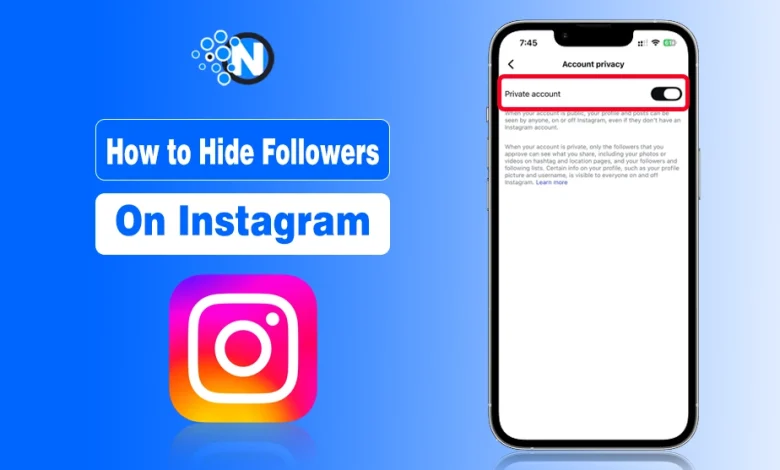
Steps to Make Followers Private on Instagram
- Open Instagram
- Go to Profile
- Tap the three lines (☰)
- Go to Settings and Privacy
- Tap Account Privacy
- Turn on Private Account
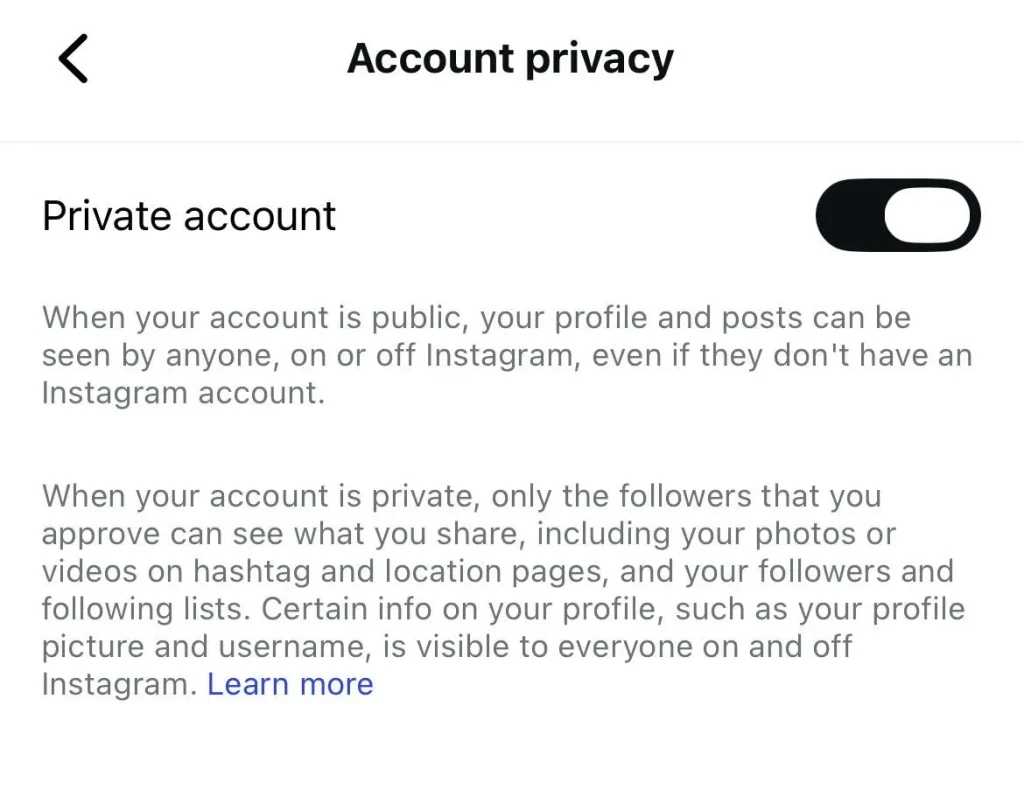
Once enabled, your Instagram followers become private.
When your Instagram profile is private, only the people who are following you can see or track your followers. Non-followers cannot see whether they’re using the official Instagram app or any third-party Instagram Anonymous Viewers like InstaSpy and InstaPV, which claim to track followers from any IG account.
Final Verdict: Is It Possible to Hide Instagram Followers?
Instagram prioritizes transparency. That’s why:
- You cannot hide followers count
- You cannot hide followers list on public account
- You cannot selectively hide followers
The only reliable solution is switching to a private account and managing followers manually.
More Instagram guides by Nogentech:
- How to Pin a Comment on Instagram Posts- 2026 Guide
- How to Download Instagram Videos? Complete Guide and Tools
- Who Viewed Your Instagram Story and Why Someone Always Appears First
- How to Turn Off Active Status on Instagram (2026 Guide)
People Also Ask
Why can’t I see someone’s followers on Instagram?
You can’t see someone’s followers because maybe the other user has blocked you or his or her profile is private.
Does Instagram list followers in order?
The answer is not precise, as sometimes Instagram does the same, while others may not see it accurately.
How can I see who stalks my Instagram for free?
Yes. You can implement third-party apps to learn about the profiles that are stalking you or watching your content without following.
Can I hide my followers on IG from specific people?
No. You must remove or block them.
Is there a way to hide followers on Instagram without private account?
No official way exists.