- Remote-first SaaS increases flexibility but also security risks.
- Secure remote access and admin accounts are essential.
- Strong authentication helps prevent common attacks.
- Balance security with user experience for better adoption.
- Modern approaches like Zero Trust are key in 2026.
Remote-first SaaS operations have reshaped how modern businesses operate. Teams now collaborate across cities, countries, and time zones, relying heavily on cloud platforms, remote desktops, and distributed access systems.
While this shift improves flexibility and scalability, it also introduces a major challenge: a significantly expanded attack surface. In 2026, cyber threats are more sophisticated than ever. Attackers actively target remote environments because:
- Devices connect from unsecured networks
- Access points are distributed
- User authentication is often inconsistent
For SaaS businesses, this makes cybersecurity essential for survival and trust.
In this blog post, you will learn how organizations can secure their remote first Saas Operations and environments.
What are Remote-First SaaS Operations?
Remote-first SaaS operations refer to a business model where a Software-as-a-Service (SaaS) company is designed to operate with distributed teams working remotely by default, rather than from a central office.
These operations rely on cloud-based tools, remote access systems, and online collaboration platforms to manage development, support, and business processes from anywhere.
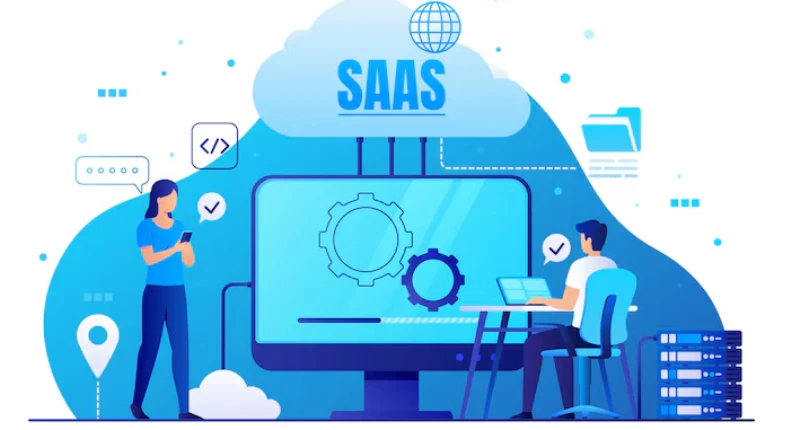
Securing Remote Access Environments
Remote access is the backbone of SaaS operations, but also one of the most vulnerable entry points. To secure it, businesses must ensure:
- Only authorized users can access systems
- Access is verified and monitored continuously
- Remote sessions are protected against intrusion
Solutions like TSplus Advanced Security help strengthen remote desktop environments by adding layers such as IP filtering, Geo-blocking, and real-time threat detection. The goal is simple: secure access without slowing down operations.
Protecting Administrative Access
Administrative accounts are one of the biggest targets for hackers. If an attacker gains access to an admin account, they can control entire systems, steal data, or disrupt operations. To minimize risk, SaaS businesses should implement:
- Least privilege access – Only give users the permissions they need
- Multi-factor authentication (MFA) – Add an extra layer beyond passwords
- Login monitoring – Track and flag unusual access attempts
- Role-based access control (RBAC) – Define access based on responsibilities
Strong admin security alone can prevent a large percentage of major cyber incidents.
Preventing Brute-Force and Credential Attacks
Brute-force attacks are a common method used by cybercriminals to break into systems. In this type of attack, hackers try multiple password combinations until they find the correct one. Remote desktop systems are especially vulnerable if they are not properly protected.
To defend against this, businesses should:
- Enforce strong password policies
- Enable account lockouts after failed attempts
- Use IP blocking and rate limiting
- Implement passwordless authentication (where possible)
Modern security tools can also automatically detect and block suspicious login behavior, reducing manual effort for IT teams.
Balancing Security and User Experience
One of the biggest mistakes businesses make is overcomplicating security. If systems are too restrictive:
- Employees may bypass controls
- Productivity drops
- New vulnerabilities are introduced
The ideal approach is “secure by design, simple by experience”:
- Use single sign-on (SSO) for seamless access
- Automate repetitive security tasks
- Centralize management dashboards
- Choose tools with intuitive interfaces
Security should support productivity, not fight it.
Importance of Monitoring and Visibility
In a remote-first environment, visibility is everything. Without proper monitoring, threats can go undetected for long periods. Key practices include:
- Real-time activity tracking
- Login and access logs
- Alert systems for suspicious behavior
- Endpoint and device monitoring
These insights allow IT teams to respond quickly to threats, investigate incidents, and improve security over time. You can’t protect what you can’t see.
Cost-Effective Security Strategies for SaaS
Not every SaaS company has an enterprise-level budget, but strong security doesn’t always require expensive tools. Smart businesses focus on:
- Targeted solutions instead of bloated systems
- Tools built specifically for remote access security
- Scalable platforms that grow with the business
Cost-effective strategies include:
- Cloud-native security tools
- Open-source monitoring solutions
- Bundled security platforms
The key is to invest in the right protection, not just more tools.
What’s New in Remote SaaS Security
To stay competitive and secure, businesses must adapt to emerging trends:
- Zero Trust Architecture (ZTA) – Never trust, always verify
- AI-powered threat detection – Faster and smarter response to attacks
- Passwordless authentication – Reduced reliance on weak credentials
- Endpoint security for remote devices – Protecting laptops and mobile access
- Automated incident response – Faster containment of threats
Conclusion – Start Protecting Remote-first SaaS Operations Now
As remote-first SaaS operations continue to grow, cybersecurity has become a fundamental requirement for success. Businesses must secure remote access points, protect administrative accounts, and stay ahead of evolving threats while maintaining a smooth user experience.
By focusing on visibility, adopting modern security practices, and choosing the right tools, SaaS companies can reduce risk and build a secure foundation for long-term growth. In a world where remote work is the norm, strong cybersecurity is not just protection; it’s a competitive advantage.
FAQs
Because remote environments increase exposure to cyber threats, making strong security essential for protecting data and systems.
Unauthorized access through weak authentication or unsecured remote connections.
By using MFA, IP restrictions, monitoring tools, and secure remote desktop solutions.
A model where no user or device is trusted by default, every access request must be verified.
Yes. In fact, smaller companies are often targeted more because they may have weaker security systems.