Top 10 Content Collaboration Platforms for Better Teamwork in 2026
Content collaboration platforms are tools like Google Drive, Box, Dropbox, and OneDrive that enable teams to create, share, manage, and co-author digital content (documents, assets, projects) in real-time.

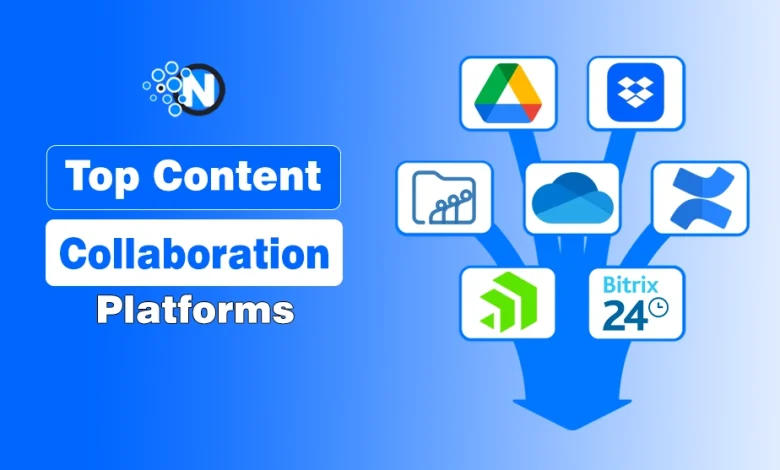
Content collaboration platforms offer ample storage spaces for organizations and companies to manage their content in a single place. As a result, the workers can access them conveniently and work in a more collaborative environment to produce enterprising outcomes.
It will not only benefit your business performance but also generate heavy revenue to increase your worth. There are numerous options available in the market to own.
In this guide, you’ll explore the top content collaboration platforms for better teamwork, highlighting tools that make collaboration simple, organized, and efficient.
What is Content Collaboration Platform?
A content collaboration platform is a software platform that helps teams create, edit, share, review, and manage content together in one central place.
Instead of using emails, multiple apps, or scattered files, these tools allow team members to collaborate in real time, leave comments, track changes, and manage approvals easily.
Content collaboration tools improve communication, reduce confusion, and speed up workflows, making them especially useful for remote teams, marketers, writers, designers, and businesses that produce content regularly.
10 Best Content Collaboration Tools for Teams in 2026
Here are the top content collaboration tools that help teams create, manage, and review content more efficiently. Each tool below is designed for a specific purpose, so you can choose the one that best fits your team’s workflow and collaboration needs.

| Tool | Starting Price (approx) | Best For | Key Features | Stars / Rating |
|---|---|---|---|---|
| Google Drive | From $6/user/month (Workspace) | Real-time team editing & sharing | Cloud storage + Docs/Sheets/Slides collaboration, shared drive, easy sharing links | ⭐⭐⭐⭐☆ (widely rated high) |
| OneDrive | $5/user/month | Microsoft 365 users | File sync, Office app integration, offline access | ⭐⭐⭐⭐☆ |
| Dropbox | $15/user/month | Simple sharing & syncing | Smart Sync, link sharing, and integrations | ⭐⭐⭐⭐☆ |
| Confluence | Free up to 10 users; paid $5–$9/user/month | Team documentation & knowledge base | Team wiki, pages/spaces, templates, automations | ⭐⭐⭐⭐☆ |
| Box | $15/user/month | Enterprise file security | Unlimited storage, advanced security, workflows | ⭐⭐⭐⭐☆ |
| Zoho WorkDrive | $2–$8/user/month | Small/medium teams & Zoho ecosystem | Team folders, access control, versioning | ⭐⭐⭐⭐☆ |
| ShareFile | $16/user/month (min 3 users) | Secure document workflows | Encrypted sharing, client portals, e-signatures | ⭐⭐⭐⭐☆ |
| ProofHub | $45–$279/month (flat, no per-user) | Project & collaboration management | Tasks, chat, Gantt, files, proofing | ⭐⭐⭐⭐☆ |
| Bitrix24 | Free available; paid varies (wide suite) | All-in-one CRM + collaboration | Chats, tasks, CRM, shared drives | ⭐⭐⭐⭐☆ |
| M-Files | Starts at $35/user/month | Metadata-driven workflows | Smart metadata organization, automation | ⭐⭐⭐⭐☆ |
1. Google Drive
Google Drive is a cloud-based storage and collaboration platform that lets teams store, share, and co-edit files like docs, sheets, and presentations in real time. With deep integration into Google Workspace, it’s easy to keep work synchronized across devices and teams.
Best for:
Best for teams that need real-time collaboration on documents, spreadsheets, and presentations. Ideal for startups, educators, and remote teams already using Google Workspace for daily work.
Pricing
- 15 GB: Free
- 100 GB: $1.99 per month
- 200 GB: $2.99 per month
- 2 TB: $9.99 per month
- 10 TB: $49.99 per month.
2. OneDrive
OneDrive is Microsoft’s cloud storage solution that automatically syncs your files across devices and ties directly into Microsoft 365 apps like Word, Excel, and PowerPoint. It offers features like offline access, password-protected file sharing, and secure backups.
Best for:
Best for businesses and professionals who rely heavily on Microsoft Word, Excel, and PowerPoint. Perfect for organizations using Microsoft 365 that want smooth file syncing and secure sharing.
Pricing
- Microsoft 365 Free: 5 GB of cloud storage
- Microsoft 365 Basic: $1.99/month or $19.99/year for 100 GB
- Microsoft 365 Personal: $6.99/month or $69.99/year for 1 TB
- Microsoft 365 Family: $9.99/month or $99.99/year for up to 6 TB (1 TB per person)
- OneDrive for Business Plan 1: $5/user/month for 1 TB
- OneDrive for Business Plan 2: $10/user/month for unlimited storage
3. Dropbox
Dropbox is a popular cloud storage service focused on fast file syncing, easy sharing, and broad device support. It lets teams collaborate with comments, annotations, and shared folders, and integrates with tools like Slack, Zoom, and Adobe apps.
Best for:
Best for teams that want simple, fast, and reliable file sharing without complexity. Great for freelancers, creatives, and cross-platform teams working on large files.
Pricing
- Basic: Free (2 GB of storage)
- Plus: $9.99/month (2 TB of storage)
- Professional: $16.58/month (3 TB of storage)
- Standard: $15/user/month (5 TB of storage for the team)
- Advanced: $24/user/month (starts at 15 TB for the team)
- Enterprise: Contact sales for pricing
4. Confluence
Confluence is a team workspace and knowledge management tool where teams create, organize, and share content such as wikis, meeting notes, and project plans. It supports in-page comments, collaborative editing, templates, and integration with tools like Jira for seamless project tracking.
Best for:
Best for teams that need a central place for documentation, knowledge bases, and internal content. Ideal for product teams, developers, and companies using Jira or Atlassian tools.
Pricing
- Free Plan: Suitable for teams of up to 10 users with limited features.
- Standard Plan: Starts at $5.50 per user/month.
- Premium Plan: Starts at $10.50 per user/month.
- Enterprise and Data Center Plans: Custom pricing is available.
5. Box
Box is an enterprise-grade cloud content platform with secure file storage, advanced permission controls, and workflow automation. It’s built to meet strict security and compliance needs while allowing teams to share and collaborate on documents in real time with external partners.
Best for:
Best for enterprises that need high-level security, compliance, and governance. Well-suited for large organizations handling sensitive documents and external collaborations.
Pricing
- Basic: Free (10 GB of storage)
- Personal Pro: $11.50/month (100 GB of storage)
- Business Starter: $5.80/user/month (100 GB of storage)
- Business: $17/user/month (unlimited storage)
- Business Plus: $28/user/month (unlimited storage)
- Enterprise: $40/user/month (unlimited storage)
- Enterprise Plus: $57.50/user/month (Unlimited users and storage)
6. Zoho WorkDrive
Zoho WorkDrive is a team-oriented cloud drive that offers secure file storage and collaboration, including team folders, built-in document editing, role-based access, and activity tracking. It integrates smoothly with other Zoho apps to streamline internal operations.

Best for:
Best for small to mid-sized teams looking for an affordable and structured content collaboration tool.
Perfect for businesses already using Zoho apps like Zoho CRM or Zoho Projects.
Pricing
- Workplace Standard: $3/user/month (billed annually) or $4/user/month (billed monthly)
- Mail Lite: $1/user/month (billed annually)
- Mail Premium: $4/user/month (billed annually)
- Workplace Professional: $6/user/month (billed annually) or $7/user/month (billed monthly)
- Workplace Enterprise: Contact sales for custom pricing
7. ShareFile
ShareFile is a secure content collaboration and file sharing platform designed for businesses needing strong privacy and workflow controls. It supports encrypted file exchange, client portals, document review, e-signatures, and flexible storage options.
Best for:
Best for businesses that require secure client file sharing and document workflows.
Commonly used by legal, finance, healthcare, and professional service firms.
Pricing
- Advanced: $16 per user/month (billed annually) or $17.60 per user/month (billed monthly), minimum of 3 users
- Premium: $25 per user/month (billed annually) or $27.50 per user/month (billed monthly), minimum of 3 users
- Industry Advantage: $41.67 per user/month (billed annually) or $45.83 per user/month (billed monthly), minimum of 3 users
- Virtual Data Room: $67.50 per user/month (billed annually) or $75 per user/month (billed monthly), minimum of 5 users
8. ProofHub
ProofHub is an all-in-one project management and collaboration tool that combines tasks, chats, Gantt charts, calendars, file sharing, and proofing into one platform. Teams can plan projects, track progress, discuss files, and approve work without switching between apps.

Best for:
Best for teams that want project management and content collaboration in one platform.
Ideal for marketing teams, agencies, and managers handling multiple projects and approvals.
Pricing
- Essential: $45 per month (billed annually) or $50 per month (billed monthly)
- Ultimate Control: $89 per month (billed annually) or $99 per month (billed monthly)
9. Bitrix24
Bitrix24 is a complete business collaboration suite that includes CRM, task and project management, document storage, team chat, video calls, and workflow automation, all in one place. It’s ideal for teams looking for a unified system rather than disconnected tools.
Best for:
Best for companies that want an all-in-one solution for collaboration, CRM, and project management.
Suitable for growing businesses that want to reduce tool overload.
Pricing
- Basic: $61 per organization per month (24 GB of storage, 5 users)
- Standard: $124 per organization per month (100 GB of storage, 50 users)
- Professional: $249 per organization per month (1,024 GB of storage, 100 users)
- Enterprise: $499 per organization per month (3 TB of storage, 250 users)
10. M-Files
M-Files is a smart document management system that uses metadata tagging to organize content intelligently, eliminating the need to remember where files are stored. It offers automated workflows, version control, secure access, and integration with tools like Teams and Salesforce.

Best for:
Best for organizations with complex document management, compliance, and approval workflows.
Ideal for industries like manufacturing, legal, and regulated enterprises needing smart document control.
Pricing
There are no details available regarding the M-Files pricing. You have to send a quote to receive custom suggestions for your Business.
Final Thoughts
Content collaboration tools make it easier for teams to collaborate on collective projects that enhance productivity. These tools make it easy to share files, give feedback, and manage projects all in one place.
The right tool helps your team stay organized, communicate better, and finish work faster. By using any of the top platforms we’ve listed, you can make teamwork smoother, reduce mistakes, and get your content done more efficiently.
Frequently Asked Questions
Why do teams need content collaboration tools?
These tools help reduce confusion, avoid lost files, simplify feedback, and speed up approvals, especially for remote or multi-department teams.
Who can use content collaboration platforms?
Content collaboration platforms are ideal for marketers, writers, designers, agencies, startups, and large businesses, basically any team working on content together.
What features should I look for in a content collaboration tool?
You can look for file sharing, real-time editing, feedback/commenting, version control, workflow management, and integration with other apps your team uses.
How do these platforms improve productivity?
They centralize communication, reduce back-and-forth emails, provide task tracking, and make it easy to manage deadlines and approvals.