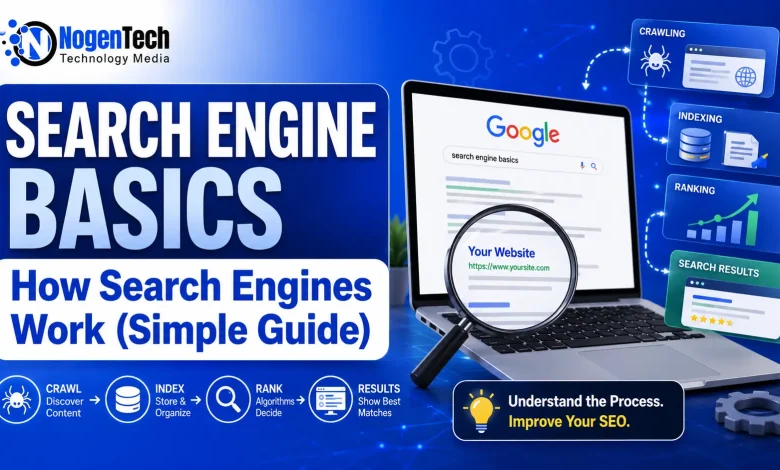
- A page that is not crawled cannot be indexed. A page that is not indexed cannot rank.
- Crawl budget matters for sites with 10,000+ pages spend it on content that counts.
- Google renders JavaScript in a second wave, sometimes days after the first crawl.
- Relevance, authority, content quality, and intent match drive most ranking outcomes.
- AI Overviews now appear above organic results for many informational queries, cutting click-through rates.
- The SERP tells you search intent before you write a single word.
The 3 jobs every search engine does
Search engines do 3 jobs in a fixed order:
- Crawling a bot visits pages and follows links to find more pages.
- Indexing the engine reads each page, processes it, and stores the data.
- Ranking when someone searches, the engine picks the best pages from its index and orders them.
A page can fail at any step. If it fails at step 1, it never reaches step 2 or 3. According to Google’s official documentation on how search works, this 3-step process has been the core of how Google operates since its earliest days.
Crawling: how bots find your pages
A crawler is a bot that downloads web pages. Googlebot is Google’s crawler. Bingbot is Microsoft’s. They start with a list of known URLs, download each page, pull out all the links, and add new ones to the crawl queue. To understand the infrastructure behind this, it helps to know how the internet and ISPs connect websites to users.
How crawlers find your pages
- Internal links from pages already in the index
- External links from other sites
- XML sitemaps submitted to Google Search Console or Bing Webmaster Tools
- Direct URL submission via the URL Inspection tool
Crawl budget
Google gives every site a rough limit on how many pages it crawls in a given period. Sites with 100 pages don’t need to worry about this. Sites with 50,000 pages do. If that budget gets spent on duplicate URLs, parameter pages, or thin content, your important pages get crawled less often.
You control crawling with these 4 tools:
- robots.txt blocks bots from specific paths
- noindex meta tag lets bots read the page but keeps it out of the index
- Canonical tags tells engines which version of a duplicate URL is the main one
- Internal linking pages with more internal links get crawled more often
Indexing: how engines store and process pages
Once a crawler downloads a page, the engine processes the HTML, renders the JavaScript, pulls out the text, finds images, reads metadata, and saves all of it. The index uses an inverted index structure: instead of storing pages with their words, it stores words with the pages that contain them. That’s why results return in under 1 second.
Pages that often get skipped from the index
- Thin pages with less than 100 words of unique content
- Duplicate pages same content on multiple URLs
- Orphan pages with no internal links pointing to them
- Pages that look auto-generated
- Pages with weak quality signals
How to check if a page is indexed
- Use the URL Inspection tool in Google Search Console
- Search
site:yourdomain.com/exact-urldirectly in Google
If the page is not indexed, Search Console gives a specific reason “Crawled, currently not indexed,” “Discovered, not indexed,” “Duplicate without user-selected canonical,” and so on. Each has a different fix.
JavaScript and the two-wave problem
If your content loads via JavaScript, Googlebot has to render the page before reading it. Rendering is slower, so Google does it in 2 waves. Static HTML gets read first. JavaScript content can be read days later. Server-side rendering or static HTML works better for most content sites.
Ranking: how engines pick what to show
When you search “best running shoes for flat feet,” Google searches its index not the live web. It pulls pages that match the query, scores them, and orders them. This happens in under 1 second.
Relevance
Does the page match the query? Engines check words on the page, title, headings, anchor text of inbound links, and entities mentioned. Modern engines use BERT and MUM to read meaning, not just word matching. Understanding the most important on-page SEO elements is the first step to making content relevant in Google’s eyes.
Authority
Do other trusted sites link to this page? Links are still one of the strongest ranking inputs. A link from a relevant, high-authority site counts far more than one from a low-quality directory. A diverse backlink profile signals that multiple independent sources trust your content.
Content quality and E-E-A-T
Google uses an algorithm trained on data from human quality raters who score pages against E-E-A-T Experience, Expertise, Authoritativeness, and Trust. Read the full breakdown in the NogenTech guide to Google E-E-A-T, or check the source in Google’s Search Quality Rater Guidelines.
User signals
Do searchers click your result and stay, or bounce back to the SERP? Google confirmed some use of click data through court documents in the 2023 US DOJ antitrust case. Pages ranking #1 on Google average a CTR of 27.6% according to Backlinko’s CTR research. That’s why writing SEO-friendly blog posts that earn clicks not just rankings matters.
Page experience
Core Web Vitals (LCP, INP, CLS), HTTPS, and mobile-friendliness are smaller signals but matter when 2 pages are otherwise equal.
Freshness
For time-sensitive queries news, sports scores, product launches recent pages rank higher. For evergreen topics, depth and authority matter more.
The search results page
A typical Google SERP in 2026 shows far more than 10 organic listings. One query can include:
- AI Overview Google’s generative answer, now above organic results
- Featured snippet
- People Also Ask box
- Image pack or video carousel
- Local map pack for local-intent queries
- Sitelinks under the top result
- Knowledge panel on the right
- 8 to 10 organic results
- 3 to 4 paid ads at top and bottom
Ranking #1 no longer guarantees most clicks. According to Ahrefs research cited in the NogenTech SEO trends guide for 2026, AI Overviews have driven a 34% drop in CTR for top organic results on queries where they appear.
- Track impressions and clicks per query type not just average position alone.
- Win SERP features where possible: structured data for rich results, optimized images for visual carousels.
Search intent: the part most beginners miss
A search engine matches the intent behind a query, not just the words. Knowing how to research those intents including finding the right keywords for each type is one of the most useful skills in SEO.
| Query example | Intent type | What ranks |
|---|---|---|
| running shoes | Commercial | Category pages, listicles, buying guides |
| what are running shoes made of | Informational | Blog posts, guides, explainer articles |
| nike pegasus 41 | Navigational | Official product page or brand site |
| buy nike pegasus 41 size 10 | Transactional | Product pages, checkout flows |
The SERP tells you what Google thinks the intent is before you write a word. If the top 10 are all product pages, a blog post won’t rank. If they’re all listicles, a single-product page won’t either.
What this means for your site
- Make sure pages can be crawled. Check robots.txt, internal links, and your XML sitemap.
- Make sure pages get indexed. Open the Pages report in Google Search Console and fix every indexing error.
- Match search intent. Look at the SERP before you write a single word.
- Cover the topic well. Answer the query and the follow-up questions in People Also Ask.
- Earn relevant links. Editorial placements from pages in your niche carry far more weight than bulk links.
- Fix technical blockers. Slow pages, broken canonicals, render-blocking scripts, and crawl errors all reduce ranking potential.
- Track results per query. Average position alone hides what’s working. Split by query type in Search Console.
The fundamentals don’t change much year to year. Algorithms update and SERP features get added, but crawl, index, rank and the main inputs (relevance, authority, quality, intent match) stay the same.
If you’re starting from zero, get a free Google Search Console account, submit your sitemap, and open the Pages report. Pair it with one of the top web analytics tools to track deeper performance signals.