How to Set Up a Snapchat Premium Account? [2026 Updated Guide]

As Snapchat doubles down on creators while competing with bigger tech rivals, Premium subscriptions are also struggling to set up their accounts for massive engagement.
With 943 million MAUs globally, Snapchat is no longer just a fun app for disappearing messages; it’s a serious platform for businesses looking to engage their audience. But here’s the catch: setting up a Snapchat Premium account isn’t as simple as clicking a button.
If done incorrectly, you risk account restrictions or losing access to your subscribers. Don’t worry! I’ve compiled this 2026 updated guide that walks you through everything from eligibility to setup, monetization, and common pitfalls, so you can get your account ready for success.

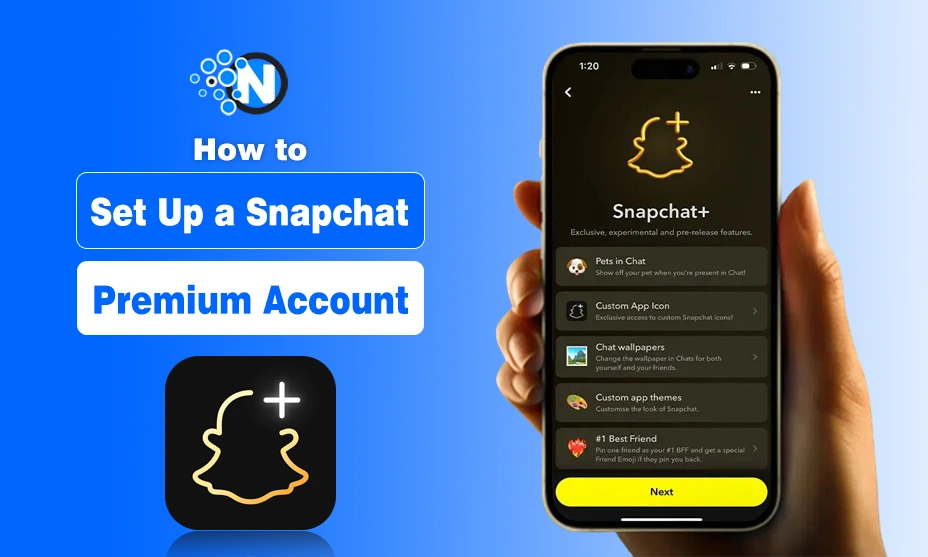
A Snapchat Premium account is a subscription-based service that allows users to use exclusive features, like:
1. Custom Icons
2. Story Re-watches
3. Priority Replies
Who Can Create a Snapchat Premium Account?
Before you dive in, make sure you meet Snapchat’s eligibility requirements for 2026:
- Age: You must be 18 or older.
- Original content: Snapchat emphasizes unique, original content. Avoid sharing content from other creators without permission.
- Supported region & device: Snapchat+ availability depends on country and app store support.
- Compliant profile: Accounts must follow Snapchat’s community guidelines, including rules on NSFW content.
👉 Pro Tip: Accounts with suspicious activity or prior violations may face rejection when enabling Premium.
How to Create a Premium Snapchat Account?
Setting up premium account of snapchat is quite a simple and effortless task. I have listed all the important steps below that will guide you throughout the process.
1. Define Your Niche and Goals
Determining interest is extremely compulsory when creating a Snapchat premium account. You should be sure about your personal milestones, as it helps you achieve the ultimate benefits. For example:
- If you’re passionate about technology, focus on creating content about the latest innovations and tools.
- If you’re establishing an account for your brand, ensure you provide exceptional value to your subscribers.
- Consider your target audience and what exclusive content would be most valuable to them.
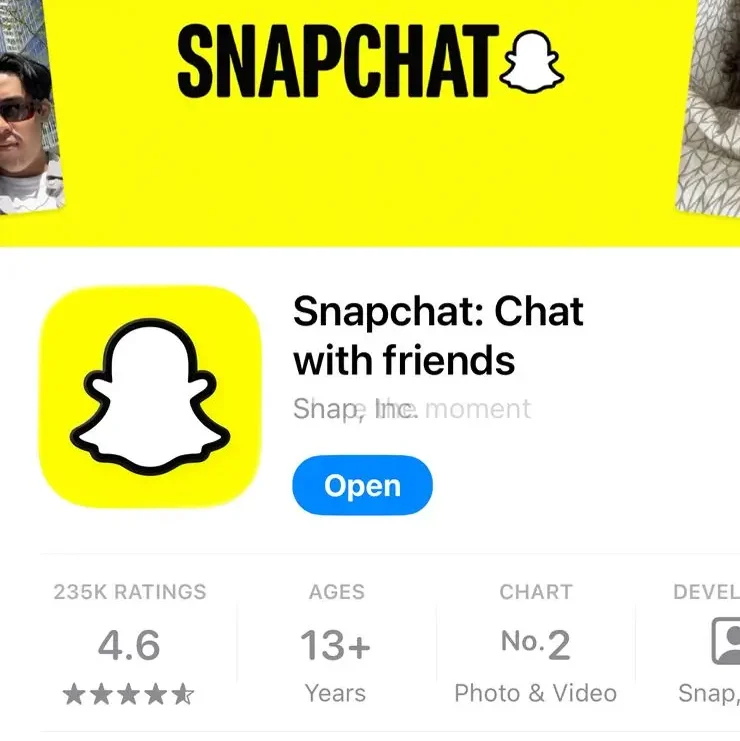
2. Download the Application
If you already have Snapchat installed on your device, ensure it’s updated to the latest version. Otherwise, download it from:
- Google Play Store (Android users)
- App Store (iOS users)
Recent updates have also made Snapchat accessible via web browsers on desktop computers and laptops, with more flexibility in how you manage your account.
3. Create Your Account
After installing the application on your devices, it’s time to create your account. If you already have a Snapchat account, there’s no need to create a new one; you can simply continue using your existing account. Otherwise, follow the steps.
1. Open Snapchat and grant the necessary permissions.
2. On the signup page, enter your accurate information to create a profile on Snapchat:
- Email: Use a working email address to receive updates and notifications
- Phone Number: Enter your current phone number (this will be associated with your premium account)
- Password: Create a strong, unique password combining uppercase and lowercase letters, numbers, and special characters
- Username: Select a memorable and engaging username (Note: You can only change this once per year, but you can change your display name several times).
<strong>Subject</strong>: ………………………………
💡Pro Tip: Choose a username that aligns with your brand identity and is easy for potential subscribers to remember and search for.
4. Upgrade to Premium Account
After creating a simple account, you need to upgrade it to the Snapchat premium version to unlock several engaging features. Here are the steps:
A) Open the Profile
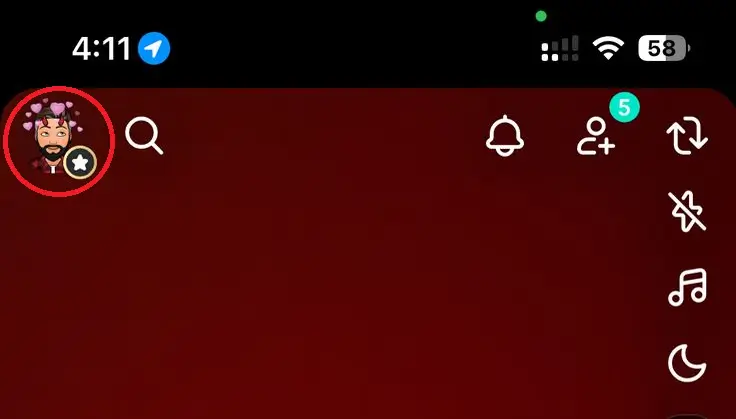
From the camera screen, look at the top left corner. You will see your profile picture there. Click on it to reach the details section.
B) Reach Snapchat Premium Option
Scroll down until you see the “Snapchat+” banner and tap on it. Alternatively, if you can’t find the banner, go to your profile, tap the settings icon in the top right corner, and look for the Snapchat+ option there.
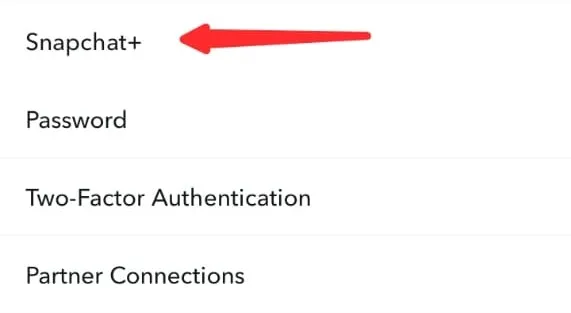
C) Choose to Subscribe Button
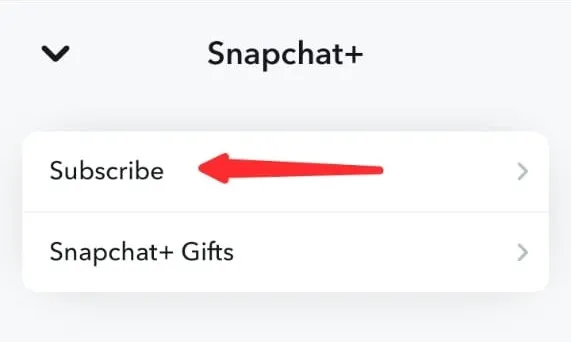
After clicking the Snapchat+ option, it will redirect to a new window. Here you will see two buttons. Press the Subscribe option and access the next window.
<strong>Subject</strong>: ………………………………
Snapchat+ Gifts option allows you to pay for your friend’s subscription, which also works as a gifting game on the platform.
D) Set up the Payment Method
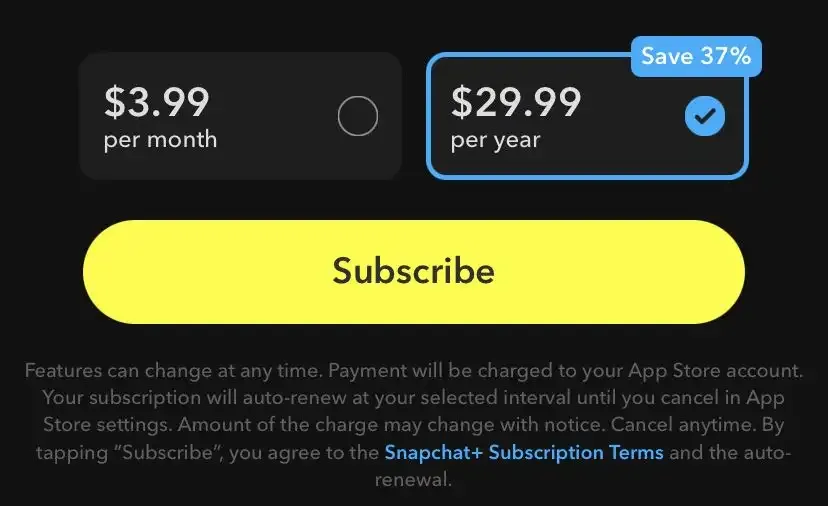
Scroll down on this page and tap “Next” to complete the payment setup. Snapchat+ typically offers a one-week free trial before charging the subscription fee, which varies based on your location and current exchange rates. Be sure to review the payment terms before confirming.
5. Optimize and Promote Your Premium Account
After setting up your account:
- Promote it across various social media platforms to increase visibility.
- Build a substantial audience before fully monetizing your content.
- Create a content calendar to ensure consistent, high-quality posts that keep subscribers engaged.
- Interact regularly with your subscribers to build loyalty and encourage word-of-mouth promotion.
- Consider offering special promotions or limited-time discounts to attract new subscribers.
Final Thoughts on Setting Up Your Account
All these are the details about how to set up Snapchat premium account. In conclusion, upgrading your profile promises to deliver ultimate benefits, which could be impossible otherwise.
You can enjoy several ergonomic features like story boost, custom app icon and wallpaper, story rewatch, Bitmoji backgrounds, priority story replies, and compelling profile backgrounds.
Moreover, you can create one for your brand and monetize it to capture the audience and earn solid revenue. That’s all about this guide. Stay tuned for more information!
People Also Ask
What does Snapchat Premium do?
Snapchat Premium offers exclusive features like custom app icons, new chat wallpapers, and early access to experimental features.
How can you tell if someone has Snapchat Premium?
If a user has Snapchat+, their profile will display a special badge indicating their subscription. However, enabling or disabling this badge is optional.
How do you know if someone has Snapchat Premium?
The easiest way to tell if someone has Snapchat+ is to check their profile for a Snapchat+ badge, but keep in mind that users can choose to hide it.
Does Snapchat Premium show who viewed your profile?
No, Snapchat Premium does not allows user to see who viewed their profile.
Does Snapchat Premium show who viewed your location?
No, Snapchat does not notify users about who views their location on Snap Map.