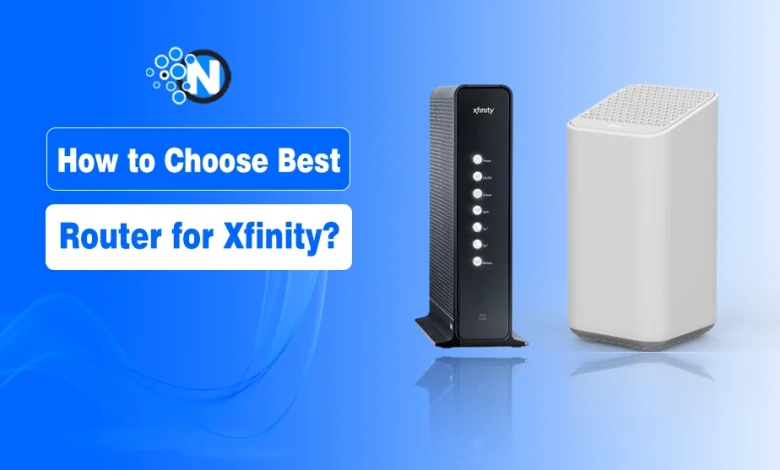
The best router for Xfinity is one that matches your internet speed tier, supports modern Wi-Fi standards (Wi-Fi 6 or Wi-Fi 7), and provides enough coverage for your home without relying on rental equipment. Choosing the wrong router can bottleneck speeds, create dead zones, or make your Xfinity plan feel slower than it actually is.
Xfinity offers everything from basic broadband to multi-gig plans, which means router selection is not one-size-fits-all. Factors like home size, number of connected devices, Wi-Fi standard, port speeds, and whether you use your own modem all play a role in getting consistent performance.
In this guide, I will explain how to choose the right router for your specific Xfinity setup, what features actually matter in 2026, and how to avoid overpaying or renting hardware that limits your network.
How to Choose the Best Router For Xfinity?
Below, I have mentioned some considerations that can help you choose the best router for Xfinity in 2026.
1. Understand Your Current Xfinity Setup
Before we start shopping, we need to look at what you are currently using. Most Xfinity customers start out with the standard Xfinity Wireless Gateway. This is a “two in one” device that acts as both a modem and a router. While it is convenient, it is not always the most powerful option, and those rental fees can really sneak up on you over a year or two.
I always tell people that the first step in upgrading is deciding if you want to replace everything or just the routing part. If you decide to go the custom route, you have to understand the distinction of a modem vs router setup.
A modem brings the internet into your home, while the router takes that signal and broadcasts it to your phone, laptop, and smart TV. Understanding this relationship is key because even the world’s fastest router cannot fix a slow or outdated modem.
a) Evaluate the Xfi Gateway Performance
The Xfinity gateways, like the XB7 or the newer XB10, are actually quite capable for the average user. They offer a decent range and integrated security features. However, if you find yourself constantly rebooting the device or seeing “dead zones” in your bedroom, it might be time to move on.
I have noticed that the built-in routers in these gateways often struggle when you have dozens of smart home devices competing for attention at the same time.
b) Assess Your Need for Xfi Complete
You might have heard of Xfi Complete, which is Xfinity’s premium equipment tier. It includes the gateway rental, unlimited data, and a promise of “whole home coverage.” If you have a massive home, they might even provide a wifi booster vs wifi extender solution in the form of Xfi Pods.
While this is a great “set it and forget it” option, it keeps you locked into that monthly fee. If you are someone who likes to have total control over your network settings, you might find this service a bit restrictive.
2. Determine Your Speed Requirements
The most common mistake I see people make is buying a router that is either way too slow for their plan or ridiculously overpowered. Xfinity offers a huge range of speeds, from basic 75 Mbps plans all the way up to multi gigabit connections. Your router needs to be a perfect match for the speed tier you are paying for every month.
If you are on a Gigabit plan, for example, a budget router from five years ago is going to bottleneck your connection. You want to look for the “AX” or “BE” designations on the box, which stand for Wi-Fi 6 and Wi-Fi 7.
These modern standards are designed to handle the high capacity of today’s internet. I always suggest looking at your Xfinity bill first to see exactly what your “download speed” is supposed to be before you start comparing models.
a) Choose for Gigabit and Multi-Gig Plans
If you are paying for the top tier speeds, you need a router with a 2.5 Gbps or 10 Gbps WAN port. Standard routers often have 1 Gbps ports, which means you can never actually reach those 1.2 Gbps or 2 Gbps speeds that Xfinity advertises.
When I am looking at high end routers for Xfinity, I look for models like the TP-Link Archer AX11000 or the Netgear Nighthawk series. These “beasts” are designed to push massive amounts of data without breaking a sweat.
b) Match Hardware to Basic and Mid-Tier Plans
Not everyone needs a spaceship on their desk. If you are on a plan that is 400 Mbps or lower, you can save a lot of money by choosing a solid Wi-Fi 6 router that does not have all the bells and whistles.
You still want a reputable brand, but you do not necessarily need tri-band support or ten antennas. A reliable dual band router will serve a small family or a couple of roommates perfectly well for streaming and browsing.
3. Coverage and Home Size Considerations
Your home’s layout is just as important as your internet speed. A router that works perfectly in an open concept apartment might struggle to reach the second floor of a brick house. When I am helping friends choose a router, I always ask them about the “obstacles” in their home. Walls, floors, and even large appliances can eat your Wi-Fi signal for breakfast.
For larger homes, you have to decide between a single powerful router or a mesh system. A single router is usually easier to set up, but a mesh system uses multiple “nodes” to create a blanket of coverage across your entire property.
If you have been looking into a wifi booster or wifi extender, you should know that a modern mesh system is almost always a better, more seamless choice for a large house.
a) The Benefits of Mesh Systems for Xfinity
Mesh systems like the Eero or TP-Link Deco are fantastic for Xfinity users with large floor plans. Instead of having one router trying to scream loud enough to reach the basement, you have multiple units talking to each other.
It creates one single network name, so your phone automatically switches to the closest node as you move around. This is a much more elegant solution than the clunky extenders of the past.
b) When a Standalone Router is Enough
If you live in an apartment or a smaller single story home, a high quality standalone router is usually the better value. You get more features for your money, like better parental controls and more Ethernet ports for wired devices.
I personally prefer a standalone router when possible because it is easier to troubleshoot and usually offers better peak speeds for gaming or heavy downloading in the same room.
4. Other Essential Features to Look For
Once you know your speed and coverage needs, it is time to look at the specific features that make a router worth its price tag. Not all routers are created equal, and some manufacturers include software that can really enhance your Xfinity experience. I like to focus on things that actually impact my daily life, like security and ease of use.
One thing to keep in mind is that when you use your own router, you are responsible for your own security. Xfinity’s Xfi Complete includes “Advanced Security,” but many third party routers from companies like Asus or Synology come with their own built in protection.
I always look for routers that offer “lifetime” security updates so I do not have to pay a subscription fee just to keep my network safe from hackers.
a) Prioritize Wi-Fi 6 and Wi-Fi 7
In 2026, I would not recommend anyone buy a router that is older than Wi-Fi 6. Wi-Fi 6 (802.11ax) is the current standard, and it is significantly better at handling a house full of phones, tablets, and smart bulbs.
If you want to be truly future proof, Wi-Fi 7 is now hitting the market. It offers even lower latency and higher speeds, which is a dream for anyone into VR gaming or 8K streaming.
b) Check for Port Availability and Quality
Do not overlook the physical ports on the back of the router. If you have a gaming console or a desktop PC, you want to be able to plug them in directly for the most stable connection. I always look for at least four Gigabit LAN ports.
If you have a multi gigabit Xfinity plan, make sure the router has a “Multi Gig” port so you can actually utilize the full power of your modem.
5. The Financial Side of Owning Your Router
Let us talk about the money because that is often the biggest motivator for switching. Xfinity usually charges around $15 a month to rent their gateway. That is $180 a year. Most high quality routers pay for themselves in less than two years. When I realized I had spent hundreds of dollars over the years on a device I would never own, I felt a bit silly.
However, you also have to consider the cost of the modem. Since the Xfinity Gateway is a combo, you will likely need to buy a separate xfinity compatible modem as well. This is where you should check out my other guide on modem vs router to see the best combinations.
Even with the initial investment of a modem and a router, the long term savings are undeniable, and the performance boost is the icing on the cake.
a) Calculate the Return on Investment
If you spend $150 on a router and $100 on a modem, your total cost is $250. Compared to a $15 monthly rental, you start saving money after month 17. Given that a good router can easily last five years or more, you are looking at hundreds of dollars in pure savings over the life of the device.
Plus, you can sell your gear if you ever move or decide to upgrade, which you certainly cannot do with a rental.
b) Consider the Xfi Complete Value Proposition
I should mention that for some people, Xfi Complete actually makes financial sense. If you live in an area with a data cap and you know you will exceed it, the “unlimited data” included with Xfi Complete can be cheaper than paying for unlimited data on your own equipment.
I always recommend doing the math for your specific region and usage habits before you cut the cord completely.
How to Set Up Your New Router with Xfinity?
Once you have picked out your shiny new router, the setup process is actually pretty straightforward. You will need to put your Xfinity Gateway into “Bridge Mode” if you are still using it as a modem, or simply activate your new standalone modem through the Xfinity app.
I have done this dozens of times, and as long as you follow the steps, it usually takes less than twenty minutes. Also, I always suggest downloading the app for your new router manufacturer before you start.
Most modern routers from brands like Netgear or Linksys have very user friendly apps that walk you through the entire process. They will help you set your password, update the firmware, and even test your speeds to make sure everything is running perfectly.
1. Navigate Bridge Mode
If you decide to keep your Xfinity Gateway but want to use your own router for better Wi-Fi, Bridge Mode is your best friend. This essentially turns off the “router” part of the Xfinity box so it does not interfere with your new one.
If you skip this step, you might end up with a “Double NAT” issue, which can cause all sorts of headaches with online gaming and smart home devices.
2. Testing and Optimization
After everything is plugged in, I always run a few speed tests in different rooms. If the speeds are not what I expected, I play around with the placement of the router. Getting it out of a cabinet and onto an open shelf can make a world of difference.
It is also a good time to check if you need any extra help from a booster or extender if you still have a stubborn dead spot for WiFi in a far corner of the house.
Final Thoughts
Choosing the best router for Xfinity is all about finding the balance between your budget, your home’s size, and the speed plan you pay for. By taking control of your hardware, you are not only saving money on rental fees but also investing in a better, more reliable internet experience for everyone in your home.
It might seem intimidating at first, but the freedom and performance you get in return are well worth the effort. I hope this guide helps you navigate the options and find the perfect setup for your needs.