OpenVPN is widely used as a secure and flexible VPN protocol rather than a standalone consumer app. It is known for strong encryption, cross-platform compatibility, and support from many commercial VPN providers.
This guide explains what OpenVPN is, how it works, its key features, performance considerations, and how to use it in a practical way.
What is OpenVPN?
OpenVPN is an open-source VPN (Virtual Private Network) protocol that creates encrypted connections between devices over the internet.
It uses SSL/TLS encryption to secure data transmission and protect user privacy. Unlike typical VPN apps, OpenVPN works as a protocol that is implemented by VPN services and client applications.
Because of its flexibility and security, it is commonly used by both individuals and organizations.
History of OpenVPN
James Yonan developed OpenVPN in 2001, and since then, it has served as the best open-source protocol and is most famous for its cross-platform compatibility.
In addition, it supports both TCP and UDP protocols to provide users with flexibility for acquiring the best option that resonates with their requirements. Furthermore, it is entirely free to strengthen community collaboration and contribute to constant improvements and updates.
The developers have made it available for various operating systems, including Windows, macOS, and Linux, as well as for smartphones.
Features of OpenVPN
The following are the primary features of OpenVPN, based on which it has surpassed all its competitors and still stands at the top even after more than 20 years of launching.
1. Exceptional Security Standards
VPN protocols are always meant for enhanced security controls, and so is OpenVPN. The developers are completely aware of this feature and have integrated exceptional elements into its infrastructure to make it more sturdy than ever. The following are some critical points that will highlight the security standards of this exciting tool.
a) Encryption Strength
OpenVPN features strong authentication algorithms, like Advanced Encryption Standard (AES), and numerous key lengths. It uses AES-256 encryption, widely considered the gold standard in online security.
As a result, it ensures an immense level of security for the data. With such encryption, it is almost impossible for unauthorized entities to interfere and decrypt the transmitted information.
b) Authentication Mechanisms
Another exciting security feature of OpenVPN is that it exhibits various authentication methods to privatize the data sets.
Ranging from basic security standards, like username and password, to more advanced options like X.509 certificates, this tool showcases a multi-layered security approach that improves the overall security of the VPN connection.
c) Perfect Forward Secrecy
Perfect Forward Secrecy, often known as PFS is an excellent mechanism for developing or generating session keys for each session so that users can have a completely secure connection. OpenVPN works on such a standard, so if one key stops functioning, you won’t have to worry about future sessions.
d) Tunneling Protocols
OpenVPN has also gained popularity for its brilliant tunneling protocols. Generally, it supports both UDP and TCP protocols. The UDP is much faster, while the TCP could be the best option in an unstable network. As a result, you can bring versatility, which allows you to optimize the connection according to specific requirements.
2. Performance and Speed
Unlike the other protocols, OpenVPN is much faster and more reliable in performance and speed. Thus, you must look forward to integrating it into your business policies to enjoy significant perks.
Performance can also vary depending on your connection type, as different types of internet can affect speed, latency, and overall stability.
a) Network Speed
However, a common problem with VPN networks is that they slow down the network speed; the performance depends on various factors. Generally, OpenVPN provides excellent network speed to carry out browsing activities at a much rapid pace. However, you may face downtime when some critical problems arise in the server location, load, and network provider.
b) Server Locations
The performance and speed of OpenVPN also vary when you change the geographical location of servers. When you face speed issues, you can seamlessly set up another server in a different region. Hence, you can have your hands on the servers that provide the best speed and reduce the latency as much as possible.
c) Bandwidth Limitations
Bandwidth limitations are necessary when accessing potentially threatening websites so that users can have an additional layer of protection from online vulnerabilities. OpenVPN does not impose limitations on its own. However, it allows individual VPNs to impose limitations or restrictions based on bandwidth.
3. User Interface
OpenVPN features an extremely simple interface, which makes it easy for users of every experience level to acquire its benefits and advantages. Furthermore, the installation process is very convenient.
You can download the application from the official site as well as visit the Chrome store to add an extension to your browser. In this way, you can access this brilliant tool’s features effortlessly.
4. Cross-Platform Compatibility
Most VPNs don’t work for multiple devices. Nevertheless, there is no such restriction with the use of OpenVPN protocol. Recently, the developers have made extensive changes in its infrastructure, making it possible for almost all users to use it on their devices.
It is not only compatible with operating systems like Windows, Linux, and macOS but also with Android and iOS systems. Further, if you use Chrome to browse the Internet, an extension is available there.
5. No Login Required
Most people hesitate to enter their information or credentials in third-party applications like VPNs as they often consider them vulnerable to leaking data.
OpenVPN has overcome this challenge by diminishing the need to create an account on this platform. You only have to acquire the protocol and can use it right away for excellent advantages.
How to Use OpenVPN?
If you are new to VPNs, understanding the basics first can help. You can follow this step-by-step guide on how to use a VPN to get started more easily. The OpenVPN works to secure your Internet by masking its identity and geo-location.
The following section will inform you about how this tool works and how to access.
- Firstly, you have to access the Chrome Browser and click on the Chrome Store.
- Here, you have to search for the OpenVPN extension.
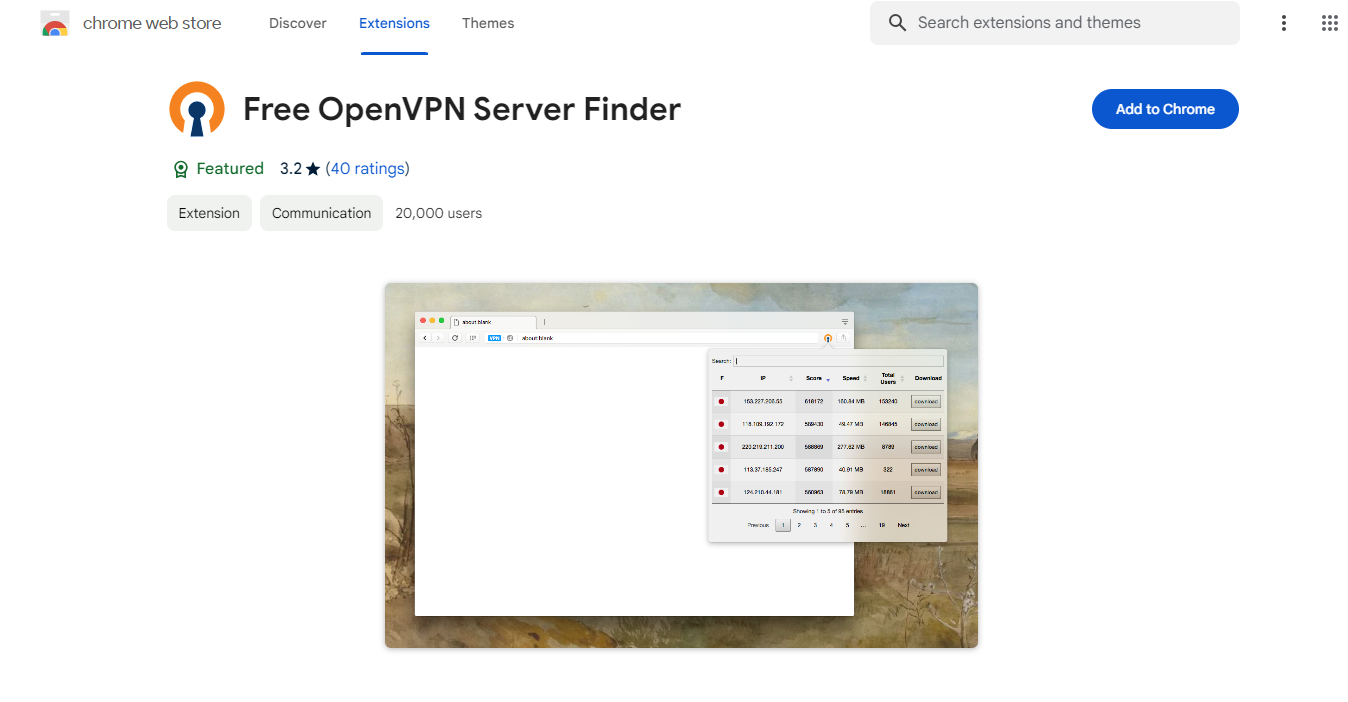
- Find the official one from the results page and add it to the browser.
- Finish the relevant procedures and pin them in the extension bar.
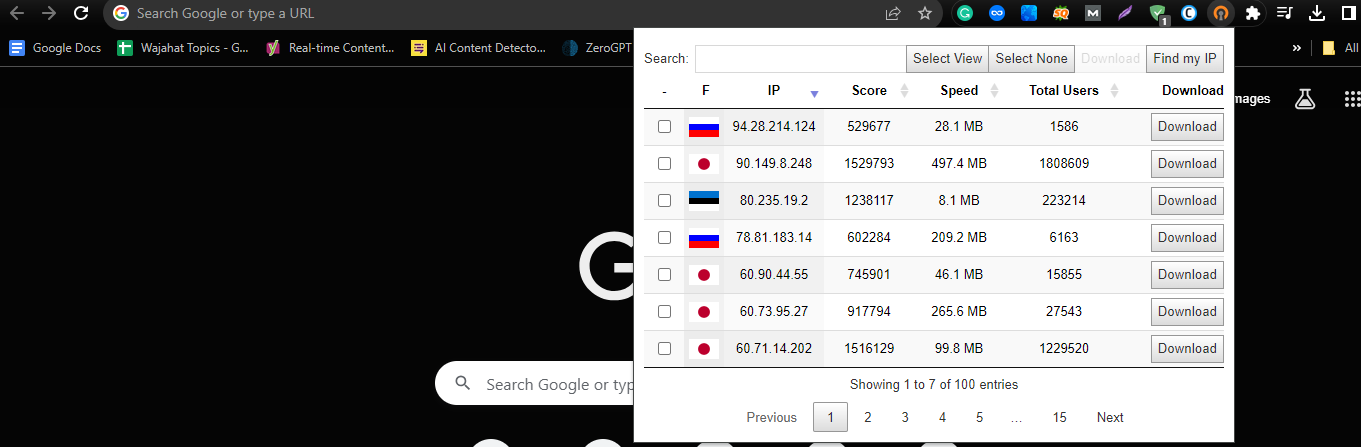
- Then, you have to click on it, and it will give you a list of available IPs.
- Download any of them and open it.
- The file will be opened upon having a compatible app inside your laptop or PC.
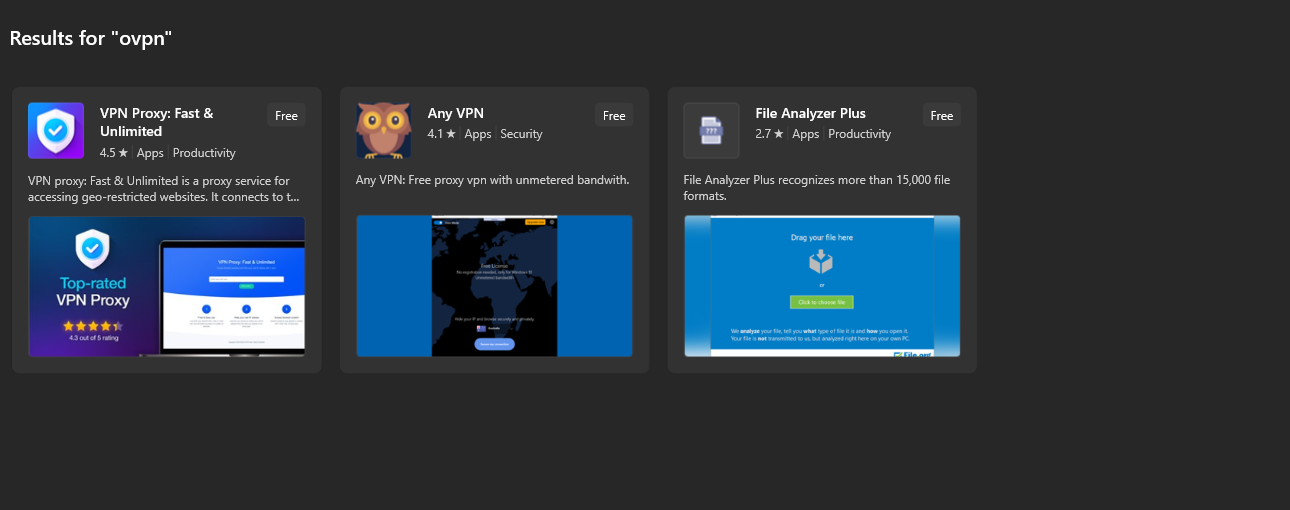
- However, you have to visit the Microsoft store or visit other platforms to install a dedicated VPN on your device if no compatible application is present already.
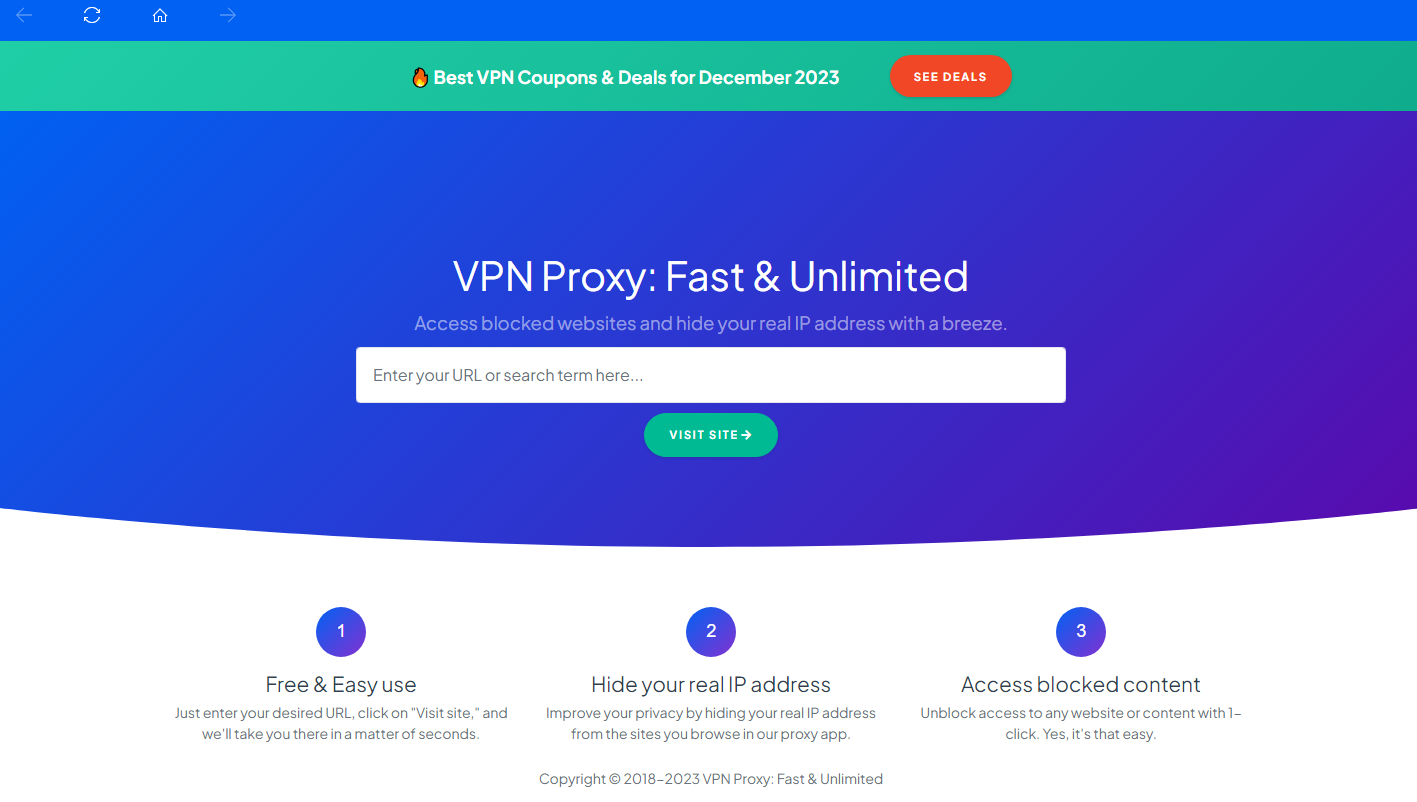
- Copy the link of the site you want to unblock or visit and paste it into the installed app, as shown in the image. In this case, we have used the VPN Proxy: Fast & Unlimited.
- It will let you visit the site while masking your real IP address.
- Also, you can visit the official site to create your account to track your performance.
Is OpenVPN Free?
OpenVPN itself is free and open-source. However, most users access it through VPN services, which may offer both free and paid plans depending on features such as server access, speed, and support.
Is OpenVPN Safe to Use?
Yes, OpenVPN is considered secure when configured properly. Its use of strong encryption and open-source transparency makes it a trusted option for protecting online data and maintaining privacy.
Alternatives to OpenVPN
- WireGuard – A modern VPN protocol known for faster speeds, lightweight design, and easier setup compared to OpenVPN.
- IKEv2/IPsec – A stable option that performs well on mobile devices, especially when switching between Wi-Fi and cellular networks.
- L2TP/IPsec – An older protocol that offers basic security but is generally slower and less efficient than newer alternatives.
- PPTP – A legacy protocol that is easy to use but no longer recommended due to known security vulnerabilities.
If you are exploring VPN options beyond protocols, you can also check out some of the best Turbo VPN alternatives for Android and iOS.
Final Verdicts
OpenVPN remains a reliable choice for users who prioritize security and flexibility. While it may require more setup compared to simple VPN apps, it provides strong protection and broad compatibility across devices.
For users who want more control over their VPN configuration, OpenVPN continues to be a practical and trusted solution.
OpenVPN FAQs: Security, Usage, and Setup
What does OpenVPN mean?
OpenVPN refers to an open-source VPN protocol that creates secure, encrypted connections over the internet. It is used by many VPN services to protect data and maintain user privacy.
Is OpenVPN secure?
Yes, OpenVPN is considered highly secure. It uses strong encryption (such as AES-256) and supports advanced security features that help protect data from unauthorized access.
How does OpenVPN work?
OpenVPN works by creating an encrypted tunnel between your device and a remote server. This hides your IP address and secures your internet traffic while browsing or streaming.
Can I use OpenVPN on Android?
Yes, OpenVPN is available on Android through compatible apps. You can install an OpenVPN client and connect using configuration files provided by your VPN service.
Is OpenVPN better than other VPN protocols?
OpenVPN is a reliable option known for security and flexibility. However, newer protocols like WireGuard may offer faster speeds and easier setup depending on your needs.