You have likely bumped into the term “Managed Service Provider” or MSP if you are a small business owner trying to keep the lights on or a growing enterprise looking to scale.
In a world where a single cyberattack or a botched cloud migration can derail your entire year, the way we handle technology has shifted from “fixing it when it breaks” to “making sure it never breaks in the first place.”
But what exactly are you paying for, and how do you know if a provider is a true partner or just a glorified help desk? In this guide, I am going to take you through everything you need to know about MSPs in 2026.
What is a Managed Service Provider?
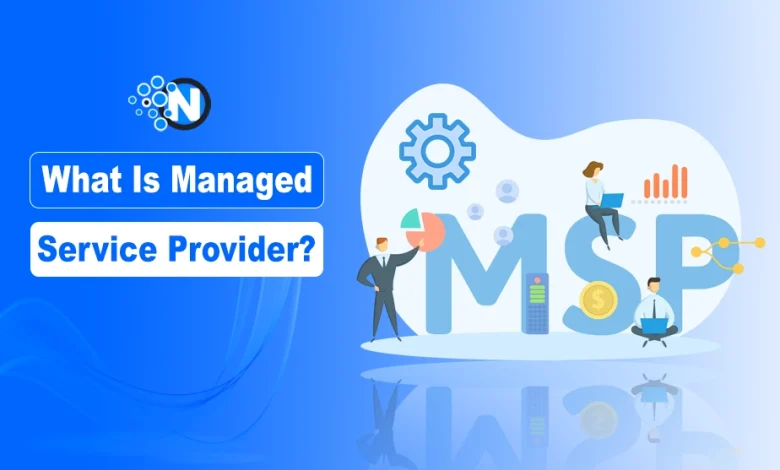
A Managed Service Provider (MSP) is a third-party company that remotely manages your IT infrastructure and end-user systems, typically on a proactive basis and under a subscription model.
You can consider MSP as your outsourced IT department. Instead of waiting for a server to crash and calling an expensive technician to fix it (the old “break-fix” model), an MSP uses advanced monitoring tools and Artificial Intelligence to spot issues before they become disasters.
They handle the “boring” but critical stuff, like security patches, data backups, and network monitoring, so you can focus on actually running your business.
In 2026, they have evolved beyond just “IT support” to become strategic partners that help you navigate AI integration and complex cloud environments.
Types of Managed Service Providers
Not all MSPs are created equal. Depending on your industry and how much of your “tech stack” you want to hand over, you might find yourself looking at several different types.
Here is a breakdown of the most common types of Managed Service Providers you will encounter in everyday life.
1. Managed Security Service Providers (MSSPs)
If your primary concern is sleep-depriving cyber security threats, this is your go-to. MSSPs focus almost exclusively on security. They provide around-the-clock monitoring (SOC-as-a-Service), managed detection and response (MDR), and identity management.
In 2026, these providers are heavily using Agentic AI to autonomously block threats in milliseconds, long before a human could even click “refresh.”
2. Managed Cloud Services
As businesses move away from physical servers, these specialists have become essential. They manage your presence on platforms like AWS, Azure, or Google Cloud.
They don’t just “store” your data; they optimize your cloud spending (FinOps) and ensure your cloud architecture is scalable. If you are worried about your monthly cloud bill spiraling out of control, a cloud-managed service provider is your best friend.
3. Managed Network and Infrastructure
This is the “traditional” MSP on steroids. They take care of your physical hardware, Wi-Fi, routers, and firewalls.
They ensure your internet stays up, your internal network is fast, and your hardware doesn’t reach “end-of-life” without a replacement plan in place. They are the backbone of your day-to-day operations.
4. Managed Communication Services
You can think of it as your phone system, video conferencing, and messaging apps all wrapped into one managed package.
In a hybrid-work world, these providers ensure that your team can collaborate seamlessly whether they are in the office or a coffee shop in Bali. They often manage Unified Communications as a Service (UCaaS) platforms.
5. Data Analytics and “Data as a Service” (DaaS)
Some companies need a specialist first. Managed database services focus on availability, recoverability, performance stability, and safe change management for business-critical databases.
That means more than keeping routine jobs green: it includes backup restore testing, point-in-time recovery validation, HA/DR readiness, query workload stability, capacity planning, and patching that accounts for version compatibility, application dependencies, and rollback risk.
Managed Service Provider Costs: What Should You Expect to Pay?
Talking about money can be awkward, but let’s get into the weeds. MSP pricing has moved away from “one size fits all” toward more transparent, unit-based models. In 2026, most businesses find themselves in one of the following pricing structures.
1. Per-User Pricing Models
This is currently the most popular model because it’s incredibly easy to scale. You pay a flat monthly fee for every employee who uses your IT systems.
- The Cost: On average, expect to pay between $125 and $250 per user, per month.
- What’s included: Usually, this covers help desk support, security software, and basic monitoring. If you need heavy compliance (like HIPAA or CMMC), that price can jump toward the $300+ range.
2. Per-Device Pricing Models
If your business is “device-heavy” maybe you have 10 employees but 50 specialized machines or IoT devices, this might be cheaper.
- The Cost: Workstations typically run $50 to $120 per device, while servers can cost anywhere from $150 to $400 per month.
- The Catch: This can get complicated if your team uses multiple devices (laptop, tablet, phone) per person.
3. Tiered Service Levels
Many MSPs offer “Bronze, Silver, and Gold” packages.
- Basic/Foundation: Usually starts around $100 per user. It’s reactive and covers the basics like patching and antivirus.
- Advanced/Fortify: Usually $150 to $200 per user. This is where you get 24/7 monitoring, EDR (Endpoint Detection and Response), and proactive strategy.
- Compliance/Premium: Starting at $210+ per user. It is for industries with strict legal requirements, offering full disaster recovery and audit-ready reporting.
4. Project-Based and Hourly Rates
Sometimes you just need a one-off job, like a major cloud migration.
- The Cost: Most reputable MSPs charge between $175 and $350 per hour for specialized consulting or emergency work that falls outside of your monthly contract.
How to Choose a Managed Service Provider?
Choosing an MSP is like choosing a business partner. If you pick wrong, it’s not just a budget hit; it’s a productivity killer. Here is the essential checklist of what to look for before you sign on the dotted line.
- Industry Specialization: Does the provider understand your specific world? An MSP that primarily helps law firms might not understand the specialized software or compliance needs of a manufacturing plant. Ask for case studies in your specific vertical.
- Response Time and SLAs: A “Service Level Agreement” (SLA) is the contract that defines how fast they respond. Don’t just look at the “response time” (how long it takes them to say ‘hello’); look at the “resolution time” (how long it takes them to actually fix the problem).
- The “Human” Element: In the age of AI, technical skills are becoming a commodity. What sets an MSP apart is their communication. Do they explain things in plain English? Do you have a dedicated account manager or a “vCIO” (virtual Chief Information Officer) who helps you plan for the next three years?
- Security Maturity: Don’t just take their word for it. Ask if they have their own SOC 2 Type II certification or ISO 27001. If they aren’t securing their own house, they can’t secure yours.
- Scalability: You want a partner that can handle you today and five years from now. If you plan to double your staff, can they support that growth without a massive lag in service?
- Transparency and Reporting: You should receive monthly reports that show exactly what they did. How many threats were blocked? What is your “uptime” percentage? If their reporting is vague, their service usually is too.
Final Thoughts
At the end of the day, a Managed Service Provider shouldn’t feel like an “extra expense.” When done right, it is an investment that pays for itself through reduced downtime, better security, and a staff that isn’t frustrated by spinning wheels and broken printers.
As we move further into 2026, the gap between businesses that embrace managed IT and those that try to “wing it” is only going to grow.
Take the time to audit your current needs, understand your budget, and interview potential partners with a critical eye. Your future self (and your sanity) will thank you.