- Smart TVs combine internet and entertainment in one device.
- They eliminate the need for external streaming devices
- OLED and QLED are leading display technologies
- Samsung, LG, and Sony dominate the market
- Smart TVs are becoming essential in modern homes
Television has come a long way from simple broadcast channels to fully connected digital ecosystems. Today, smart TVs are at the center of modern home entertainment, offering streaming, apps, voice control, and seamless integration with other smart devices.
With a smart TV, you can stream Netflix, watch YouTube, install apps, and even connect other smart devices without needing any extra hardware. But with so many options, features, and technologies available, it’s easy to feel unsure about what really matters.
In this guide, you’ll learn exactly what a smart TV is, how it works, its key features, and what to consider before buying, so you can choose the right one with confidence.
What Is a Smart TV?
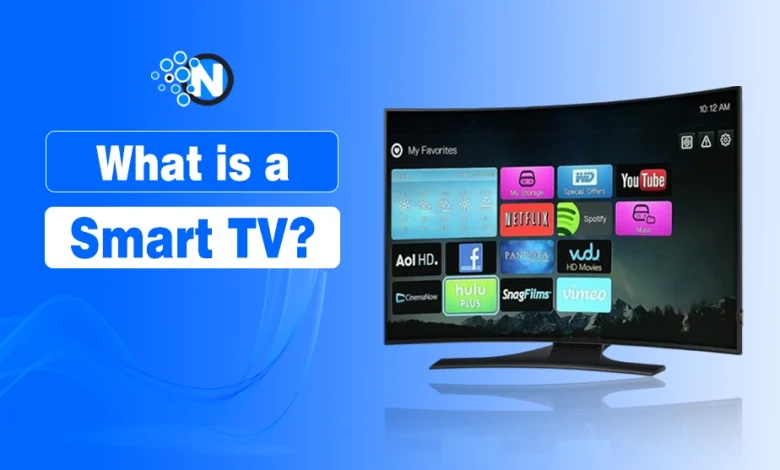
A smart TV is a television equipped with built-in internet connectivity and a software platform (operating system) that allows users to access online content, applications, and services without needing external devices like streaming sticks or set-top boxes.
Unlike traditional TVs that rely on cable or satellite signals, smart TVs allow you to:
- Stream movies and shows on demand
- Install apps for entertainment, productivity, or gaming
- Access cloud-based services
- Connect with other smart devices
In simple words:
Smart TV = Normal TV + Internet + Apps
Unlike traditional TVs, smart TVs come preloaded with platforms that support streaming services like Netflix, YouTube, and Amazon Prime Video.
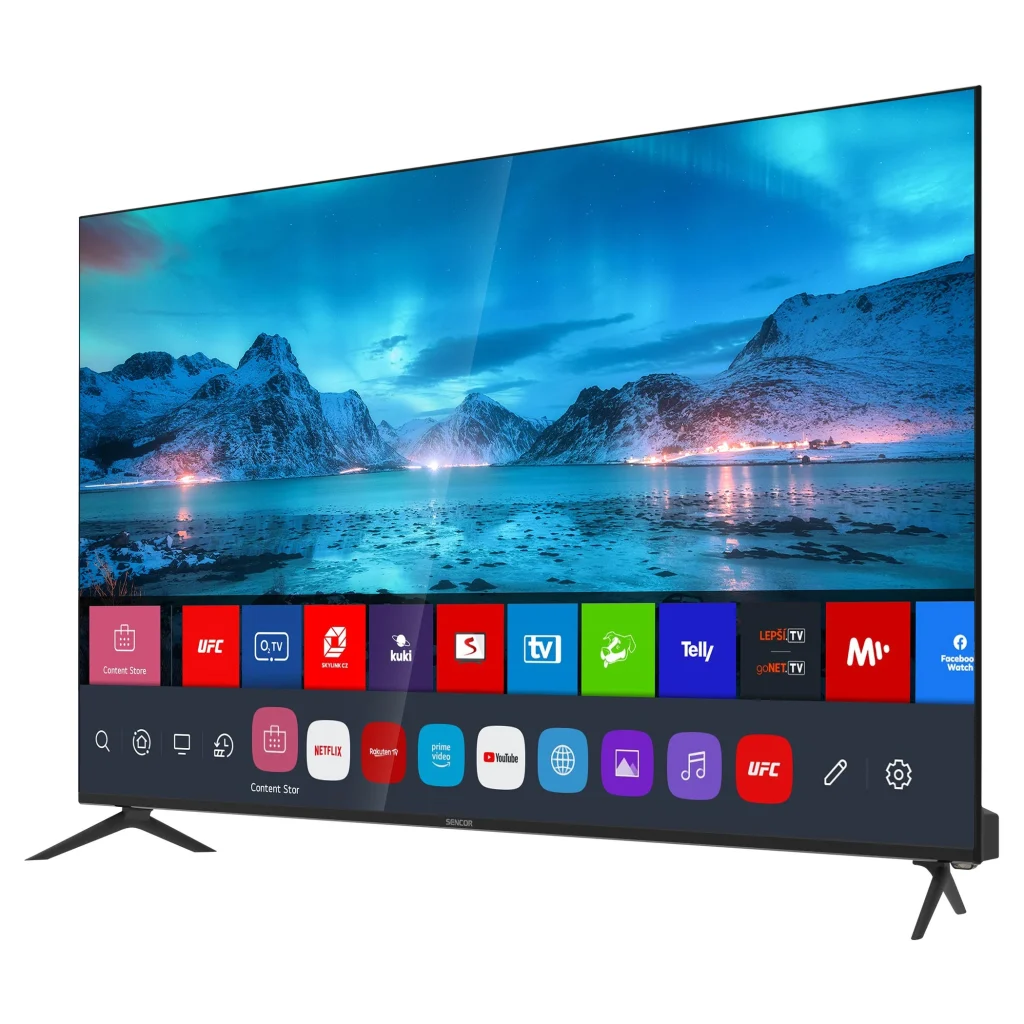
How Does a Smart TV Work?
To understand what smart TV can do, think of it as a combination of three core components:
1. Internet Connectivity
Smart TVs connect to the internet through Wi-Fi or Ethernet. This connection enables streaming services, app downloads, software updates, and real-time data synchronization.
2. Operating System (OS)
Every smart TV runs on an operating system that acts as the brain of the device. It manages apps, user interface, and system functions.
Common smart TV operating systems include:
- Tizen OS (Samsung): Known for speed and smooth performance
- webOS (LG): User-friendly with a clean interface
- Android TV / Google TV: Offers extensive app support via Google Play Store
- Roku TV OS: Simple and highly optimized for streaming
Each OS has its own ecosystem, app store, and features, which can significantly impact user experience.
3. Applications and Content Platforms
Smart TVs come pre-installed with apps like Netflix, YouTube, and Amazon Prime Video. Users can also download additional apps depending on the OS.
These apps allow you to stream content, play games, listen to music, or even attend video calls.
Key Features of Smart TVs (What Does a Smart TV do?
Smart TVs are packed with features that go far beyond traditional viewing. Let’s break down smart tv capabilities:
1. Built-in Streaming Services
One of the biggest advantages is direct access to streaming platforms. You don’t need external devices like Chromecast or Fire Stick. This means:
- Faster access to content
- Fewer cables and devices
- A cleaner setup
2. App Ecosystem
Modern smart TVs support a wide range of apps, including:
- Entertainment (Netflix, Disney+)
- Music (Spotify)
- Gaming apps
- Fitness and lifestyle apps
The availability of apps depends on the TV’s operating system.
3. Voice Control and AI Integration
Smart TVs now integrate with voice assistants like Alexa and Google Assistant.
You can:
- Change channels
- Search for movies
- Control volume
- Manage smart home devices
All through simple voice commands.
4. Screen Mirroring and Casting
This feature allows you to mirror your smartphone, tablet, or laptop screen onto your TV. It is useful for:
- Presentations
- Watching personal videos
- Gaming on a larger screen
Technologies include Chromecast, AirPlay, and Miracast.
5. Smart Home Integration
Smart TVs can act as a control hub for your smart home ecosystem. For example:
- View security cameras
- Adjust lighting
- Control thermostats
This turns your TV into more than just an entertainment device.
6. Personalized Content Recommendations
Using AI and machine learning, smart TVs analyze your viewing habits and suggest content you’re likely to enjoy.
This saves time and enhances user experience.
7. Web Browsing Capability
Many smart TVs include built-in browsers, allowing you to surf the internet directly.
While not as powerful as a computer browser, it’s useful for quick searches and basic browsing.
Different Types of Smart TVs (Display Technologies Explained)
Choosing the right smart TV technology is crucial because it directly affects picture quality.
1. LED TVs
LED TVs are the most common and affordable option. They use LED backlighting to illuminate the screen.
Best for: Budget users and general viewing
Pros: Affordable, energy-efficient
Cons: Limited contrast compared to OLED
2. QLED TVs
QLED (Quantum Dot LED) enhances LED technology by improving brightness and color accuracy.
Best for: Bright rooms and vibrant visuals
Pros: High brightness, vivid colors
Cons: Not true black levels
3. OLED TVs
OLED TVs offer the best picture quality by using self-lighting pixels.
Best for: Premium viewing experience
Pros: Perfect blacks, infinite contrast
Cons: Expensive
4. Resolution Types
Resolution determines the clarity of the image.
- Full HD (1080p): Basic viewing
- 4K Ultra HD: Standard for modern TVs
- 8K: Future-ready but limited content
For most users, 4K is the ideal choice.
Benefits of Smart TVs
Top smart TV benefits include
- All-in-One Entertainment: Smart TVs eliminate the need for multiple devices by combining streaming, browsing, and traditional TV.
- Convenience and Ease of Use: Everything is accessible through a single remote or voice command.
- Cost Efficiency Over Time: While initially expensive, smart TVs reduce the need for external devices.
- Access to Global Content: Watch content from around the world instantly.
- Continuous Updates: Software updates keep your TV relevant with new features and apps.
Top Smart TV Manufacturers & Popular Models 2026
Here are the leading Smart TV manufacturers dominating the market:
1. Samsung
Samsung is known for its QLED technology and fast Tizen OS, making it ideal for bright-room viewing.
Popular Smart TV models of Samsung:
- QN90C Neo QLED
- Q60C QLED
- S95C OLED
2. LG
Renowned for OLED technology and sleek designs.
Popular Smar TV models of LG:
- OLED C4 Series
- OLED G4 Series
- NanoCell NANO80
3. Sony
Famous for superior picture processing and cinematic quality.
Popular Smar TV models of Sony:
- Bravia XR A80L OLED
- X90L LED
- X95L Mini LED
4. TCL
Offers excellent value for money with competitive features.
Popular Smar TV models of TCL:
- QM8 Mini-LED
- 6-Series Roku TV
- Q7 QLED
5. Hisense
Known for affordable yet feature-rich TVs.
Popular Smar TV models of Hisense:
- U8K Mini-LED
- U7K QLED
- A6 Series
6. Panasonic
Focuses on high-end display quality and professional-grade color accuracy.
Popular Smar TV models of Panasonic:
- MZ2000 OLED
- MX950 LED
Smart TV Apps List: Essential Apps for Streaming, Entertainment, and More
From streaming movies and live sports to listening to music or even working out, smart TV apps cover almost every digital need.
Here’s a categorized list of the most popular and essential smart TV apps you can use:
Streaming & Entertainment Apps
These are the core apps most users rely on for movies, TV shows, and original content.
- Netflix – Watch thousands of movies, series, and originals
- YouTube – Stream videos, tutorials, and live content
- Amazon Prime Video – Access exclusive shows and films
- Disney+ – Family-friendly content and major franchises
- HBO Max – Premium series and blockbuster movies
- Apple TV – Apple Originals and media library
Live TV & Sports Apps
Perfect for watching live channels, sports events, and real-time broadcasts.
- YouTube TV – Live channels and cloud DVR
- ESPN – Sports news and live matches
- DAZN – Boxing, football, and more
- Sling TV – Affordable live TV packages
- Hulu – On-demand and live TV in one app
Music & Audio Apps
Turn your smart TV into a powerful home audio system.
- Spotify – Stream millions of songs and podcasts
- YouTube Music – Music videos and playlists
- Apple Music – High-quality audio and curated playlists
- Pandora – Personalized radio stations
Gaming & Cloud Gaming Apps
Enjoy gaming directly on your TV without a console.
- NVIDIA GeForce NOW – Stream PC games instantly
- Xbox Cloud Gaming – Play Xbox games via cloud
- Google Stadia – Cloud gaming platform (limited support)
Lifestyle & Fitness Apps
Stay active and improve your well-being right from your living room.
- Peloton – Guided workouts and training sessions
- FitOn – Free workout routines
- Calm – Relaxation and mindfulness exercises
Utility & Productivity Apps
Enhance functionality beyond entertainment.
- Google Chrome – Browse the internet (Android TV)
- Plex – Stream your personal media library
- Kodi – Advanced media management
- AirScreen – Mirror devices to your TV
Smart TV vs Normal TV: What’s the Difference?
A smart TV is a connected, app-powered version of a traditional TV. Below are the key differences between a Smart TV and a normal TV:
| Feature | Smart TV | Normal TV |
| Internet Connectivity | ✅ Built-in Wi-Fi/Ethernet | ❌ Not available |
| Apps & Streaming | ✅ Supports apps like Netflix, YouTube | ❌ Requires external devices |
| Operating System | ✅ Yes (Tizen, webOS, Android TV) | ❌ No |
| Content Access | ✅ Online + cable | ✅ Cable/antenna only |
| Voice Control | ✅ Supported | ❌ Not available |
| Screen Mirroring | ✅ Yes | ❌ No |
| Price | 💰 Slightly higher | 💰 More affordable |
Smart TV vs Android TV vs Google TV
- Smart TV: General term for any internet-enabled TV
- Android TV: Google’s operating system with Play Store access
- Google TV: A more advanced interface built on Android TV
Below is a quick comparison table:
| Feature | Smart TV | Android TV | Google TV |
| Definition | Any internet-enabled TV | OS by Google | UI layer over Android TV |
| App Store | Brand-specific | Google Play Store | Google Play Store |
| Personalization | Basic | Moderate | Advanced AI recommendations |
| Best For | General users | App lovers | Personalized experience |
Google TV offers better personalization and content discovery compared to standard smart TV interfaces.
Smart TV Buying Guide: How to Choose the Best Smart TV 2026
When buying a smart TV, you should consider the following features to make a wise decision:
- Screen Size: Choose based on room size and viewing distance.
- Display Technology: OLED for quality, QLED for brightness, LED for budget.
- Operating System: Pick one that supports your favorite apps.
- Audio Quality: Look for Dolby Atmos support or consider a soundbar.
- Connectivity: Ensure enough HDMI and USB ports.
- Refresh Rate: 120Hz is ideal for gaming and sports.
Smart TV Use Cases (Real-Life Applications)
- Watching movies and streaming series
- Online classes and educational content
- Gaming and cloud gaming
- Business presentations
- Smart home control
Pros and Cons of Smart TVs
| Pros | Cons |
|---|---|
| Easy access to content | Can lag over time |
| Smart integrations | Requires internet |
| Minimal hardware requirements | Expensive |
| Access to Thousands of Apps |
Future of Smart TVs (2026 and Beyond)
Smart TVs are evolving rapidly with:
- AI-powered assistants
- Cloud gaming platforms
- Integration with IoT devices
- Advanced voice recognition
In the near future, smart TVs will act as central hubs for digital living.
Final Thoughts
Smart TVs have completely redefined how we experience entertainment at home. Instead of relying solely on cable or satellite, you now have instant access to streaming platforms like Netflix and YouTube, along with apps, games, and even smart home controls, all in one device.
What makes smart TVs truly valuable is their ability to combine convenience, connectivity, and personalization. Whether you’re binge-watching your favorite series, mirroring your phone, or using voice commands to control your home, a smart TV acts as the central hub of modern digital living.
Common Smart TV FAQs
What TVs are smart TVs?
Smart TVs are televisions that have built-in internet connectivity and an operating system, allowing you to stream content, use apps, browse the web, and access online services.
Do you need internet for a smart TV?
Yes, internet is essential for streaming, downloading apps, and accessing online features. Without it, the TV functions like a regular TV.
Can a smart TV replace cable?
Yes. Many users now rely entirely on streaming services instead of cable subscriptions.
Are smart TVs secure?
They are generally safe, but users should:
Use secure Wi-Fi
Keep software updated
Avoid unknown apps
Can you use a smart TV for gaming?
Yes. Many smart TVs support cloud gaming and connect with consoles like PlayStation and Xbox.
What apps are available on a smart TV?
Most smart TVs come with pre-installed apps like Netflix, YouTube, Amazon Prime Video, Disney+, and Spotify, depending on the OS.
Is a smart TV better than a normal TV?
Yes, smart TVs offer internet connectivity, apps, and streaming features, making them more versatile than traditional TVs.