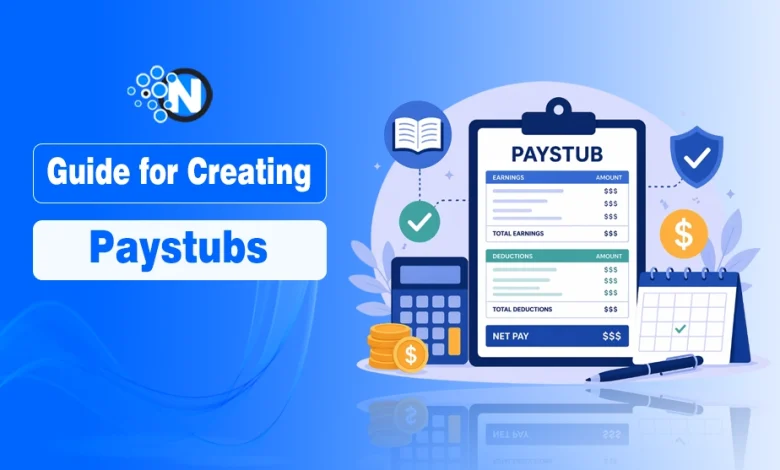
- Paystubs are essential for income proof, tax compliance, and financial transparency.
- Include accurate employee and employer details on every paystub.
- Clearly define the pay period, earnings, and payment date.
- Itemize deductions to show how gross pay becomes net pay & highlight net pay for visibility.
- Use consistent formatting and double-check all calculations.
Creating your own paystubs is more than a simple administrative task; it’s an important part of maintaining accurate financial records, ensuring tax compliance, and building trust with employees or clients.
Whether you’re a freelancer managing your own income, a startup founder handling payroll manually, or a small business scaling operations, having properly structured paystubs can save you from legal complications and financial confusion.
A well-prepared paystub acts as an official record of earnings. It’s often required for loan applications, rental agreements, tax filings, and internal audits. But to create your own paystubs and make sure they are professional and compliant, you need to include specific, verifiable information in a structured format.
In this guide, you will learn what information you need to create professional, accurate paystubs.
What Are Paystubs and Why Do They Matter?
A paystub (also known as a payslip) is an official document that provides a detailed breakdown of an employee’s earnings for a specific pay period.
It shows how much was earned, what deductions were applied, and the final amount paid (net pay). Paystubs can be issued in digital or printed format and are commonly generated through payroll systems or accounting software.

Essential Information Required to Create Accurate Paystubs
Employee Personal Information
Every paystub begins with identifying the individual being paid. This ensures that payments are properly recorded and linked to the correct person.
Essential details include:
- Full legal name
- Residential address
- Identification number (such as SSN or national ID)
In some cases, businesses also include an internal employee ID for tracking purposes. This becomes especially useful when managing multiple employees or contractors.
Accurate personal information is not just about organization; it’s a compliance requirement. Errors here can lead to tax filing issues or disputes over income records.
Employer Details
To validate the authenticity of a paystub, it must clearly identify the employer issuing the payment. This is particularly important for legal, tax, and financial verification purposes.
Include the following:
- Registered business name
- Official business address
- Employer Identification Number (EIN) or equivalent
Modern payroll systems like QuickBooks simplify this process by automatically embedding employer details into each paystub, reducing the chances of manual errors.
Pay Period and Payment Date
Defining the timeframe of earnings is essential for both employees and employers. It ensures clarity around when the income was earned and when it was paid.
Your paystub should clearly show:
- Pay period start date
- Pay period end date
- Payment (issue) date
This information helps employees track their earnings and aligns your payroll with compliance standards set by authorities such as the U.S. Department of Labor.
Gross Earnings
Gross earnings refer to the total amount earned before any deductions are applied. This section should provide a clear and detailed breakdown to avoid confusion.
It may include:
- Base salary or hourly wages
- Overtime payments
- Bonuses and commissions
Providing a transparent breakdown allows employees to verify their earnings and ensures consistency in payroll calculations. It also reduces the likelihood of disputes and strengthens financial transparency.
Deductions and Taxes
Deductions are what transform gross earnings into net pay. This section must be clearly itemized to show exactly where money is being allocated.
Common deductions include:
- Federal or local income tax
- Social Security contributions
- Medicare or national healthcare contributions
- Health insurance premiums
- Retirement contributions (such as pension plans)
Accurate reporting is essential to comply with tax regulations enforced by agencies like the Social Security Administration or your country’s equivalent authority.
This section is particularly important during tax season, as it directly impacts how much an employee owes or is refunded.
Net Pay (Take-Home Salary)
Net pay is the final amount an employee receives after all deductions. It should be clearly highlighted and easy to identify on the paystub.
This is one of the most important figures, as it represents actual income received. It is also commonly used as proof of income for:
- Loan applications
- Rental agreements
- Financial verifications
Even a small error in net pay can create serious issues, so accuracy here is non-negotiable.
Year-to-Date (YTD) Totals
Year-to-date (YTD) totals provide a running summary of earnings and deductions over the current financial year. This gives both employers and employees a broader financial perspective.
YTD information typically includes:
- Total gross earnings
- Total deductions
- Total net income
This data helps employees estimate taxes, track financial progress, and make informed budgeting decisions. For employers, it simplifies reporting and auditing processes.
Additional Earnings and Adjustments
Not all income fits neatly into standard salary categories. Depending on the role or agreement, you may need to include additional financial elements.
These can include:
- Paid time off (vacation or sick leave)
- Expense reimbursements
- Performance bonuses
- Allowances or special incentives
Including these ensures a complete and accurate financial record, preventing misunderstandings later.
Formatting, Accuracy, and Record Keeping
Even with all the correct data, a poorly formatted paystub can cause confusion. Clarity and consistency are key.
Best practices for professional paystubs:
- Use a clean, structured layout
- Maintain consistent formatting across all pay periods
- Double-check all calculations
- Use reliable payroll software or templates
- Store records securely for future reference
Payroll errors can lead to compliance penalties, employee dissatisfaction, and reputational damage. Taking the time to ensure accuracy pays off in the long run.
Conclusion: Create Paystubs That Are Accurate, Compliant, and Professional
To create your own paystubs successfully, you need more than just basic income figures; you need a structured approach that includes accurate personal details, clear earnings breakdowns, compliant deductions, and transparent reporting.
When done correctly, paystubs become powerful financial documents that support compliance, simplify audits, and strengthen relationships with employees or clients.
Investing in proper paystub creation today can help you avoid costly mistakes and build a more organized, professional financial system for the future.
FAQs
A paystub (or payslip) is a document that shows an employee’s earnings, deductions, and net pay for a specific pay period. It provides a clear breakdown of how the final salary is calculated.
Yes, freelancers, small business owners, and employers can create their own paystubs using payroll software, templates, or online paystub generators.
Requirements vary by country or state, but most paystubs must include employee details, employer information, pay period dates, gross earnings, deductions, and net pay. Some regions also require hours worked and tax details.
Yes, digital paystubs are widely accepted as long as they contain complete and accurate information. Many companies now use digital payroll systems for convenience and record-keeping.