Streaming movies and TV shows has become a daily habit for many users, especially on subscription platforms that offer ad-free viewing. However, not everyone is comfortable paying monthly fees just to access entertainment without interruptions.
NetMirror positions itself as an alternative by offering access to popular streaming content with minimal ads. The app claims users can watch shows after viewing a single ad within a 24-hour period, which naturally raises questions about how it works and whether it’s safe to use.
In this guide, you’ll find a clear breakdown of what NetMirror offers, how it functions, and what users should know before installing it.
What is NetMirror?
NetMirror is described as a third-party streaming platform that functions as a web-based streaming tool, allowing users to access movies and TV shows through a browser interface.
The platform presents itself as an alternative to subscription-based services by using an ad-supported access model.
Unlike official streaming services, NetMirror operates as an unofficial streaming service and is not publicly affiliated with platforms such as Netflix or Amazon Prime Video. Its interface and content organization may resemble mainstream platforms, but its availability and functionality depend on independent hosting and domain access.
Users typically encounter NetMirror while searching for browser-based streaming options that claim fewer interruptions or broader content access without recurring fees.
Disclaimer
This content is from NogenTech.org for informational purposes only and not for recommendation or promotion. We don’t condone or encourage acts of piracy, such as streaming and downloading. NetMirror might host copyrighted content, and accessing or distributing such material without permission can be illegal in many regions.
How Does NetMirror Work?
NetMirror is a third-party streaming application that claims to provide access to movies and TV shows associated with platforms like Netflix and Amazon Prime Video across multiple devices.
According to the app’s description, users are required to watch one advertisement per day to unlock content for the next 24 hours. This setup is presented as a way to offer streaming without ongoing subscription fees.
Because NetMirror is not an official app from major streaming services, its content availability, performance quality, and regional access can vary.
Users often explore apps like NetMirror when they want fewer ads and more viewing flexibility, but understanding how the app operates is important before relying on it for regular streaming.
How to Stream on NetMirror? The Setup Guide
- Go to the NetMirror website on your browser: https://netmirror.app/.
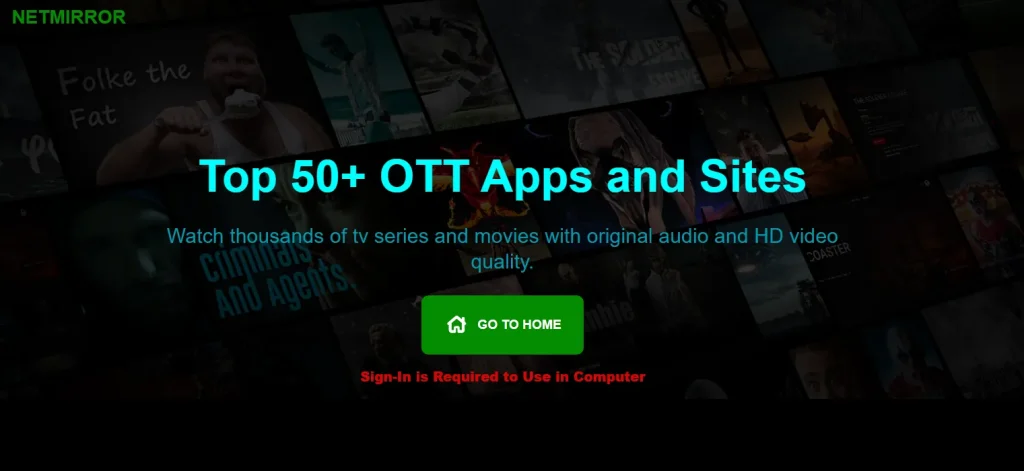
- Click on the “Go to Home” button to sign in with a Google account.
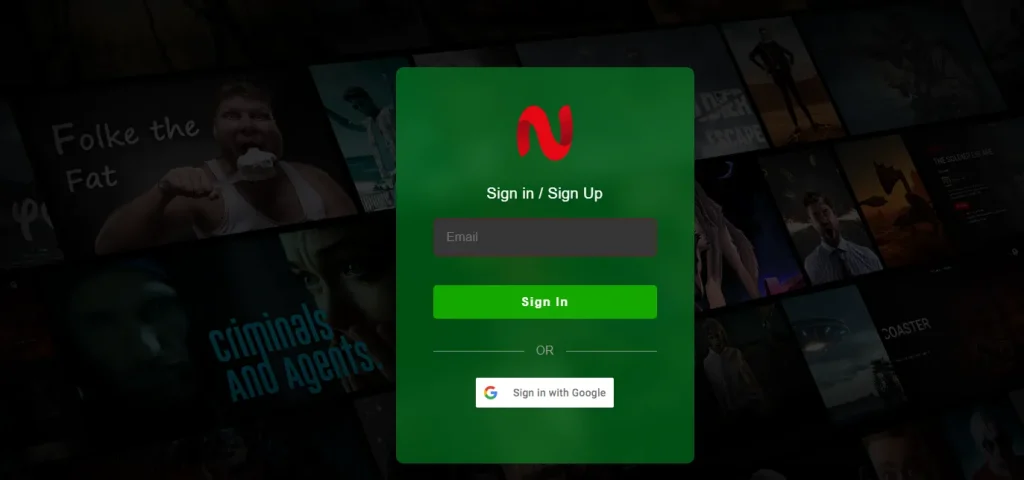
- Once you “log in successfully” on the platform, you’ll see a Netflix-like interface to stream unlimited content for the day.
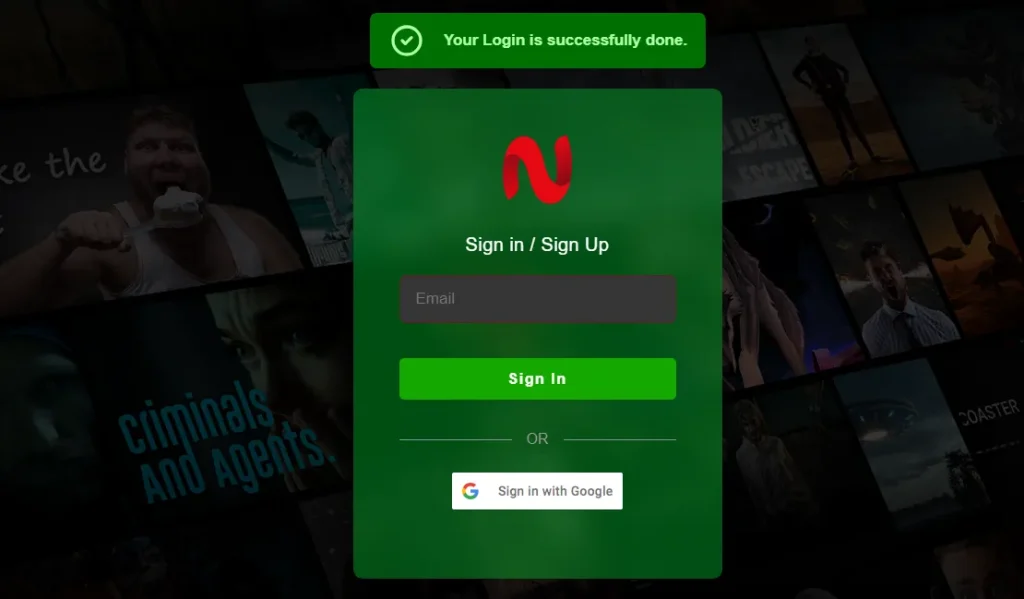
- This is the interface of NetMirror, where you can navigate and use its features easily.
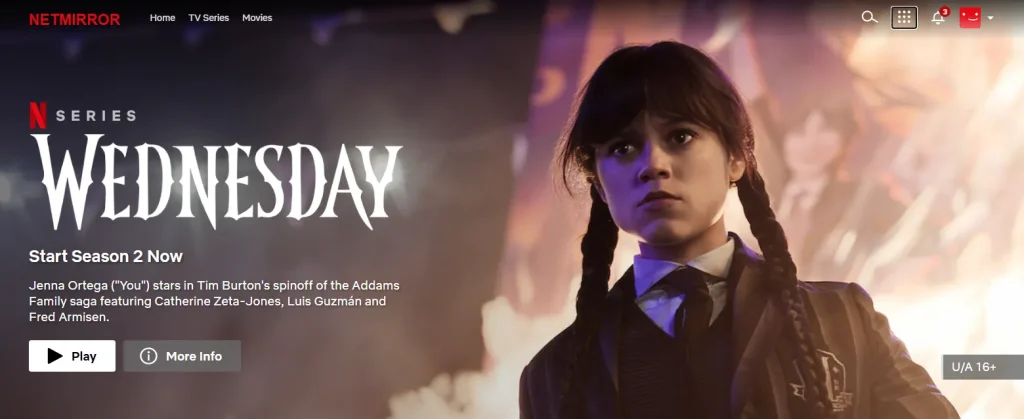
📌 Important Note: Next time you enter the site URL, you need to watch an ad to enter the site and stream content.
NetMirror Features That Got Me
- One Ad Per Day
- Device Compatibility
- Cross-Platform Hub
- Organized Library
1. One Ad Per Day
NetMirror allows you to stream movies by only watching one ad per day (24 hours) to stream content in 35+ audio languages. When you access the site, it showcases a captcha, and when you confirm, an ad is presented to you.
You can skip the ad, but if you do so, you can’t access the site and stream your favorite list until the ad is completed.
2. Device Compatibility
This platform is actively accessible on Android, iPhone, and PC browsers. Although it has two dedicated apps for smartphones: one for Android and one for iPhone. You can download them from the site.
Moreover, it uses a third-party app, DODO, for iPhone users to mirror the browser of the NetMirror app.
📌 Important Note: The app, DODO, isn’t available on the Play Store now. That means you may not access the site on your iPhone within the apps section.
3. Cross-Platform Hub
Many users are drawn to NetMirror because it claims to aggregate content typically associated with multiple subscription platforms into a single interface. This perceived convenience often appeals to users exploring alternatives to managing separate streaming services.
4. Organized Library
NetMirror’s interface separates movies and TV shows into distinct sections, which can make content navigation more straightforward for users.
Given that NetMirror operates through changing domains and third-party infrastructure, users commonly consider browsing safety and privacy precautions when accessing such platforms.
Although this organization is primarily associated with Netflix-style content categorization, the Amazon Prime mirror may present different arrangement patterns.
Is NetMirror Safe For Streaming or Not?
NetMirror is not commonly reported as a traditional malware application, but evaluating safety involves more than the absence of viruses.
Because the platform operates as a third-party streaming service without publicly verified licensing or transparent security disclosures, users may face legal, privacy, and reliability considerations depending on their region.
Unofficial streaming platforms can also carry uncertainties related to data handling, advertising networks, and domain stability. Users concerned about privacy or network exposure often rely on protective measures such as VPN services when accessing web-based platforms. For this reason, NetMirror cannot be described as universally safe or unsafe.
Users should weigh potential risks and exercise caution before relying on such services.
From a practical perspective, I would advise weighing the convenience against the inherent uncertainties of unofficial platforms.
Is NetMirror Legal or Banned?
NetMirror’s legal status is not universally defined and depends heavily on regional copyright regulations. Because the platform claims to provide access to premium streaming content without official licensing transparency, its use may fall into legally restricted territory in many countries.
Some regions actively block or restrict similar streaming platforms, while others rely on enforcement actions against content distribution rather than individual users. As a result, users often encounter domain changes or accessibility issues.
Anyone considering such platforms should review local copyright laws and digital media regulations before use.
Is NetMirror the Same as Netflix?
NetMirror is not affiliated with Netflix or Amazon Prime Video. While it may visually resemble mainstream streaming interfaces, it operates as an independent third-party platform without official licensing disclosures.
NetMirror Pros and Cons
Pros
- Free streaming
- Only one ad per day
- Cross-platform hub
- 35+ audio languages
Cons
- Sign in
- Third-party app on iPhone
- The domain changes every month
NetMirror Benefits
- Save on subscriptions: Stream Netflix and Prime Video without paying monthly fees.
- One ad per day: Just a single ad unlocks 24 hours of unlimited, ad-free viewing.
- Two-in-one hub: Access content from two major platforms in one place.
- Works on multiple devices: Compatible with Android, iPhone, and PC browsers.
- Organized library: Movies and TV shows are neatly separated for easy browsing.
How Does NetMirror Make Money?
Platforms using ad-based access models typically generate revenue through advertising networks, redirects, or partner promotions. Because NetMirror does not publish transparent business disclosures, its exact monetization structure is not publicly verified.
How Much Data Does NetMirror Use?
Data usage varies depending on streaming quality, compression, and session length. Like most video platforms, higher resolutions can significantly increase bandwidth consumption.
Platforms Users Often Compare With NetMirror
While researching NetMirror, users frequently come across other web-based streaming platforms discussed in similar contexts, including:
- Hurawatch – Often mentioned in discussions around browser-based streaming interfaces and free access models.
- Letflix – Typically referenced alongside other unofficial streaming platforms that claim subscription-free viewing.
Because these platforms operate under comparable third-party streaming approaches, similar considerations regarding legality, privacy practices, domain stability, and reliability may apply.
Before You Go
NetMirror appeals to users who want access to streaming content without paying for multiple subscriptions. Its ad-based access model may seem convenient, but users should carefully consider app source, content legitimacy, and privacy factors before use.
For those exploring alternatives to paid streaming platforms, NetMirror represents one option, but it’s best approached with informed expectations.
People Also Ask
Q1. Why is NetMirror not working?
NetMirror’s accessibility issues may occur due to domain changes, server instability, regional restrictions, or temporary outages. Third-party streaming platforms often experience interruptions that are outside user control.
Q2. Is it legal to stream pirated content?
Legality depends on regional copyright laws. In many countries, accessing or distributing copyrighted material without authorization may violate regulations. Users should review local digital media laws before using unofficial platforms.
Q3. What platforms are combined on NetMirror?
NetMirror presents itself as providing access to content typically linked with subscription services like Netflix and Amazon Prime Video. However, it is not officially affiliated with these platforms.
Does NetMirror collect user data?
NetMirror does not publicly disclose detailed data-handling policies. Users should review app permissions and sources before installation.
Is the NetMirror app safe to use?
Safety depends on where the app is downloaded from and how permissions are handled. Since it is not available on official app stores, users should proceed cautiously.