How to Set Up Xfinity Email in 2026 (An Ultimate Beginner’s Guide)

Do you know how important a reliable email provider is for business communication and email marketing success? From customer outreach to internal collaboration, your email service plays a critical role in engagement, deliverability, and brand trust.
If you’re still undecided, now is the right time to consider a dependable option like Xfinity Email. If you already use Xfinity Internet, then it enhances security and network performance across connected devices.
In this guide, you’ll learn what Xfinity Email is, who can use it, and how to set it up step by step on different devices.

Xfinity stopped allowing new Xfinity Email account creation after June 3, 2024. However, existing customers can continue using their email and create up to 6 additional secondary Xfinity IDs under one primary account.
What is xFinity Email Exactly?
Start creating Verdict in seconds, and convert more of your visitors into leads.
Xfinity Email (formerly known as Comcast Email) is a secure email service provided to Xfinity Internet customers. It is designed to offer reliable communication, strong spam protection, and seamless access across devices.
While Xfinity Email is commonly used for personal communication, many small businesses and professionals also rely on it for email campaigns, client communication, and account management.
Key Features of Xfinity Email
- Secure email access via web and third-party apps
- Advanced spam and phishing filters
- Access to voicemail messages via email (Voicemail to Text)
- Contact and inbox management across devices
- Enhanced protection when used with xFi Complete, including network-level security
How to Set Up Xfinity Email [2026]
Start creating Verdict in seconds, and convert more of your visitors into leads.
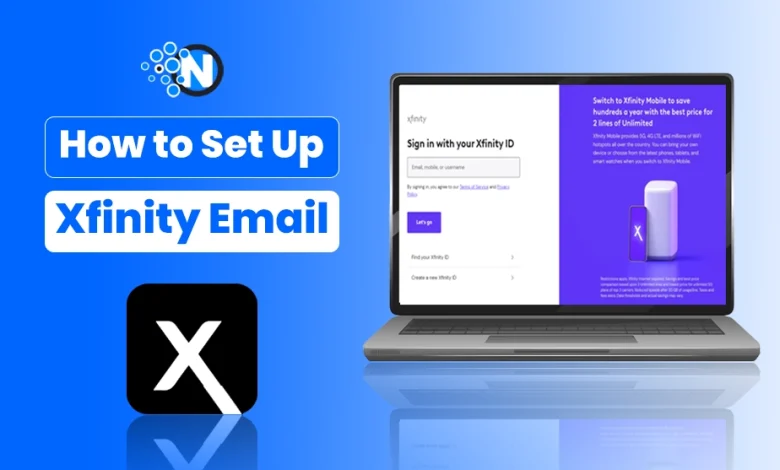
After creating your Xfinity account, follow these steps to configure your email.
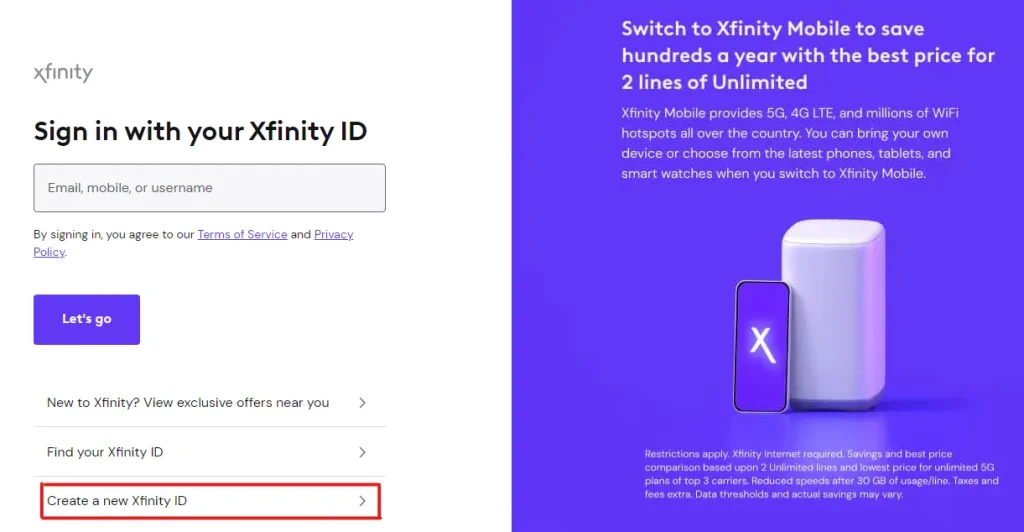
Step 1: Access Xfinity Email
- Sign in to your Xfinity account. (https://login.xfinity.com/login)
- Click the Email icon from the dashboard.
Step 2: Adjust Mail and Security Settings
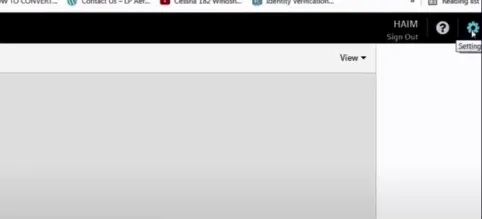
- Open Settings → Mail Settings.
- Navigate to Security Settings.
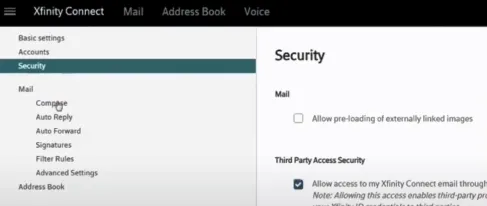
- Enable Third-Party Access Security (required for Outlook, iPhone, Android, and Windows Mail apps).
This step is especially important if you want to sync your email across devices connected to your xFi Complete home network.
Set Up Xfinity Email on Windows (Mail App)
Start creating Verdict in seconds, and convert more of your visitors into leads.
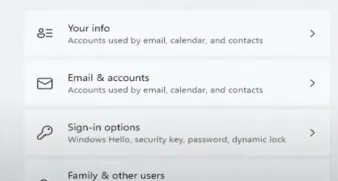
- Open Windows Settings → Accounts.
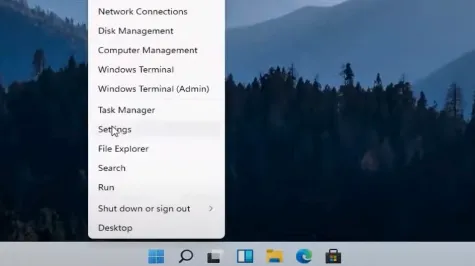
- Select Email & accounts → Add account.
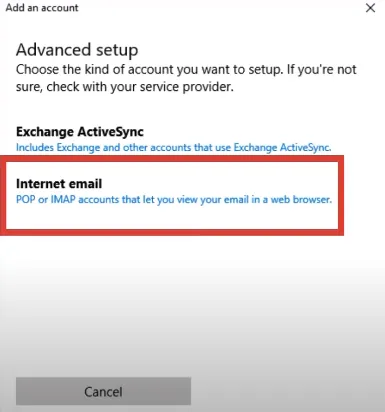
- Choose Advanced setup → Internet email.
- Enter your Xfinity Email credentials.
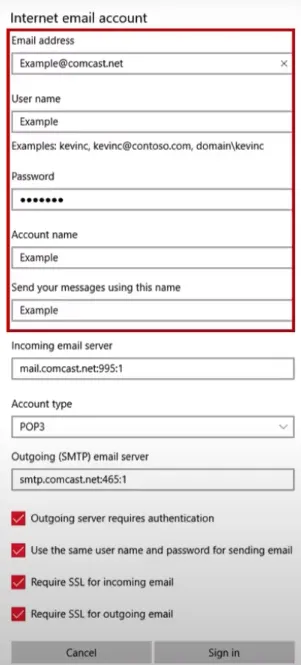
- Use the same incoming and outgoing mail server details provided by Xfinity.
- Click Sign in to complete the setup.
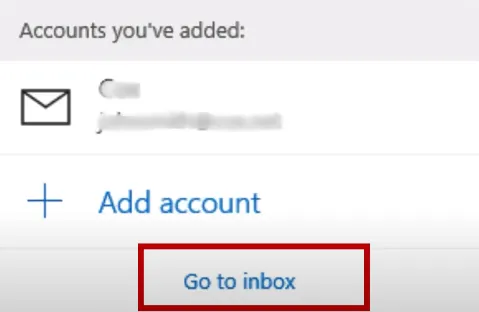
Your Xfinity Email account will now sync seamlessly with Windows.
The Closing Thoughts
Start creating Verdict in seconds, and convert more of your visitors into leads.
Email campaigns and professional communication demand security, reliability, and ease of access. Xfinity Email remains a solid option for existing Xfinity customers.
If you already have an Xfinity account, setting up your email across devices is straightforward using the steps above. While new email accounts are no longer available, current users can continue using and managing multiple Xfinity IDs without interruption.
People Also Ask
Start creating Verdict in seconds, and convert more of your visitors into leads.
Is Xfinity Email free?
Xfinity Email is included with an active Xfinity Internet subscription. It is not a standalone free email service.
Can I create an account on Xfinity without my phone number?
Yes. You can verify your identity using your Social Security number instead of a mobile phone number.
Can I download my Xfinity email?
There is no dedicated app, but you can access Xfinity Email through webmail or configure it in third-party apps like Outlook, Apple Mail, or Android Mail.
Where to send Xfinity spam?
You can report phishing or spam emails by forwarding them to abuse@comcast.net with “Phishing Email” in the subject line.
How do I add an additional email account to Xfinity?
Yes. Existing users can create up to 6 secondary Xfinity IDs under one primary account.
Is Comcast email the same as Xfinity email?
Yes. Comcast Email is the former name of Xfinity Email, as they are the same service.
How to change Xfinity email password?
You can change the Xfinity email password by using the Xfinity App:
- Open the Xfinity app
- Sign in with your Xfinity ID
- Go to Account → Security
- Tap Change Password
- Enter your current password
- Set a new password and confirm