Not long ago, creating voice content required microphones, editing tools, and long recording sessions, until AI like Uberduck got into the scene.
Now, it can convert text into realistic speech, AI singing, and rap vocals within seconds. When I first used it, it felt less like a basic text-to-speech tool and more like a creative platform for memes, TikTok voiceovers, and music streaming.
It got more interesting when I explored its features, like its AI text-to-speech and AI rap generator. However, many users are still confused about whether they should use ot not.
If you’re also deciding if Uberduck is worth your time, you’re in the right place. Here, you’ll explore what Uberduck AI is, how to use it, pricing, the free plan, voice cloning, safety, app availability, and practical use cases.
What is Uberduck AI, and What are its Key Features?
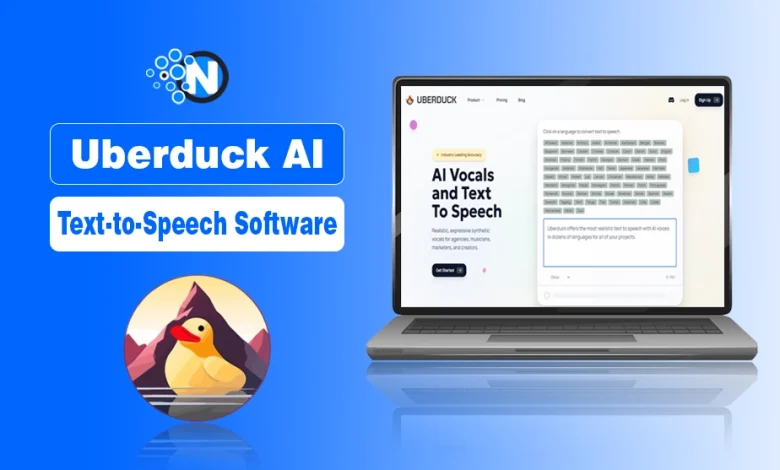
Uberduck AI is an AI-powered text-to-speech and voice generation platform that helps you to convert written text into natural-sounding speech, singing, and rap-style audio.
It is widely used in the USA and the global creator economy, and unlike basic text-to-speech tools, it is commonly used for voice-overs and narration videos for platforms like YouTube, TikTok, Instagram, and Snapchat.
Key Features of Uberduck AI
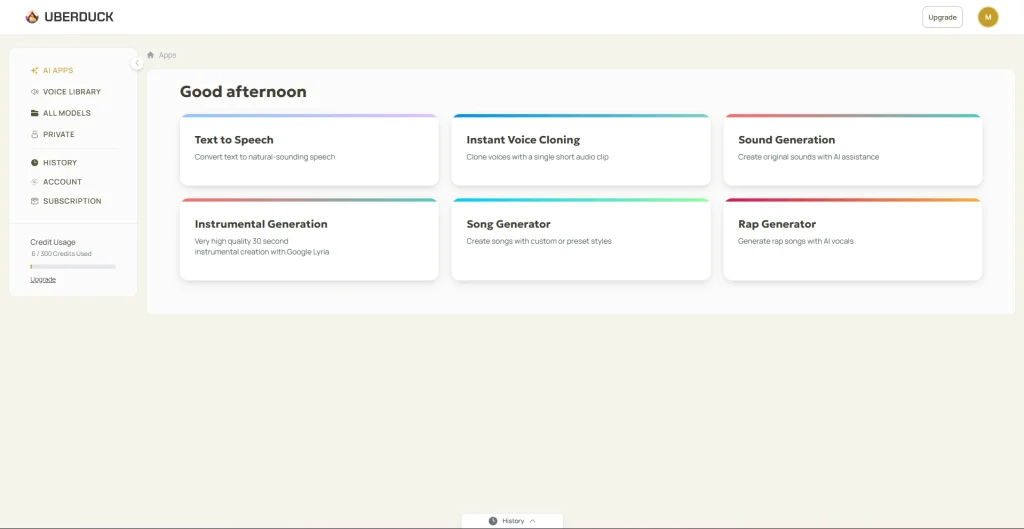
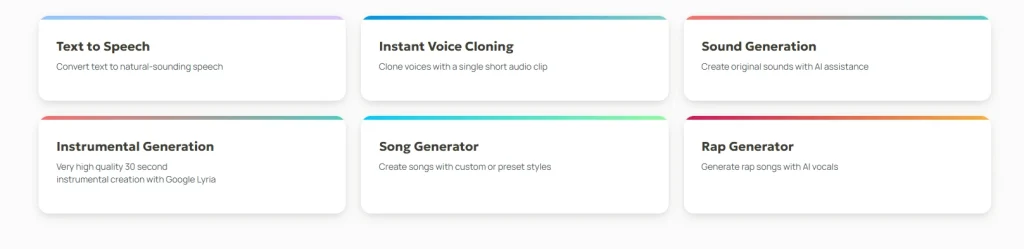
Uberduck AI offers text-to-speech, voice cloning, sound generation, instrumental creation, song generation, and rap generation features. This makes it a multi-functional Artificial Intelligence audio platform for creators, musicians, and developers.
Here are its core features:
- Text to Speech: Convert written text into natural AI voices instantly. Commonly used for social media marketing, YouTube narration, TikTok videos, and explainer content.
- Instant Voice Cloning: Create custom AI voices using voice samples. Popular in the US creator and gaming community for personalized content.
- Sound Generation: Generate AI-based sound effects for creative projects, memes, and social media content.
- Instrumental Generation: Create background music and beats, widely used by indie creators and AI music experiments.
- Song Generator: This helps you turn text or ideas into full AI-generated songs.
- Rap Generator: Generate AI rap vocals with rhythm and flow, one of the most viral use cases across TikTok and YouTube Shorts.
How to Use Uberduck AI (Step-by-Step Guide)
Uberduck AI works by letting you sign up, generate AI audio from your provided text, and download or use it instantly for content creation, music, or development projects.
Step 1: Sign Up or Log In
Go to Uberduck AI and create an account. You can start with the free plan to test basic features.
Step 2: Choose a Tool
From the dashboard, select what you want to create:
- Text-to-Speech
- AI Singing
- Rap Generator
- Voice Cloning (if available on your plan)
Step 3: Enter Your Text
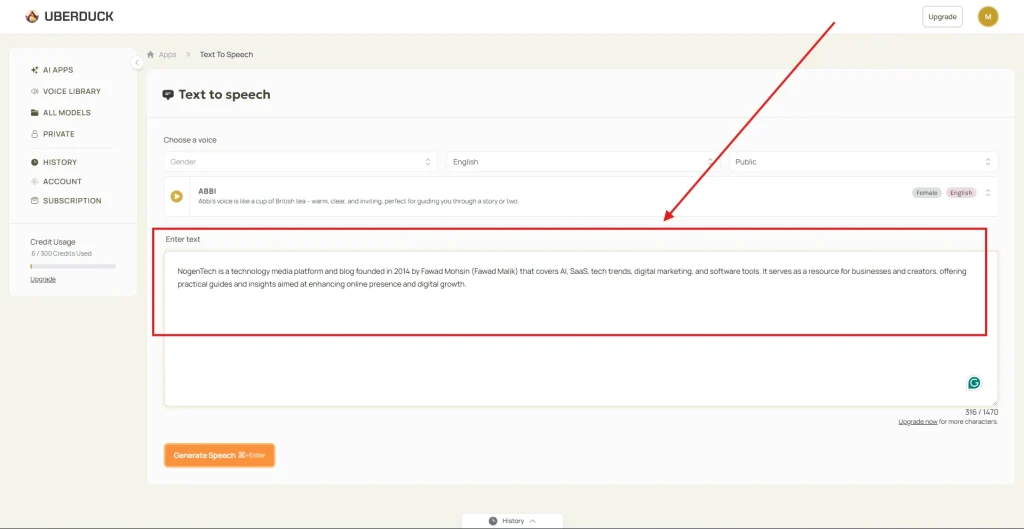
Type the script, lyrics, or dialogue you want the AI to convert into voice.
Step 4: Select a Voice
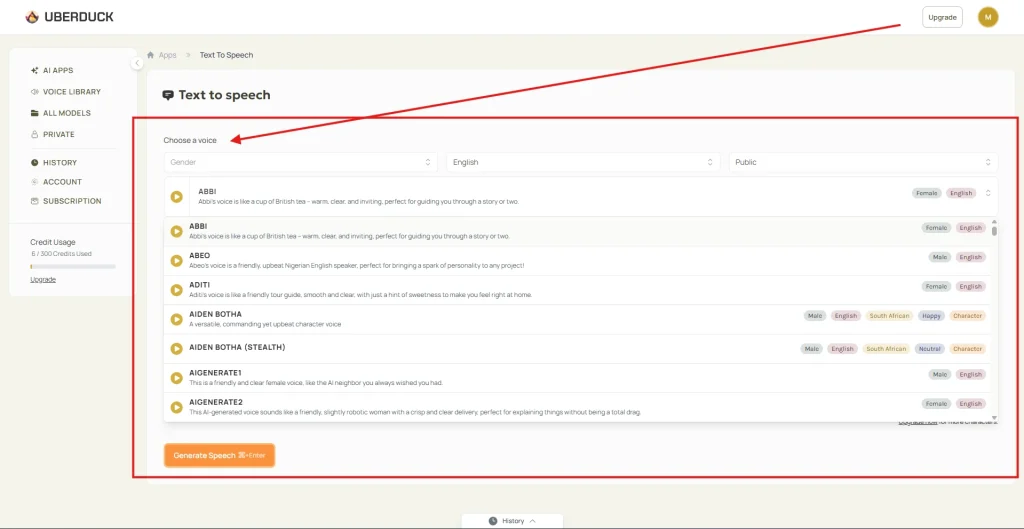
Choose from available voices such as:
- Character voices
- Narration styles
- Rap or singing voices (popular in US memes and TikTok content)
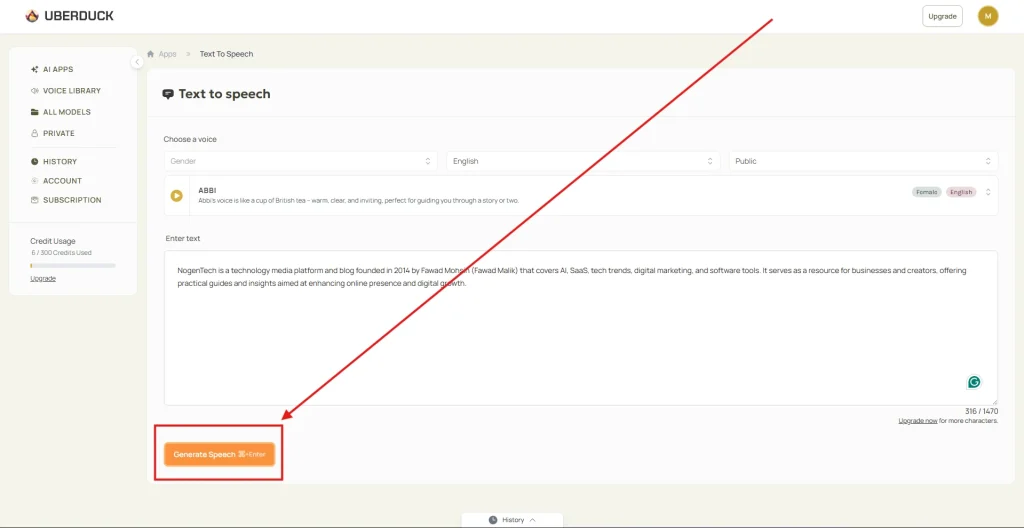
Step 5: Generate Audio
Click generate, and the AI will process your text into speech or music within seconds.
Step 6: Download and Use Content
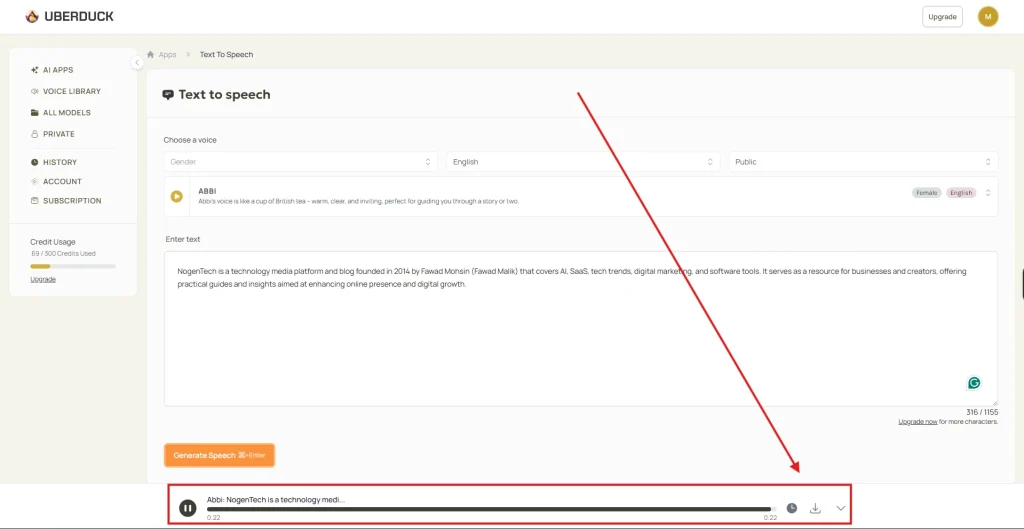
Once generated, you can:
- Download audio files
- Use them in YouTube videos
- Add them to TikTok or Instagram Reels
- Integrate using API (for developers in the USA)
What is Uberduck AI Pricing? (Free vs Paid Plans)
Uberduck AI offers a free plan with limited usage and paid plans starting from $2/month, scaling up to $30/month, and enterprise options for business use. Here is the updated pricing structure:
| Plan | Price | Usage Limits / Extras | Best For |
| Free Plan | $0 | Limited usage | Testing & casual users |
| Starter Plan | $2/month | 1,000 monthly credits | Beginners & hobby creators |
| Creator Plan | $5/month | 3,600 monthly credits, custom AI image clones | YouTube, TikTok & content creators |
| Pro Plan | $30/month | 25,000 monthly credits, 24h support, custom AI image clones, commercial license | Professionals, agencies & developers |
Is Uberduck AI Safe to Use?
Uberduck AI is generally safe to use for AI voice generation and content creation, but users must follow ethical voice cloning practices and review licensing terms before using generated audio commercially.
Now let’s have a quick look at how Uberduck AI processes your data, the copyright policies, and data privacy:
Data and Privacy
- User input text is processed on cloud servers.
- Generated audio is temporarily stored for download/use.
- Accounts are required for most features.
- Users should avoid entering sensitive personal data.
Voice Cloning Safety
- It should only be used with permission-based voices.
- Unauthorized cloning of real individuals can violate platform rules.
- Ethical use is required for commercial content.
Copyright and Usage Rights
- Free plan usage is typically limited to testing.
- Paid plans may include commercial usage rights (depending on the license).
- Users should always check licensing before monetizing content on YouTube, TikTok, or client projects.
What Happened to Uberduck AI Voices? July 2023 Changed the Platform
Uberduck AI removed most of its user-generated and celebrity-style voices in July 2023 due to legal pressure from Universal Music Group and ethical concerns from SAG-AFTRA strikes, then shifted toward a smaller, licensed, and compliance-focused voice library.
Major Voice Removal
Uberduck AI significantly reduced its voice catalogue, removing over 95% of user-generated voices, including many celebrity-style and character voices, as mentioned in Voice.ai.
- Thousands of community-created voices were deleted
- Popular memes and celebrity-style voices were removed
- The platform moved away from open voice sharing
How Uberduck AI Changed After That?
After the purge, Uberduck AI shifted its business model and product direction.
- Focus moved to authorized and branded voices
- Stronger emphasis on legal AI-generated audio
- Reduced but curated voice library (around 200+ voices)
- More controlled and compliance-focused platform
What was the Impact of it on Users and Creators?
This change directly affected creators who relied on the platform for memes, music, and content creation.
- Less variety in celebrity or meme voices
- Shift toward custom voice creation tools
- More stable API and developer-focused usage
- Reduced experimental and viral voice options
Alternative Tools Like Uberduck AI to Opt For
Whether Uberduck has enough capability, but still, in case you find it not of your type, here are some of its widely used AI voice alternatives:
1. ElevenLabs
- An advanced AI voice generator known for highly natural speech
- Strong focus on emotional and human-like narration
- Widely used in the USA for YouTube, podcasts, and audiobooks
- Best choice for creators who prioritize voice realism over experimentation
2. PlayHT
- Cloud-based AI voice and text-to-speech platform
- Offers scalable API access for developers and SaaS products
- Supports multiple accents and commercial use cases
- Popular in startup and developer ecosystems in the USA
3. Murf AI
- AI voiceover tool built for professional and business content
- Used for marketing videos, presentations, and training material
- Simple interface with studio-style narration output
- Common choice for corporate teams and agencies
4. TTSMaker
- Free text-to-speech platform with basic voice generation
- TTSMaker supports multiple languages and simple narration use
- No advanced singing or rap features like Uberduck AI
- Best for beginners and quick voice conversions
5. FakeYou
- Community-driven platform focused on character and meme voices
- Popular for parody content, marketing trends, and internet culture
- Offers highly experimental and entertainment-style audio generation
- Less professional, more creative freedom
Which Alternative Fits Best?
Your choice depends on your goal:
- Realistic professional voiceovers: ElevenLabs
- Developer APIs & scalability: PlayHT
- Business presentations & marketing: Murf AI
- Free basic use: TTSMaker
- Meme & viral content creation: FakeYou
Pros and Cons of Uberduck AI
| Pros | Cons |
|---|---|
| Large library of AI voices | The free tier has strict limits |
| Supports text-to-speech, singing, and rap | Voice quality can be inconsistent |
| Voice cloning available (with permission) | |
| Free plan for basic testing | |
| API access for developers |
What You Must Also Know About Uberduck AI Before Choosing It
Is Uberduck AI free to use?
Uberduck AI offers limited free access for testing, while advanced features, higher-quality voices, and commercial usage typically require a paid plan.
Can Uberduck AI be used for commercial projects?
Yes, Uberduck AI can be used commercially, but licensing depends on the voice and plan you choose. Always review the usage rights before publishing monetized content.
How long does Uberduck AI take to generate a voice?
Voice generation usually takes only a few seconds after you submit your text, depending on text length and server load.
Does Uberduck AI Have an App?
No, Uberduck AI mainly operates as a web-based platform. Users can access its text-to-speech, rap generator, and AI voice tools through a browser on desktop or mobile devices.
Does Uberduck AI Require Recording Equipment?
No, Uberduck AI generates speech digitally using artificial intelligence, so users can create voiceovers and AI vocals without microphones or studio equipment.
Which Users Benefit Most from Uberduck AI?
Uberduck AI is mainly used by content creators, musicians, meme creators, developers, marketers, and businesses looking for fast AI-generated audio production.
Can Uberduck AI Generate AI Songs?
Yes, Uberduck AI supports AI song and rap generation features that allow users to create music-style vocals, parody songs, and experimental audio content.
My Conclusive Opinion on Uberduck AI's Use
Uberduck AI shows how quickly AI voice technology is evolving from simple text-to-speech into creative audio generation.
From AI voiceovers and rap vocals to voice cloning and developer APIs, it offers useful tools for creators, businesses, and developers alike.
In my opinion, its biggest strength is how accessible and experimental it feels compared to traditional voice tools.
While the platform has changed significantly after its voice policy updates, it still remains one of the most recognisable AI voice generators for creative and social media content.