Mobile Banking Platforms Explained: Safer, Smarter, and More Accessible Banking
Mobile banking platforms let users securely manage finances from a smartphone using encrypted connections and authentication systems. This guide explains how mobile banking apps work, how to use them safely, common issues to watch for, and the top apps in the United States.

Do you ever hesitate before using a mobile banking app for your financial transactions?
When I first started exploring mobile banking platforms several years ago, I’ll be honest, I was also skeptical. Handing my financial life over to an app felt risky.
But as someone who now advises on digital finance content, I can tell you that the landscape has transformed dramatically. Today, mobile banking platforms are not just convenient tools, they are secure, regulation-compliant, and increasingly indispensable for everyday financial life.
Below, I break down everything you need to know: what mobile banking platforms are, how mobile banking apps work, how to use them safely, and which user-friendly options are most popular in the United States.
What Are Mobile Banking Platforms?
Mobile banking platforms are secure mobile applications provided by banks or financial institutions that allow customers to manage their financial accounts directly from a smartphone or tablet. These platforms connect users to their bank’s digital infrastructure, enabling them to perform everyday banking activities without visiting a physical branch.
Most modern mobile banking platforms support a wide range of financial tasks, including:
- Checking account balances and transaction history
- Transferring money between accounts
- Paying bills or scheduling recurring payments
- Depositing checks using a phone camera
- Receiving real-time transaction alerts
- Managing debit or credit card controls
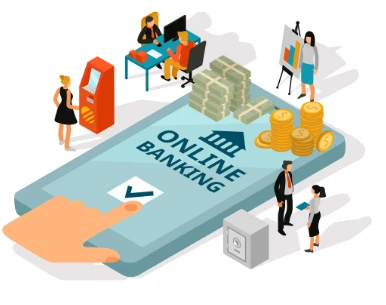
How Mobile Banking Platforms Work
Before trusting any digital tool with your money, I believe it helps to understand, even at a high level, how it actually works. Mobile banking platforms connect a mobile app on your device to your bank’s core banking infrastructure through an encrypted, secure channel.
The Mobile App Interface
The app is where you live day-to-day. Banks design these interfaces to make complex financial tasks feel simple, checking balances, transferring funds, paying bills, depositing checks via camera, managing card settings, and receiving real-time alerts.
Many top user-friendly mobile banking platforms also layer in budgeting tools and spending insights to help you stay financially aware.
Bank Servers & Core Banking Systems
Every action you take sends a request to the bank’s secure servers, where it gets verified and processed before a response comes back to you.
This server-side architecture keeps your sensitive financial data off your device entirely. Core banking systems handle everything from transaction processing to fraud monitoring and regulatory compliance.
Encrypted Communication
The bridge between your app and the bank’s servers is protected by Transport Layer Security (TLS) and 256-bit AES encryption, the same standard used by government agencies. Even if someone intercepted your data in transit, it would be completely unreadable without the decryption keys held by the bank.
Authentication Systems
Authentication confirms you are who you say you are. Most secure mobile banking platforms combine passwords or PINs, biometrics (fingerprint or Face ID), one-time passwords (OTP), and trusted device recognition into multi-factor authentication (MFA), making unauthorized access exponentially harder.
APIs & Open Banking
APIs are what make today’s digital mobile banking platforms feel like complete financial ecosystems.
Behind these apps is a complex development process involving security layers, backend infrastructure, and regulatory compliance, which also influences the cost of developing a banking app.
Through regulated open banking frameworks, such as the Financial Data Exchange (FDX) standard in the US, your banking app securely connects to digital wallets, budgeting apps, and investment platforms.
This is also where users can expand beyond everyday banking into long-term financial planning, such as opening an IRA or managing investments directly through connected platforms.
Step-by-Step Guide to Using Mobile Banking Safely
Here is a practical guide I personally recommend to anyone getting started with secure mobile banking platforms.
What TO Do While Using Mobile Banking App
- Download apps only from official sources, the Apple App Store or Google Play. Never click links in emails or texts.
- Enable biometric authentication (fingerprint or Face ID) as your primary login method.
- Set up transaction alerts for every debit and credit, no matter how small.
- Regularly update your banking app, security patches are critical.
- Use a strong, unique password for your mobile banking account, separate from all other accounts.
- Verify the app developer name matches your official bank before installing.
- Review your bank’s official security page (typically linked in the app’s settings) to understand their fraud protection policies.
What NOT To Do When Using Mobile Banking
- Never share your OTP (One-Time Password) with anyone, including people claiming to be bank representatives.
- Avoid using public Wi-Fi networks for any banking transactions. Unsecured networks are a primary attack vector.
- Do not save passwords in your phone’s browser or notes app.
- Never click on links in unsolicited SMS messages, even if they appear to come from your bank.
- Do not grant unnecessary app permissions (e.g., camera access, contacts) unless directly required for functionality.
- Avoid logging into your banking app on shared or borrowed devices.
| 💙 A Note to New Users: I understand how confusing, or even risky, mobile banking can feel at first. The idea of managing your hard-earned money through a phone app can be intimidating. But I want to reassure you: modern mobile banking platforms are built on layers of encryption, regulatory oversight, and fraud detection systems that most people never see. The technology is robust. With the right habits, digital banking is not only safe, it gives you more control over your finances than a traditional bank ever could. Take it one step at a time, and trust the process. |
Top 5 Mobile Banking Apps in the United States
Below is a curated list of five widely used mobile banking apps in the United States, selected based on security features, user experience, functionality, and the reputation of the financial institutions behind them.
| App Name | Institution | Key Features |
| Chase Mobile | JPMorgan Chase | Biometric login, 2FA, real-time alerts |
| Bank of America Mobile Banking | Bank of America | Erica AI assistant, fraud monitoring |
| Wells Fargo Mobile | Wells Fargo | Card lock, transaction alerts, biometric login |
| Citi Mobile | Citibank | Touch/Face ID, account snapshot, spending monitoring |
| Capital One Mobile | Capital One | Eno virtual assistant, instant purchase alerts |
1. Chase Mobile
Chase Mobile is one of the most widely used banking apps in the United States, offering a comprehensive set of digital banking tools. The app allows users to manage checking, savings, and credit card accounts from a single interface.
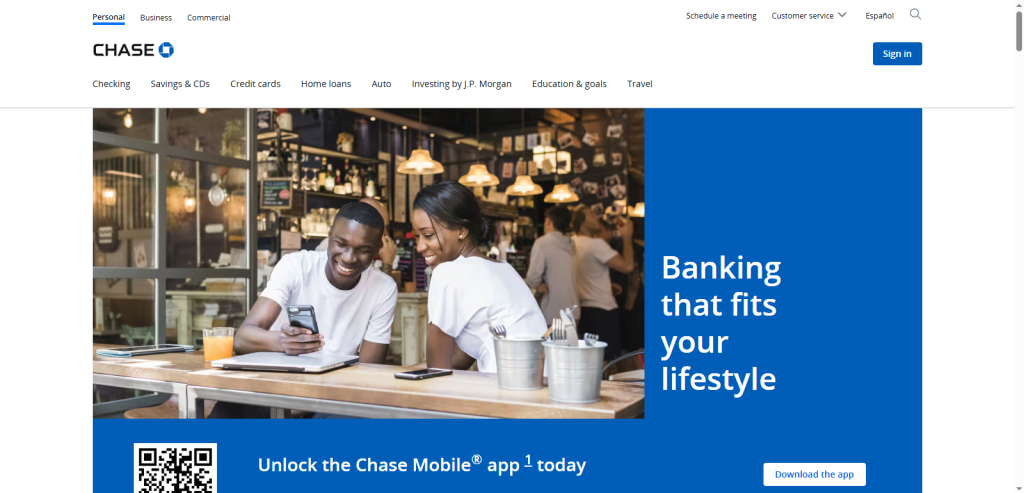
Security features include biometric authentication, two-factor authentication, and instant transaction alerts. Chase also integrates services like Zelle for peer-to-peer payments and provides spending insights that help users monitor financial activity.
2. Bank of America Mobile Banking
The Bank of America Mobile Banking app is known for its advanced financial management tools and its built-in AI assistant called Erica. Erica helps users review transactions, track spending, and receive proactive financial insights.
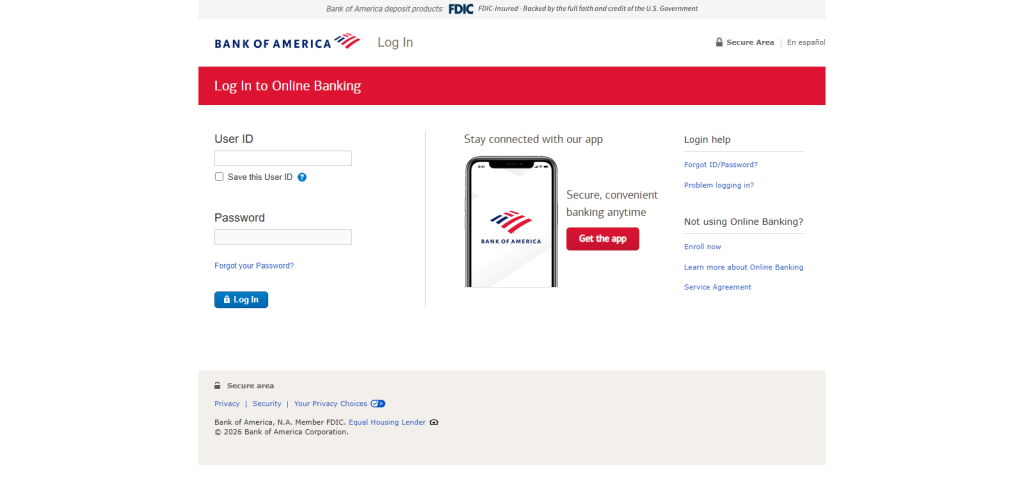
The platform also offers strong fraud protection systems, real-time alerts, and secure biometric login. Many users rely on the app for budgeting assistance and account monitoring in addition to standard banking services.
3. Wells Fargo Mobile
Wells Fargo Mobile provides a user-friendly interface designed for everyday banking activities such as transfers, bill payments, and mobile check deposits.
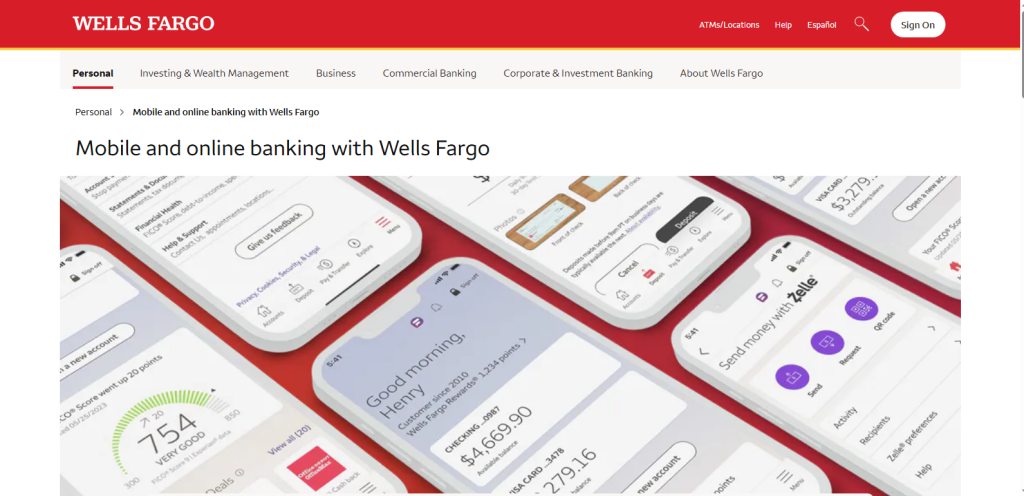
One of its most practical features is the card control function, which allows users to temporarily lock or unlock their debit or credit cards if they suspect unauthorized activity. The app also sends real-time alerts for account activity and supports biometric login for faster and safer access.
4. Citi Mobile
Citi Mobile focuses on convenience and security through features like Touch ID and Face ID authentication. The app includes an account snapshot feature that lets users check balances quickly without performing a full login.
Citi Mobile also provides spending summaries, account monitoring tools, and payment management features that make it easier for customers to track financial activity and control their accounts from their smartphones.
5. Capital One Mobile
The Capital One Mobile app combines traditional banking tools with intelligent digital features. Its virtual assistant, Eno, monitors transactions and sends instant notifications for suspicious activity or unusual purchases.
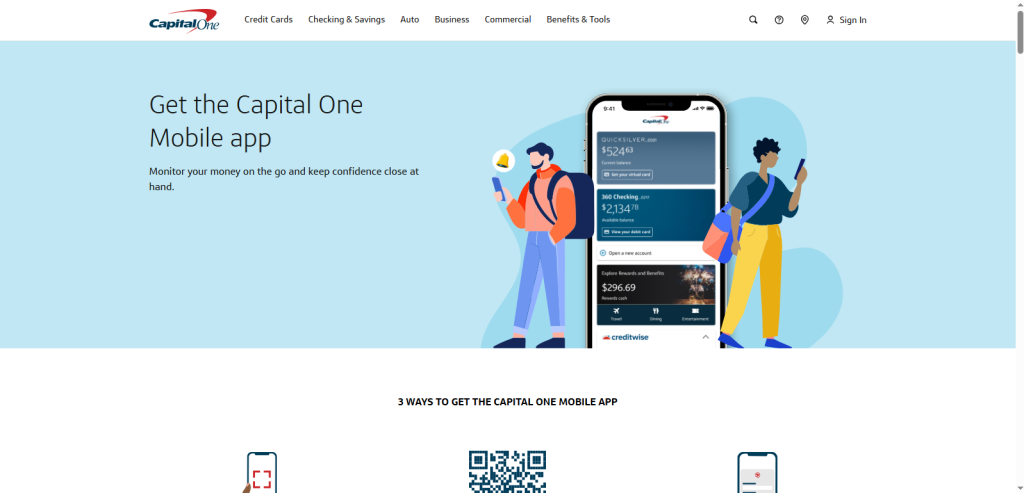
The app also allows users to create virtual card numbers for safer online shopping and offers detailed transaction alerts to help customers track spending in real time. These features make the platform particularly popular among users who prioritize digital security and financial visibility.
Common Mobile Banking Issues and What They Indicate
Even on the most reliable digital mobile banking platforms, users encounter occasional problems. Here is what common issues typically mean:
Login Errors
Usually caused by incorrect credentials, expired sessions, or temporary server downtime. If login errors persist, contact your bank’s support immediately, it could indicate a brute-force attempt on your account.
Transaction Failures
Often result from insufficient funds, exceeding daily transfer limits, or network connectivity issues. Persistent transaction failures should prompt a call to your bank, they can signal technical issues or holds placed on your account for fraud review.
Delayed Payments
Common causes include inter-bank processing times, public holidays, or incorrect routing numbers. For time-sensitive payments, always initiate them at least 1-2 business days in advance.
Suspicious Activity Alerts
Take these seriously every time. If your mobile banking app sends an alert about a transaction you don’t recognize, even for a small amount, treat it as a red flag. Fraudsters often test with micro-transactions before larger theft.
Critical Red Flags While Using Mobile Banking App
| 🚨 CRITICAL WARNINGIf you experience any of the following, contact your bank immediately via their official phone number (printed on the back of your card), do not use any contact details found in suspicious messages. |
- Unauthorized Transactions: Any debit or credit you did not initiate must be reported within 60 days under US Regulation E to qualify for full protection.
- Phishing Attempts: Emails or texts asking you to ‘verify your account’ by clicking a link. Legitimate banks never ask for full account details via SMS or email.
- Account Lockouts: Sudden inability to access your account that you did not trigger may indicate a takeover attempt.
- Unknown OTP Requests: Receiving a one-time password you did not request means someone else is trying to access your account with your credentials.
- App Permission Requests: If a banking app suddenly requests unusual new permissions (microphone, camera during a simple login), uninstall and report it.
Wrapping Up: Why Mobile Banking Isn’t as Scary as It Seems
Mobile banking platforms have come a long way from being just a convenience, they’re now secure, feature-rich tools that put your finances at your fingertips. By understanding how these apps work, choosing trusted platforms, and following simple safety practices, you can confidently manage your money anytime, anywhere.
Whether you’re checking balances, paying bills, or exploring the top apps in the US, the key is to stay informed and proactive. Start small, use the security tips shared here, and gradually take full advantage of everything mobile banking has to offer.