List Crawling vs Web Scraping: What’s the Difference and When Does Each Matter?
List crawling discovers URLs and maps website structure, while web scraping extracts specific data from those pages, such as prices, product details, and content.

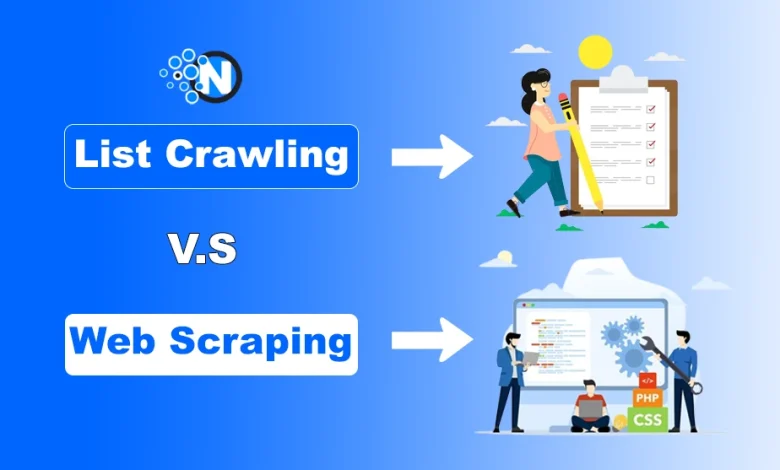
Websites hold more than just information. They contain links to thousands of pages, along with product details, prices, articles, and other data. Collecting all of it isn’t always the goal. Sometimes, finding the right pages is enough.
That’s where list crawling and web scraping serve different purposes. List crawling discovers URLs across a website, while web scraping extracts specific information from those pages.
Both can work together, but the right approach depends on the data needed. The differences become clearer when compared side by side.
| Aspect | List Crawling | Web Scraping |
|---|---|---|
| Main purpose | Discover URLs and links | Extract specific website data |
| Focus | Website structure and page discovery | Content within individual pages |
| Typical output | URL lists and page metadata | Text, prices, tables, or structured records |
| Common tools | Crawlers, spiders, Scrapy | BeautifulSoup, Scrapy, Selenium |
| Main uses | Site audits, link discovery, search engine crawls | Price research, data collection, market analysis |
| Main challenge | Duplicate URLs, broken links, crawl limits | Complex page layouts, dynamic content, data accuracy |
A crawler can find hundreds of product pages, while a scraper collects the prices or descriptions from them. That distinction starts with how each method works.
What Is List Crawling?
Start creating Verdict in seconds, and convert more of your visitors into leads.
List crawling is the process of discovering URLs across a website. An automated crawler starts from a known page, checks its links, and follows relevant ones to find more pages.
For example, a crawler on an online store might start at the homepage, visit category pages, and collect links to individual products. The result is a list of product URLs rather than a full set of product details.
List crawling is closely related to web crawling. The difference is mainly the intended output: list crawling focuses on collecting URLs, while broader web crawling may also gather page content and metadata for indexing or analysis.
Search engines use web crawling to discover pages, although the process extends beyond collecting a simple URL list.
How List Crawling Works
A typical crawl follows a straightforward process:
- Start with a URL: The crawler visits a homepage, category page, or another known address.
- Find links: It checks the page for hyperlinks that lead to other URLs.
- Follow relevant pages: It visits links that match the crawl’s scope.
- Remove duplicates: It avoids repeated visits to URLs already processed.
- Save the results: It stores discovered URLs and relevant page details.
Larger websites may also require crawl schedules, URL filters, and limits on how often pages are requested.
Where Is List Crawling Used?
List crawling is useful when the goal is to find or organize pages rather than collect their full content.
Common uses include:
- Search engine discovery: Finding pages that may qualify for indexing. The process is part of how search engines discover and index web pages.
- SEO audits: Checking website structure, internal links, and page accessibility.
- Website monitoring: Finding new pages or changes to existing URLs.
- Content inventories: Creating a list of articles, products, or category pages.
For SEO work, crawl results can also reveal pages that search engines may struggle to discover. Proper robots.txt configuration helps site owners communicate crawler access preferences.
What Is Web Scraping?
Start creating Verdict in seconds, and convert more of your visitors into leads.
Web scraping extracts specific information from websites. Instead of collecting a list of page addresses, a scraper reads page content and pulls out the details required for a particular task.
For example, a price comparison project might collect product names, prices, and availability from several online stores. The final output could be a spreadsheet or database.
A scraper may work on one page or thousands of pages. The number of pages doesn’t define the method. The purpose is data extraction.
How Web Scraping Works
The method depends on how a website presents its content.
- HTML parsing: Tools such as BeautifulSoup read page markup and extract selected elements.
- DOM parsing: A scraper uses the page’s document structure to locate text, links, or tables.
- API access: Where an appropriate API is available, structured data can be retrieved directly.
- Browser automation: Tools such as Selenium can access content that depends on JavaScript or page interaction.
The right approach depends on the website and the information required. A simple HTML page may need only a basic parser, while a JavaScript-heavy website can require browser automation.
Where Is Web Scraping Used?
Web scraping is commonly used for price monitoring, market research, content collection, and data analysis. Businesses can collect product prices from online stores or track market trends through publicly available data.
Some projects use residential proxies with household IP addresses to manage requests across different locations. Reliable proxy performance also matters, as failed requests can leave gaps in collected data. Website access rules and rate limits still apply.
For digital marketing, social media data collection can support market research, provided the collection process follows platform rules and applicable privacy requirements.
Web Crawling vs Web Scraping: How Do They Differ?
Start creating Verdict in seconds, and convert more of your visitors into leads.
List crawling is a form of web crawling, but the broader difference is straightforward. Web crawling discovers pages, while web scraping extracts specific data from them.
For example, a crawler can find product pages across an online store. A scraper can then collect prices, descriptions, and stock details from those pages. Both methods can work together or independently, depending on the task.
1. Purpose and Output
Crawling identifies available pages, while scraping collects information from them. A crawl might produce 500 product URLs. Scraping those pages could produce 500 records with product names, prices, and descriptions.
2. Tools and Technical Requirements
Crawlers discover links, manage URL queues, and avoid duplicate visits. Scrapers identify and extract specific page elements. Some tools support both tasks. Scrapy handles link discovery and data extraction, BeautifulSoup parses HTML, and Selenium automates browser actions.
3. Speed and Website Load
Crawlers that collect only URLs may require less processing than scrapers that extract detailed content. However, performance depends on website size, page complexity, request limits, and JavaScript requirements. Both methods should respect website access restrictions and reasonable request rates.
4. Data Accuracy
List crawling requires accurate URL discovery without duplicates, broken links, or irrelevant pages. Web scraping requires correct data extraction. For example, a change in a product page’s layout could cause a scraper to collect the wrong price.
Can List Crawling and Web Scraping Work Together?
Start creating Verdict in seconds, and convert more of your visitors into leads.
Yes. Both methods can support the same data collection project. For example, a laptop price comparison project might follow these steps:
- A crawler discovers laptop category and product URLs.
- Duplicate and irrelevant URLs are removed.
- A scraper extracts product names, prices, and availability.
- The results are saved in a spreadsheet or database.
- The process repeats when updated prices are needed.
Crawling provides the page addresses, while scraping collects the product details.
What About Robots.txt, Privacy, and Website Rules?
Start creating Verdict in seconds, and convert more of your visitors into leads.
Both methods must account for website access rules. A website’s robots.txt file tells compliant crawlers which paths they can access, but it doesn’t provide legal permission or prevent access by itself.
Website terms, copyright, authentication requirements, and privacy laws may also apply. Publicly accessible data isn’t necessarily unrestricted.
Responsible crawling and scraping require reasonable request rates, respect for access restrictions, and appropriate handling of personal data. For site owners, search engine indexing also depends on page accessibility and indexability.
Which Approach Works Best? Final Thoughts
Start creating Verdict in seconds, and convert more of your visitors into leads.
The choice depends on what needs to be collected. List crawling works best for discovering URLs, checking internal links, and mapping website structure. Web scraping is better suited to extracting prices, product details, and other specific information.
For larger projects, both methods can work together. A crawler finds the relevant pages, and a scraper collects the required data.
The key is to start with a clear purpose. That makes it easier to choose the right method without collecting unnecessary data or adding complexity to the process.