How to Evaluate Streaming App Safety & Privacy?

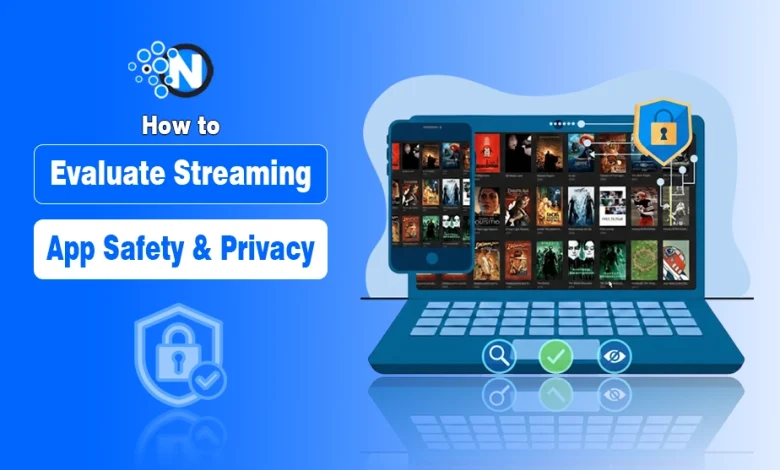
I want to teach you how to treat every third-party streaming app like a potential security breach until it proves otherwise. In a world where free streaming is often a trap for harvesting your personal information, you cannot afford to be a passive user.
My goal is to equip you with a technical lens through which you can view every download, account creation, and permission request. By the time we finish this article, you will have a systematic process for ensuring that your movie night does not turn into a digital nightmare for your device or your identity.
Key Risks Associated With Third-Party Streaming Apps
Here is a breakdown of the primary technical and privacy risks associated with using third-party streaming applications:
- Malware Injection: Many apps contain hidden Trojans or viruses that can infect your computer and steal sensitive files.
- Data Harvesting: Developers often scrape your personal data, including email addresses, phone numbers, and device IDs, to sell to third-party brokers.
- Invasive Permissions: These apps frequently request unnecessary access to your camera, microphone, and contact lists for non-functional reasons.
- Credential Stuffing: If you use the same password for the app as you do for other accounts, hackers can use those credentials to break into your banking or social media.
- Cryptojacking: Some apps run background scripts that use your device’s CPU to mine cryptocurrency, causing overheating and hardware degradation.
- Aggressive Adware: Malicious ads can redirect your browser to phishing sites or force-install “cleaner” apps that are actually harmful.
- Network Vulnerability: These apps can act as a gateway for hackers to access other devices connected to your home WiFi network.
- Identity Profiling: By tracking your viewing habits and IP address, developers build a detailed profile of your physical location and daily routines.
- Legal Consequences: Streaming copyrighted content through unverified apps can expose you to DMCA notices or legal action from internet service providers.
- System Stability Issues: Poorly coded third-party apps often cause system crashes, significant battery drain, and permanent slowing of your device.
How to Evaluate Streaming App Safety & Privacy?
Below, I have explained a step by step guide that will help you evaluate the safety and privacy of third-party streaming apps.
1. Initial Research and Verification Phase
First, I want you to understand that the “free” nature of these third-party apps usually means you are the product. Your first line of defense is a critical assessment of the developer’s reputation and the history of the app itself.
If you cannot find a clear, transparent record of who built the software and why they are offering it for free, you should consider that a significant warning sign that the app is not built with your safety in mind.
2. Check Developer Transparency
I always tell my readers to start by searching for the developer’s official website or their presence on open source platforms like GitHub. A legitimate developer will provide a way to contact them and a clear explanation of their business model.
If the developer is a ghost or uses a generic name like “BestStreamer2026,” you are likely dealing with a shell entity designed to distribute malware. I suggest looking for reviews on independent tech forums rather than the app’s own website, as those are often fied.
3. Verify the App Source
You must be extremely cautious about where you source your installation files. I recommend only using reputable third-party app stores that have a known vetting process, such as the Amazon Appstore or the Samsung Galaxy Store, if the main Google Play Store is not an option.
If you are downloading an APK file directly from a random website, you are essentially inviting a stranger into your home. I want you to check the digital signature of the file to ensure it has not been tampered with by a middleman looking to inject malicious code.
4. Monitor Storage and File Access
A streaming app naturally needs to store cache files, but it does not need access to your entire file system. I want you to look closely at whether the app asks for “All Files Access” or just access to its own specific folders.
If you grant an app the ability to read all files, it can scan your private documents, saved photos, and even local backups of your messaging apps. I suggest denying these broad requests and seeing if the app can still function using only basic media permissions.
5. Restrict Location and Identity Data
There is absolutely no reason for a streaming service to know your exact GPS location or have access to your phone’s IMEI number. I have found that many apps use this data to create a permanent hardware ID for your device, which allows them to track you even if you delete your account or change your email.
When the system asks for location access, I want you to select “Don’t Allow.” If the app claims it needs location for “regional content,” use a reputable VPN instead of giving away your physical coordinates.
6. Block Contacts and Call Logs
This is a non negotiable point in my teaching: never allow a streaming app to access your contacts or call history. This data is highly valuable to advertisers and malicious agencies who want to map out your social media circle for phishing or spam campaigns.
If an app insists on these permissions to “help you share content with friends,” you should view it as a predatory tactic. A safe app will allow you to manually share a link without needing to scrape your entire address book.
7. Read the Privacy Policy
I know that privacy policies are long and tedious, but I want you to learn how to scan them for specific keywords. Look for “data sharing with third parties,” “advertising ID,” and “tracking pixels.” A safe policy will be short and state that data is only used for app functionality.
If you see a policy that says they share “anonymized data with partners,” you should assume that your identity can and will be reconstructed by data brokers. If there is no policy at all, that is an immediate failure of the safety check.
8. Use Network Sniffing Tools
For those who want to take a more technical approach, I recommend using a network monitoring app to watch your outbound traffic in real time.
If a single movie stream results in connections to fifty different tracking servers, the app is failing the privacy test. I believe that being able to see these hidden pings is the only way to truly verify that an app is respecting your digital boundaries.
9. Identify Hostile Ad Behaviors
You should also be careful about ads that cover the entire screen, disable the “back” button, or trigger automatic downloads. If you click a play button and your web browser opens a page telling you that your system is infected with a virus, you are experiencing a malicious redirect.
These are social engineering tactics designed to trick you into installing fake security software. A safe app will have clearly marked ads that do not interfere with the basic navigation of the interface and enable you to have a secure browsing experience.
10. Monitor Background Power Consumption
One of the most effective ways to spot hidden adware is to check your battery usage statistics. I suggest looking at the “Background Activity” section of your settings after using a new streaming app.
If the app is consuming 20 percent of your battery while the screen is off, it is likely running invisible ads or mining cryptocurrency in the background. I teach that any app showing high resource usage during periods of inactivity should be uninstalled immediately to protect your hardware and your data plan.
Final Thoughts
I hope this article has changed the way you look at the “Install” button of a third-party streaming app. Evaluating streaming app safety is not just a one time task. It is a mindset of constant vigilance.
When you start following the steps I have outlined, you can take control of your digital privacy and ensure that your smartphones remain secure. Remember that no movie or show is worth compromising your personal security or your identity.
I believe that an informed user is a safe user, so keep these technical checks in mind every time you explore a new platform. Stay safe, stay skeptical, and always prioritize your data over free content.