When I started working from home, my desk felt “good enough” until neck pain, slouching, and fatigue showed up.
That’s when I faced a common question many remote workers run into: Should I add a desk riser or switch to a full standing desk
Both options aim to improve posture, but the right choice depends on how you actually work.
That’s why I’ll walk you through how desk risers and standing desks actually fit into real remote desk setups, long hours, and realistic budgets, so you can choose one for yourself.
Real Difference Between a Desk Riser and a Standing Desk (Quick Answer)
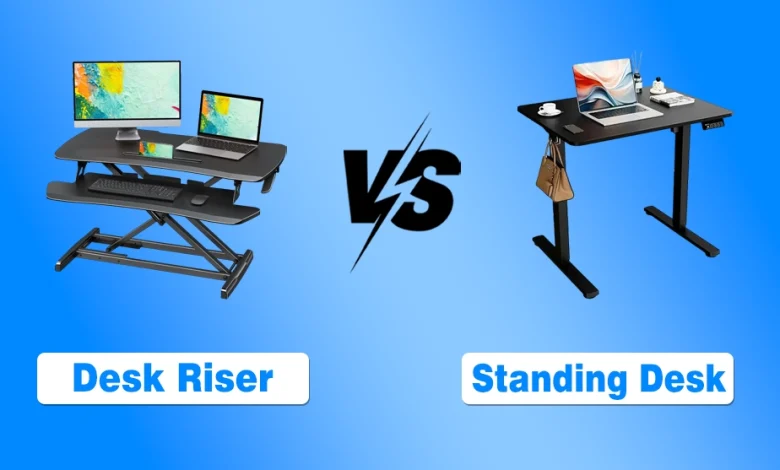
A standing desk is a full workstation that can adjust between sitting and standing and replaces a standard desk. A desk riser sits on top of an existing desk to create a sit‑to‑stand workspace.
Risers are lighter, more affordable, and space-saving, while standing desks offer full adjustability and long-term ergonomic benefits.
Desk Riser vs Standing Desk in Real Work-From-Home Scenarios
Choosing between a desk riser and a standing desk depends on your actual workspace and work habits. Here’s how each performs across common remote-work setups:
Small Rooms and Limited Floor Space
- Desk Riser: It sits on an existing desk, taking minimal floor space, ideal for apartments or small home offices.
- Standing Desk: It requires a full desk space; however, slim models exist, but usually need dedicated space.
- Takeaway: For minimal space, a riser adapts your setup without adding bulk.
Shared or Multi-Purpose Desks
- Desk Riser: It is easily moved and adjusted, perfect for multi-user or multi-purpose desks.
- Standing Desk: Less convenient for shared desks because switching heights can be annoying.
- Takeaway: For flexible setups, a riser is faster and more space-efficient.
Laptop-Only vs Monitor-Based Work
- Desk Riser: Works for single-laptop setups but can limit posture with multiple monitors or large keyboards.
- Standing Desk: Supports dual monitors and full device setups with proper adjustability.
- Takeaway: Laptop users can use a riser; multi-monitor setups benefit from a standing desk.
Cost, Flexibility, and Long-Term Value
I have to tell you that the upfront price is just part of the story. Hidden costs and long-term needs determine which option truly fits your remote setup.
Upfront Cost vs Hidden Costs
- Desk Riser: Lower initial cost, but may require:
- Chairs: Proper support is still needed.
- Monitor arms/stands: For multiple screens or ideal height.
- Anti-fatigue mats: Reduce leg fatigue during standing.
- Standing Desk: Higher upfront cost, often includes adjustability for monitor and keyboard. May still need mats or chairs.
- Takeaway: Don’t judge by price alone; factor in accessories for posture and comfort.
Upgrade vs Replace Decision Framework
- Desk Riser: Best as a temporary or incremental solution:
- Renting or can’t replace your desk.
- Testing sit-stand benefits before committing.
- Standing Desk: Long-term ergonomic investment:
- Full-time remote work for years.
- Multiple monitors or large setups.
- Takeaway: Risers save money upfront, but standing desks can be more cost-effective in the long term if they fit your workflow.
Posture Reality Check (What Actually Improves Ergonomics)
While desk type matters, correct posture depends on multiple factors, not just the desk height. Both risers and standing desks can improve comfort, but only if used correctly within your workspace setup.
Desk Height Is Only One Variable
- Chair height: Support lower back; feet flat on the floor when seated.
- Screen distance & height: Top of monitor at or slightly below eye level, arm’s length away.
- Keyboard angle & placement: Wrists neutral, not bent up or down.
Tip: Desk adjustments alone aren’t enough; you must prefer that the chair, monitor, and keyboard be aligned.
Common Posture Mistakes With Both Options
- Riser too high: Causes shoulder tension and wrist strain.
- Standing all day: Leads to fatigue, back pain, or leg discomfort.
Takeaway: Alternate between sitting and standing, adjusting chair, monitor, and keyboard for each position. Ergonomics is about balance, not just desk type.
Who Should Choose a Desk Riser (And Who Shouldn’t)
A desk riser works best when you need flexibility without replacing your desk.
Riser Desk Is Best If You:
- Rent or can’t replace your desk: Adapts to existing furniture.
- Share workspace: Quick height adjustments for multiple users.
- Work in short sit-stand cycles: Supports alternating positions without major investment.
Avoid a Riser Desk If You:
- Use dual or large monitors: Limited surface depth restricts screen placement.
- Need full-day standing: Prolonged use may cause fatigue.
- Have shallow desks: Riser footprint can reduce usable workspace.
Who Should Choose a Standing Desk Instead
A standing desk is better for those who require long-term ergonomic setups with space and commitment to full-time standing:
- Full control over height: Optimizes monitor and keyboard placement.
- Heavy or multiple monitor setups: Supports larger equipment and full workspace ergonomics.
- Long-term remote work: Ideal for permanent, adaptable workstations.
At The End: Choose the Desk That Fits Your Workflow
The best desk isn’t about features; it’s about your space, work habits, and comfort. Desk risers will help in small or shared setups and short sit-stand cycles, while standing desks offer full adjustability and long-term ergonomic support for heavy or multi-monitor setups.
I suggest you consider your workspace, workflow, and posture needs to make a choice that actually improves your remote work experience.