Accessing your Unity Wireless account efficiently is key to managing your internet settings and improving speed. This guide walks you through the Unity Wireless login process step by step, showing exactly how to sign in, update account preferences, and optimize network settings for faster performance.
Whether you need to adjust Wi-Fi channels, manage devices, or troubleshoot connection issues, these instructions cover everything clearly and practically. I’ve compiled this guide exactly the way you can follow easily to gain full control over your Unity Wireless account and improve the speed.
What is Unity Wireless? In Case You Don't Know
Unity Wireless provides free wireless service to eligible low-income Americans, including a phone with unlimited talk, text, and data.
Through government programs like Lifeline and the Affordable Connectivity Program (ACP), users can access reliable mobile service without credit checks or monthly bills. Unity Wireless runs on the fast T-Mobile 5G network, ensuring strong coverage and connectivity.
Checking eligibility and applying is quick and easy online, which makes it simple for qualified individuals to get connected and enjoy full mobile services at no cost.
Key features of Unity Wireless
- Free Service: Eligible customers get a free phone with unlimited talk, text, and data without any monthly bills or hidden fees.
- Government-Backed: Available through programs like Lifeline and the Affordable Connectivity Program (ACP).
- Eligibility: Individuals on SNAP, Medicaid, SSI, Section 8, or other government assistance programs typically qualify.
- Reliable Network: Powered by the T-Mobile 5G network for fast, nationwide coverage.
- Easy Application: Apply online quickly with no credit check required.
- Additional Services: Free connected tablet service with unlimited data is also offered to eligible customers.
Step-by-Step Tutorial to Log in to Unity Wireless
Follow these steps to log in to Unity Wireless safely and quickly:
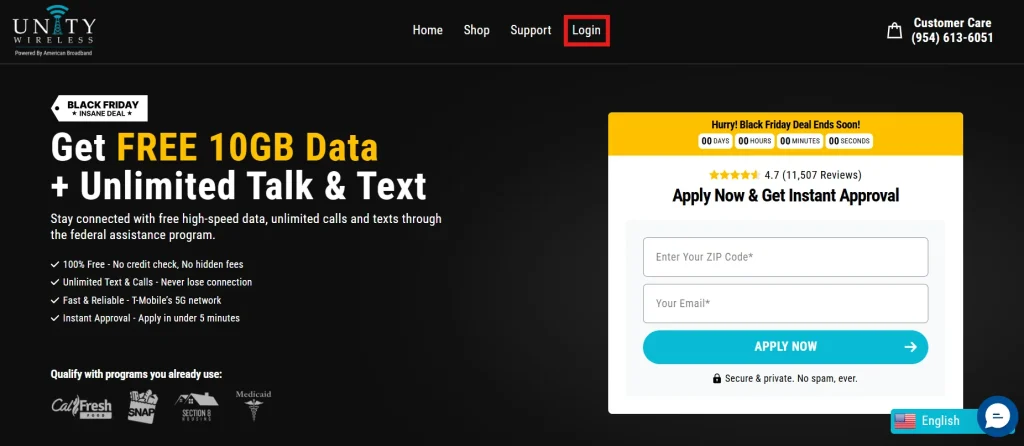
- Visit the Unity Wireless website: Go to https://unitywireless.com/.
- Click on “Login”: Find the login button at the top-right corner of the homepage.
- Enter your credentials: Use your registered phone number and password.
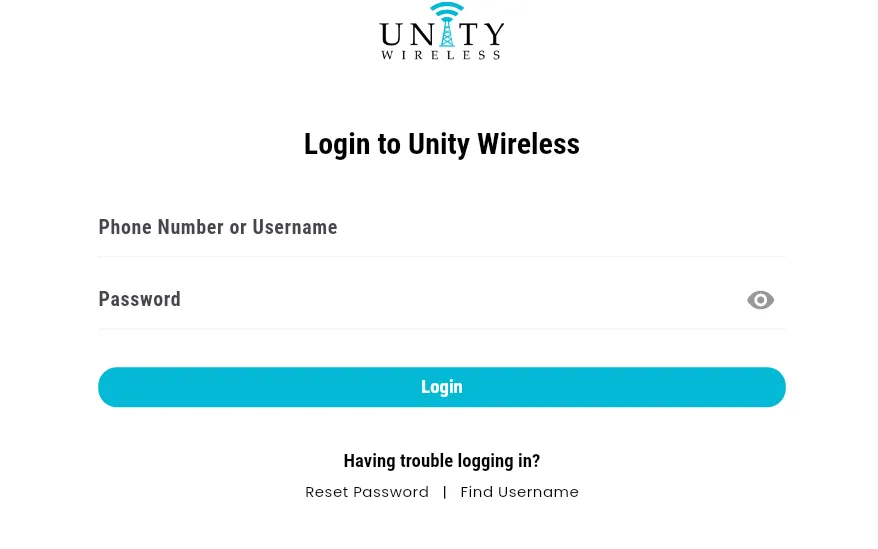
- Verify your account: You may need to confirm via a verification code sent to your phone or wireless tablet.
- Access your dashboard: Once logged in, you can view account details, usage, and settings.
👉 Pro Tip: Save your login credentials securely for faster access next time.
Unity Wireless Settings for Faster Internet Up to 12x
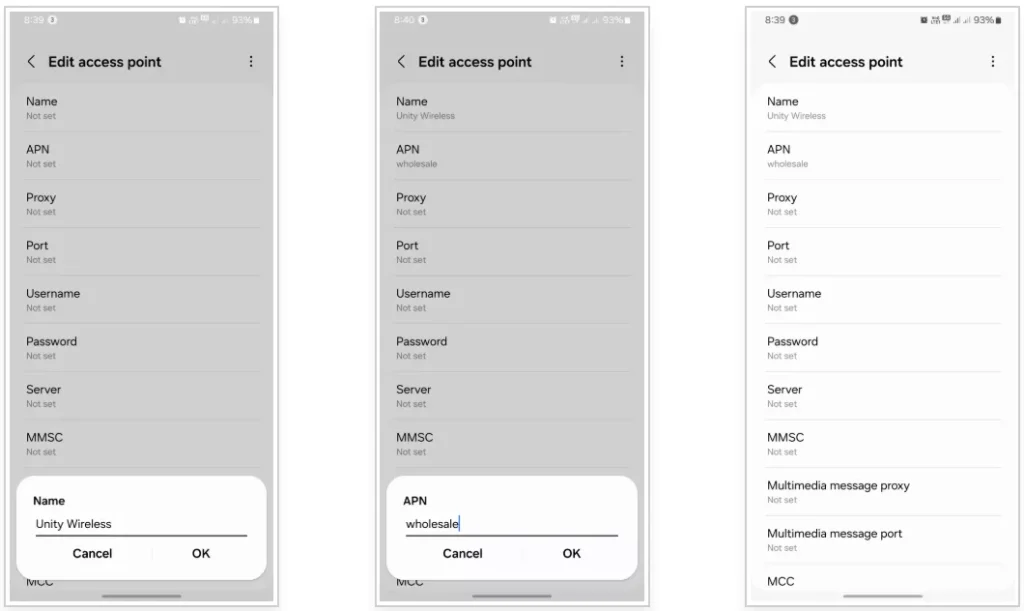
To get your device fully optimized, enter the following APN values:
- Wi-Fi Optimization: Ensure your home router is placed centrally and away from interference. Update passwords regularly and change channels if experiencing slow speeds.
- Device Management: Disconnect unused devices to reduce bandwidth congestion.
- Data Usage Settings: Adjust data-saving modes or limits to prioritize essential apps and services.
- Firmware Updates: Keep your phone and router firmware updated for better performance.
- Network Preferences: Set preferred networks or prioritize 5G connections where available.
These small adjustments can significantly enhance your browsing, streaming, and downloading experience. All over this: you can also read the xFi Complete, which can be a perfect alternative to slow Wi-Fi.
| Setting | Value |
|---|---|
| Name | Unity Wireless |
| APN | wholesale |
| Proxy | (leave blank) |
| Port | (leave blank) |
| Username | (leave blank) |
| Password | (leave blank) |
| MMSC | http://wholesale.mmsmvno.com/mms/wapenc |
| MMS Proxy | (leave blank) |
| MMS Port | 8080 |
| MCC | 310 |
| MNC | 240 |
| Authentication Type | (leave blank) |
| APN Type | default, supl, mms, ia, hipri |
| APN Protocol | IPv4/IPv6 |
| APN Roaming Protocol | IPv4 |
Benefits of Using Unity Wireless
Logging in and optimizing settings unlocks several advantages:
- Free phone with unlimited talk, text, and data for eligible users.
- Fast, reliable connectivity on the T-Mobile 5G network.
- Simple online account management with no credit check required.
- Access to additional services like free connected tablets.
- Ability to control settings for faster and smoother internet performance.
Final Thoughts
The Unity Wireless login process is simple but crucial for managing your account and optimizing internet speed so far. By following this guide, you can ensure smooth connectivity, make the most of your data, and adjust settings for faster performance.
Whether it’s monitoring usage, managing devices, or updating network preferences, a few smart steps go a long way in enhancing your Unity Wireless experience in 2026. Now, it is up to you to consider your budget and make an informed purchase decision based on your requirements and preferences.
People Also Ask
How does Unity Wireless work?
Unity Wireless can help you get pre-paid plans that can resonate with your budget preferences as well as your requirements.
Can I put my Unity wireless SIM card in another phone?
After activation through the Unity Wireless login method, you can use the SIM card on different devices.
Is it free to use Unity Wireless?
You have to purchase a Unity Wireless prepaid plan to pocket the benefits associated with this platform.
How to get unlimited talk, text, and data for free?
You must follow the step by step guide of Unity Wireless login and purchase a prepaid plan to get unlimited talk, data, and text.